Launching a new product before it’s ready to ship creates a chicken-and-egg problem: you need pre-orders to justify production costs, but collecting them through email and manual invoices turns into a logistical nightmare.
Spreadsheets fill up with names, addresses, and product choices. Someone forgets to pay. Another person changes their shipping address. By the time you’re ready to ship, you’ve spent hours reconciling who ordered what.
This PayPal Pre-Order Form Template handles the entire pre-order process in one go. Customers reserve their product, pay upfront, and provide shipping details, all while you maintain a clean list of confirmed orders.
What the Pre-Order Form Handles
Product creators, small manufacturers, authors doing book pre-sales, artists selling limited editions, and businesses launching new inventory will find this template covers all the essentials:
Customer Details Section:
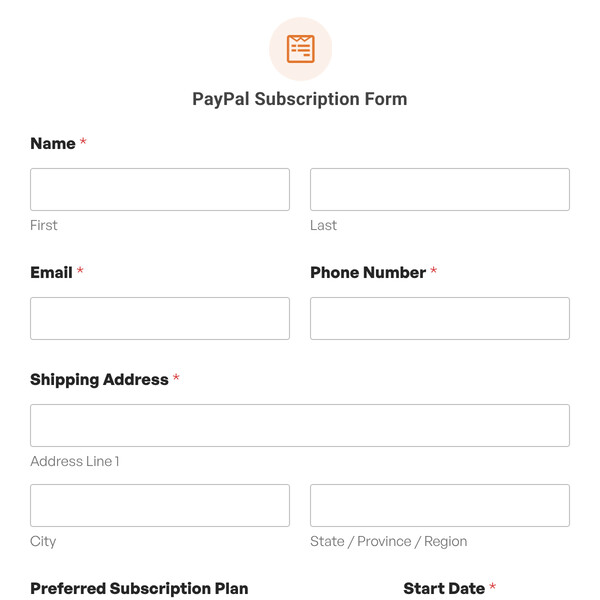
- Name: Captures first and last name for order records and personalization.
- Email: Creates your communication channel for shipping updates, delivery confirmations, and product launch news.
- Phone Number: Adds a backup contact method for delivery issues or order clarifications.
- Shipping Address: Collects the complete delivery address including street address, city, state/province, and ZIP code.
Product Details Section:
- Product Name: Records which product variant or SKU the customer wants.
- Color/Variant (Dropdown): Lets customers pick product options like color, size, or style. The template shows “Metallic Silver” as an example.
Notes & Confirmation Section:
- Special Delivery Instructions (Paragraph Text): Gives customers space to mention gate codes, preferred delivery times, or special handling requests.
- Confirmation Checkboxes: Two important agreements are included:
- Terms and conditions acknowledgment
- Understanding that canceling after a certain point (like when items ship) won’t be possible
Payment Details Section:
- Total Amount Calculation: Shows a breakdown with line items, quantity, subtotal, and total. The template displays “Example Product 1” at $10.00 each as a placeholder.
- PayPal Commerce Field: Processes the pre-order payment.
How Customers Pay for Pre-Orders
Pre-order customers can pay using PayPal, credit or debit cards entered directly, or alternative methods like Apple Pay, Google Pay, and Venmo. Payment processes immediately, securing their spot in your production queue.
The money hits your PayPal account right away, giving you working capital for production while building a confirmed customer list.
Customizing for Your Product Launch
- Product selection: If you’re offering multiple products for pre-order, change the “Product Name” field to a dropdown listing all available items. You can then adjust pricing dynamically based on selection.
- Variant options: The color/variant dropdown should reflect your actual options. Maybe it’s “Size (Small, Medium, Large)” or “Edition (Standard, Deluxe, Collector’s)” or “Format (Hardcover, Paperback, Digital).”
- Quantity selection: Add a number field if customers can pre-order multiple units. Connect it to your total calculation so pricing updates automatically.
- Estimated delivery date: Consider adding a field or static text clearly stating when customers can expect shipment. Managing expectations upfront prevents support headaches later.
- Deposit vs. full payment: If you’re only collecting a deposit, adjust the total calculation and add text explaining the remaining balance will be charged before shipping.
- Refund policy: Update the confirmation checkbox language to match your actual pre-order terms. Be explicit about when refunds are available and when they’re not.
- Gift options: Planning to let people pre-order as gifts? Add a checkbox asking “Is this a gift?” with conditional fields for gift message and recipient information.
Getting Pre-Orders Rolling
Connect your PayPal Business account via WPForms » Settings » Payments, import this template, then add it to your pre-order landing page. Configure the product options and pricing in the form builder to match what you’re offering.
For Lite/Basic/Plus users, a 3% platform fee applies to all payments. Upgrade to WPForms Pro or higher to remove this fee and unlock additional features with the PayPal Commerce Addon.
Start Taking Pre-Orders
Import this template to validate product demand while collecting payments upfront. Customize the product options and delivery terms to match your launch.