Are you throwing a party for yourself, your child, a friend, or co-worker? If so, you need a party invitation RSVP form to help you get started with the party planning.
With WPForms’ party invitation RSVP form, you can easily share party information with those invited and give them to chance to let you know whether they’re coming or not.
Why Use an Online RSVP Form?
Text message threads get messy. Someone says they’re coming, someone else asks if they can bring their kids, another person wants to know if the party is still happening. Tracking RSVPs through messages is chaos.
An online form puts all responses in one place. You can see exactly who confirmed, who’s bringing guests, and what questions people have. No more scrolling through old texts trying to remember who said yes.
Works for: Birthday parties, baby showers, graduation celebrations, dinner parties, holiday gatherings, engagement parties, retirement parties, or any event where you’re inviting a specific group of people.
What’s in the Party Invitation RSVP Form Demo
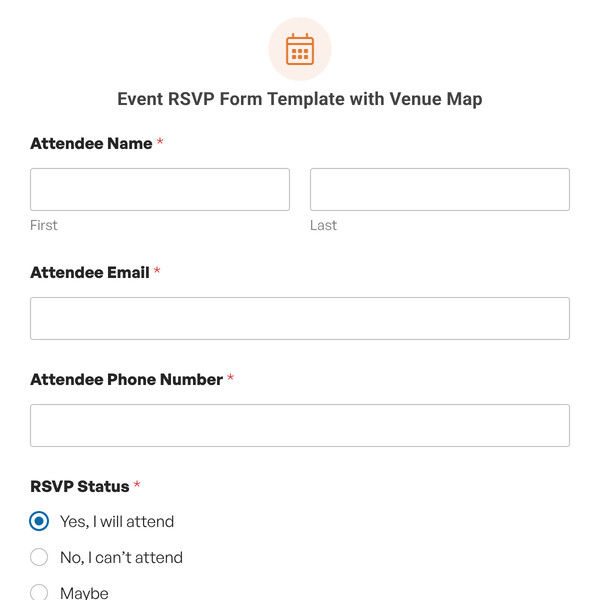
Launch this form as-is or customize it to your heart’s content! With our simple Party Invitation RSVP Form Template you get the following form fields:
- Name: First and last name so you know who responded.
- Email: Contact info in case plans change or you need to send updates.
- Attendance: Simple yes/no choice. Some forms make this complicated—this doesn’t.
- Guest Count: Dropdown showing how many additional people they’re bringing. Options for none, +1, +2, or 3+ guests.
- Comments: Text area where people can ask questions, mention dietary restrictions, or let you know they need to leave early.
Customizing for Your Event
- Add dietary restrictions if you’re serving food. Include a checkbox list (Vegetarian, Vegan, Gluten-Free, Dairy-Free, Nut Allergy, No Restrictions) so you can plan the menu.
- Request song suggestions for milestone celebrations. Add a text field asking for song requests so you can build a playlist guests will actually enjoy.
- Include potluck signup for casual gatherings. Add checkboxes for appetizer, main dish, side dish, dessert, or drinks so everyone doesn’t bring the same thing.
- Ask about plus-one names if you need a final guest list for seating or place cards. Change the guest count question to collect names instead of just numbers.
- Add a phone number field if you need to reach guests day-of. Some people don’t check email regularly but will see texts.
- Password protect the form using the Form Locker addon if your invitation link gets shared beyond your intended guest list. Only people with the password can access it.
Getting Responses
Share the form link in your invitations, whether that’s through Evite, a Facebook event, email, or printed cards with a QR code. People fill it out on their phone, you get instant notification.
- Send different confirmation messages based on their response. Use conditional logic to show “Can’t wait to see you!” for yes responses and “Sorry you’ll miss it!” for no responses.
- Track RSVPs in real-time. Check your form entries in WordPress to see your current headcount. No more wondering if people actually got your invitation.
Send reminder emails to guests who said yes a few days before the event. Include final details like parking instructions or what to bring.
Managing Your Guest List
Export your responses to a spreadsheet if you need to share the list with caterers, venues, or other party planners. WPForms lets you download entries as CSV files.
Total up guest counts to know how much food to order or how many chairs you need. The form tracks additional guests automatically. Filter by response to see who’s coming vs. who declined.
Start Collecting RSVPs
So, what are you waiting for? Get started with WPForms today to create your own party invitation RSVP form. Bonus, we’ll give you our party invitation RSVP form template and 2,100+ other pre-made form templates!