


Resumo de IA
Você gostaria de estilizar campos individuais em seus formulários, sem afetar outros campos do formulário? Com o seletor CSS correto, você pode alterar os estilos de qualquer componente do formulário para atender às suas necessidades.
Este tutorial fornece uma lista de seletores que você precisará para estilizar campos sofisticados no WPForms.
Observação: As etapas deste tutorial são avançadas e exigem algum conhecimento de CSS. Se você preferir não usar nenhum código, pode ver nosso guia sobre estilização do WPForms no editor de blocos.
Usando os Snippets de Código Abaixo
Abaixo está uma lista dos seletores CSS que você precisará para segmentar campos sofisticados específicos com seu código CSS.
Também incluímos os estilos padrão que o WPForms aplica automaticamente a esses seletores. Para personalizar qualquer parte do seu formulário, você pode copiar um snippet CSS deste tutorial para o seu site e, em seguida, editá-lo conforme necessário.
Observação: Não sabe como adicionar CSS ao seu site? Confira o tutorial da WPBeginner sobre como adicionar CSS personalizado ao seu site WordPress.
Observação: Para saber mais sobre como usar o código abaixo, certifique-se de conferir nosso tutorial sobre personalização do estilo de campos padrão e outros elementos do formulário.
Campos Elegantes
Telefone

Preenchimento do Telefone
.wpforms-form .wpforms-field.wpforms-field-phone {
    padding: 10px 0;
    clear: both;
}
Rótulo do Telefone
.wpforms-form .wpforms-field.wpforms-field-phone .wpforms-field-label {
    display: block;
    font-weight: 700;
    font-size: 16px;
    float: none;
    line-height: 1.3;
    margin: 0 0 4px 0;
    padding: 0;
}
Campo de Entrada do Telefone
.wpforms-form .wpforms-field.wpforms-field-phone input {
    background-color: #fff;
    box-sizing: border-box;
    border-radius: 2px;
    color: #333;
    -webkit-box-sizing: border-box;
    -moz-box-sizing: border-box;
    display: block;
    float: none;
    font-size: 16px;
    border: 1px solid #ccc;
    padding: 6px 10px;
    height: 38px;
    width: 100%;
    line-height: 1.3;
}
Lista Suspensa de Países (Formato Inteligente)
.wpforms-form .wpforms-field.wpforms-field-phone .iti__country-list {
    position: absolute;
    z-index: 2;
    list-style: none;
    text-align: left;
    padding: 0;
    margin: 0 0 0 -1px;
    box-shadow: 1px 1px 4px rgb(0 0 0 / 20%);
    background-color: white !important;
    border: 1px solid #CCC;
    white-space: nowrap;
    max-height: 200px;
    overflow-y: scroll;
}
Endereço (EUA ou Internacional)
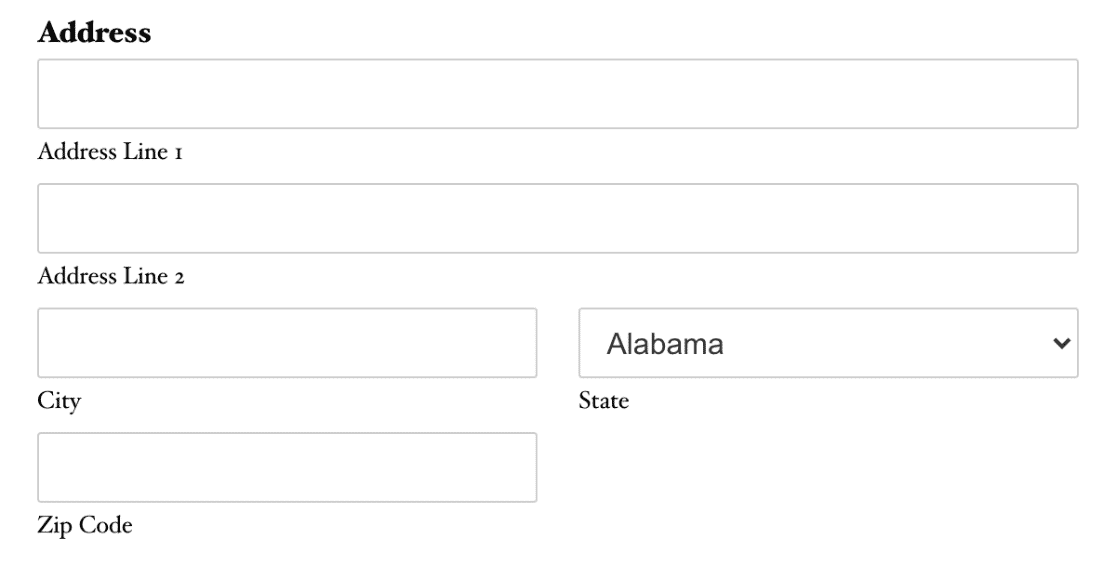
Preenchimento do Endereço
.wpforms-form .wpforms-field.wpforms-field-address {
    padding: 10px 0;
    clear: both;
}
Rótulo do Endereço
.wpforms-form .wpforms-field.wpforms-field-address .wpforms-field-label {
    display: block;
    font-weight: 700;
    font-size: 16px;
    float: none;
    line-height: 1.3;
    margin: 0 0 4px 0;
    padding: 0;
}
Campos de Entrada de Endereço
.wpforms-form .wpforms-field.wpforms-field-address input {
    background-color: #fff;
    box-sizing: border-box;
    border-radius: 2px;
    color: #333;
    -webkit-box-sizing: border-box;
    -moz-box-sizing: border-box;
    display: block;
    float: none;
    font-size: 16px;
    border: 1px solid #ccc;
    padding: 6px 10px;
    height: 38px;
    width: 100%;
    line-height: 1.3;
}
Lista Suspensa de Endereço (Esquema EUA: Estado)
.wpforms-form .wpforms-field.wpforms-field-address select.wpforms-field-address-state {
    background-color: #fff;
    box-sizing: border-box;
    border-radius: 2px;
    color: #333;
    -webkit-box-sizing: border-box;
    -moz-box-sizing: border-box;
    display: block;
    float: none;
    font-size: 16px;
    border: 1px solid #ccc;
    padding: 6px 10px;
    height: 38px;
    width: 100%;
    line-height: 1.3;
}
Lista Suspensa de Endereço (Esquema Internacional: País)
.wpforms-form .wpforms-field.wpforms-field-address select.wpforms-field-address-country {
    background-color: #fff;
    box-sizing: border-box;
    border-radius: 2px;
    color: #333;
    -webkit-box-sizing: border-box;
    -moz-box-sizing: border-box;
    display: block;
    float: none;
    font-size: 16px;
    border: 1px solid #ccc;
    padding: 6px 10px;
    height: 38px;
    width: 100%;
    line-height: 1.3;
}
Data/Hora

Preenchimento de Data/Hora
.wpforms-form .wpforms-field.wpforms-field-date-time {
    padding: 10px 0;
    clear: both;
}
Rótulo de Data/Hora
.wpforms-form .wpforms-field.wpforms-field-date-time .wpforms-field-label {
    display: block;
    font-weight: 700;
    font-size: 16px;
    float: none;
    line-height: 1.3;
    margin: 0 0 4px 0;
    padding: 0;
}
Campo de Entrada de Data/Hora
.wpforms-form .wpforms-field.wpforms-field-date-time input {
    background-color: #fff;
    box-sizing: border-box;
    border-radius: 2px;
    color: #333;
    -webkit-box-sizing: border-box;
    -moz-box-sizing: border-box;
    display: block;
    float: none;
    font-size: 16px;
    border: 1px solid #ccc;
    padding: 6px 10px;
    height: 38px;
    width: 100%;
    line-height: 1.3;
}
Seletor de Data/Hora: Calendário Completo
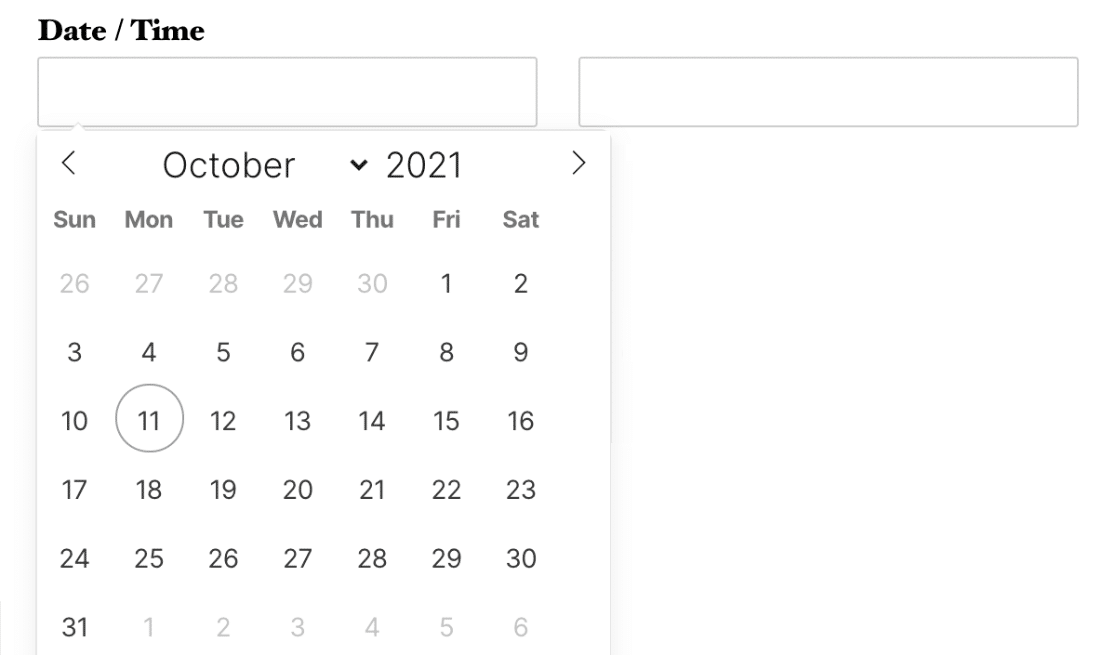
.flatpickr-calendar {
    background: transparent;
    overflow: hidden;
    max-height: 0;
    opacity: 0;
    visibility: hidden;
    text-align: center;
    padding: 0;
    -webkit-animation: none;
    animation: none;
    direction: ltr;
    border: 0;
    font-size: 14px;
    line-height: 24px;
    border-radius: 5px;
    position: absolute;
    width: 293.75px;
    box-sizing: border-box;
    -webkit-transition: top .1s cubic-bezier(0,1,.5,1);
    transition: top .1s cubic-bezier(0,1,.5,1);
    z-index: 9999999999;
    background: #fff;
    box-shadow: 1px 0 0 #e6e6e6, -1px 0 0 #e6e6e6, 0 1px 0 #e6e6e6, 0 -1px 0 #e6e6e6, 0 3px 13px rgba(0,0,0,.08);
}
Seletor de Data/Hora: Data Atual no Calendário
.flatpickr-day.today {
    border-color: #959ea9;
}
Seletor de Data/Hora: Dias do Mês Anterior e Seguinte no Calendário
.flatpickr-day.prevMonthDay,
.flatpickr-day.nextMonthDay {
    color: rgba(57,57,57,.3);
    background: transparent;
    border-color: transparent;
    cursor: default;
}
Data/Hora: Seletor de Hora

.ui-timepicker-wrapper {
    overflow-y: auto;
    height: 142px;
    width: 6.5em;
    background: #fff;
    border: 1px solid #e6e6e6;
    border-radius: 3px;
    outline: none;
    z-index: 10001;
    margin: 0;
}
Upload de Arquivo

Preenchimento de Upload de Arquivo
.wpforms-form .wpforms-field.wpforms-field-file-upload {
    padding: 10px 0;
    clear: both;
}
Rótulo de Upload de Arquivo
.wpforms-form .wpforms-field.wpforms-field-file-upload .wpforms-field-label {
    display: block;
    font-weight: 700;
    font-size: 16px;
    float: none;
    line-height: 1.3;
    margin: 0 0 4px 0;
    padding: 0;
}
Site/URL

Preenchimento de Website/URL
.wpforms-form .wpforms-field.wpforms-field-url {
    padding: 10px 0;
    clear: both;
}
Etiqueta do Site/URL
.wpforms-form .wpforms-field.wpforms-field-url .wpforms-field-label {
    display: block;
    font-weight: 700;
    font-size: 16px;
    float: none;
    line-height: 1.3;
    margin: 0 0 4px 0;
    padding: 0;
}
Campo de entrada do Site/URL
.wpforms-form .wpforms-field.wpforms-field-url input {
    background-color: #fff;
    box-sizing: border-box;
    border-radius: 2px;
    color: #333;
    -webkit-box-sizing: border-box;
    -moz-box-sizing: border-box;
    display: block;
    float: none;
    font-size: 16px;
    border: 1px solid #ccc;
    padding: 6px 10px;
    height: 38px;
    width: 100%;
    line-height: 1.3;
}
Senha

Preenchimento da Senha
.wpforms-form .wpforms-field.wpforms-field-password {
    padding: 10px 0;
    clear: both;
}
Etiqueta da Senha
.wpforms-form .wpforms-field.wpforms-field-password .wpforms-field-label {
    display: block;
    font-weight: 700;
    font-size: 16px;
    float: none;
    line-height: 1.3;
    margin: 0 0 4px 0;
    padding: 0;
}
Subetiquetas da Senha
.wpforms-form .wpforms-field.wpforms-field-password .wpforms-field-sublabel {
    display: block;
    font-size: 13px;
    float: none;
    font-weight: 400;
    line-height: 1.3;
    margin: 4px 0 0;
    padding: 0;
}
Campo de entrada da Senha
.wpforms-form .wpforms-field.wpforms-field-password input {
    background-color: #fff;
    box-sizing: border-box;
    border-radius: 2px;
    color: #333;
    -webkit-box-sizing: border-box;
    -moz-box-sizing: border-box;
    display: block;
    float: none;
    font-size: 16px;
    border: 1px solid #ccc;
    padding: 6px 10px;
    height: 38px;
    width: 100%;
    line-height: 1.3;
}
Repetidor
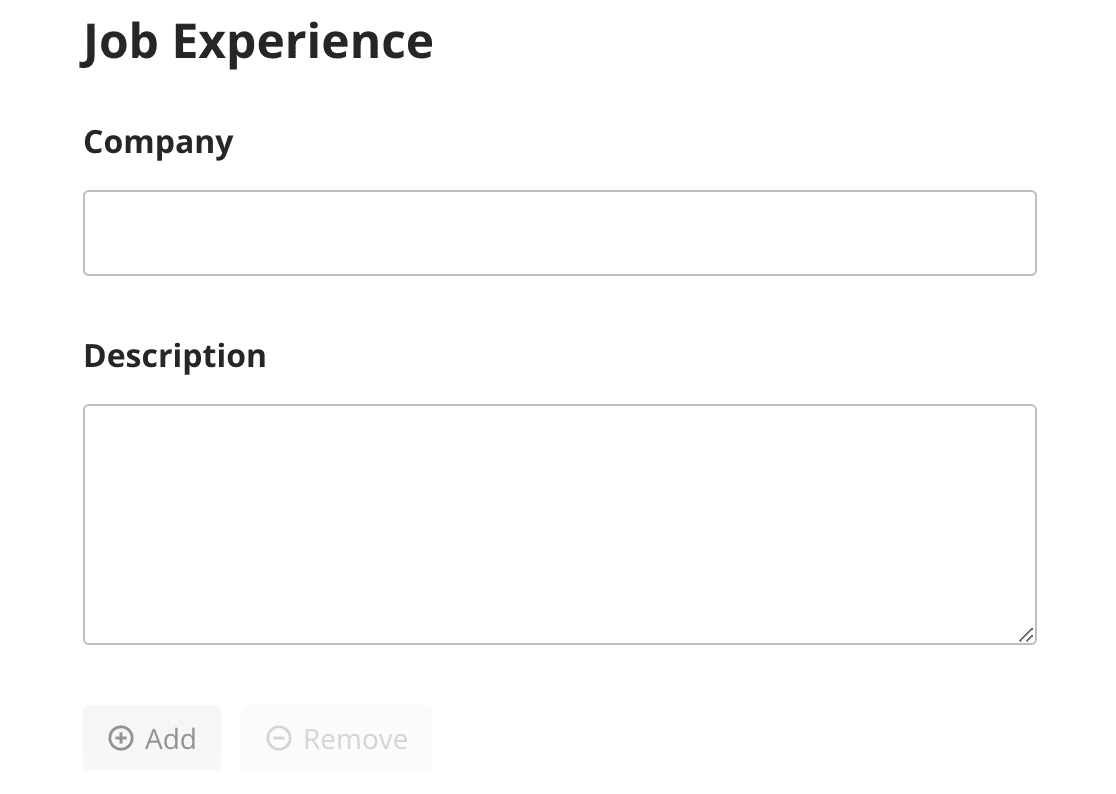
Botões de Adicionar e Remover Bloco

.wpforms-form .wpforms-field-repeater .wpforms-field-repeater-display-blocks-buttons {
    margin-top: 15px;
    display: flex;
    justify-content: flex-start;
    flex-wrap: nowrap;
    gap: 10px;
}
Botão Adicionar Bloco

.wpforms-form .wpforms-field-repeater .wpforms-field-repeater-display-blocks-buttons.wpforms-field-repeater-button-add {
    background: none;
    border: none;
    border-radius: 4px;
    min-height: 33px;
    max-width: 33%;
    padding: 6px 12px;
    line-height: 18px;
    font-size: 14px;
    font-weight: 400;
    color: #999999;
    cursor: pointer;
    transition: opacity 0.2s ease;
    outline: none;
}
Botão Remover Bloco

.wpforms-form .wpforms-field-repeater .wpforms-field-repeater-display-blocks-buttons.wpforms-field-repeater-button-remove {
    background: none;
    border: none;
    border-radius: 4px;
    min-height: 33px;
    max-width: 33%;
    padding: 6px 12px;
    line-height: 18px;
    font-size: 14px;
    font-weight: 400;
    color: #999999;
    cursor: pointer;
    transition: opacity 0.2s ease;
    outline: none;
}
Botões de Adicionar e Remover Linha
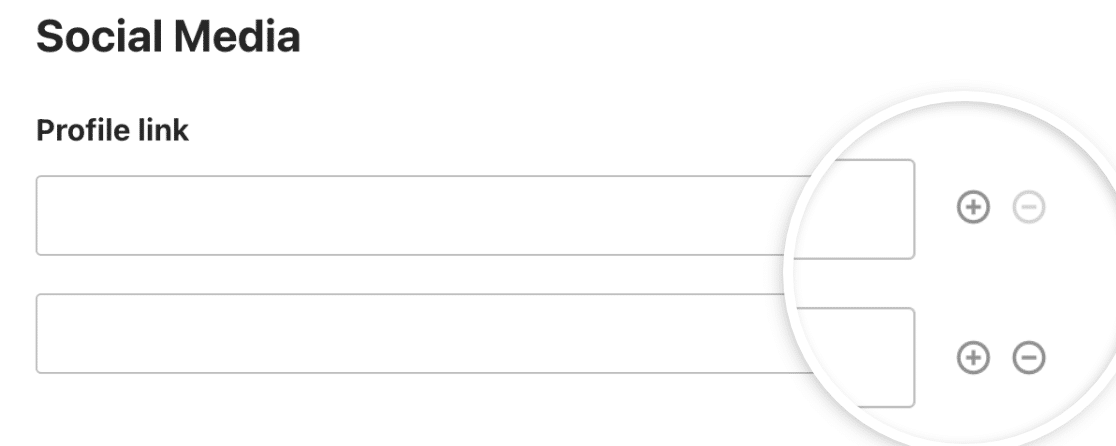
.wpforms-form .wpforms-field-repeater .wpforms-field-layout-rows .wpforms-field-repeater-display-rows-buttons {
    position: absolute;
    right: 10px;
    left: unset;
    padding: 0;
    display: none;
    gap: 8px;
}
Quebra de Página
Botão Próximo

.wpforms-form .wpforms-page-button.wpforms-page-next {
    background-color: #eee;
    border: 1px solid #ddd;
    color: #333;
    font-size: 1em;
    padding: 10px 15px;
}
Botão Anterior

.wpforms-form .wpforms-page-button.wpforms-page-prev {
    background-color: #eee;
    border: 1px solid #ddd;
    color: #333;
    font-size: 1em;
    padding: 10px 15px;
}
Divisor de Seção

Preenchimento do Divisor de Seção
.wpforms-form .wpforms-field.wpforms-field-divider {
    padding: 10px 0;
    clear: both;
}
Título do Divisor de Seção
.wpforms-form .wpforms-field.wpforms-field-divider h3 {
    font-size: 24px;
}
Descrição do Divisor de Seção
.wpforms-form .wpforms-field.wpforms-field-divider .wpforms-field-description {
    font-size: 13px;
    line-height: 1.3;
    margin: 8px 0 0 0;
}
Pré-visualização da Entrada
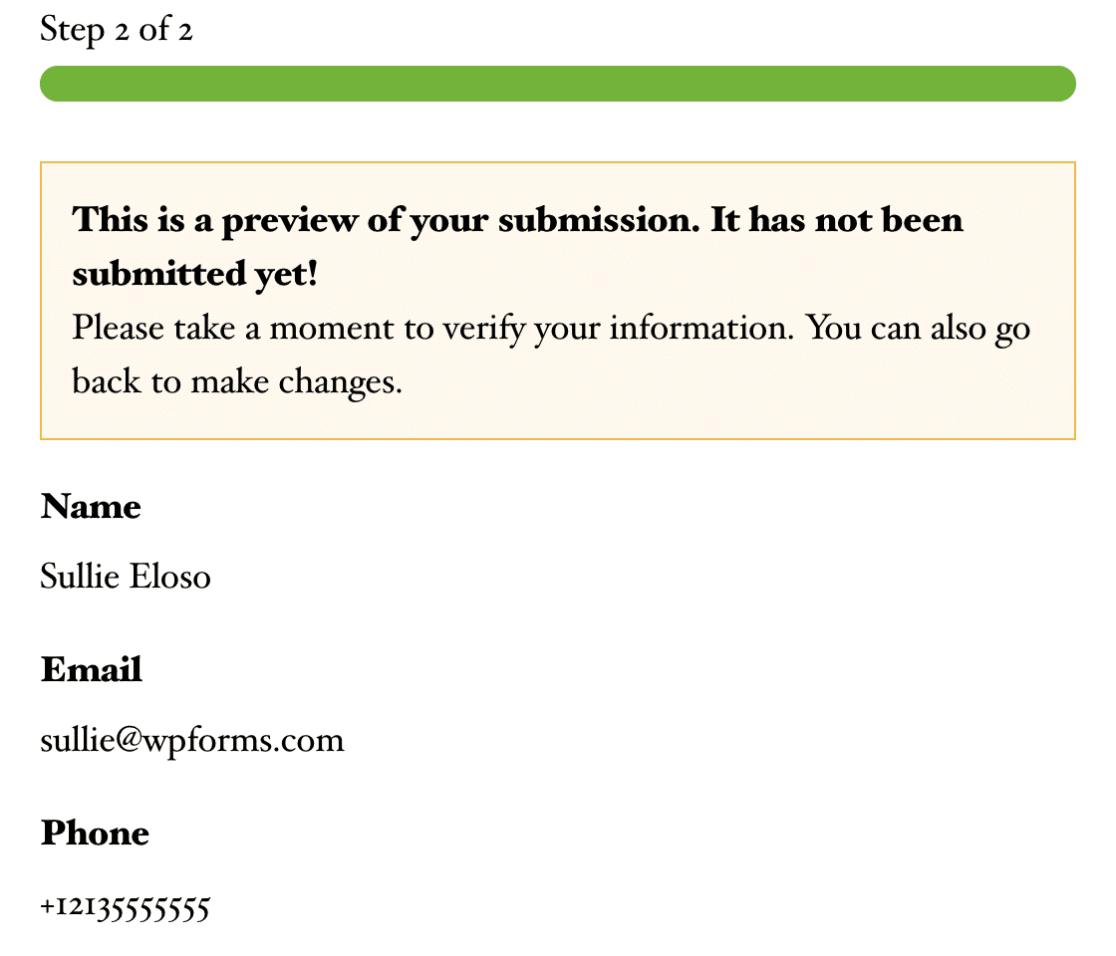
Preenchimento da Pré-visualização da Entrada
.wpforms-form .wpforms-field.wpforms-field-entry-preview {
    padding: 10px 0;
    clear: both;
}
Aviso da Pré-visualização da Entrada
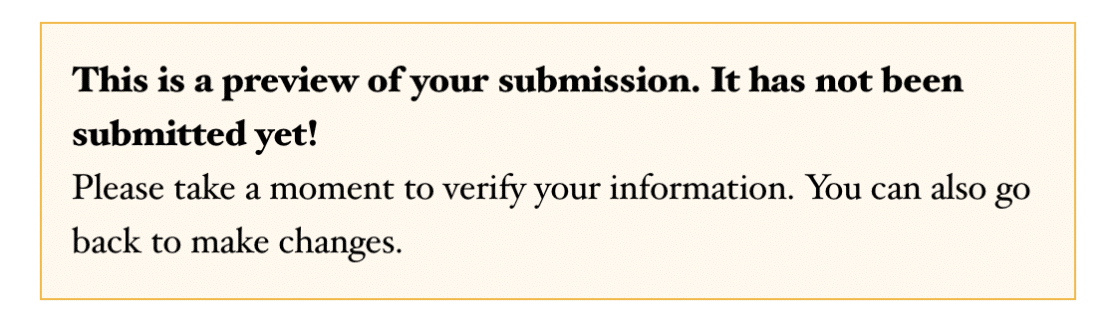
.wpforms-form .wpforms-field.wpforms-field-entry-preview .wpforms-entry-preview-notice {
    box-sizing: border-box;
    padding: 15px;
    background: #fef8ee;
    border: 1px solid #f0b849;
    display: block;
    width: 100%;
    word-break: break-word;
}
Tabela da Pré-visualização da Entrada

.wpforms-form .wpforms-field.wpforms-field-entry-preview .wpforms-entry-preview-basic {
    border-bottom: 1px solid #dddddd;
    padding-bottom: 20px;
    box-sizing: border-box;
    display: flex;
    flex-wrap: wrap;
    width: 100%;
    overflow: hidden;
}
HTML
Preenchimento de HTML
.wpforms-form .wpforms-field.wpforms-field-html {
    padding: 10px 0;
    clear: both;
}
Conteúdo
Campo de entrada de Conteúdo
.wpforms-form .wpforms-field.wpforms-field-content {
    background-color: #fff;
    box-sizing: border-box;
    border-radius: 2px;
    color: #333;
    -webkit-box-sizing: border-box;
    -moz-box-sizing: border-box;
    display: block;
    float: none;
    font-size: 20px;
    border: 1px solid #ccc;
    padding: 6px 10px;
    height: 120px;
    width: 100%;
    line-height: 1.3;
}
Avaliação

Preenchimento da Classificação
.wpforms-form .wpforms-field.wpforms-field-rating {
    padding: 10px 0;
    clear: both;
}
Etiqueta da Classificação
.wpforms-form .wpforms-field.wpforms-field-rating .wpforms-field-label {
    display: block;
    font-weight: 700;
    font-size: 16px;
    float: none;
    line-height: 1.3;
    margin: 0 0 4px 0;
    padding: 0;
}
Preenchimento do Item de Classificação
.wpforms-form .wpforms-field-rating-item {
    padding-right: 6px;
}
Captcha Personalizado

Preenchimento do Captcha Personalizado
.wpforms-form .wpforms-field.wpforms-field-captcha {
    padding: 10px 0;
    clear: both;
}
Etiqueta do Captcha Personalizado
.wpforms-form .wpforms-field.wpforms-field-captcha .wpforms-field-label {
    display: block;
    font-weight: 700;
    font-size: 16px;
    float: none;
    line-height: 1.3;
    margin: 0 0 4px 0;
    padding: 0;
}
Texto Rico
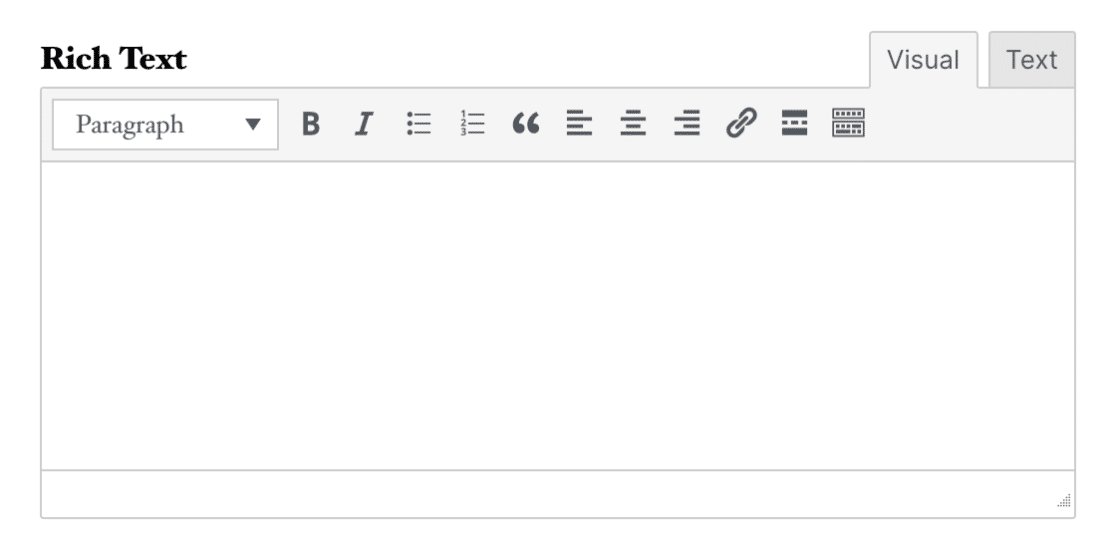
Preenchimento de Texto Rico
.wpforms-form .wpforms-field.wpforms-field-richtext {
    padding: 10px 0;
    clear: both;
}
Etiqueta de Texto Rico
.wpforms-form .wpforms-field.wpforms-field-richtext .wpforms-field-label {
    display: block;
    font-weight: 700;
    font-size: 16px;
    float: none;
    line-height: 1.3;
    margin: 0 0 4px 0;
    padding: 0;
}
Assinatura
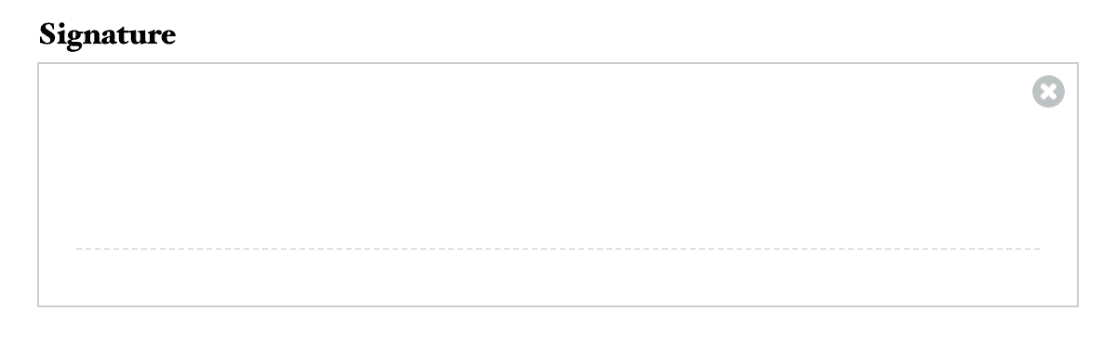
Preenchimento da Assinatura
.wpforms-form .wpforms-field.wpforms-field-signature {
    padding: 10px 0;
    clear: both;
}
Etiqueta da Assinatura
.wpforms-form .wpforms-field.wpforms-field-signature .wpforms-field-label {
    display: block;
    font-weight: 700;
    font-size: 16px;
    float: none;
    line-height: 1.3;
    margin: 0 0 4px 0;
    padding: 0;
}
Escala Likert
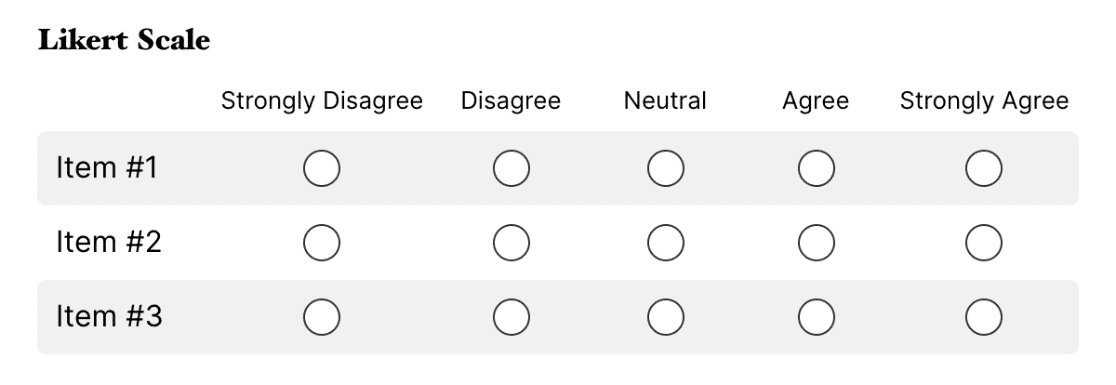
Preenchimento da Escala Likert
.wpforms-form .wpforms-field.wpforms-field-likert_scale {
    padding: 10px 0;
    clear: both;
}
Etiqueta da Escala Likert
.wpforms-form .wpforms-field.wpforms-field-likert_scale .wpforms-field-label {
    display: block;
    font-weight: 700;
    font-size: 16px;
    float: none;
    line-height: 1.3;
    margin: 0 0 4px 0;
    padding: 0;
}
Net Promoter Score
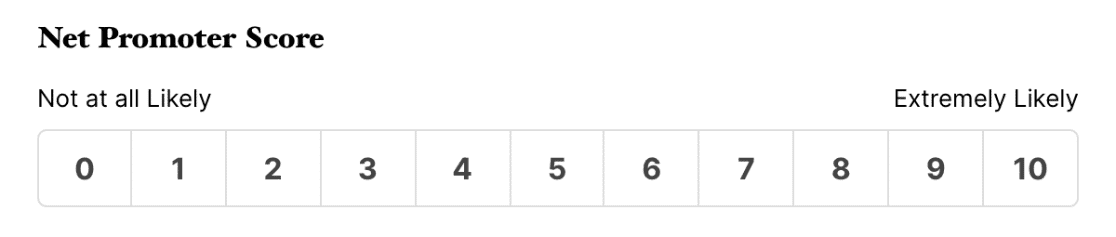
Preenchimento da Pontuação Net Promoter
.wpforms-form .wpforms-field.wpforms-field-net_promoter_score {
    padding: 10px 0;
    clear: both;
}
Rótulo do Net Promoter Score
.wpforms-form .wpforms-field.wpforms-field-net_promoter_score .wpforms-field-label {
    display: block;
    font-weight: 700;
    font-size: 16px;
    float: none;
    line-height: 1.3;
    margin: 0 0 4px 0;
    padding: 0;
}
Tabela do Net Promoter Score
.wpforms-form .wpforms-field.wpforms-field-net_promoter_score table {
    width: 100%;
    line-height: 1.4;
    border-collapse: initial;
}
É isso! Agora você sabe como usar esses seletores para aplicar CSS personalizado a campos sofisticados em seus formulários.
Em seguida, você aplicaria estilos de tema para alterar o design geral do seu formulário? Nosso tutorial sobre como usar temas de formulário cobre todas as etapas em detalhes.