


AI要約
概要
すべてのフォームに適用されるグローバルなドメインレベルの拒否リストの確立に関心がありますか?このようなリストを作成すると、単一の統合機能を通じて、WPForms全体で以前にフラグが付けられたスパムメールを普遍的にブロックできます。
デフォルトでは、許可リストまたは拒否リストを使用すると、*@bad-domain.com を使用してフォームごとにドメインを簡単にブロックできます。許可リストまたは拒否リストの設定方法の詳細については、こちらの役立つガイドをご覧ください。
しかし、このチュートリアルの主な目的は、グローバルリストを確立し、各フォームでの個別の編集の必要性をなくすことです。PHPの機能を利用すれば、このチュートリアルで示すように、このようなリストの構築は簡単かつ迅速なプロセスになります!
スニペットの追加
次に、スニペットをサイトに追加し、ブロックしたいドメイン名でリストをカスタマイズします。このスニペットをサイトにコピー&ペーストするだけです。
スニペットをサイトに追加する方法と場所に関するサポートについては、こちらのチュートリアルをご覧ください。
/*
 * Global denylist for domains on all WPForms.
 *
 * @link https://wpforms.com/developers/how-to-create-a-global-denylist/
*/

function wpf_dev_blacklist_global_domains( $field_id, $field_submit, $form_data ) {

    // Find the domain name, anything after the @ symbol
    $domain          = substr( strrchr( $field_submit, "@" ), 1 );

    // Add the domains here, separated by commas
    $blacklist       = array( 'deny.com', 'nope.com' );

    // Customize the error message that will be shown
    if( in_array( $domain, $blacklist ) ) {
        wpforms()->process->errors[ $form_data[ 'id' ] ][ $field_id ] = esc_html__( 'We apologize, this domain is not accepted.', 'wpforms' );
        return;
    }
}
add_action('wpforms_process_validate_email', 'wpf_dev_blacklist_global_domains', 10, 3 );
このスニペットは、メールフィールドに入力されたドメイン名を確認し、このスニペットで作成したグローバルリストと照合します。ドメイン名は [email protected] の形式でリストできます。ただし、各ドメインは単一引用符で区切り、カンマで区切られます。
ユーザーがそのドメインを入力してフォームを送信しようとすると、エラーが表示されます。
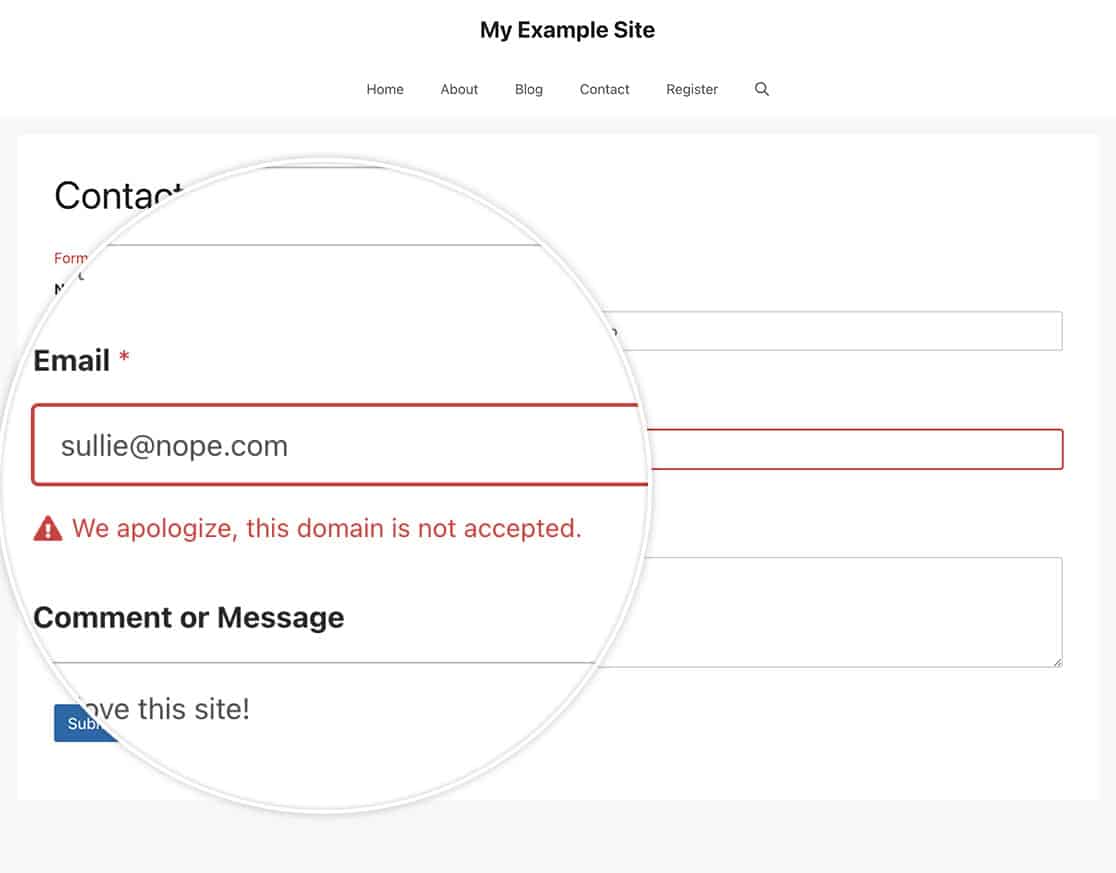
これで完了です!すべてのWPFormsのグローバル拒否リストを正常に作成しました。フォームでの不適切な言葉遣いをブロックすることもできますか?不適切な言葉遣いを含むフォーム送信をブロックする方法に関するチュートリアルをご覧ください。
関連
アクション参照: wpforms_process_validate_email


