


AI要約
WPFormsの住所フィールドのサブラベルを変更したいですか? これらのサブラベルは、ユーザーがどのような情報を入力する必要があるかをユーザーに知らせます。このチュートリアルでは、PHPを使用してこれらのサブラベルを変更する方法を説明します。
デフォルトでは、住所フォームフィールドに追加のフィールドが表示されます。これらの各フィールドには、サブラベルと呼ばれる独自のラベルがあります。
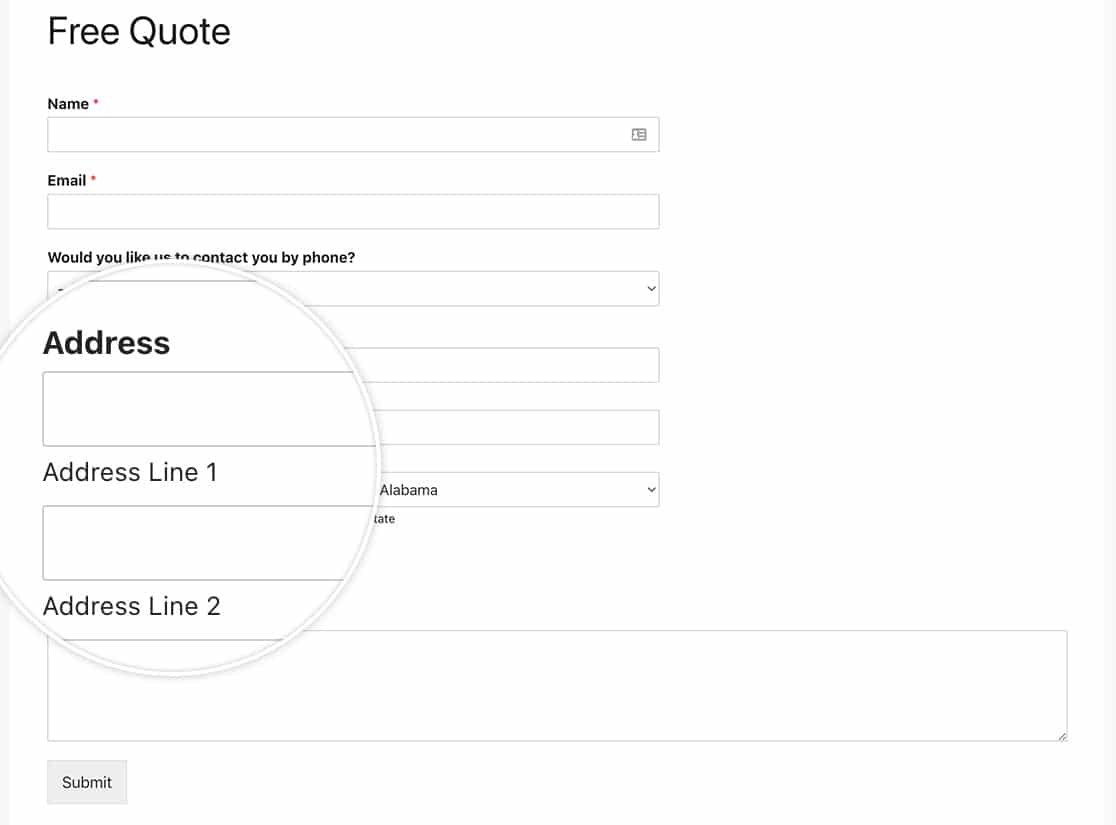
フォームの作成
まず、フォームを作成し、住所フォームフィールドを含むフィールドを追加します。
フォームの作成についてサポートが必要な場合は、こちらのドキュメントをご覧ください。
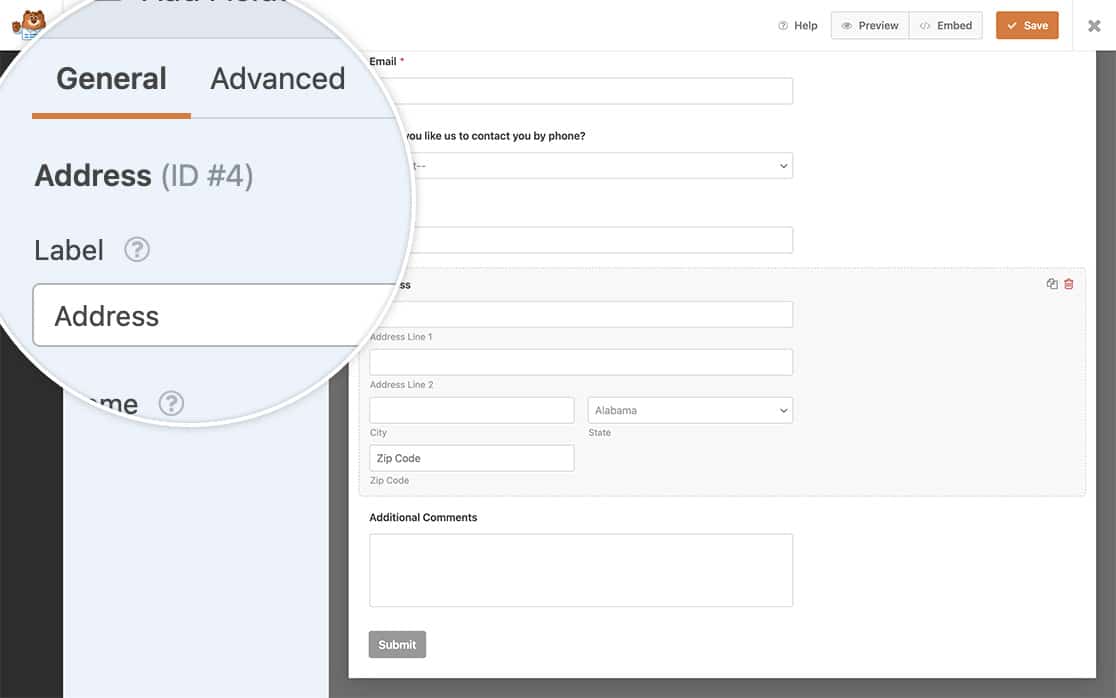
住所のサブラベルを変更する
サイトにスニペットを追加する時期が来ました。
サイトにスニペットをどこにどのように追加するかについてサポートが必要な場合は、こちらのチュートリアルをご覧ください。
米国住所スキームのみ
以下のコードスニペットを使用すると、米国スキームの住所フィールドのサブラベルを変更できます。
/**
 * Change the sublabels for the Address field for the US Address Scheme.
 *
 * @link https://wpforms.com/developers/how-to-change-the-address-field-sublabels/
 */

function wpf_dev_address_field_properties_usa( $properties, $field, $form_data ) {

  // check for address scheme
  if ( $field[ 'scheme' ] === 'us' ){

	  // Change sublabel values
	  $properties[ 'inputs' ][ 'address1' ][ 'sublabel' ][ 'value' ] = __( 'Street Address' );
	  $properties[ 'inputs' ][ 'address2' ][ 'sublabel' ][ 'value' ] = __( 'Apartment #' );
	  $properties[ 'inputs' ][ 'city' ][ 'sublabel' ][ 'value' ] = __( 'City' );
	  $properties[ 'inputs' ][ 'state' ][ 'sublabel' ][ 'value' ] = __( 'State' );
	  $properties[ 'inputs' ][ 'postal' ][ 'sublabel' ][ 'value' ] = __( 'Zip' );
  	}

    return $properties;
}

add_filter( 'wpforms_field_properties_address', 'wpf_dev_address_field_properties_usa', 10, 3 );
国際住所スキームのみ
以下のコードスニペットを使用すると、国際スキームの住所フィールドのサブラベルを変更できます。
/**
 * Change the sublabels for the Address field for the International Address Scheme.
 *
 * @link https://wpforms.com/developers/how-to-change-the-address-field-sublabels/
 */

function wpf_dev_address_field_properties_international( $properties, $field, $form_data ) {

  // check for address scheme
  if ( $field['scheme'] === 'international' ){

	  // Change sublabel values
	  $properties[ 'inputs' ][ 'address1' ][ 'sublabel' ][ 'value' ] = __( 'Address' );
	  $properties[ 'inputs' ][ 'address2' ][ 'sublabel' ][ 'value' ] = __( 'Apartment / Suite #' );
	  $properties[ 'inputs' ][ 'city' ][ 'sublabel' ][ 'value' ] = __( 'City' );
	  $properties[ 'inputs' ][ 'state' ][ 'sublabel' ][ 'value' ] = __( 'State / Province / Region' );
	  $properties[ 'inputs' ][ 'postal' ][ 'sublabel' ][ 'value' ] = __( 'Postal Code' );
	  $properties[ 'inputs' ][ 'country' ][ 'sublabel' ][ 'value' ] = __( 'Country' );
  	}

    return $properties;
}

add_filter( 'wpforms_field_properties_address', 'wpf_dev_address_field_properties_international', 10, 3 );
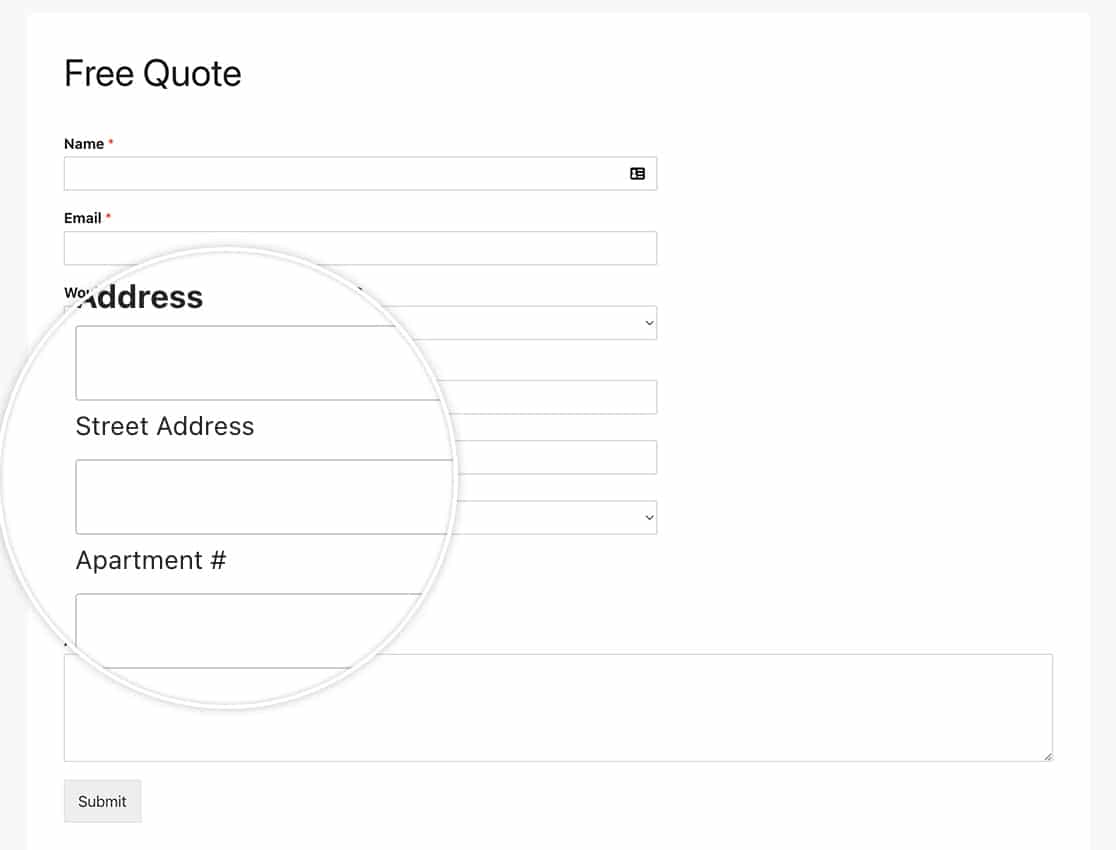
これで完了です!住所フィールドで使用する追加の住所スキームを作成したいですか?住所フィールドの追加スキームの作成方法に関する記事をご覧ください。
参照フィルター
よくある質問
Q: これらを1つのフォームのみで変更できますか?
A: もちろんです。特定のフォームのみでこれらのサブラベルを変更したい場合は、代わりにこのスニペットを使用し、フォームID123を自分のフォームIDに合わせて更新することを忘れないでください。フォームIDの見つけ方がわからない場合は、こちらの役立つガイドをご覧ください。
/**
 * Change the sublabels for the Address field for the US Address Scheme.
 *
 * @link https://wpforms.com/developers/how-to-change-the-address-field-sublabels/
 */

function wpf_dev_address_field_properties_usa( $properties, $field, $form_data ) {

	// Only process this snippet on the form ID 123
    if ( absint( $form_data[ 'id' ] ) !== 123 ) {

        return $properties;
    }

  // check for address scheme
  if ( $field[ 'scheme' ] === 'us' ){

      // Change sublabel values
      $properties[ 'inputs' ][ 'address1' ][ 'sublabel' ][ 'value' ] = __( 'Street Address' );
      $properties[ 'inputs' ][ 'address2' ][ 'sublabel' ][ 'value' ] = __( 'Apartment #' );
      $properties[ 'inputs' ][ 'city' ][ 'sublabel' ][ 'value' ] = __( 'City' );
      $properties[ 'inputs' ][ 'state' ][ 'sublabel' ][ 'value' ] = __( 'State' );
      $properties[ 'inputs' ][ 'postal' ][ 'sublabel' ][ 'value' ] = __( 'Zip' );
    }

    return $properties;
}

add_filter( 'wpforms_field_properties_address' , 'wpf_dev_address_field_properties_usa', 10, 3 );
スニペットに示すように、フォームIDのチェックを追加するだけで済みます。if ( absint( $form_data[ 'id' ] ) !== 123 ) { return $properties; } 。スニペットの残りの部分は、すべてのフォームの例とまったく同じです。


