


Riassunto AI
Vuoi nascondere la scheda Marketing dall'interno del tuo modulo? Se hai molti utenti con vari ruoli sul tuo sito e l'utilizzo dei Controlli di Accesso ha dato loro accesso a WPForms, forse non vuoi che abbiano la possibilità di configurare alcuna integrazione sui tuoi moduli. Utilizzando un piccolo snippet PHP puoi nascondere facilmente la scheda marketing e in questo tutorial ti mostreremo come!
Nascondere la scheda Marketing
Per impostazione predefinita, qualsiasi utente con le autorizzazioni corrette può creare moduli sul tuo sito tramite il costruttore di moduli WPForms con tutte le opzioni disponibili.
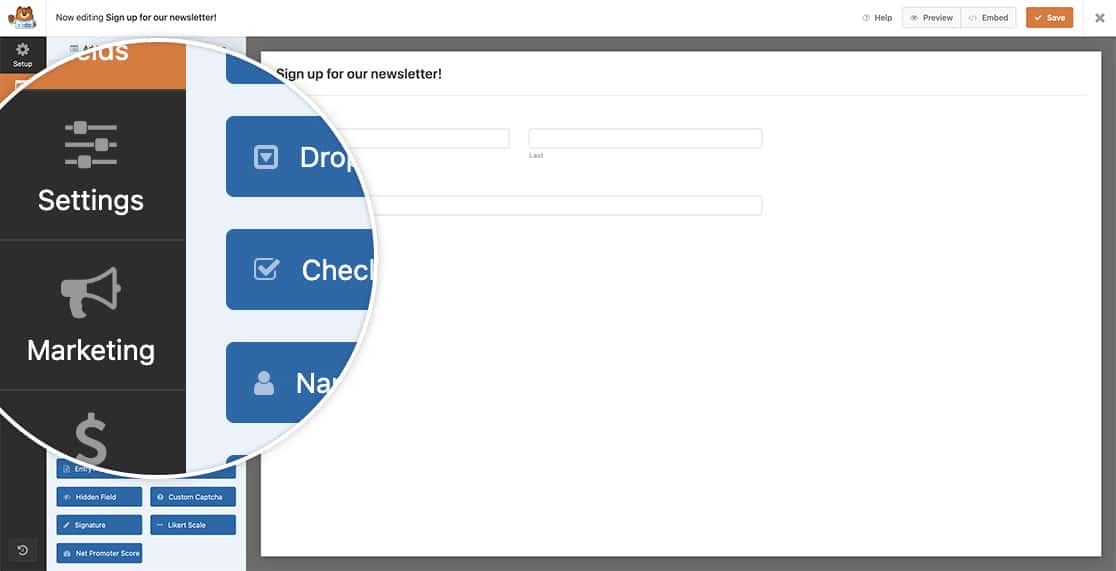
Ai fini di questo tutorial, vogliamo nascondere la scheda Marketing all'interno del costruttore di moduli a tutti gli utenti che hanno il ruolo WordPress di Sottoscrittore o Editor. Per ottenere questo, dovremo copiare questo snippet sul nostro sito.
Se hai bisogno di assistenza su come e dove aggiungere snippet al tuo sito, ti preghiamo di consultare questo tutorial.
/**
 * Hide the Marketing tab inside the form builder
 *
 * @link   https://wpforms.com/developers/how-to-hide-the-marketing-tab-in-form-builder/
 */

function hide_marketing_tab_based_on_role() {

	// Default WordPress User Roles: subscriber, editor, contributor, author, administrator
	// For more information on WordPress roles check out https://wordpress.org/documentation/article/roles-and-capabilities/

	// Check if the current user is a subscriber OR an editor
	if( current_user_can( 'subscriber' ) || current_user_can( 'editor' ) ) {
		echo '<style>
				.wpforms-panel-providers-button {
				  display: none !important;
				}
			  </style>';
	}
}

add_action('admin_head', 'hide_marketing_tab_based_on_role');
Per ulteriori informazioni sui ruoli e le capacità degli utenti WordPress, ti preghiamo di consultare la loro documentazione.
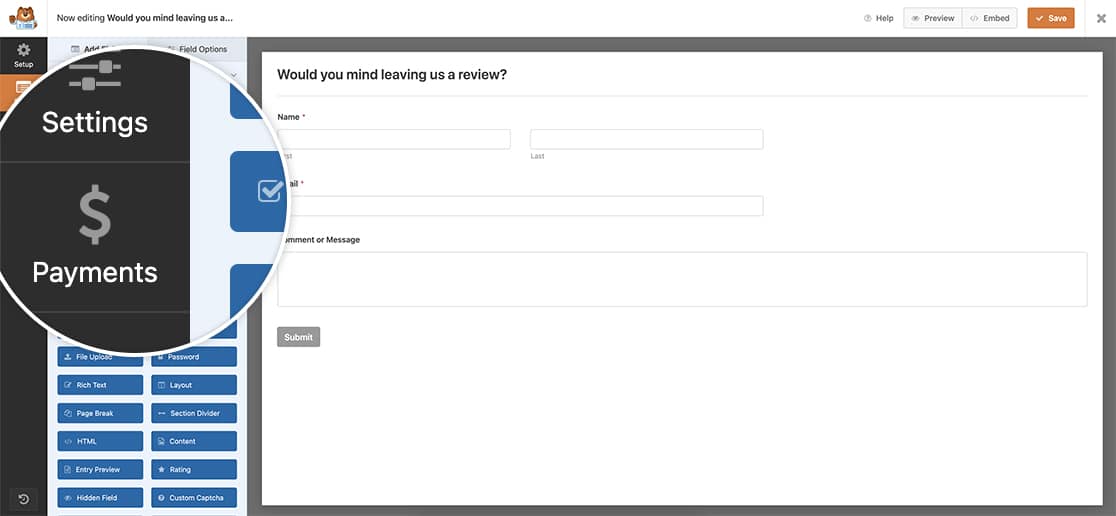
E questo è tutto ciò che ti serve per nascondere la scheda Marketing agli utenti WordPress sul tuo sito con ruoli particolari. Vuoi aggiungere un selettore di colori ai tuoi moduli? Dai un'occhiata al nostro tutorial su Come Aggiungere un Selettore di Colori al Tuo Modulo.
FAQ
D: Posso nascondere anche la scheda Pagamenti?
R: Se vuoi nascondere anche la scheda Pagamenti.
/**
 * Hide the Payments tab inside the form builder
 *
 * @link   https://wpforms.com/developers/how-to-hide-the-marketing-tab-in-form-builder/
 */

function hide_payments_tab_based_on_role() {

	// Default WordPress User Roles: subscriber, editor, contributor, author, administrator
	// For more information on WordPress roles check out https://wordpress.org/documentation/article/roles-and-capabilities/

	// Check if the current user is a subscriber OR an editor
	if( current_user_can( 'subscriber' ) || current_user_can( 'editor' ) ) {
		echo '<style>
				.wpforms-panel-payments-button {
				  display: none !important;
				}
			  </style>';
	}
}

add_action('admin_head', 'hide_payments_tab_based_on_role');
D: Posso nascondere entrambe le schede?
R: Puoi nascondere entrambe le schede utilizzando questo snippet.
/**
 * Hide the Payments and Marketing tab inside the form builder
 *
 * @link   https://wpforms.com/developers/how-to-hide-the-marketing-tab-in-form-builder/
 */

function hide_marketing_tab_based_on_role() {

	// Default WordPress User Roles: subscriber, editor, contributor, author, administrator
	// For more information on WordPress roles check out https://wordpress.org/documentation/article/roles-and-capabilities/

	// Check if current user is subscriber OR editor
	if( current_user_can( 'subscriber' ) || current_user_can( 'editor' ) ) {
		echo '<style>
				.wpforms-panel-providers-button {
				  display: none !important;
				}
				.wpforms-panel-payments-button {
				  display: none !important;
				}
			  </style>';
	}
}

add_action('admin_head', 'hide_marketing_tab_based_on_role');


