Resumo de IA
Descrição
O filtro wpforms_html_field_value é aplicado aos valores dos campos de entrada em vários locais. Ele é usado para tornar o valor do campo mais visual ao visualizar o valor da entrada.
Parâmetros
- $value
- (string) O valor.
- $field
- (array) O campo.
- $form_data
- (array) Configurações/dados do formulário processados, preparados para uso posterior.
- $context
- (string) Uso do contexto.
Fonte
wpforms/pro/includes/admin/entries/class-entries-single.php
Mais Informações
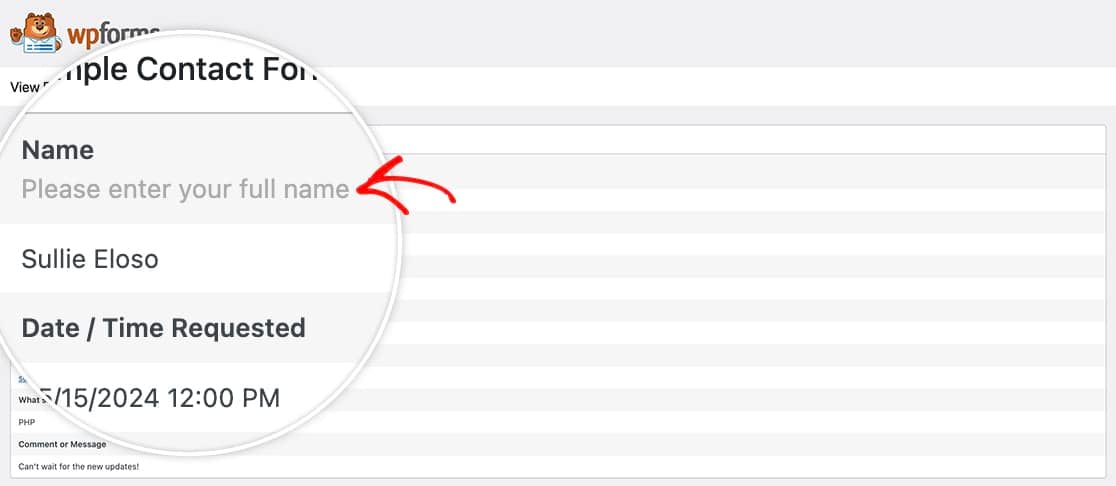
O filtro é usado para exibir um gráfico mais visual na lista de Entradas em vez de apenas o valor HTML puro que é armazenado no banco de dados.
Exemplos
Neste exemplo, queremos incluir descrições de campo dentro das entradas.
/**
 * Filter used to convert a given entry value to a more robust visual format.
 *
 * In this example, if a hex color code is given in a text value, it's converted
 * to a link to view more details about the color.
 *
 * @link  https://wpforms.com/developers/wpforms_html_field_value/
 *
 * @param  string  $value      The value.
 * @param  array   $field      The field.
 * @param  array   $form_data  Processed form settings/data, prepared to be used later.
 * @param  string  $context    Context usage.
 *
 * @return string
 */

function wpf_dev_html_field_value( $field_val, $field, $form_data, $context ) {

    if ( $context !== 'email-html' ) {
        return $field_val;
    }

    if ( $field['type'] !== 'name' ) {
        return $field_val;
    }

    if ( empty( $form_data[ 'fields' ][$field[ 'id' ]] ) ) {
        return $field_val;
    }

    $field_data = $form_data[ 'fields' ][$field[ 'id' ]];

    if ( empty( $field_data[ 'description' ] ) ) {
        return $field_val;
    }

    return $field_val . '<br><br>' . $field_data[ 'description' ];
}
add_filter( 'wpforms_html_field_value', 'wpf_dev_html_field_value', 20, 4 );