
Résumé IA
Description
L'action wpforms_conversational_forms_content_before se déclenche avant l'affichage d'un formulaire sur le site, et le formulaire a été créé avec le module complémentaire Conversational Forms.
Paramètres
Cette action n'accepte aucun paramètre.
Plus d'informations
L'action ne se déclenche que pour les formulaires créés avec le module complémentaire Conversational Forms. Elle s'exécute tôt dans le processus de rendu de la sortie.
Une action alternative à considérer est wpforms_conversational_forms_content_after, car elle fonctionne de manière similaire mais s'affichera après le formulaire.
Source
wpforms-conversational-forms/templates/single-form.php
Exemples
Dans cet exemple, nous allons afficher un message vidéo avant d'afficher le formulaire.
/**
 * Output something before your Conversational Forms
 *
 * @link  https://wpforms.com/developers/wpforms_conversational_forms_content_before/
 */

function wpf_dev_conversational_forms_content_before( ) {

    // Run code or see example echo statement below.
    _e( '<div class="video-announcement"><iframe src="https://www.youtube.com/embed/JY8TQspz7nI" title="YouTube video player" frameborder="0" allow="accelerometer; autoplay; clipboard-write; encrypted-media; gyroscope; picture-in-picture" allowfullscreen></iframe></div>', 'plugin-domain' );

}
add_action( 'wpforms_conversational_forms_content_before', 'wpf_dev_conversational_forms_content_before');
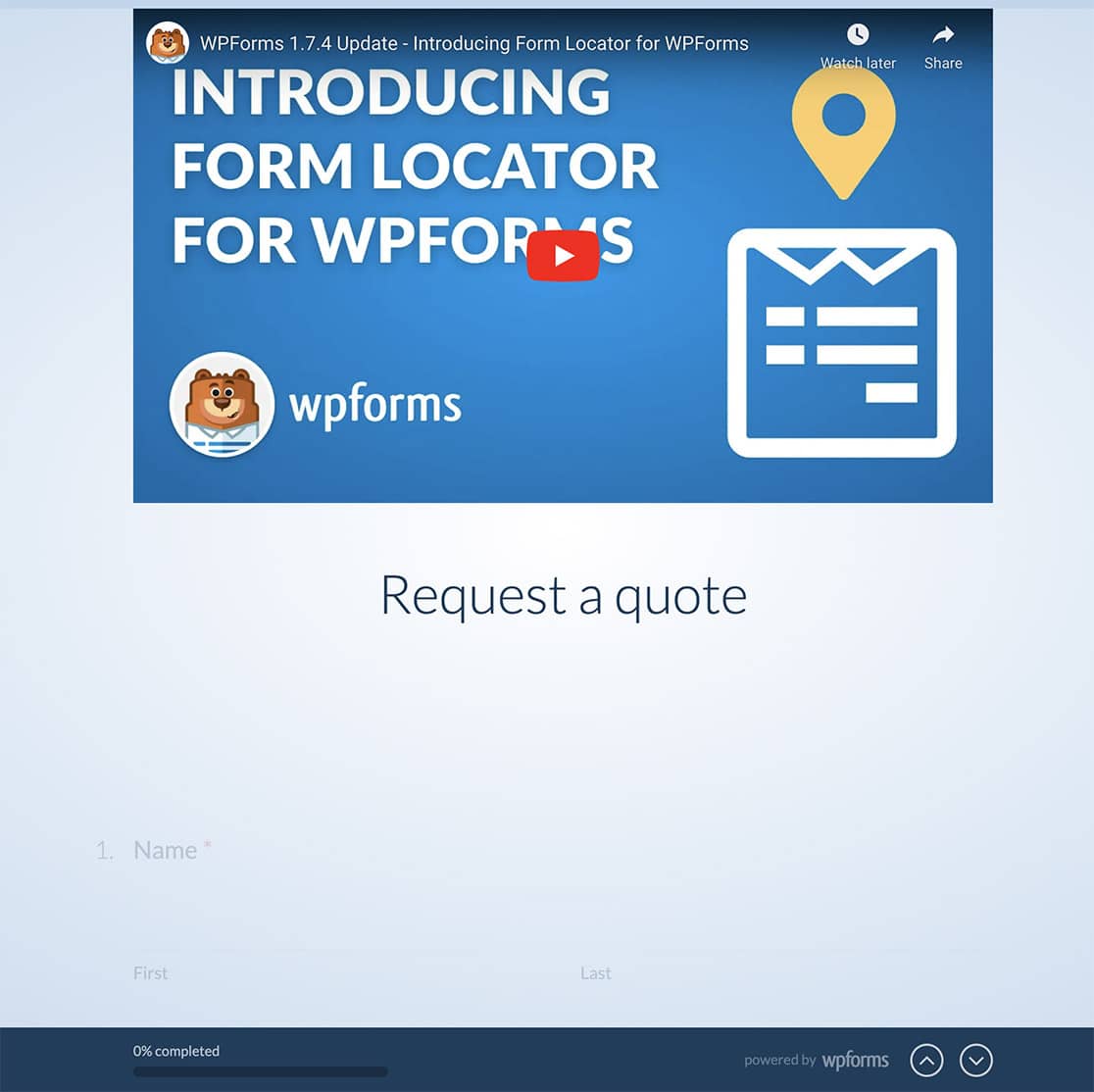
Si vous utilisez ce extrait exact, vous pourriez même vouloir ajouter du CSS à votre site. À titre d'exemple, nous avons également fourni un extrait de CSS.
.video-announcement iframe {
    height: 460px;
    width: 100%;
}

.video-announcement {
    text-align: center;
    margin-top: 10px;
}


