


KI-Zusammenfassung
Möchten Sie die Untertitel des Feldes Adresse in WPForms ändern? Diese Untertitel informieren die Benutzer darüber, welche Art von Informationen eingegeben werden soll. In diesem Tutorial erfahren Sie, wie Sie diese Untertitel mit PHP ändern können.
Standardmäßig zeigt das Formularfeld Adresse zusätzliche Felder an. Jedes dieser Felder hat seine eigenen Bezeichnungen, die als Untertitel bezeichnet werden.
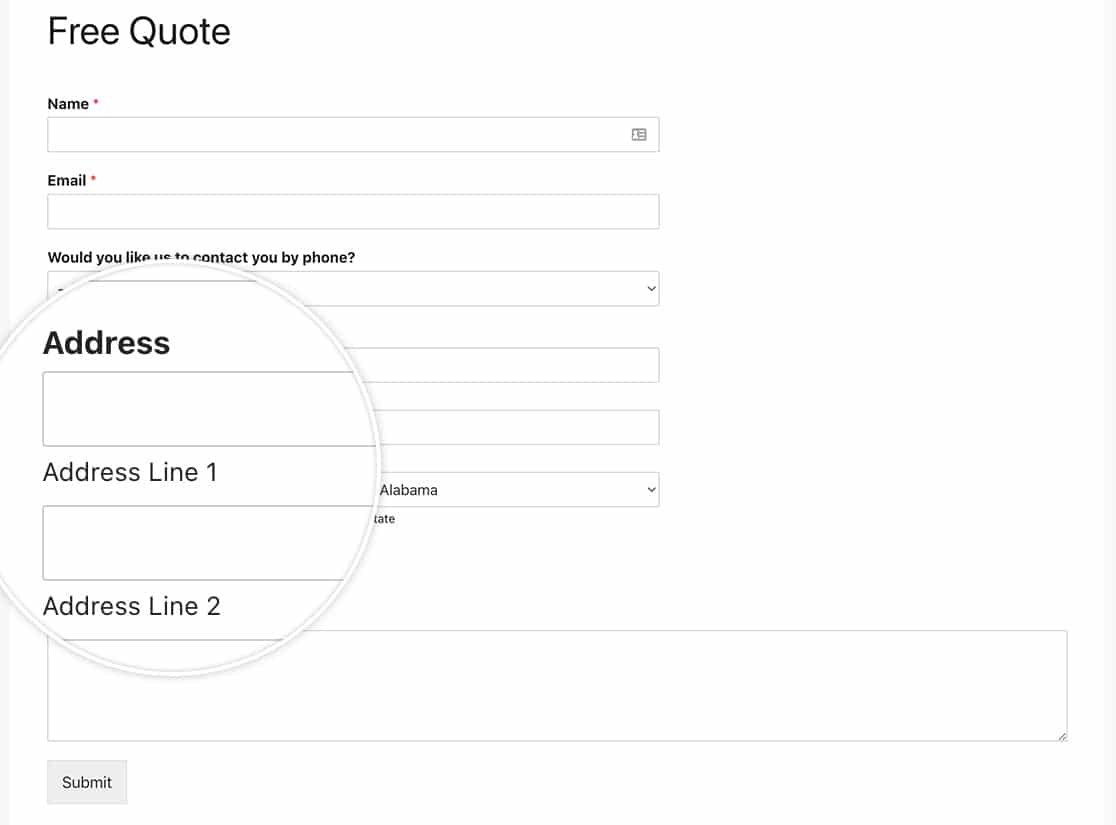
Erstellung des Formulars
Wir beginnen damit, das Formular zu erstellen und unsere Felder hinzuzufügen, einschließlich des Formularfeldes Adresse.
Wenn Sie Hilfe beim Erstellen Ihres Formulars benötigen, lesen Sie bitte diese Dokumentation.
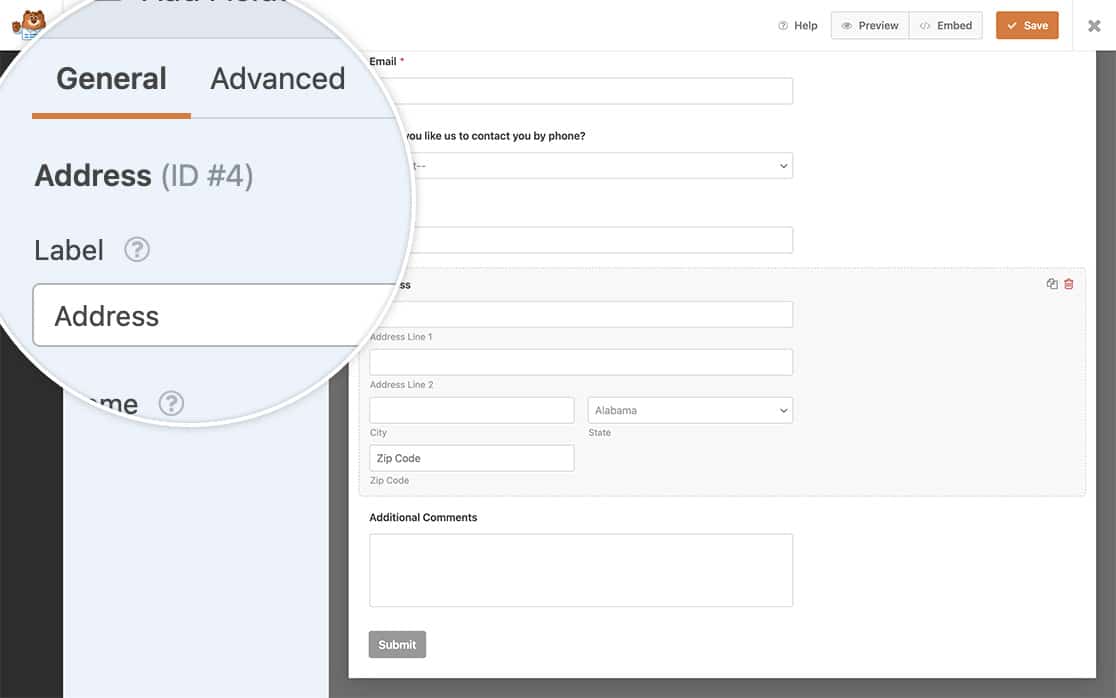
Ändern der Adress-Untertitel
Nun ist es an der Zeit, den Snippet zu Ihrer Website hinzuzufügen.
Wenn Sie Hilfe benötigen, wo und wie Sie Snippets zu Ihrer Website hinzufügen können, lesen Sie bitte dieses Tutorial.
Nur US-Adressschema
Der folgende Code-Snippet ermöglicht es Ihnen, die Untertitel für Ihr Adressfeld für das US-Schema zu ändern.
/**
 * Change the sublabels for the Address field for the US Address Scheme.
 *
 * @link https://wpforms.com/developers/how-to-change-the-address-field-sublabels/
 */

function wpf_dev_address_field_properties_usa( $properties, $field, $form_data ) {

  // check for address scheme
  if ( $field[ 'scheme' ] === 'us' ){

	  // Change sublabel values
	  $properties[ 'inputs' ][ 'address1' ][ 'sublabel' ][ 'value' ] = __( 'Street Address' );
	  $properties[ 'inputs' ][ 'address2' ][ 'sublabel' ][ 'value' ] = __( 'Apartment #' );
	  $properties[ 'inputs' ][ 'city' ][ 'sublabel' ][ 'value' ] = __( 'City' );
	  $properties[ 'inputs' ][ 'state' ][ 'sublabel' ][ 'value' ] = __( 'State' );
	  $properties[ 'inputs' ][ 'postal' ][ 'sublabel' ][ 'value' ] = __( 'Zip' );
  	}

    return $properties;
}

add_filter( 'wpforms_field_properties_address', 'wpf_dev_address_field_properties_usa', 10, 3 );
Nur internationales Adressschema
Der folgende Code-Snippet ermöglicht es Ihnen, die Untertitel für Ihr Adressfeld für das internationale Schema zu ändern.
/**
 * Change the sublabels for the Address field for the International Address Scheme.
 *
 * @link https://wpforms.com/developers/how-to-change-the-address-field-sublabels/
 */

function wpf_dev_address_field_properties_international( $properties, $field, $form_data ) {

  // check for address scheme
  if ( $field['scheme'] === 'international' ){

	  // Change sublabel values
	  $properties[ 'inputs' ][ 'address1' ][ 'sublabel' ][ 'value' ] = __( 'Address' );
	  $properties[ 'inputs' ][ 'address2' ][ 'sublabel' ][ 'value' ] = __( 'Apartment / Suite #' );
	  $properties[ 'inputs' ][ 'city' ][ 'sublabel' ][ 'value' ] = __( 'City' );
	  $properties[ 'inputs' ][ 'state' ][ 'sublabel' ][ 'value' ] = __( 'State / Province / Region' );
	  $properties[ 'inputs' ][ 'postal' ][ 'sublabel' ][ 'value' ] = __( 'Postal Code' );
	  $properties[ 'inputs' ][ 'country' ][ 'sublabel' ][ 'value' ] = __( 'Country' );
  	}

    return $properties;
}

add_filter( 'wpforms_field_properties_address', 'wpf_dev_address_field_properties_international', 10, 3 );
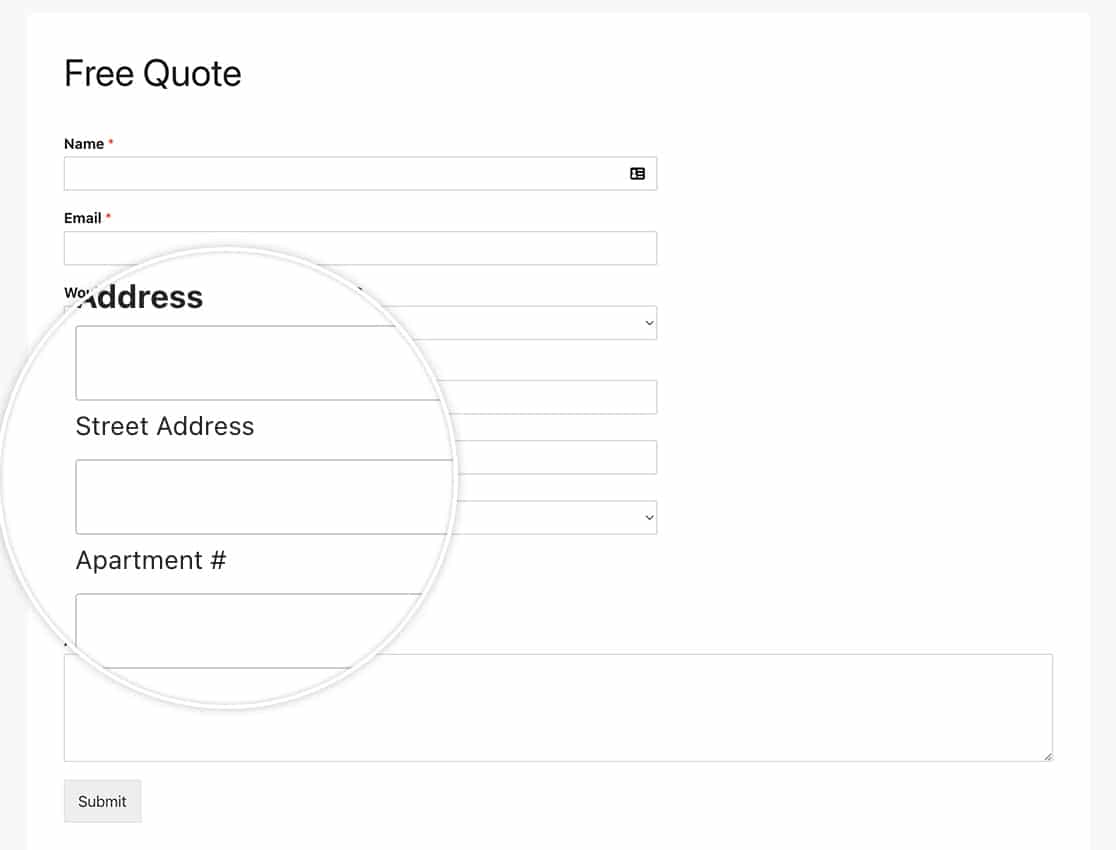
Das ist alles! Möchten Sie zusätzliche Adressschemata für Ihr Adressfeld erstellen? Schauen Sie sich unseren Artikel So erstellen Sie zusätzliche Schemata für das Adressfeld an.
Referenzfilter
FAQ
F: Kann ich diese nur für ein Formular ändern?
A: Absolut, wenn Sie diese Unterbeschriftungen nur für ein bestimmtes Formular ändern möchten, verwenden Sie stattdessen diesen Snippet und denken Sie daran, die Formular-ID 123 an Ihre eigene Formular-ID anzupassen. Wenn Sie Hilfe beim Finden Ihrer Formular-ID benötigen, lesen Sie bitte diese hilfreiche Anleitung.
/**
 * Change the sublabels for the Address field for the US Address Scheme.
 *
 * @link https://wpforms.com/developers/how-to-change-the-address-field-sublabels/
 */

function wpf_dev_address_field_properties_usa( $properties, $field, $form_data ) {

	// Only process this snippet on the form ID 123
    if ( absint( $form_data[ 'id' ] ) !== 123 ) {

        return $properties;
    }

  // check for address scheme
  if ( $field[ 'scheme' ] === 'us' ){

      // Change sublabel values
      $properties[ 'inputs' ][ 'address1' ][ 'sublabel' ][ 'value' ] = __( 'Street Address' );
      $properties[ 'inputs' ][ 'address2' ][ 'sublabel' ][ 'value' ] = __( 'Apartment #' );
      $properties[ 'inputs' ][ 'city' ][ 'sublabel' ][ 'value' ] = __( 'City' );
      $properties[ 'inputs' ][ 'state' ][ 'sublabel' ][ 'value' ] = __( 'State' );
      $properties[ 'inputs' ][ 'postal' ][ 'sublabel' ][ 'value' ] = __( 'Zip' );
    }

    return $properties;
}

add_filter( 'wpforms_field_properties_address' , 'wpf_dev_address_field_properties_usa', 10, 3 );
Wie Sie im Snippet sehen können, müssen wir nur die Prüfung für die Formular-ID mit if ( absint( $form_data[ 'id' ] ) !== 123 ) { return $properties; } hinzufügen. Der Rest des Snippets bleibt exakt derselbe wie im Beispiel für alle Formulare.


