### [Using the Right-Click Menu](https://wpforms.com/docs/using-the-right-click-menu/)
**Published:** January 8, 2024
**Author:** Umair Majeed
**Excerpt:** Learn how to quickly edit and manage form fields with the right-click menu.
**Content:**
Would you like to discover how to quickly modify form fields in WPForms? Our right-click menu feature provides a shortcut to access and adjust field settings already available in the form builder, streamlining your workflow with quick access options.
This tutorial will explain how to utilize the right-click menu to edit, duplicate, delete, and adjust various field properties.
- [Accessing the Right-Click Menu](#accessing-menu)
- [Exploring Menu Options](#menu-options)
---
Before getting started, you’ll first need to make sure WPForms is [installed and activated](https://wpforms.com/docs/install-wpforms-plugin/) on your WordPress site and that you’ve [verified your license](https://wpforms.com/docs/verify-wpforms-license/).
## Accessing the Right-Click Menu
To begin, access the form builder by either [creating a custom form](https://wpforms.com/docs/creating-first-form/) or choosing one of our available [form templates](https://wpforms.com/templates/).
In the form builder, right-click on any form field. A compact menu will appear, offering several options to modify your field without navigating away.
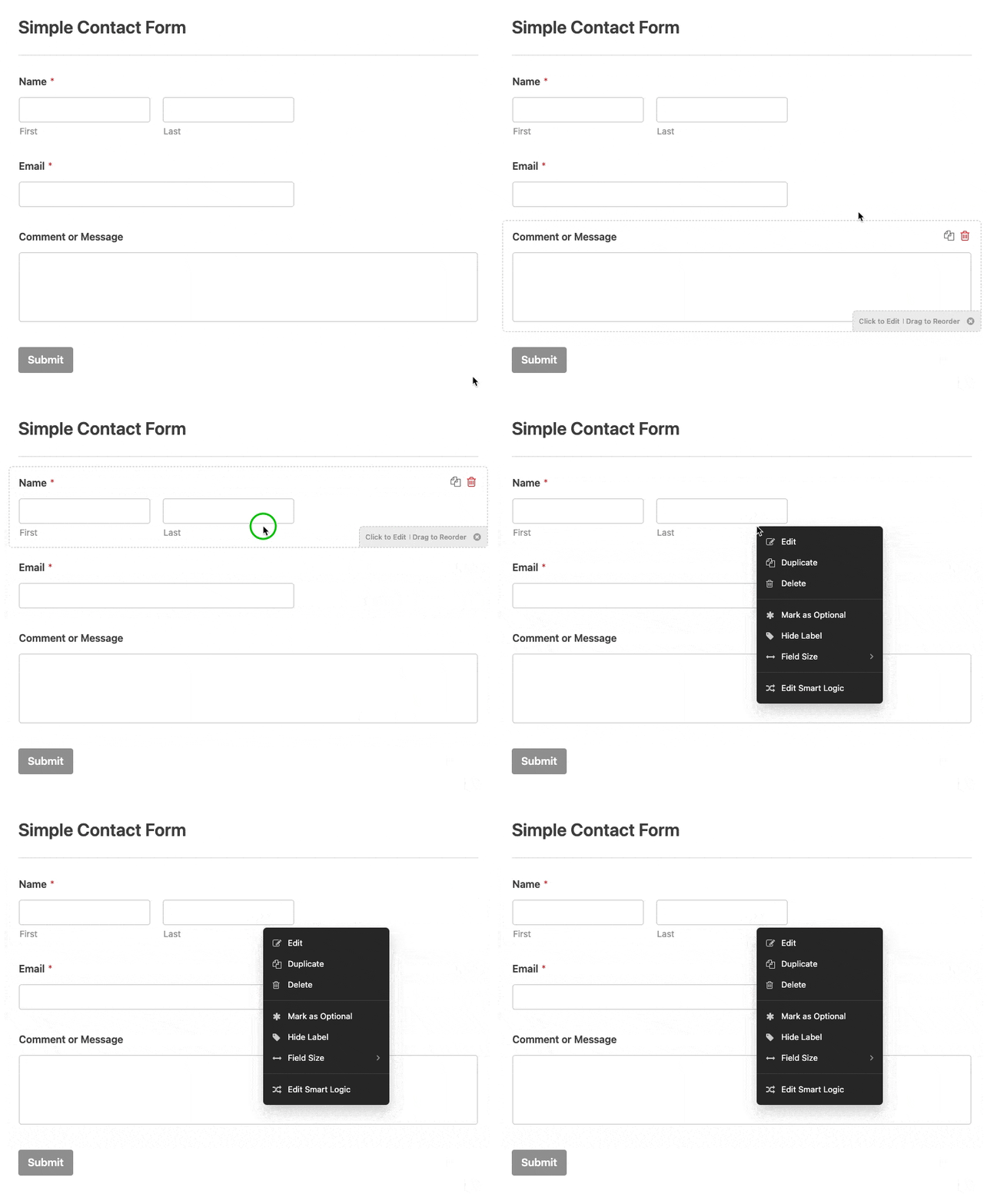**Note:** The right-click menu appears when you right-click a single field. If you’ve selected multiple fields, right-clicking will clear your selection.
To manage multiple fields at once, select them first (Ctrl + click on Windows, or Cmd + click on macOS). You’ll then see bulk options like **Duplicate Fields** and **Delete Fields**.
## Exploring Menu Options
After accessing the right-click menu, you’ll find a range of options to quickly customize your form fields.
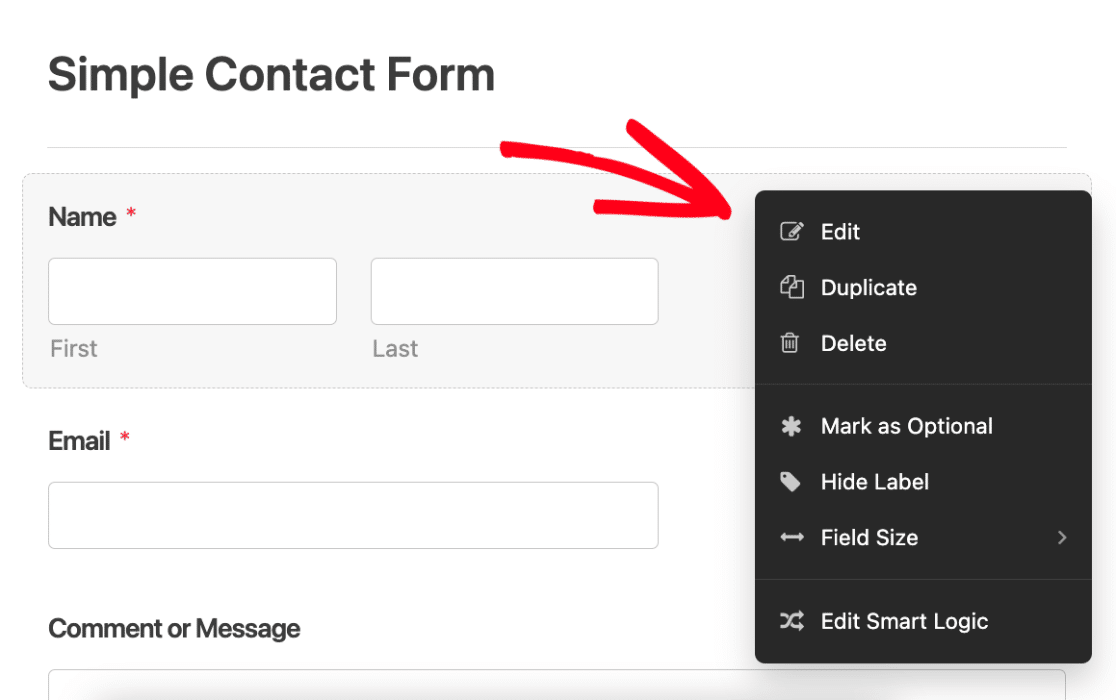Here’s what each option offers:
- **Edit:** Modify the field properties and content
- **Duplicate:** Instantly copy the selected field and its configurations
- **Delete:** Remove the field from your form
- **Marked as Required/Optional:** Toggle the field’s response requirement to either Optional or Required
- **Hide Label:** Hide the field label for a cleaner design
- **Field Size:** Adjust the field size to Small, Medium, or Large
- **Edit Smart Logic:** Quickly access [conditional logic](https://wpforms.com/docs/how-to-use-conditional-logic-with-wpforms/) settings for advanced field behavior
**Note:** The **Edit Smart Logic** option is only available in the [paid version of WPForms](https://wpforms.com/pricing/).
That’s it! Now you know how to use the right-click menu in WPForms.
Next, would you like to learn how to manage columns in the Forms Overview and Entries pages? Be sure to check out our [guide to column management](https://wpforms.com/docs/complete-guide-to-column-management/) for more details.
**Categories:** Functionality, Form Creation
---