### [8 Best Contact Form 7 Alternatives for WordPress (2026)](https://wpforms.com/contact-form-7-alternatives/)
**Published:** June 3, 2026
**Author:** Hamza Shahid
**Excerpt:** At WordCamp Asia 2026, Contact Form 7's creator Takayuki Miyoshi announced that version 6.2 will be the final feature release. The plugin enters maintenance mode going forward, which means security patches and bug fixes only and no new features.
A successor project called Contactable.io is in the works, but it's not expected until at least 2028. If you've been running Contact Form 7 on your site, that news probably changes the calculation. The good news is the WordPress form plugin market is crowded with strong alternatives.
This article walks through the best Contact Form 7 alternatives, ranked by overall fit for the kind of site that runs (or used to run) CF7. For each, I cover what the plugin actually does, what I liked, what it costs, and where it fits best.
**Content:**
At WordCamp Asia 2026, Contact Form 7’s creator Takayuki Miyoshi announced that version 6.2 will be the final feature release. The plugin enters maintenance mode going forward, which means security patches and bug fixes only and no new features.
A successor project called Contactable.io is in the works, but it’s not expected until at least 2028. If you’ve been running Contact Form 7 on your site, that news probably changes the calculation. The good news is the WordPress form plugin market is crowded with strong alternatives.
This article walks through the best Contact Form 7 alternatives, ranked by overall fit for the kind of site that runs (or used to run) CF7. For each, I cover what the plugin actually does, what I liked, what it costs, and where it fits best.
## The Best Contact Form 7 Alternatives for WordPress
Below is the full list with comparison details. Each plugin has a real drag-and-drop builder, stores form entries inside WordPress, and supports the kind of features modern forms need.
I’ve ranked them by overall fit for a typical Contact Form 7 user, so the order reflects feature depth, ease of use, free-tier value, and how the build experience actually feels in practice.
- [1. WPForms](#1-wpforms)
- [2. Formidable Forms](#2-formidable-forms)
- [3. Gravity Forms](#3-gravity-forms)
- [4. Fluent Forms](#4-fluent-forms)
- [5. Ninja Forms](#5-ninja-forms)
- [6. Forminator](#6-forminator)
- [7. WS Form](#7-ws-form)
- [8. Jotform](#8-jotform)
### Why Look for a Contact Form 7 Alternative?
The biggest reason right now is the feature freeze. Contact Form 7’s developer announced at WordCamp Asia 2026 that version 6.2 is the final feature release.
After that, the plugin enters maintenance mode where bug fixes and security patches will continue, but no new features are coming. The successor project (Contactable.io) is targeted for 2028.
The case for looking at alternatives goes deeper than the freeze, though. CF7 has long been a stripped-down form plugin by design.
It’s powerful for developers comfortable in PHP and configuration files, but limited compared to modern form builders. [Common reasons WordPress site owners look elsewhere](https://wpforms.com/reasons-to-switch-from-contact-form-7-to-wpforms/ "Common reasons WordPress site owners look elsewhere") include:
- CF7 has no drag-and-drop builder, so building anything beyond a basic contact form requires editing HTML and shortcodes.
- CF7 doesn’t store form entries inside WordPress, so submissions go to email only (and get lost when email fails).
- CF7 has no conditional logic, no payment fields, and no native integrations with email marketing platforms.
- CF7’s spam protection relies on plugins or external services like reCAPTCHA, with no built-in alternatives.
- CF7 has no entry analytics, no UI for managing submissions, and no way to export data without third-party addons.
The good news is that switching is usually straightforward because most modern form builders have CF7 import tools or templates that recreate common CF7 setups in minutes.
PluginFree VersionStarting Paid PriceWP.org RatingBest For[1. WPForms](#1-wpforms)Yes, Lite (unlimited sites)$49.50/yr Basic4.9 (13,000+ reviews)Most CF7 users overall[2. Formidable Forms](#2-formidable-forms)Yes, free on WordPress.org$39.50/yr Basic4.8 (1,365 reviews)Advanced calculations and data views[3. Gravity Forms](#3-gravity-forms)No free version$59/yr BasicNot on WordPress.orgMature integration library[4. Fluent Forms](#4-fluent-forms)Yes, free on WordPress.org$79/yr Single Site4.8Strongest free tier[5. Ninja Forms](#5-ninja-forms)Yes, core is free$99/yr Personal4.4Per-addon pricing buyers[6. Forminator](#6-forminator)Yes, generous free version$15/mo (WPMU DEV)4.8 (2,069 reviews)WPMU DEV users[7. WS Form](#7-ws-form)Yes, WS Form LITE$59/yr Personal4.9Developers needing CSS control[8. Jotform](#8-jotform)Yes, 5 forms / 100 submissions per month$34/mo BronzeSaaS (not a true WP plugin)Cloud-hosted form workflowsFor a quick look at the broader free-tier landscape, the [best free WordPress contact form plugins](https://wpforms.com/best-free-wordpress-contact-form-plugins/) roundup covers similar ground from a free-only angle.
### 1. WPForms
**Quick Stats**
- **Active installs:** 6,000,000+ on WordPress.org
- **WordPress.org rating:** 4.9 stars from 13,000+ reviews
- **Free version:** Yes (WPForms Lite)
[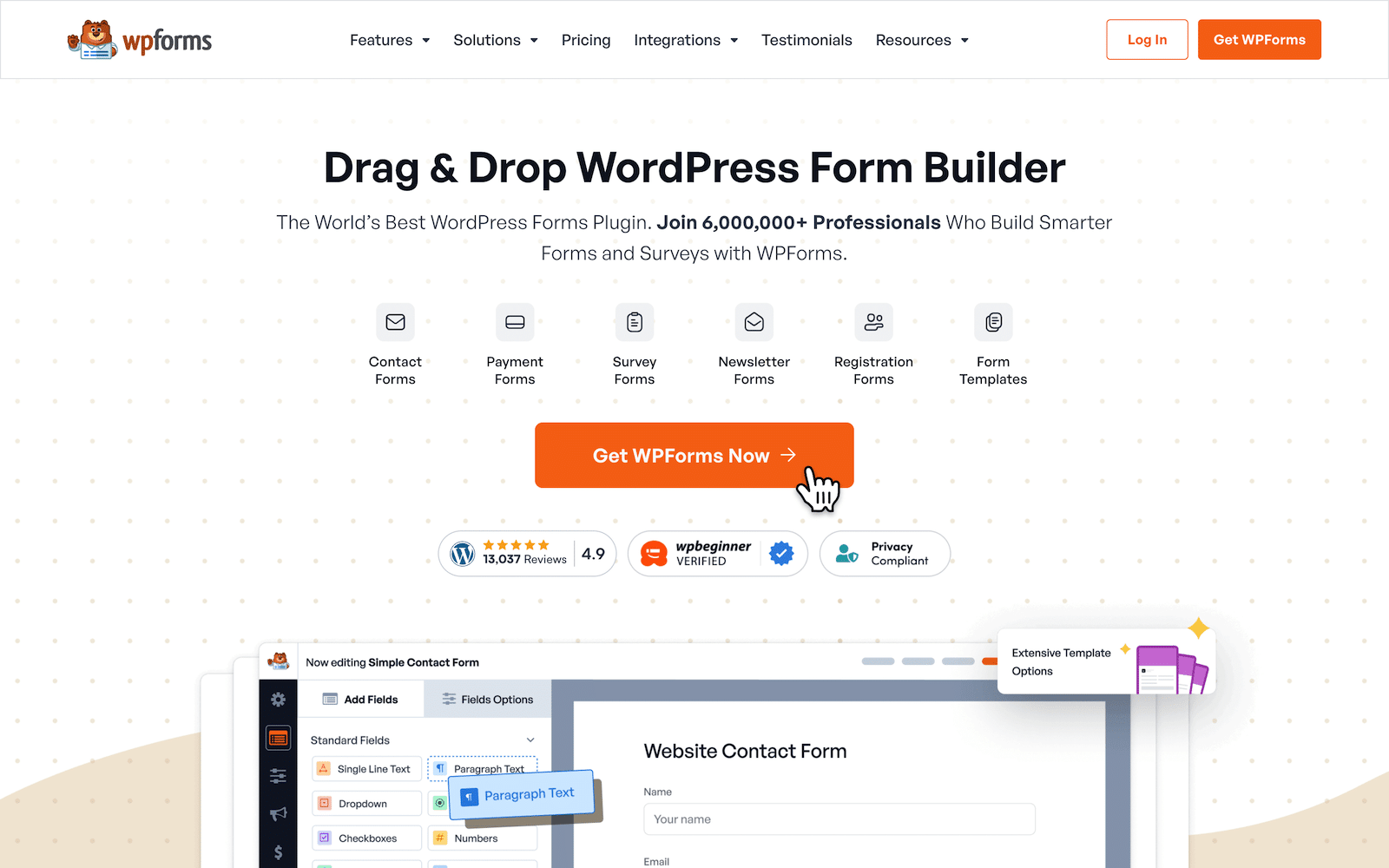](https://wpforms.com/pricing/)WPForms is the most-installed form builder in the WordPress space. It runs the same drag-and-drop builder for both Lite and paid tiers, which means even the free version feels like a modern form builder.
The plugin family includes the AI form generator, 2,100+ [form templates](https://wpforms.com/features/form-templates/), Lead Forms and Conversational Forms, payment integrations (Stripe, Square, PayPal Commerce), conditional logic, and many more features.
*For a closer look at the free tier specifically, the [WPForms Lite vs Contact Form 7](https://wpforms.com/wpforms-lite-vs-contact-form-7/) breakdown covers the head-to-head on the free side.*
#### My Experience
In the form builder, you add fields by clicking or dragging them from a left sidebar into the form preview area. Each field opens a Field Options panel on the left with three tabs (General, Advanced, Smart Logic).
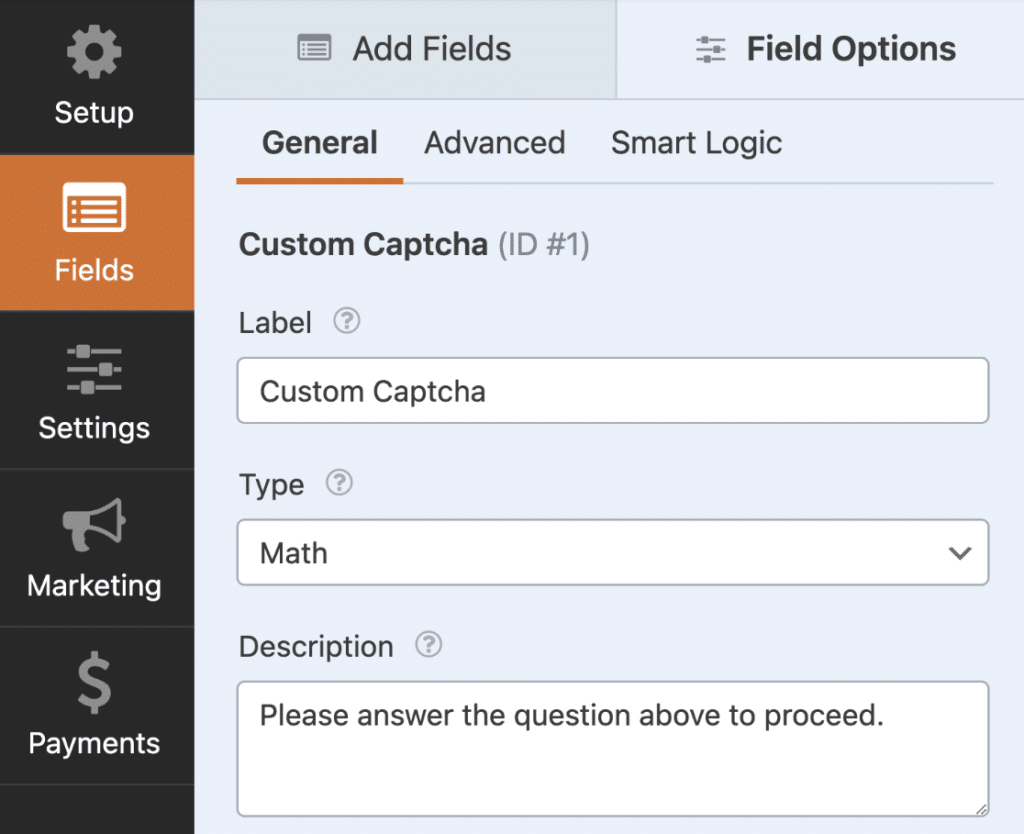Conditional logic is configured per field via the Smart Logic tab, with show/hide rules that feel closer to a no-code automation tool than to old-school form-plugin configuration.
For CF7 migrators specifically, the standout in Lite is the [AI form builder](https://wpforms.com/best-ai-form-builder-for-wordpress/). You describe the form in plain English, and WPForms returns a finished form with the right field types, labels, and conditional logic baked in.
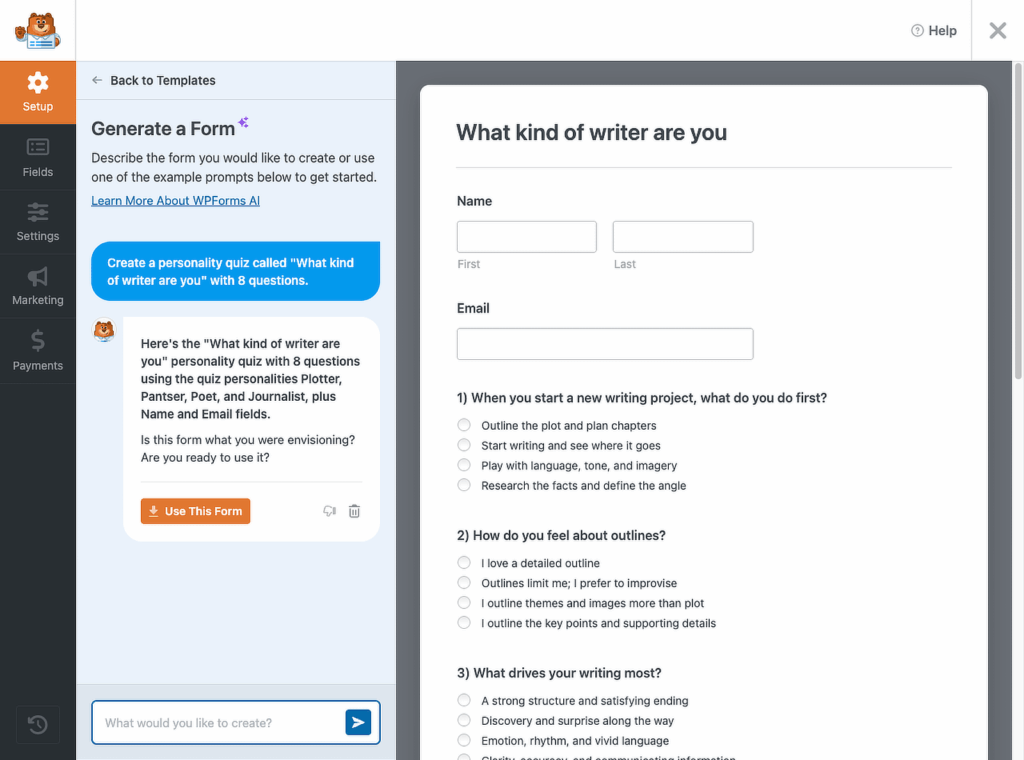AI Choices does the same for individual field options. Both work in the free version, which makes the move off CF7’s shortcode-based field setup feel like a different category of tool entirely.
As you move over to paid plans, the conversion-feature stack really pays off. Lead Forms gives you step-by-step lead capture flows embedded in your existing pages so the surrounding social proof and CTA copy stay visible.
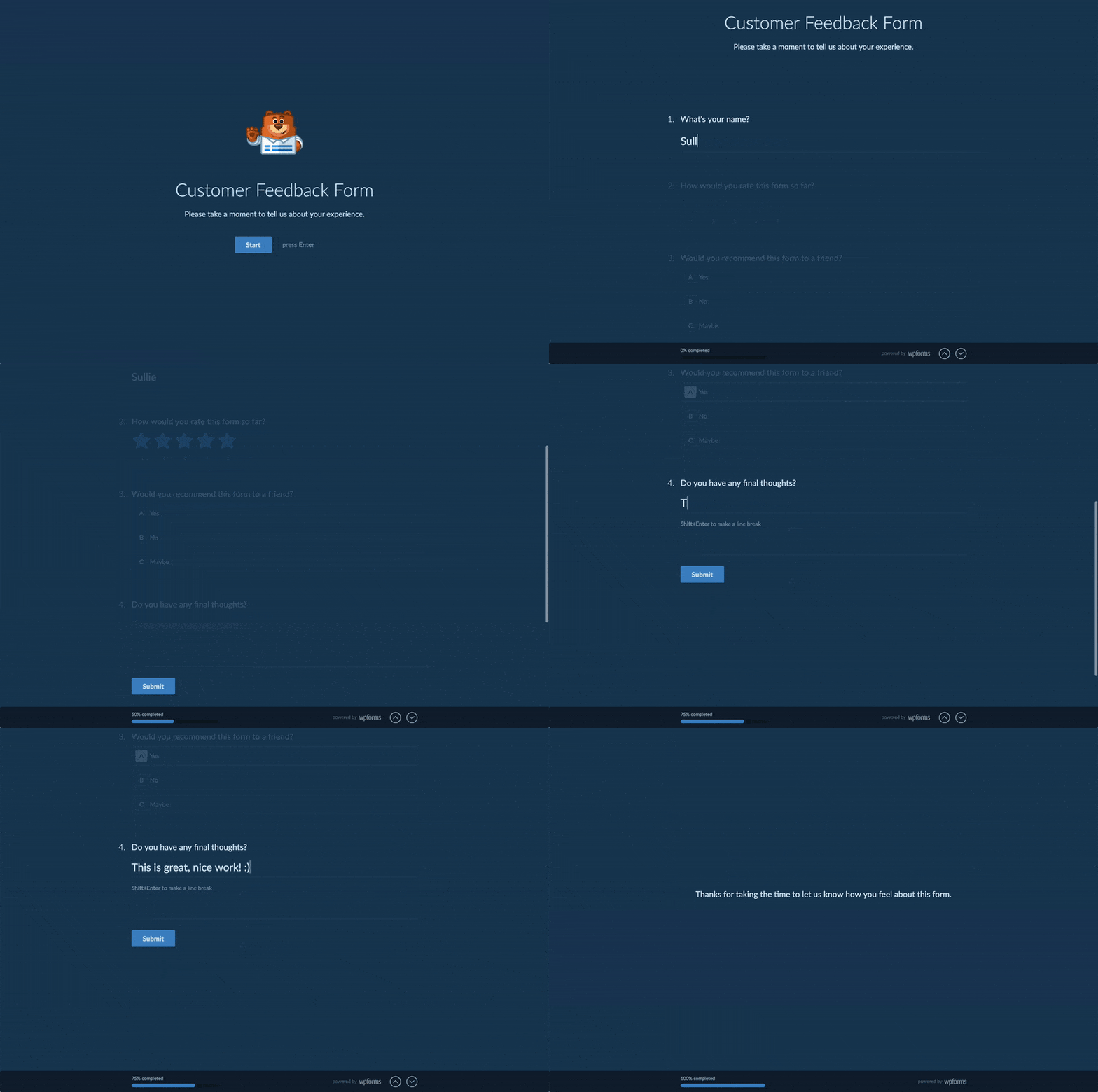
Conversational Forms gives the same form a Typeform-style standalone page where one field appears at a time. Form Pages creates a distraction-free landing page around the form for paid traffic campaigns.
Form Abandonment captures partial entries from visitors who don’t submit. User Journey reports show what visitors looked at on your site before they filled out the form.
Surveys & Polls handles NPS, Likert, ranking, real-time poll results, and interactive visual reports. Geolocation auto-completes addresses and adds map fields.
#### What I Liked
- **Built-in CF7 importer in Lite:** At WPForms » Tools, the importer brings over existing Contact Form 7 forms (with field labels and notification settings) in a few clicks.
- **2,100+ form templates at Pro:** The largest template library on this list, organized by industry, use case, and form type.
- **AI form generation in Lite:** Describe your form in plain English, get a finished form back. AI Choices does the same for dropdown and checkbox options.
- **Enterprise trust signals at scale:** 6 million+ users, 4.9 stars from 13,000+ reviews, six G2 awards in 2025, and trusted by GoDaddy, HubSpot, QuickBooks, SAP, CNET, Bluehost, and WP Engine.
- **Camera field is genuinely unique:** Live in-form photo capture, with countdown timer and preview-before-submit. Useful for ID verification, contest entries, and profile photos.
- **Three conversion-focused addons in one Pro license:** Lead Forms (step-by-step capture inside your page), Form Pages (distraction-free landing pages), and Conversational Forms (Typeform-style standalone page).
- **Surveys & Polls includes NPS and interactive reports:** Built-in NPS scoring, Likert fields, ranking fields, and real-time visual poll results, with no separate survey tool needed.
#### How Much Does WPForms Cost?
**WPForms Lite is completely FREE.**
The Pro version starts at $199.50/year with a 14-day money-back guarantee, and it adds entry storage, file uploads, conditional logic, multi-page forms, surveys, the full 2,100+ template library, and 40+ addons. If you’re just getting started, [WPForms Lite](https://wordpress.org/plugins/wpforms-lite/) gives you enough to run real forms today without committing to a paid plan.
**My Verdict**
WPForms is the best Contact Form 7 alternative for most users because it combines the broadest set of conversion-focused features on this list with the easiest learning curve.
The free version handles the basic CF7 replacement (and includes the CF7 importer to make migration painless). The Pro tier stacks 40+ addons for taking your forms to the next level.
If you want one plugin to handle every form on your site (contact forms, payments, surveys, lead capture, file uploads, ID verification, multi-step applications, and conversational quizzes), this is it.
### 2. Formidable Forms
**Quick Stats**
- **Active installs:** 300,000+ on WordPress.org
- **WordPress.org rating:** 4.8 stars from 1,365 reviews
- **Free version:** Yes (Formidable Forms on WordPress.org)
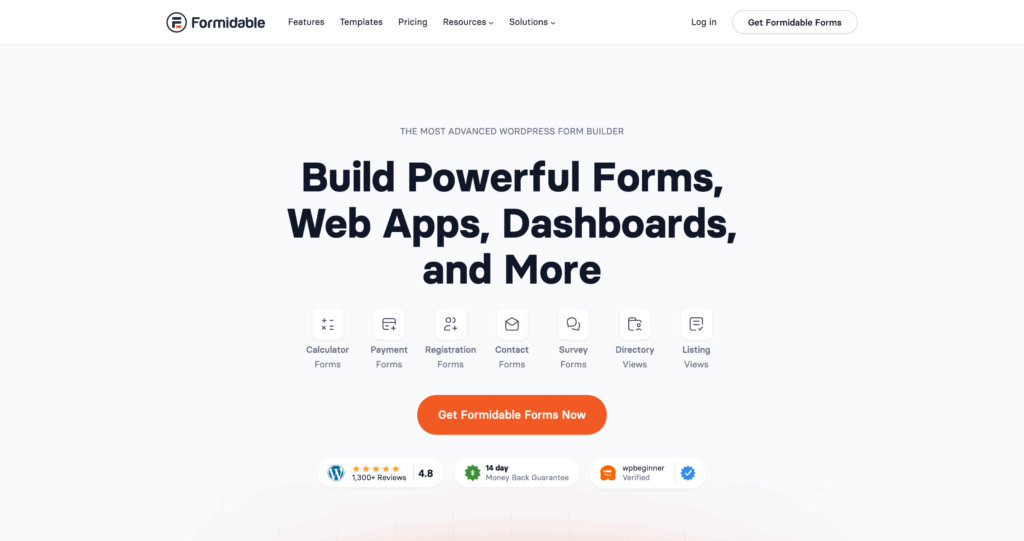Formidable Forms positions itself as the form builder for advanced WordPress sites, the calculator-heavy, application-form-heavy, data-display-heavy end of the market.
For a typical CF7 user with relatively basic needs, Formidable might be more plugin than you’d use. Calculator-heavy or data-display workflows are where it earns its place over simpler alternatives.
#### My Experience
The Formidable builder splits fields between a “Basic Fields” panel and an “Advanced Fields” panel. Each field has its own configuration drawer with tabs for general settings, conditional logic, and advanced options.
You can write formulas using field IDs that recalculate live as the visitor fills out the form, which is genuinely useful for things like price quotes, loan calculators, or shipping estimates.
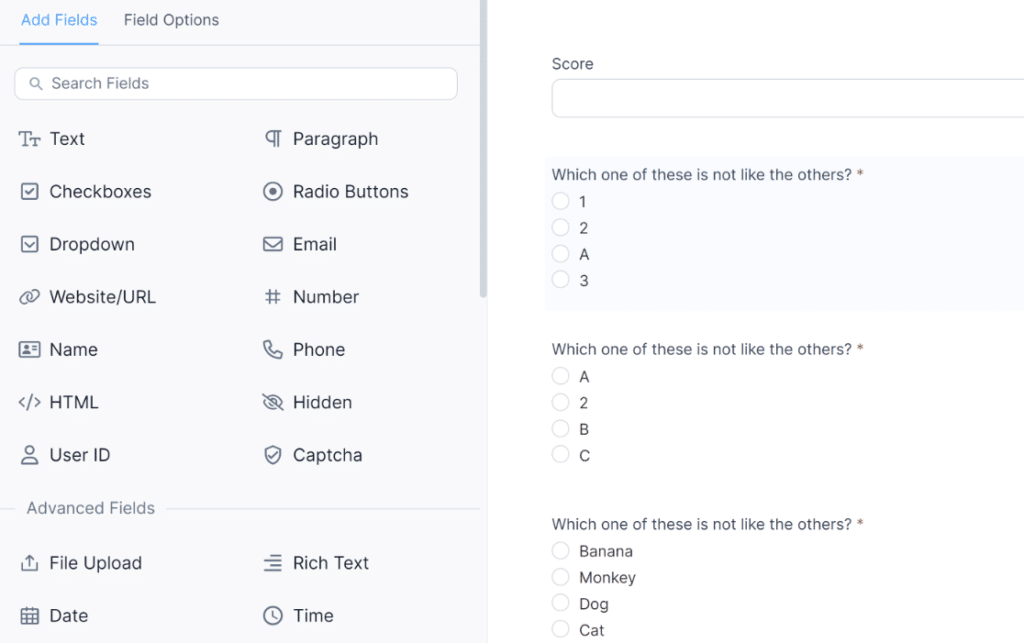Views are configured in a separate Views menu, not from inside the form builder. You pick a form, pick a display format (table, grid, calendar, timeline), and configure which fields to show.
The mental model is closer to a database query than to a typical form-builder workflow, so there’s a learning curve if you’ve never thought about forms as data sources.
#### What I Liked
- **Calculator field:** Live formula calculations that recalculate as visitors fill the form.
- **Views feature:** Display submitted entries on the frontend as tables, calendars, or directories.
- **Smart styling:** Form styles inherit your WordPress theme by default.
- **Developer-friendly API:** Strong hooks and filters for custom development work.
- **Reasonably broad free tier:** Enough fields and basic conditional logic to build standard forms.
#### How Much Does Formidable Forms Cost?
Formidable’s free version lives on WordPress.org and covers basic form building with conditional logic. Paid plans start at $39.50 a year for Basic on one site (renews at $79), which adds standard support and more form templates.
**My Verdict**
Formidable Forms is the right pick when your forms need to do real math or surface their own submitted data back to the frontend.
For a typical CF7 user who just needs a working contact form, it’s heavier than necessary, but for calculator-driven workflows it’s hard to beat.
### 3. Gravity Forms
**Quick Stats**
- **Active installs:** Approximately 1 million (vendor cited, premium-only, not on WordPress.org)
- **WordPress.org rating:** Not applicable
- **Free version:** No
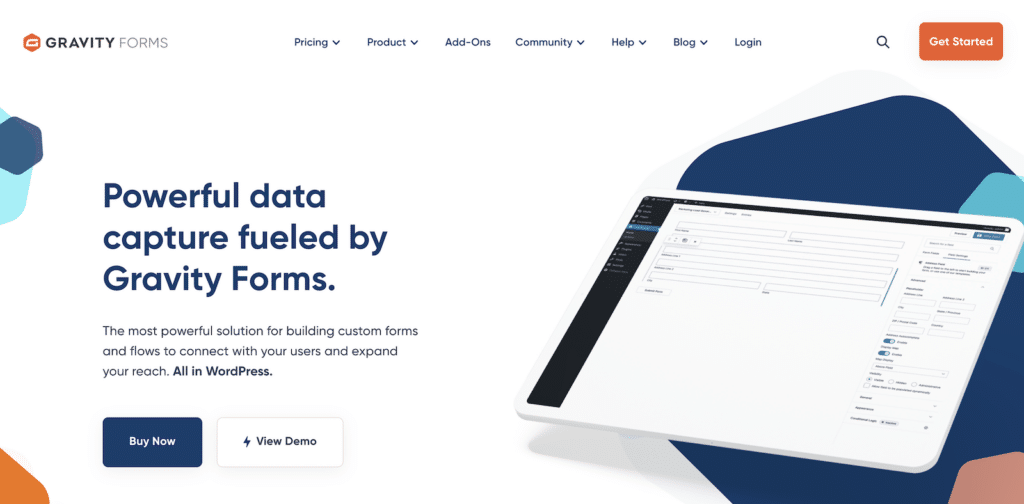Gravity Forms is the longest-running premium form plugin in the WordPress space and has the deepest official integration list.
It’s the form plugin that enterprise WordPress shops have traditionally defaulted to, and that’s still the position it holds today. The flip side is that there’s no free version, so you pay from day one on an annual basis.
*The Gravity Forms feature set is broad and mature. For a direct head-to-head, the [Gravity Forms vs WPForms](https://wpforms.com/gravity-forms-vs-wpforms/) comparison covers the full feature-by-feature breakdown.*
#### My Experience
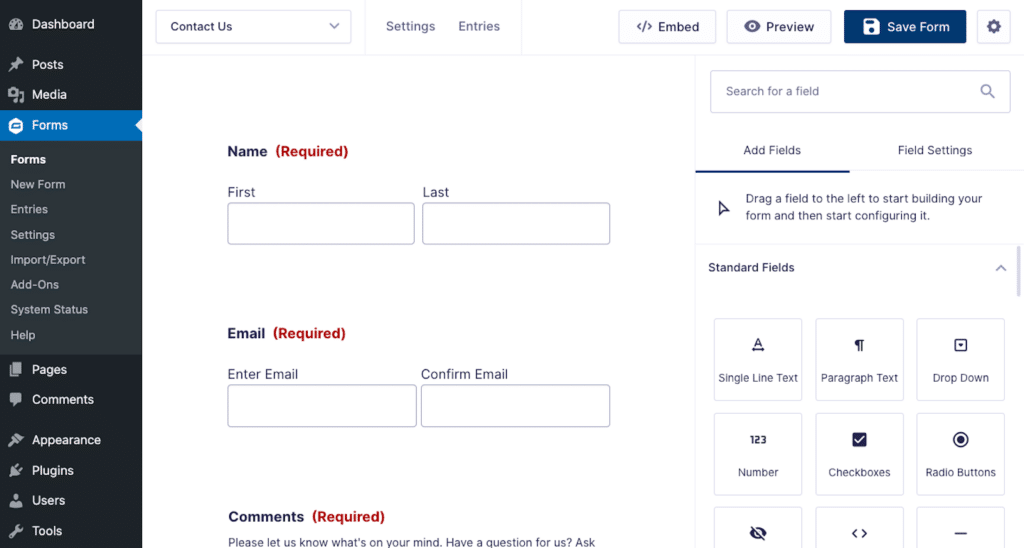
The Gravity Forms admin is a separate top-level menu in the WordPress sidebar. You click into the form editor, and fields appear in a right-hand panel that you drag into the form on the left.
The interface is functional rather than flashy, and it feels more like a database UI than a marketing tool, which fits Gravity Forms’ developer-leaning audience.
Also, the integration library is the real differentiator, as Rocketgenius maintains official addons for most major services, and third-party companies (especially GravityKit) build a layer of enhanced addons on top.
If you need to push form submissions into something specific (a niche CRM, a custom workflow tool, a payment gateway not in WPForms’ default set), the odds are high that someone has built a Gravity Forms addon for it.
#### What I Liked
- **Mature integration library:** First-party addons for nearly every major service in marketing, payments, and CRM.
- **GravityKit and third-party addons:** A whole layer of enhanced add-ons built by companies that have specialized in Gravity Forms for years.
- **Developer documentation:** Thorough docs, hooks, and filters for custom development
- **Conditional logic everywhere:** Works on every field, including payment fields
- **Stable release history:** Predictable updates that don’t break existing builds
#### How Much Does Gravity Forms Cost?
Gravity Forms has no free version, which is the biggest single difference from most plugins on this list. Pricing is annual and starts at $59 a year, which covers one site and gives you the form builder plus the standard addons.
**My Verdict**
Gravity Forms is the most defensible pick for sites that need a deep, mature integration library and don’t mind paying for it from day one.
For straightforward contact-form replacement, the lack of a free version makes it a heavier commitment than most CF7 users actually need.
### 4. Fluent Forms
**Quick Stats**
- **Active installs:** 700,000+ on WordPress.org
- **WordPress.org rating:** 4.8 stars
- **Free version:** Yes (Fluent Forms on WordPress.org)
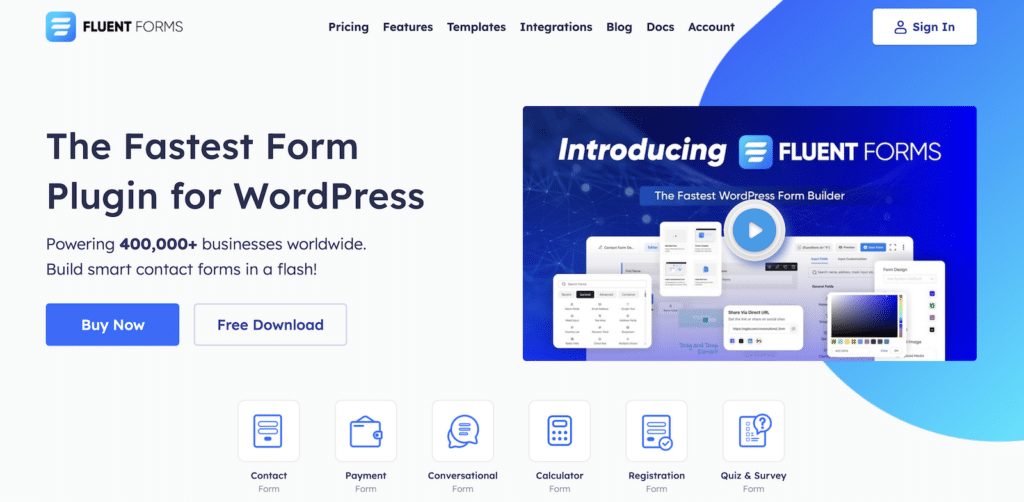Fluent Forms is the form plugin built by WP Manage Ninja, the same team behind FluentCRM and Fluent Support. The pitch is performance and a generous free tier.
The free version includes drag-and-drop building, conditional logic, multi-page forms, and even a conversational form mode, which most competitors lock behind a paid tier.
The team also runs a tight plugin family, so if you already use FluentCRM or Fluent Support, the integration story is the cleanest.
#### My Experience
The Fluent Forms builder uses a three-pane layout, where Fields are on the left, the form preview is in the middle, and field settings are on the right.
The interface is responsive and noticeably fast, with no visible lag when adding or rearranging fields. Conditional logic configuration is straightforward, set per field via the Advanced tab, with show/hide rules.
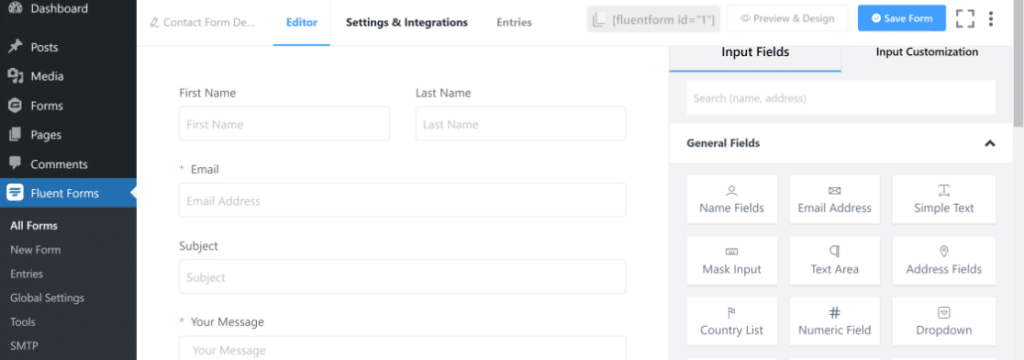The conversational form mode is the part that surprised me. Most plugins make this a Pro feature, and Fluent Forms includes it in the free version.
The UI for it sits inside the same builder, so you build the form normally and toggle conversational mode on. Friction points are minimal. The biggest gap in the free tier is the integration list, since most marketing and CRM integrations live in the paid tiers.
#### What I Liked
- **Generous free tier:** Conditional logic, multi-page forms, conversational mode, and most field types are all free.
- **Fast, responsive builder:** No visible lag in the editor even with complex forms.
- **Native FluentCRM integration:** First-party connection if you use the rest of the Fluent plugin suite.
- **Frontend performance:** Forms load quickly without heavy assets.
- **Form templates included free:** A solid starter set in the WordPress.org version.
#### How Much Does Fluent Forms Cost?
The free version covers a remarkable amount of ground for $0 a year. Paid plans start at $79 a year for the Single Site license, which unlocks Pro addons including the marketing integrations, the advanced PDF generator, and the entries dashboard upgrades.
**My Verdict**
Fluent Forms is the definitely one of the best free-tier pick on this list and comparable to WPForms. If you want to get started without paying anything and you can live with a smaller integration list, the free version covers more ground than its paid competitors at the same level.
### 5. Ninja Forms
**Quick Stats**
- **Active installs:** 600,000+ on WordPress.org
- **WordPress.org rating:** 4.4 stars
- **Free version:** Yes (Ninja Forms core is free)
Ninja Forms is one of the older WordPress form plugins still in active development. It’s owned by Saturday Drive, which also operates Ninja Tables and a handful of other plugins.
The defining feature of Ninja Forms’ pricing model is that almost everything beyond the core is sold as individual addons or in tiered bundles. The model is pay-as-you-grow if you only need a few things, but it gets expensive if you need many.
*For a head-to-head feature breakdown, the [Ninja Forms vs WPForms](https://wpforms.com/ninja-forms-vs-wpforms/) comparison covers the full picture.*
#### My Experience
The Ninja Forms builder uses a column-based layout. You drag fields from a sidebar into the form area, and each field opens its settings in a slide-out panel from the right.
As compared to WPForms or Fluent Forms, the UI feels older with less visual polish and a more functional aesthetic. The form-building experience itself is solid, just less modern.
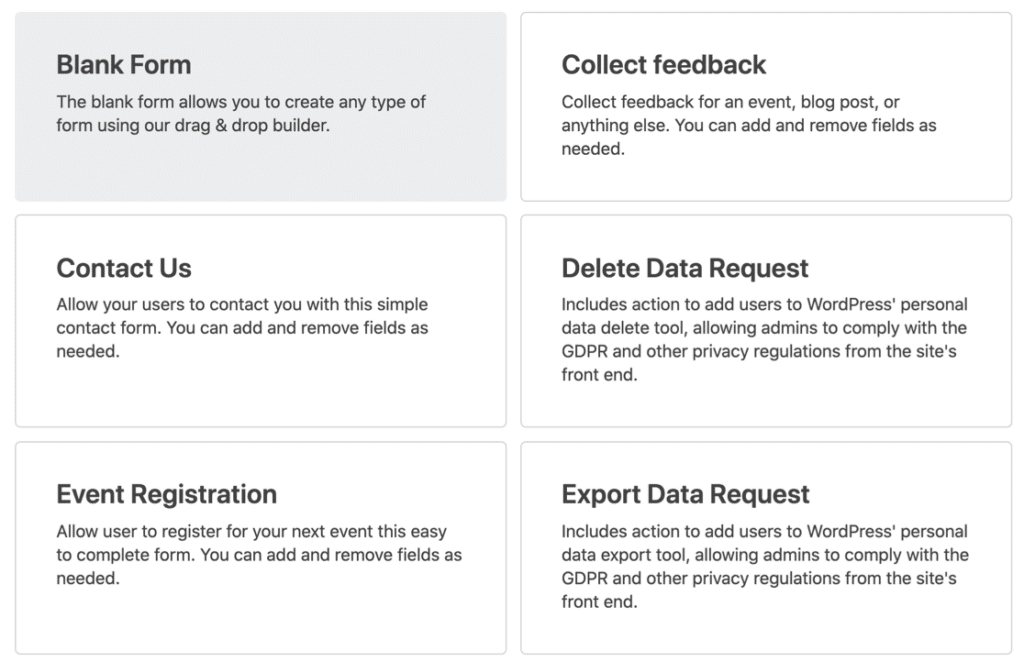The addon model is the part to consider seriously. If you only need one or two add-ons (say, file uploads plus Mailchimp), you can buy them individually for less than a full WPForms or Gravity Forms license.
But once you need five or six add-ons, the bundled Professional or Agency tier becomes the cheaper choice, and at that point the per-site cost gets comparable to alternatives that bundle everything by default.
#### What I Liked
- **Pay-per-addon pricing:** Buy only what you need, scale up as required.
- **Long maintenance history:** The plugin has been around for years and is unlikely to disappear.
- **Solid core builder:** The free core handles basic form-building needs without limitations on form count or fields.
- **Multiple bundle options:** Personal, Professional, and Agency tiers let you scale up by site count.
#### How Much Does Ninja Forms Cost?
The Ninja Forms core is free with no time limits or form caps. Beyond that, you can buy individual addons (starting around $29 each for many of them) or pick a bundled tier. The Personal plan is $99 a year for one site (renewing at the full price after the first year.
**My Verdict**
Ninja Forms makes sense if you want strict control over what you’re paying for and only need a few specific features. For most CF7 users who’d benefit from a fully-featured builder out of the box, the per-addon model adds up faster than a flat WPForms or Fluent Forms license.
### 6. Forminator
**Quick Stats**
- **Active installs:** 600,000+ on WordPress.org
- **WordPress.org rating:** 4.8 stars from 2,069 reviews
- **Free version:** Yes (Forminator on WordPress.org)
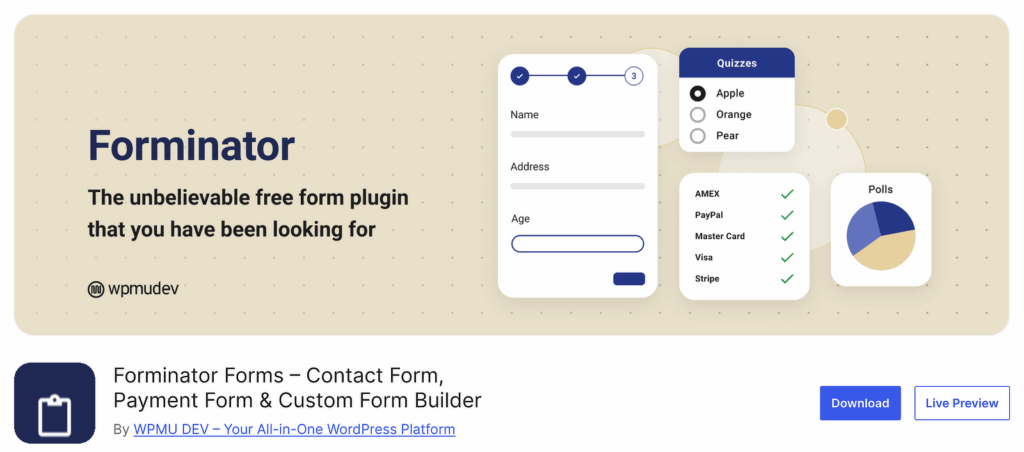Forminator is built by WPMU DEV, the team behind plugins like Smush, Hummingbird, and Defender. Its free tier is the most generous on this list.
The catch is that Forminator Pro requires a WPMU DEV membership, which is more expensive than standalone plugin licenses and bundles in their other plugins whether you need them or not.
The Pro version adds things like Stripe subscriptions, PDF generation, geolocation autofill, and electronic signatures, but the upgrade is a recurring subscription rather than an annual license.
#### My Experience
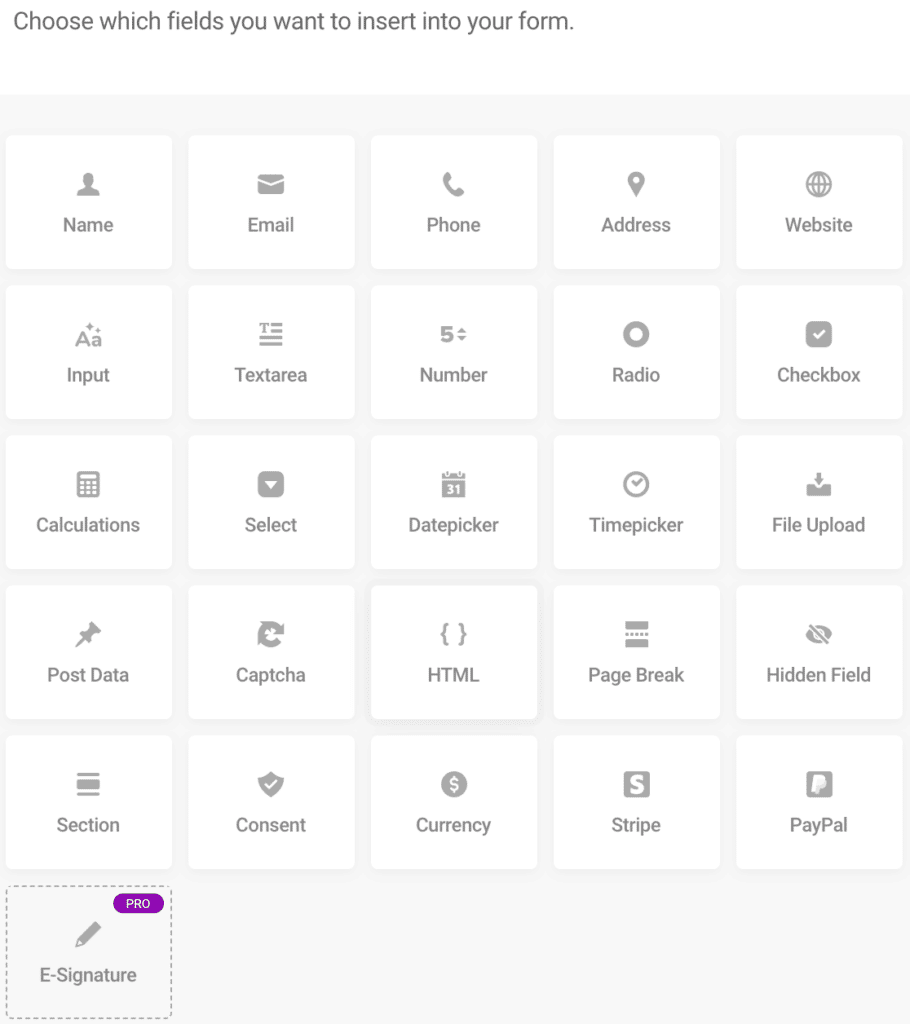
The Forminator builder is broken into module types from the start. Form, Quiz, and Poll each have their own builder flow and process, which is different from most plugins in this list.
The form builder itself feels modern and uses the standard drag-and-drop pattern, with field settings opening in a modal rather than a sidebar.
Conditional logic configuration is straightforward and works on most fields in the free tier. The quiz and poll modules are the parts most CF7 users probably haven’t thought about.
The quiz module supports both knowledge quizzes (with scoring) and personality quizzes (with branching results), which is a feature most WordPress form plugins either don’t have or sell as a separate addon.
Friction points come from the WPMU DEV plugin suite itself. Installing Forminator Pro means you’re also installing the WPMU DEV Dash plugin and getting their other plugins available, which can feel like more than you signed up for.
#### What I Liked
- **Generous free tier:** Stripe, PayPal, conditional logic, quizzes, and polls all in the WordPress.org version.
- **Knowledge and personality quizzes:** Built-in quiz functionality that competitors charge for.
- **Polls module:** Real-time poll display, also free.
- **Reasonably clean builder UI:** Modern look, easy to navigate.
- **Real-time results for polls:** Display votes as they come in.
#### How Much Does Forminator Cost?
Forminator’s free version is genuinely usable for most cases, but you’re paying for the WPMU DEV plugin suite, not just the form plugin, so the value depends on whether you’d also use Smush, Hummingbird, Defender, and the rest.
**My Verdict**
Forminator is the best free pick for users who need built-in quiz or poll functionality without paying for an addon. The Pro upgrade only makes sense if you also want the rest of the WPMU DEV plugin suite.
### 7. WS Form
**Quick Stats**
- **Active installs:** Range reported across sources (smaller install base)
- **WordPress.org rating:** 4.9 stars
- **Free version:** Yes (WS Form LITE on WordPress.org)
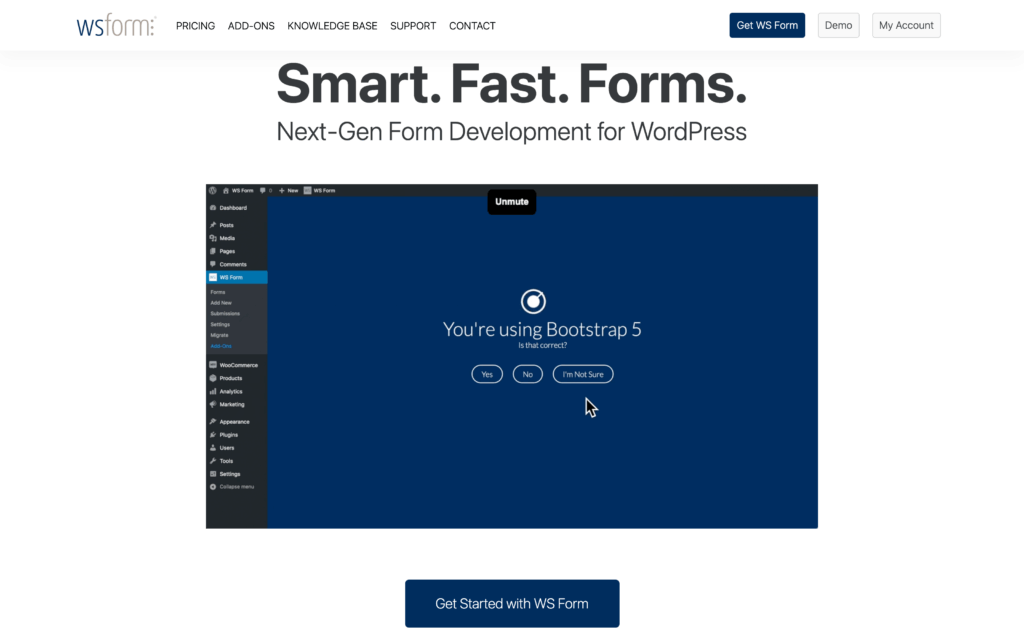WS Form is a developer-focused form plugin that takes a different approach to the WordPress form builder market. It puts flexibility above ease of use, with deep CSS control, detailed HTML output settings, and a strong developer API.
If you’re a developer or work closely with one, WS Form gives you more control than most alternatives. For non-developers, the learning curve is steeper than WPForms or Forminator.
#### My Experience
You drag fields into the grid cells, and each field has a configuration tray that drops down from the top with multiple tabs. The amount of configuration available per field is noticeably higher than typical. Even simple fields like Text have settings for HTML attributes, ARIA labels, validation patterns, and CSS class additions.
The strong point is the CSS control. You can apply styles per field, per form, or globally, with the kind of detail that’s normally reserved for hand-coding. The friction point is that the same depth makes the plugin harder to use casually. There are more places to click before you get to a working form than there are in WPForms.
#### What I Liked
- **Deep CSS and style control:** Detailed per-field, per-form, and global styling options.
- **Strong accessibility focus:** ARIA labels and accessibility attributes are built into field options, not afterthoughts.
- **Developer-friendly API:** Hooks, filters, and a strong programmatic interface.
- **Grid-based layout:** Multi-column forms are easy to build via the row and column grid.
- **Quality free version:** WS Form LITE includes most of the core builder.
#### How Much Does WS Form Cost?
WS Form LITE on WordPress.org is free and includes the core builder. Paid plans are sold as one-year licenses with separate first-year discount tiers. Personal is $59 a year for one site, Freelance is $136 a year (or $192 at full price) for five sites with developer-focused support.
**My Verdict**
WS Form is the best pick for developers and agencies who need fine-grained control over form markup, styling, and accessibility. For non-developer CF7 users, the depth of configuration is more than you’ll use day to day.
### 8. Jotform
**Quick Stats**
- **Hosting model:** Cloud SaaS (forms hosted on jotform.com servers)
- **Global user base:** 35,000,000+ users across all platforms (per Jotform)
- **WordPress plugin:** Embed-only plugin available on WordPress.org
Jotform is the odd one on this list because it’s not really a WordPress plugin in the way the others are. It’s a cloud-based form builder with a WordPress integration that embeds forms via shortcode or block.
Your forms live on Jotform’s servers, not yours, which means you offload form hosting entirely. The tradeoff goes both ways. You skip plugin updates and server load, which is a benefit, but your forms also depend on a third party’s uptime and pricing, which is a downside if either changes.
#### My Experience
For CF7 users specifically, Jotform makes sense if you’ve already considered moving off WordPress for form hosting or if you’re managing forms across multiple platforms (WordPress, Wix, plain HTML sites) and want one tool for all of them.
The drag-and-drop builder is mature, the template library is huge, and the integrations work well. For a closer look at how WPForms compares to a similar SaaS form builder, the [WPForms vs Typeform](https://wpforms.com/wpforms-vs-typeform/) breakdown covers the relevant tradeoffs.
The integration list is enormous (Jotform claims sync with 2,000+ apps via their direct integrations), and the template library has over 10,000 templates organized by industry. Friction points come from the hosting model.
If Jotform has an outage, your forms are down regardless of your WordPress site’s status. And the pricing scales with form submissions and storage, which is different from the WordPress-style per-site model.
#### What I Liked
- **Cloud-hosted forms:** No WordPress server load, plugin conflicts, or update cycles.
- **Massive template library:** Over 10,000 templates by industry.
- **Cross-platform:** Use the same forms on WordPress, Wix, plain HTML, or anywhere else.
- **HIPAA compliance available:** Gold tier and Enterprise tier include HIPAA-eligible workflows.
- **Polished form builder UI:** Among the cleanest in the form-builder space.
#### How Much Does Jotform Cost?
The Starter plan is free and includes 5 forms with 100 submissions per month, which is fine for low-volume use cases but quickly hits the cap on a busy site. Paid plans are subscription-based with annual billing discounts. Bronze is $34 a month (annual billing) and bumps you to 25 forms with 1,000 submissions per month.
**My Verdict**
Jotform is the right pick if you want to move form hosting off WordPress entirely or you manage forms across multiple platforms. For users staying inside the WordPress plugin world, a native plugin like WPForms is usually a closer fit.
### FAQs on Contact Form 7 Alternatives
Contact Form 7 alternatives come up a lot in WordPress community conversations, especially after the recent feature-freeze announcement. Here are answers to the questions that come up most often.
#### Is Contact Form 7 still safe to use?
Yes, Contact Form 7 is still safe to use. The plugin has entered maintenance mode, but the developer has committed to continuing security patches and bug fixes. That said, if you have feature needs that CF7 doesn’t meet (conditional logic, payment fields, entry storage), those needs aren’t going to be addressed in CF7 itself, so an alternative makes sense for forward-looking sites.
#### Can I migrate my existing Contact Form 7 forms to a new plugin?
Yes, several alternatives offer Contact Form 7 import tools. WPForms has a built-in CF7 importer that brings over your existing forms in a few clicks. Most other plugins on this list can recreate common CF7 setups via templates or by manually rebuilding the form fields. The walkthrough on [importing Contact Form 7 into WPForms](https://wpforms.com/how-to-import-contact-form-7-into-wpforms-step-by-step/) covers the WPForms path in detail.
#### Which Contact Form 7 alternative is completely free?
Several plugins have completely free versions on WordPress.org that handle basic contact form needs. WPForms Lite, Fluent Forms, Forminator, Ninja Forms core, WS Form LITE, and Formidable Forms all have free versions.
#### Do I need to delete Contact Form 7 before installing an alternative?
No, you can run multiple form plugins on the same WordPress site. Most users keep CF7 active during the migration period so existing forms keep working, then deactivate (and eventually delete) CF7 once all forms have been moved over and tested. There’s no technical conflict between running CF7 and another form plugin at the same time.
#### What’s the easiest Contact Form 7 alternative to learn?
WPForms is generally considered the easiest to learn because the drag-and-drop builder is visual, the AI form generator handles initial setup from a plain-English description, and the interface stays consistent from the free tier through Elite. For users who’ve never used a modern form builder before, the WPForms learning curve is the shortest.
### Next, Migrate Your Forms from Contact Form 7
The hard part of switching from Contact Form 7 isn’t picking an alternative, but actually moving your forms over. If you’ve decided on WPForms, the [step-by-step CF7 import guide](https://wpforms.com/how-to-import-contact-form-7-into-wpforms-step-by-step/) walks through the built-in importer that handles existing forms automatically.
The [full WPForms vs Contact Form 7 comparison](https://wpforms.com/wpforms-vs-contact-form-7-which-is-the-better-option/) covers the feature breakdown, and the deeper case for switching sits in [11 reasons to switch from Contact Form 7 to WPForms](https://wpforms.com/reasons-to-switch-from-contact-form-7-to-wpforms/).
[Build Your WordPress Form Now](https://wpforms.com/pricing/)
Ready to build your form? Get started today with the easiest WordPress form builder plugin. [WPForms Pro](https://wpforms.com/pricing) includes lots of free templates and offers a 14-day money-back guarantee.
If this article helped you out, please follow us on [Facebook](https://facebook.com/wpforms) and [Twitter](https://twitter.com/easywpforms) for more free WordPress tutorials and guides.
**Categories:** Marketing
**Tags:** alternatives, contact form 7, WPForms, wpforms pro
---