### [Contact Form 7 vs WPForms (Best CF7 Alternative?)](https://wpforms.com/wpforms-vs-contact-form-7-which-is-the-better-option/)
**Published:** July 5, 2018
**Author:** Molly Tyler
**Excerpt:** Would you like to switch from Contact Form 7 to a more visual form builder plugin? WPForms is the most popular form builder for WordPress and offers a lot of features you can't get with Contact Form 7. In this post, we compare these 2 plugins to help you decide which to use on your WordPress site.
**Content:**
Are you looking for the best Contact Form 7 alternative?
In this article, we’ll compare WPForms vs Contact Form 7 so you can decide which one is better for you.
[Create Your WordPress Form Now](https://wpforms.com/pricing/)
## Contact Form 7 vs WPForms
Let’s check out the comparison of WPForms vs Contact Form 7. We’ll look at ease of use, features, support, and pricing.
### 1. Ease of Use: Contact Form 7 vs WPForms
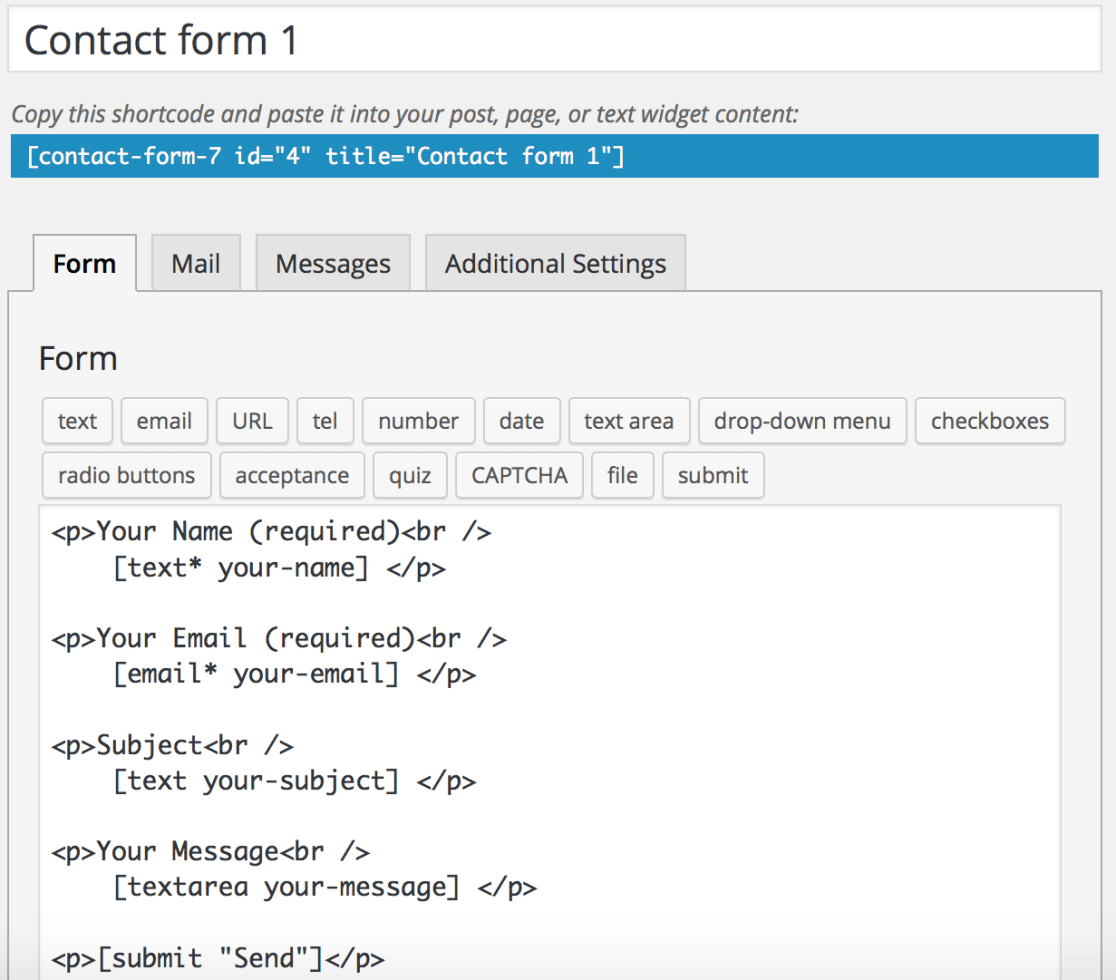
Contact Form 7 is one of the oldest [free form builder plugins for WordPress.](https://wpforms.com/best-free-wordpress-contact-form-plugins/) It’s been around almost as long as WordPress itself.
There’s no drag and drop builder. Instead, you create forms by writing code. Basic forms are easy, but anything complicated can involve trial and error.
And a lot of people end up having to fix [Contact Form 7 not sending email](https://wpforms.com/contact-form-7-not-sending-emails/).
The plugin really shows its age when you try to create your first form. We found it easy to adjust the template, but harder to create something completely from scratch.
[WPForms](https://wpforms.com/), on the other hand, is a modern WordPress contact form plugin that is easy for beginners to use.
The Lite version is the best [free WordPress contact form plugin](https://wpforms.com/best-free-wordpress-contact-form-plugins/) and requires no knowledge of CSS or HTML. You can use it to create unlimited forms and even take payments.
With WPForms, when you want to add new form fields, rearrange the field order, or customize how your form looks and behaves, you use a simple drag and drop builder.
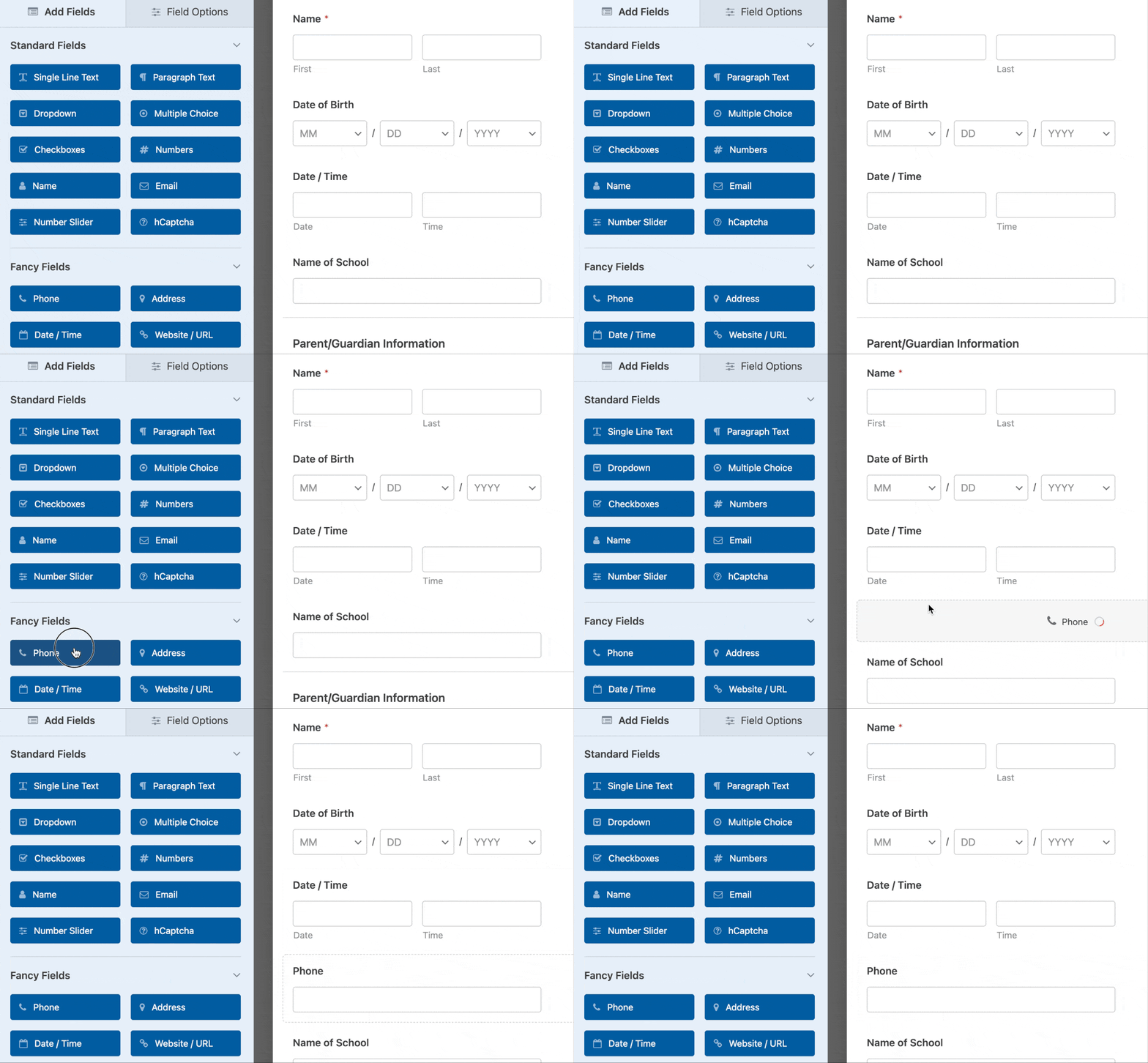
Plus, there’s a live preview section in the form builder so you always know what your form looks like as you’re making changes. It’s easy to [test your forms before publishing](https://wpforms.com/docs/how-to-properly-test-your-wordpress-forms-before-launching-checklist/) them on your WordPress site.
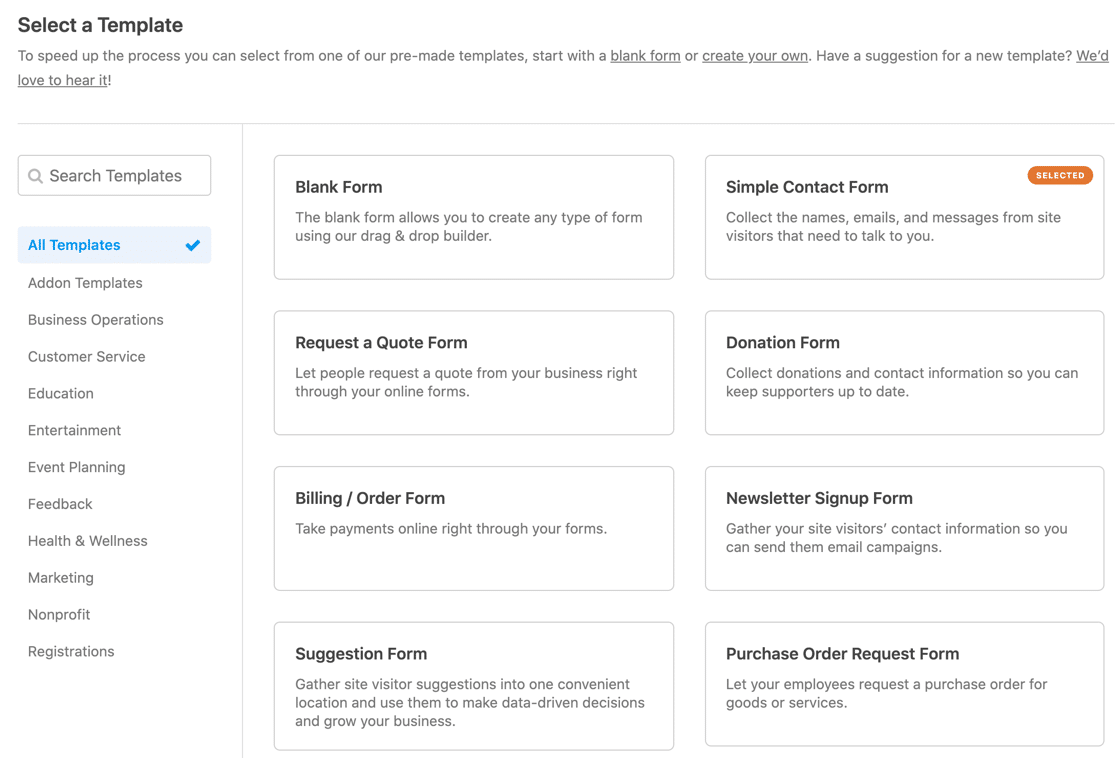
Although you can build forms from scratch in WPForms, you never have to thanks to the [2,100+ form templates](https://wpforms.com/templates/).
You can access templates right in the form builder and load the template you want to use with 1 click.
Contact Form 7 templates are available, but downloading files from random places isn’t a good idea in case your site security is compromised. We also found in testing that some Contact Form templates don’t work properly.
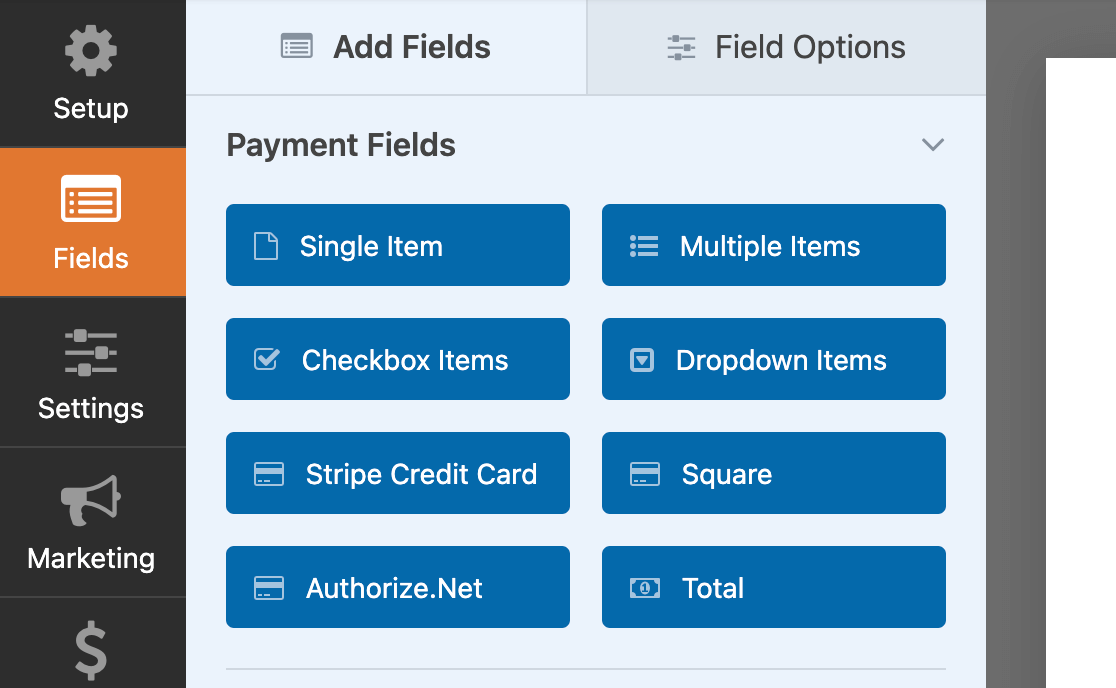
It’s important to mention that the free version of WPForms has payment fields, including full Stripe integration. You can [easily accept payments right from your WordPress forms](https://wpforms.com/how-to-accept-credit-card-payments-online-for-free/) *without* paying for a Pro license.
If you want a plugin that’s easy to use and powerful — no coding skills required — [WPForms is worth it](https://wpforms.com/is-wpforms-worth-it/).
#### Adding a Contact Form in WordPress
Another important factor to consider is how easily you can add your forms to your WordPress site.
Contact Form 7 lets you insert forms in your site’s pages using a shortcode or a block, which is simple.

WPForms offers the same functionality, plus a dedicated **Embed** button, which is even easier to use.
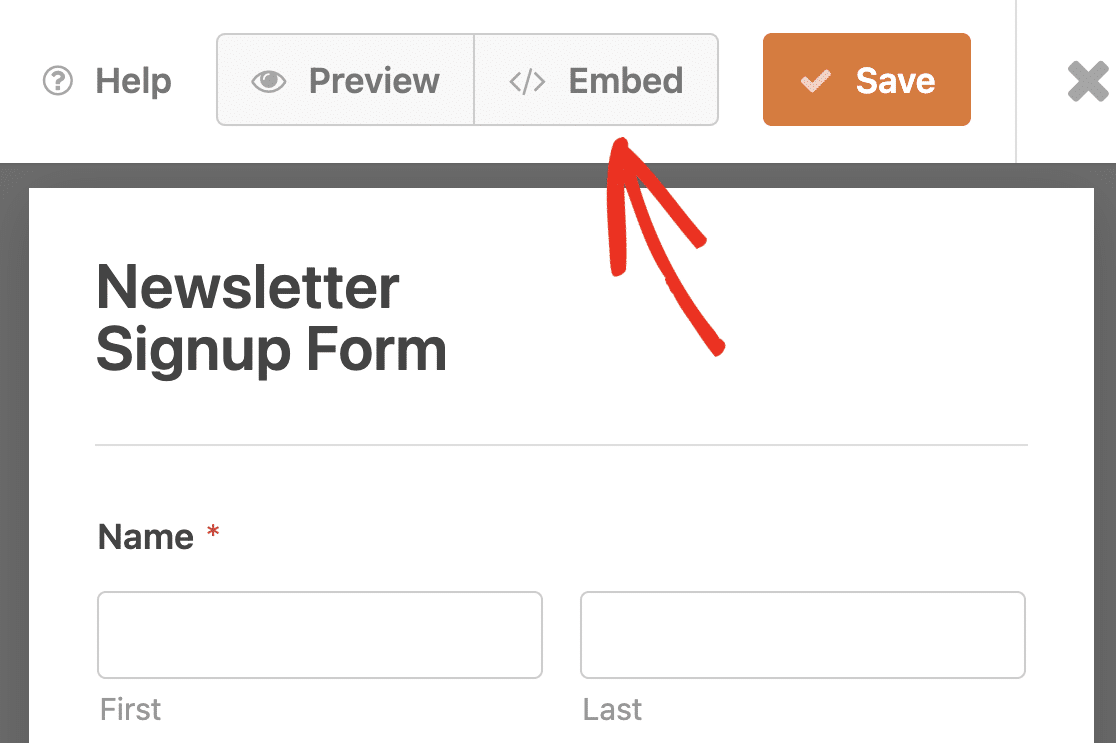
Using the **Embed** button lets you choose if you want to add your form to a page that’s already on your site, or if you want to create a new page.

All you have to do after that is click **Publish**.
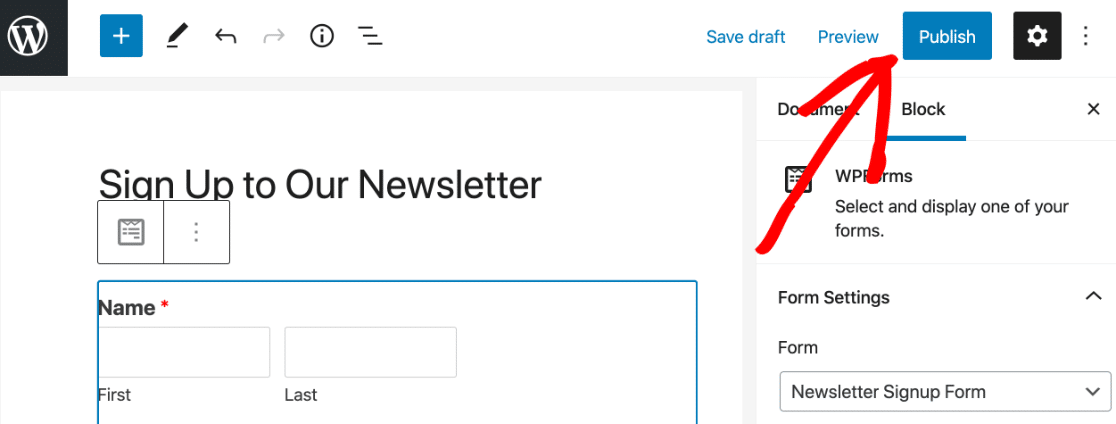
This means you never have to look for the form’s shortcode or add a block to a page. WPForms does all the work for you.
**Winner: WPForms**
### 2. Features
Contact Form 7 features are limited. The only form fields to choose from are:
- Text
- Number
- Date
- Dropdown menu
- Checkbox
- Radio button
- Google reCAPTCHA (no reCAPTCHA v3 or custom CAPTCHA support)
- File uploads.
The only way to expand the plugin’s features is by installing more plugins and Contact Form 7 extensions. Many of these are not officially supported, which means you’ll need to find support from multiple developers if things don’t work as intended.
On the other hand, WPForms can be used for much more than making simple contact forms. The free plugin, [WPForms Lite](https://wordpress.org/plugins/wpforms-lite/ "WPForms Lite"), is essentially an [unlimited free trial of WPForms](https://wpforms.com/unlimited-free-trial-wpforms/).
- You can [turn on free entry backups](https://wpforms.com/docs/how-to-use-lite-connect-for-wpforms/) to store your submissions so you can unlock them when you upgrade to the paid version of the plugin.
- And WPForms makes it easy to [add a contact form in Elementor](https://wpforms.com/how-to-elementor-contact-form/), [Divi](https://wpforms.com/how-to-create-a-divi-contact-form-with-wpforms/), or [SeedProd](https://wpforms.com/seedprod-review/).
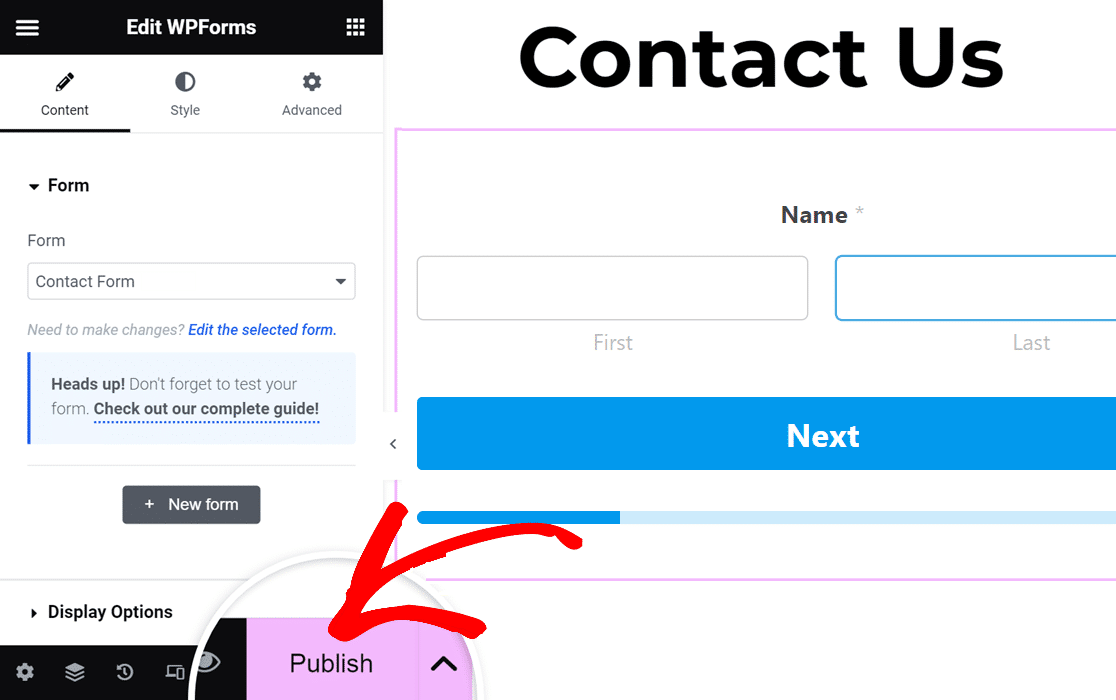
When you upgrade from the free version to Pro, you’ll get:
- Form entry storage
- [Google Sheets integration](https://wpforms.com/save-contacts-from-wordpress-form-to-google-sheet/)
- [Conditional logic](https://wpforms.com/best-form-builders-with-conditional-logic/)
- Email marketing integrations
- Survey and poll creation
- Drag and drop [multi-column form layouts](https://wpforms.com/how-to-create-a-responsive-contact-form-with-multiple-columns/)
- [Multi-step forms](https://wpforms.com/how-to-create-a-multi-part-form-in-wordpress/)
- Addons for user registration forms, Zapier, Hubspot CRM, and many more.
*Check out all of the differences in [WPForms Lite vs Pro](https://wpforms.com/wpforms-lite-vs-pro/)!*
If built-in features and flexibility are what you’re after when it comes to creating online forms, WPForms is the clear choice.
**Winner: WPForms**
### 3. Support
With Contact Form 7, you can request support in the WordPress.org support forum. You can also access [documentation](https://contactform7.com/docs/) and a [FAQ section](https://contactform7.com/faq/) for troubleshooting common problems.
However, plugins available in the WordPress Plugin Directory are not *required* to provide support. It’s also typical for developers not to offer any guarantees of timely responses.
When we last checked WordPress.org, Contact Form7 had answered less than 35% of recent support requests.
If your contact form is a vital part of your website, you need the safety net of good quality support.
WPForms Lite also uses the WordPress.org support forum, but it’s much more active, so you’ll always get a response when you post. The plugin has 13+ thousand 5-star reviews on WordPress.org with an average rating of 4.8/5 stars.
Plus, there are a lot of other free resources for WPForms, including:
- [Extensive documentation](https://wpforms.com/docs/)
- [Developer documentation](https://wpforms.com/developers/) for advanced users and complex forms
- The WPForms [VIP Circle Facebook Group](https://www.facebook.com/groups/wpformsvip)
- The [WPForms Blog](https://wpforms.com/blog/)
- The [WPForms YouTube channel](https://www.youtube.com/c/Wpformsplugin)
(Pro users can use [support ticket system](https://wpforms.com/contact/) where you can access 1:1 support from an expert. Most tickets get a response within an hour, Monday to Friday.)
**Winner: WPForms**
### 4. Pricing
Both [Contact Form 7](https://wordpress.org/plugins/contact-form-7/) and [WPForms Lite](https://wordpress.org/plugins/wpforms-lite/) are **free forever.**
The main difference is that WPForms lets you take payments, so you can actually *make* money with it right out of the box.
The Payments screens in WPForms Lite are just as powerful as the payments screens in the Pro version.
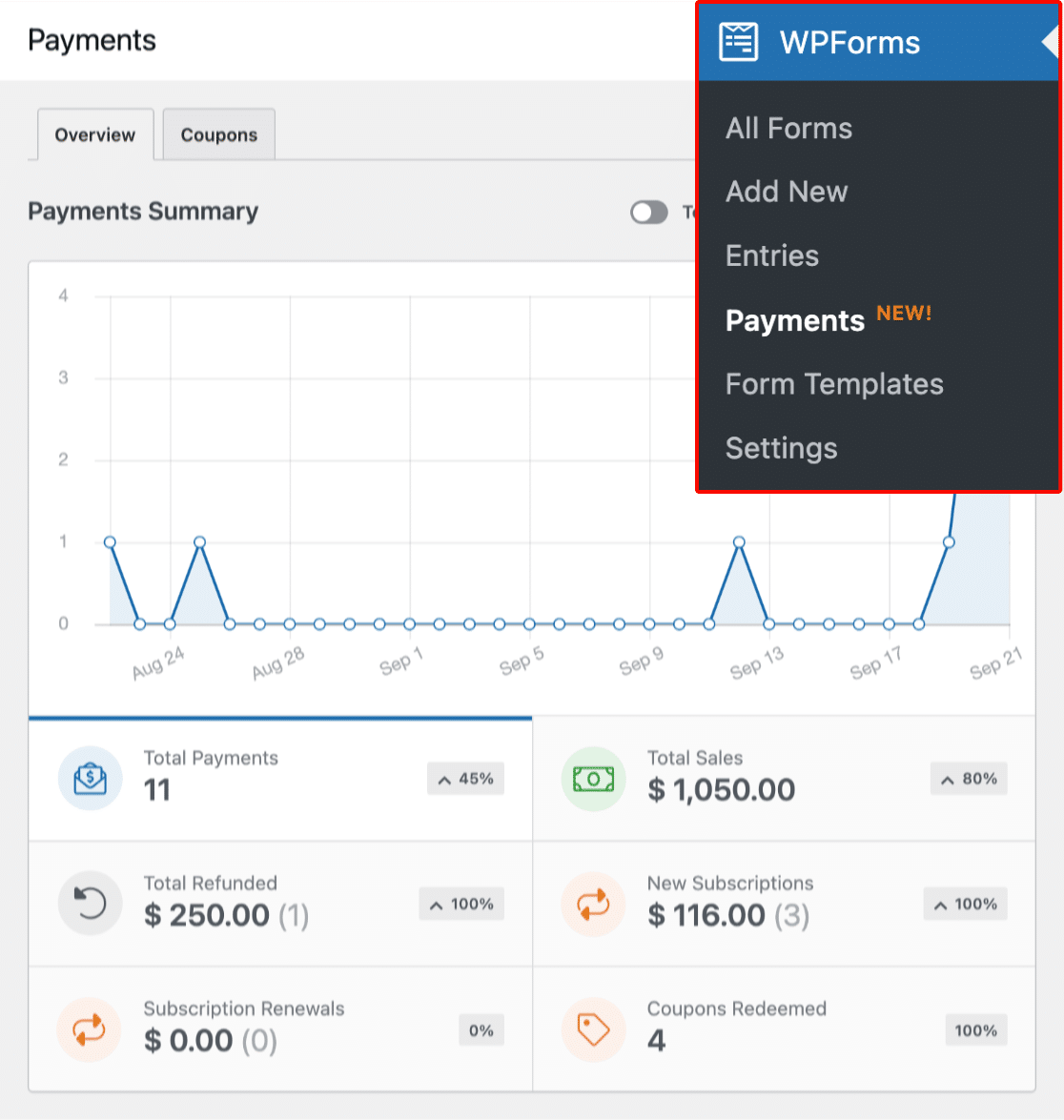
If your aim is to grow your business and make more money from your site, WPForms is the best free contact form builder because it gives you all of those additional tools.
**Winner: WPForms**
### Our Best Contact Form 7 Alternative? WPForms
When Contact Form 7 was first launched over a decade ago, it was one of the best contact form plugins on the market. It has the advantage of being well-known, right from the early days of WordPress.
However, when you look at Contact Form 7 alternatives, it’s clear that CF7 lacks modern functionality. It fails to keep up with the latest technologies and add new features to make the plugin more user-friendly and feature-packed.
Extending Contact Form 7 is also harder because you’re reliant on third party plugins and extensions.
That’s why [WPForms](https://wpforms.com) is easily the best alternative to Contact Form 7. None of the other Contact Form 7 alternatives compare to the ease of use and functionality in WPForms.
WPForms has been downloaded 329,248,171+ times! It continues to grow in popularity because it offers more features, better support, and an exceptional user experience for visitors.
And there you have it! A comparison of WPForms vs Contact Form 7, with WPForms coming out as the clear winner and best alternative to Contact Form 7.
[Create Your WordPress Form Now](https://wpforms.com/pricing/)
### Next, Check Out More Useful WordPress Plugins
Now you’ve decided on WPForms as your contact form plugin, let’s dive into some other plugins you’ll need to grow your site:
- [Best FREE WordPress Plugins](https://wpforms.com/best-free-wordpress-plugins-for-your-website/)
- [Best SEO Plugins](https://wpforms.com/seo-plugins-wordpress/)
- [Best Social Media Plugins](https://wpforms.com/social-media-plugins-wordpress/)
- [Best Backup Plugins](https://wpforms.com/best-backup-plugins-for-wordpress/)
- [Best Anti-Spam Plugins](https://wpforms.com/best-anti-spam-plugin-for-wordpress/)
Ready to build your form? Get started today with the easiest WordPress form builder plugin. [WPForms Pro](https://wpforms.com/pricing) includes lots of free templates and offers a 14-day money-back guarantee.
If this article helped you out, please follow us on [Facebook](https://facebook.com/wpforms) and [Twitter](https://twitter.com/easywpforms) for more free WordPress tutorials and guides.
**Categories:** Marketing
**Tags:** conditional logic, contact form, contact form 7, file upload, WordPress plugins, WPForms
---