### [Processing Smart Tags in HTML Fields](https://wpforms.com/developers/how-to-process-smart-tags-in-html-fields/)
**Published:** January 21, 2021
**Author:** David Ozokoye
**Excerpt:** This tutorial will show you how to process Smart Tags in HTML / Code Block form fields of your forms.
**Content:**
Would you like to process Smart Tags in the **HTML** field on your WordPress form? With a custom PHP snippet, you can update WPForms functionality to make Smart Tags usable in the HTML field.
In this tutorial, we’ll show you how to use Smart Tags inside **HTML** fields.
---
## Understanding How Smart Tags Works
[Smart Tags](https://wpforms.com/docs/how-to-use-smart-tags-in-wpforms/ "How to Use Smart Tags in WPForms") are a useful tool to dynamically pull and display specific data within your form. Inside WPForms, there are many built-in Smart Tags already available for you to use. Additionally, we’ve also covered tutorials and snippets on [how to create your very own Smart Tags](https://wpforms.com/developers/how-to-create-a-smart-tag-site-url/ "How to Create a Smart Tag Site URL").
By default, Smart Tags will not be processed if placed within an **HTML** field on your form.
However, this functionality may be useful if, for example, you’d like to pull the name of a logged-in user, display their website URL, or even display other details using [custom Smart Tags](https://wpforms.com/developers/how-to-create-a-custom-smart-tag/ "How to Create a Custom Smart Tag").
## Adding an HTML/Code Block Field to Your Form
Start by [creating a new form](https://wpforms.com/docs/install-wpforms-plugin/ "creating a new form") or editing an existing one to access the form builder. Then, you’ll need to add an **HTML** field to your form. You can find this form field under the **Fancy Fields** section.
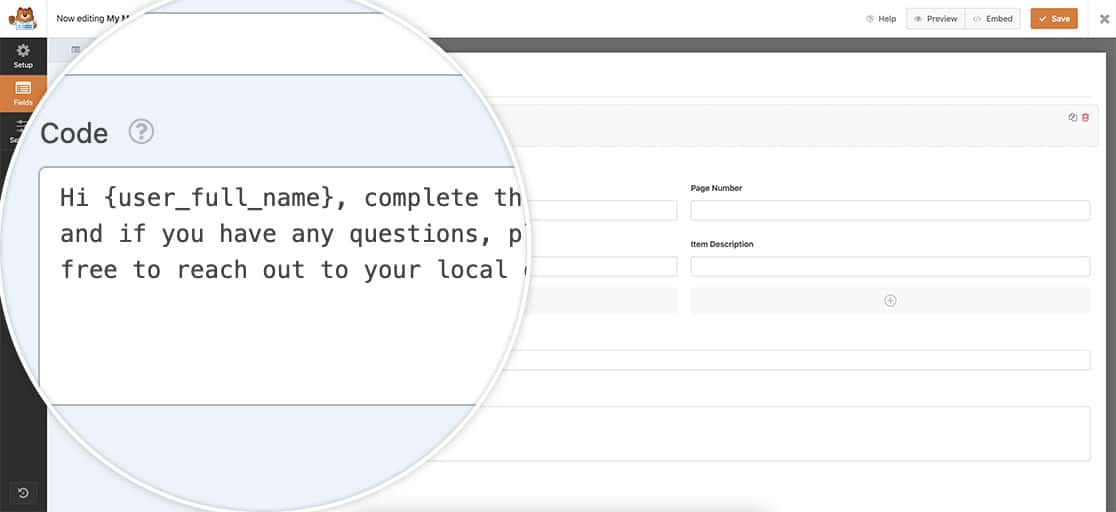
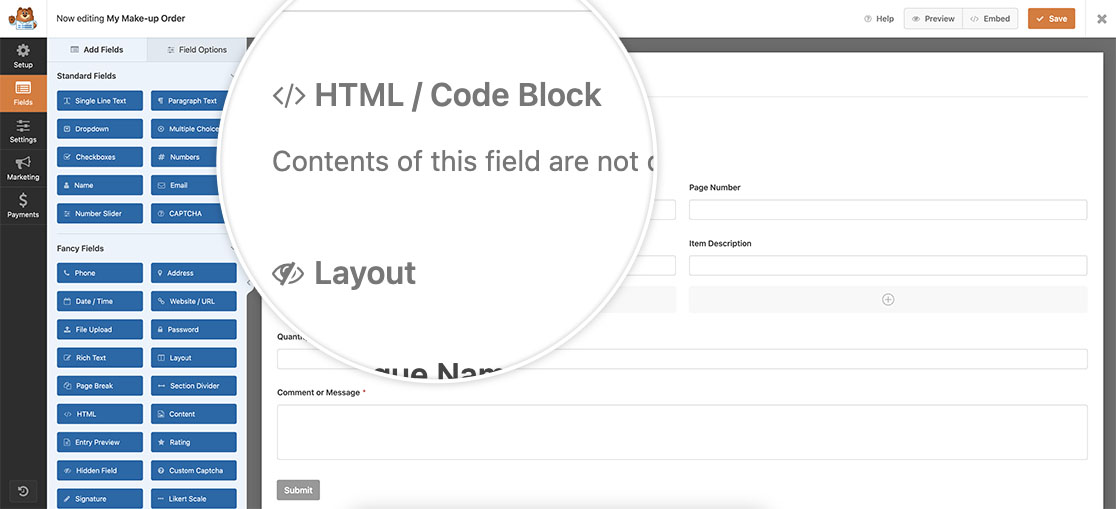Inside this field, add your text and Smart Tags. For this tutorial, we’ll add the name of the logged-in user to this form field.
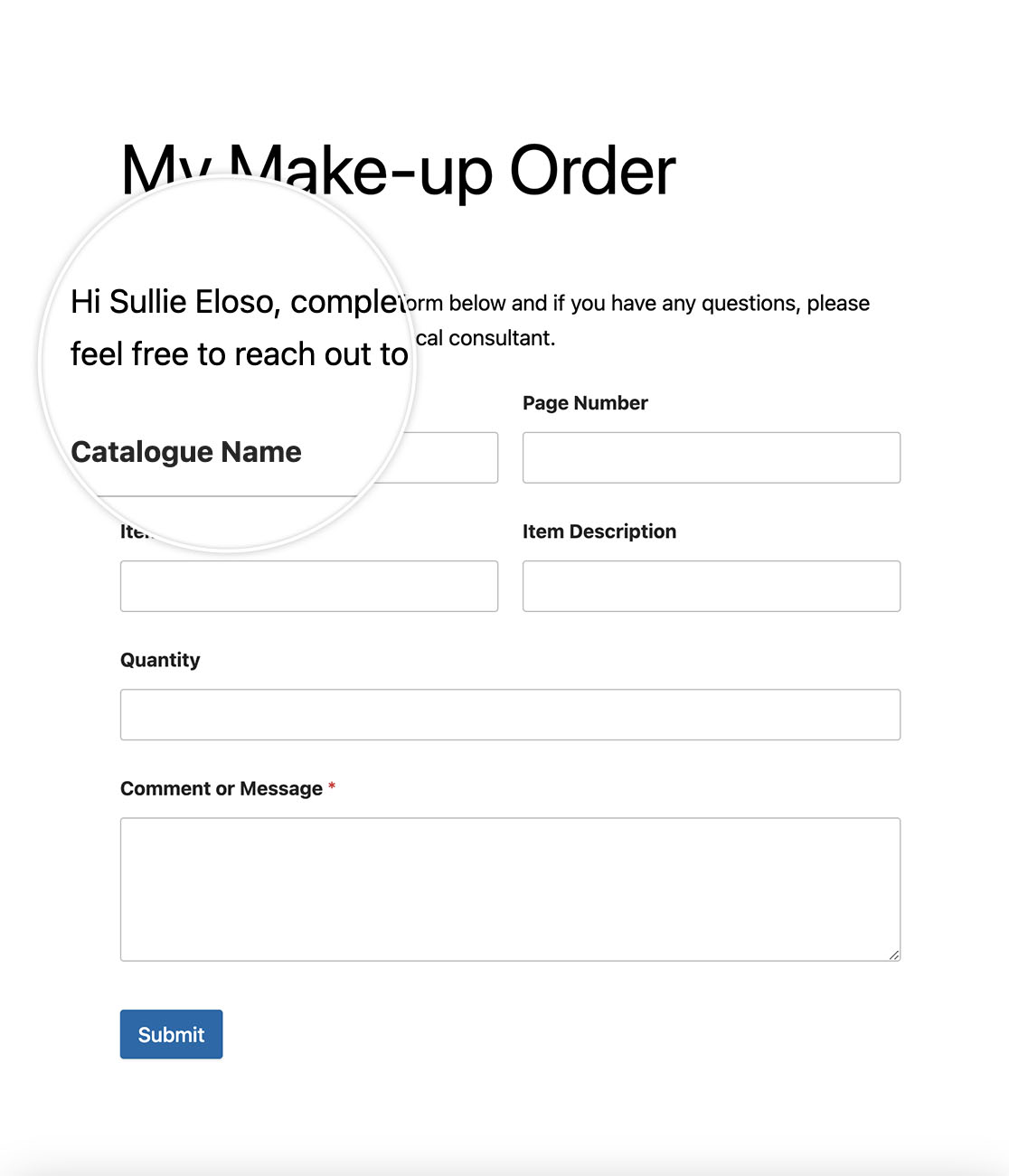
**Hi {user\_full\_name}, complete the form below, and if you have any questions, please feel free to reach out to your local consultant.**
## Adding the Code to Process the Smart Tags in the HTML
After creating your form, it’s time to add the code snippet to your site that will allow you to use Smart Tags inside the **HTML** field. If you need any help on how to add code to your site, please [review this tutorial](https://wpforms.com/developers/how-to-add-custom-php-or-javascript-for-wpforms/ "How to Add Custom PHP or JavaScript for WPForms
").
**Note:** This snippet **cannot** be used for Smart Tags that are used to display form field values such as **{field\_id=”#”}**.
Once you add that code snippet to your site, you can now set up some Smart Tags in the **HTML** field such as giving the user a personalized message based on their logged-in username.
## Frequently Asked Questions
Below, we’ve answered some of the top questions about using Smart Tags in the HTML field in WPForms.
#### Q: Is there a limit to how many Smart Tags you can use?
**A:** There is no limit on how many Smart Tags you can use in the **HTML** field. If you aren’t seeing all of your Smart Tags in this area, be sure that these Smart Tags are created correctly.
That’s it! You’re now able to process Smart Tags inside the **HTML** field in WPForms.
Next, would you like to be able to do the same inside **Checkbox** field labels? Try out our tutorial on [How to Process Smart Tags in Checkbox Labels](https://wpforms.com/developers/process-smart-tags-in-checkbox-labels/ "How to Process Smart Tags in Checkbox Labels").
## Related
Filter References:
- [wpforms\_field\_properties](https://wpforms.com/developers/wpforms_field_properties/ "Using the wpforms_field_properties filter")
- [wpforms\_process\_smart\_tags](https://wpforms.com/developers/wpforms_process_smart_tags/ "Using the wpforms_process_smart_tags filter")
**Categories:** Tutorials
**Tags:** PHP, Smart Tag
---