### [WPForms Turns 3 Years Old - Bonus Prizes + What's New & What's Coming Next](https://wpforms.com/wpforms-turns-3/)
**Published:** March 28, 2019
**Author:** Syed Balkhi
**Content:**
WPForms is officially three years old, and wow what an incredible journey it has been.
This past year, we accomplished A LOT, thanks to the hard work of our team and continuous support from our users like you.
I want to take a few minutes to do a quick recap of all the things that happened this past year, share what’s coming next, and celebrate with a huge giveaway!
### Fun Third-Year Stats for WPForms
WPForms has come a long way in the past 12 months. Here are some fun stats to celebrate our third year.
- WPForms is now the **19th most popular WordPress plugin** of all time with over 1,000,000 active installs (**Update:** We’ve now passed 2 million active installs mark).
- We have continued to maintain a **4.9 out of 5 star** rating average with over [3600+ five-star ratings](https://wpforms.com/user-reviews/ "WPForms User Reviews").
- We officially translated WPForms into 4 new languages (German, Spanish, Italian, and Japanese). More translations are coming as we continue our global expansion.
- We added over [90+ new blog posts](https://wpforms.com/blog/ "WPForms Blog") and [64+ new documentation](https://wpforms.com/docs/ "WPForms Documentation") to help you succeed with WPForms.
Although it’s not a stat, but we now have brand swag (shirt + stickers), and yes you can get one for free.
### WPForms Birthday Giveaway
We want to send this awesome WPForms T-Shirt + Stickers to the first 150 users who share their WPForms story.

All you have to do is share your WPForms story in a quick video and then leave us a comment on this blog post sharing your favorite WPForms feature.
Don’t worry, you don’t need a fancy camera equipment to record a video testimonial. We just want to hear your story and better connect with you.
That’s why we have made it super easy to record and upload your video testimonial.
**Method 1. Use your laptop camera to record your video**
Simply open the link below, and you will be able to use your laptop camera to record and upload your video testimonial.
[Click here to Share Your WPForms Story](https://secure.boast.io/site/kudos/WPFORMS "Click here to join our affiliate program")
**Method 2. Use your Smart Phone to record a short video**
We’re using Boast.io to collect video testimonials. You can download the Boast app on your [iPhone](https://itunes.apple.com/us/app/boast.io/id860833000 "Boast App for iPhone") or [Android Phone](https://play.google.com/store/apps/details?id=io.boast "Boast Google Play App"), and then type the campaign code: **WPFORMS** to record a video testimonial straight from your phone.
Remember, don’t worry about making it professional. We just want to hear your story, what you like about WPForms, and how has WPForms helped you grow your business.
I look forward to watching your stories and better connecting with you.
### What’s New in WPForms
We added a lot of powerful features over the last 12 months. Below are some of my favorite:
**[Conversational Forms](https://wpforms.com/addons/conversational-forms-addon/ "Conversational Forms by WPForms")**
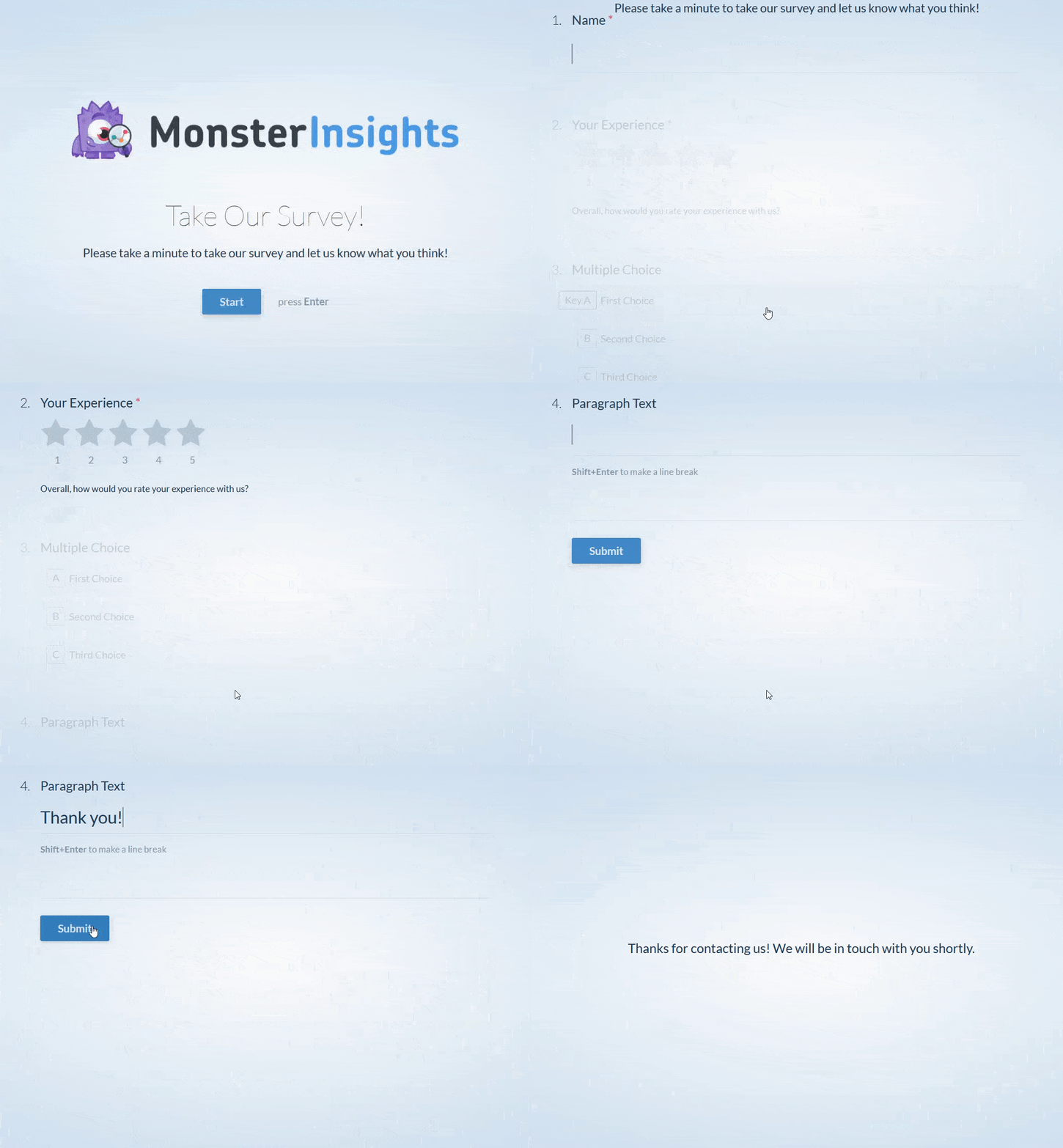
Conversational Forms is the first true interactive form layout built exclusively for WordPress that is guaranteed to boost form completion and your overall form conversions ([See Demo](https://wpforms.com/conversational-forms-demo/ "Conversational Forms Demo")).
Conversational Forms help make your WordPress forms feel more human. Instead of asking all twenty questions at once, Conversational Forms takes the one question at a time approach similar to a face-to-face conversation.
The full-page conversational form layout makes your form less overwhelming and more personal, leading to a better form completion rate.
**[Form Landing Pages](https://wpforms.com/addons/form-pages-addon/ "Form Landing Pages by WPForms")**
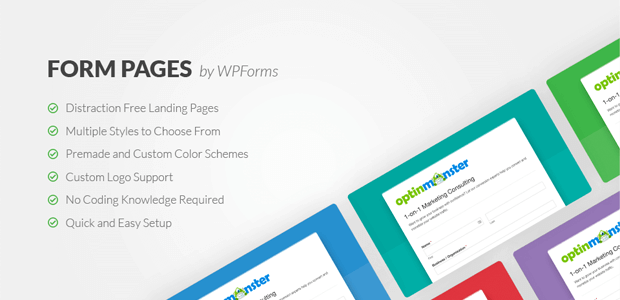
Form Pages addon for WPForms is the first “distraction free” form landing page solution for WordPress ([see demo](https://wpforms.com/form-pages-demo/ "Form Pages Demo")).
It allows you to quickly create a dedicated form landing page without hiring a developer or writing any code in literally less than 5 minutes.
Our distraction-free layout is designed to help you improve your overall form conversions!
**[Form Locker for Permissions & Access Control](https://wpforms.com/addons/form-locker-addon/ "Form Permissions for WPForms")**
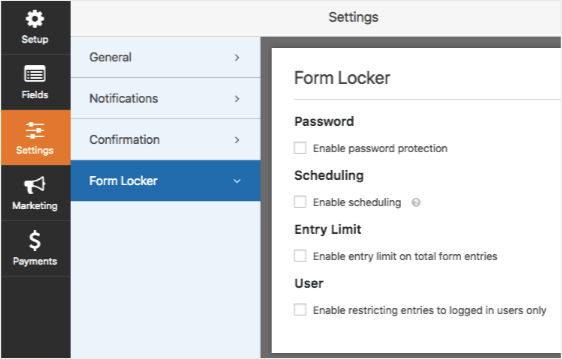
WPForms Form Locker addon allows you to lock your WordPress forms with various permissions and access control rules, so you can control who can fill out forms on your website.
This includes: password protected forms, restrict forms to members only, limit the number of total submissions, limit one entry per person, and close form submissions after specific date / time.
**[WPForms Challenge + Dashboard Widget](https://wpforms.com/introducing-wpforms-1-5-0-dashboard-widget-dynamic-field-population-wpforms-challenge-and-more/ "WPForms Challenge and Dashboard Widget")**
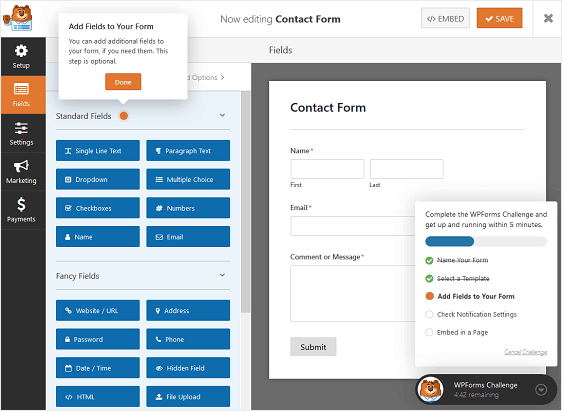
To stay true to our mission, make smart WordPress forms easy, we created an internal challenge called the “WPForms challenge” which basically said users should be able to create a simple form and start collecting entries in less than 5 minutes.
Every time we added a new feature, it was my goal to stress-test the user workflow and make sure that we always stay true to our mission.
We made this challenge public in form of a guided wizard inside WPForms to not only help new users experience the WPForms difference, but so that every user can give us feedback and hold us accountable.
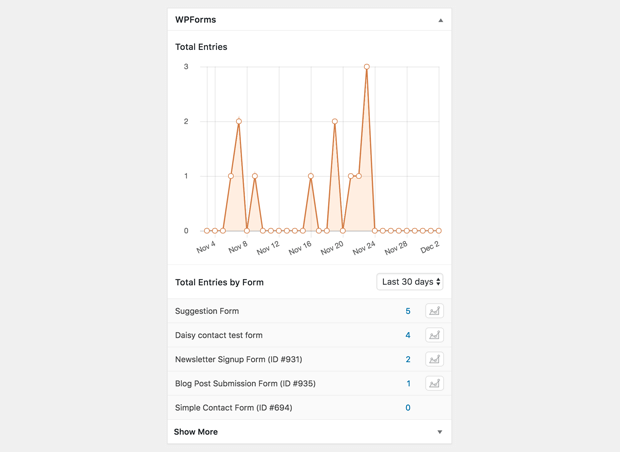
As part of this release, we also added a Dashboard widget to give you a quick overview of your form’s performance.
**[Stripe Recurring Payments](https://wpforms.com/new-stripe-recurring-functionality-for-your-payment-forms/ "Stripe Recurring Payments") + [Payment Checkboxes](https://wpforms.com/announcing-wpforms-1-5-1-form-builder-education-translations-and-payment-checkboxes/ "Payment Checkboxes")**
One of the most requested features last year was Stripe recurring payments, and of course we listened to our users. We updated our Stripe addon to offer recurring payments ability.
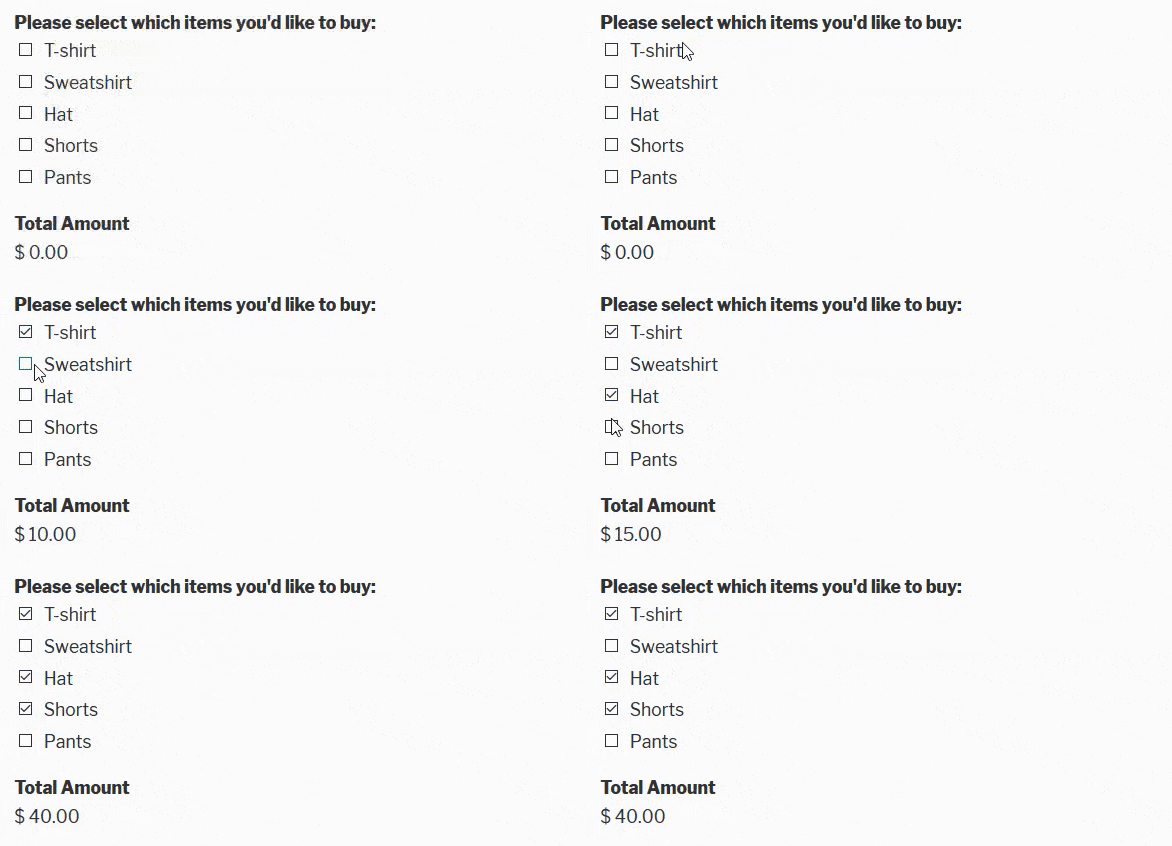
In a later update, we also added another highly requested feature: Payment Checkboxes, so you can create [simple order forms](https://wpforms.com/how-to-create-a-simple-order-form-in-wordpress/ "How to Create a Simple Order Form in WordPress (Step by Step)") within just clicks.
**[Conditional Form Confirmations](https://wpforms.com/announcing-the-wpforms-gutenberg-block-conditional-form-confirmations-and-more/ "Conditional Form Confirmations")**
One of the most loved features in WPForms is our smart conditional logic. We expanded this feature last year, so you can also use it with your form notification and form confirmations.
This lets you decide which form confirmation message people after they submit the form based on what they filled out in the form.
It also lets you create smart form notifications and route the message internally to the right person or team in your organization.
**[GDPR Enhancements for WPForms](https://wpforms.com/introducing-new-gdpr-enhancements-for-your-wordpress-forms/ "GDPR for WPForms")**

Last year simply cannot be summarized without mentioning GDPR. To help users stay compliant, we added GDPR enhancement features in WPForms for both our Pro and Lite users.
This included GDPR form field, the ability to disable user cookies, the ability to disable storing of IP addresses, and more.
### What’s Coming Next
I am truly inspired and proud of what the WPForms team has accomplished in the last 12 months, but there is a lot more to come. We’re working on several new features that you’ve been asking for. Here’s a quick preview of what’s coming next:
- Improved Entry Export – this update will focus on many requested features related to exporting.
- New Language Translations – we’re planning to translate WPForms into Portuguese and French.
- AJAX Form Submit – this is another frequently requested feature. It will allow users to submit forms without reloading the page which will make it easy to embed your forms in apps like [OptinMonster](https://optinmonster.com/ "OptinMonster") and others.
- WP Mail SMTP Pro – we acquired [WP Mail SMTP plugin](https://wordpress.org/plugins/wp-mail-smtp/ "WP Mail SMTP") to help fix the WordPress email deliverability issues. While the free version is great, we’re launching a Pro version to add more powerful features and offer proper SMTP setup service.
- and of course a whole lot more …
We’re always listening to user feedback for new feature ideas and improvements. If you ever have an idea for a new addon or feature that you’d like to see, please [get in touch](https://wpforms.com/contact/ "Send us your feature ideas for WPForms").
Thank you for your continued support in making WPForms the [best WordPress contact form plugin](https://wpforms.com/ "WPForms is the best WordPress Contact Form Plugin").
*Syed and the WPForms Team*
P.S. Don’t have a WPForms Pro license? [Click here to get started today](https://wpforms.com/pricing/ "Get Started with WPForms Pro"), and experience the WPForms difference.
**Categories:** Announcement
---