### [How to Simplify Client Onboarding With WPForms](https://wpforms.com/how-to-simplify-client-onboarding-with-wpforms/)
**Published:** September 12, 2025
**Author:** Kacie Cooper
**Excerpt:** Onboarding new clients doesn’t have to mean endless emails, scattered attachments, and “Did you get my file?” messages. With WPForms, you can turn the whole process into a smooth, professional experience that your clients will actually enjoy.
I'll walk you through practical ways to use WPForms features like file uploads, user registration, conversational forms, and more, to create an onboarding system that’s easy for both you and your clients.
**Content:**
Client onboarding can be one of the most important touchpoints in your business. But let’s be real: it’s also one of the easiest to mess up. A clunky intake form, confusing instructions, or too many back-and-forth emails can leave your new clients feeling frustrated before the real work even begins.
WPForms helps you fix all that! Onboarding clients for design, coaching, legal services, consulting — all of it. You can build a fully customized experience that feels personal while being simple.
Have just a few minutes? Let me show you how to create your own onboarding workflow using WPForms and its most powerful features.
## How to Simplify Client Onboarding With WPForms
- [What Makes a Client Onboarding Form Actually Good?](#aioseo-but-first-what-makes-a-client-onboarding-form-actually-good)
- [1. Turn Long Forms Into Friendly Conversations](#aioseo-1-turn-long-forms-into-friendly-conversations)
- [2. Automatically Set Up Client Logins](#aioseo-2-automatically-set-up-client-logins)
- [3. Collect Client Files and Keep Them Organized](#aioseo-3-collect-client-files-and-keep-them-organized)
- [4. Add Flexibility With Repeater Fields](#aioseo-4-add-flexibility-with-repeater-fields)
- [5. Build Smart Quote Tools Into Your Form](#aioseo-5-build-smart-quote-tools-into-your-form)
- [6. Get Agreements Signed Instantly](#aioseo-6-get-agreements-signed-instantly)
- [7. Save Incomplete Entries and Reduce Drop-Off](#aioseo-7-save-incomplete-entries-and-reduce-drop-off)
- [8. Automate Your Emails and Notifications](#aioseo-8-automate-your-emails-and-notifications)
- [FAQ on Client Onboarding Forms](#aioseo-faq-on-client-onboarding-forms)
### But First: What Makes a Client Onboarding Form Actually Good?
You know the drill: name, email, maybe a question about budget or goals. But the thing most businesses miss is that onboarding isn’t just about collecting data… it’s about starting a relationship. 🤝
So, with that in mind, a well-designed onboarding form should:
- Put clients at ease
- Make your process feel organized and professional
- Set expectations early
- Give you the info you need without being overwhelming
Let’s look at how WPForms helps you do all of this in a way that’s smooth for clients and efficient for you.
[Build Your WordPress Form Now](https://wpforms.com/pricing/)
### 1. Turn Long Forms Into Friendly Conversations
You’ve probably seen this yourself: a massive wall of form fields can make even the most motivated client second-guess clicking “Start.”
That’s where [Conversational Forms](https://wpforms.com/docs/how-to-install-and-use-the-conversational-forms-addon/) come in. Our addon turns your standard form into a clean, one-question-at-a-time layout that feels more like a chat than an online form.
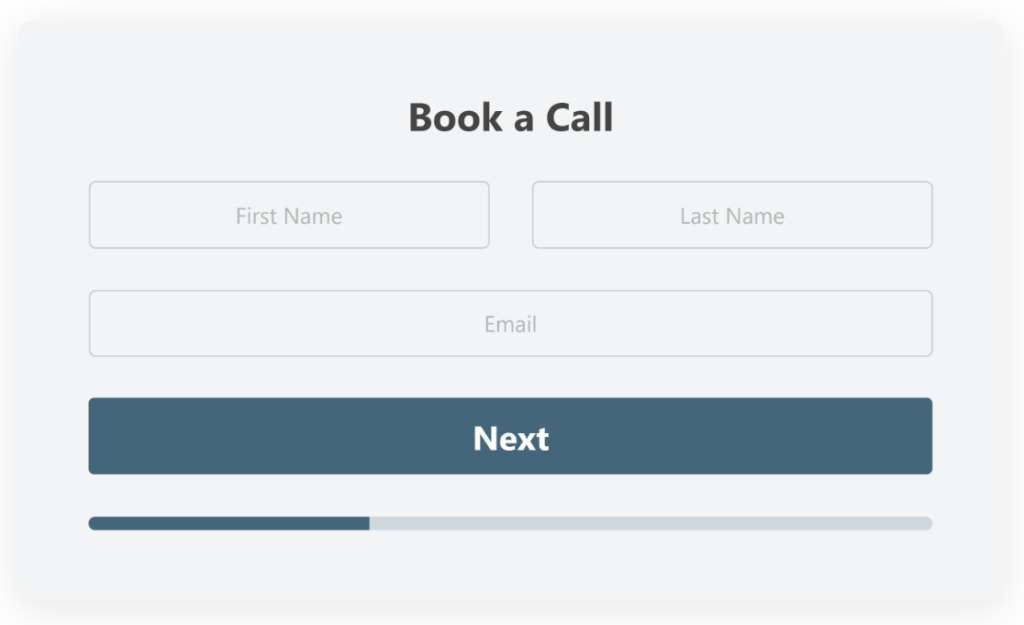You can:
- Personalize the greeting
- Use logic to only ask relevant questions
- Add descriptions or guidance throughout
A small change in presentation can make a big difference in experience!
### 2. Automatically Set Up Client Logins
If your onboarding process includes giving clients access to a portal, dashboard, or private content — for the love of Sullie, don’t do it manually!
With the [User Registration addon](https://wpforms.com/docs/how-to-install-and-use-user-registration-addon-with-wpforms/) you can have new WordPress user accounts created as soon as a form is submitted.
Not only that, you can:
- Assign specific user roles (like Subscriber or Customer)
- Auto-send welcome emails with login details
- Include custom profile fields to pre-fill their account info
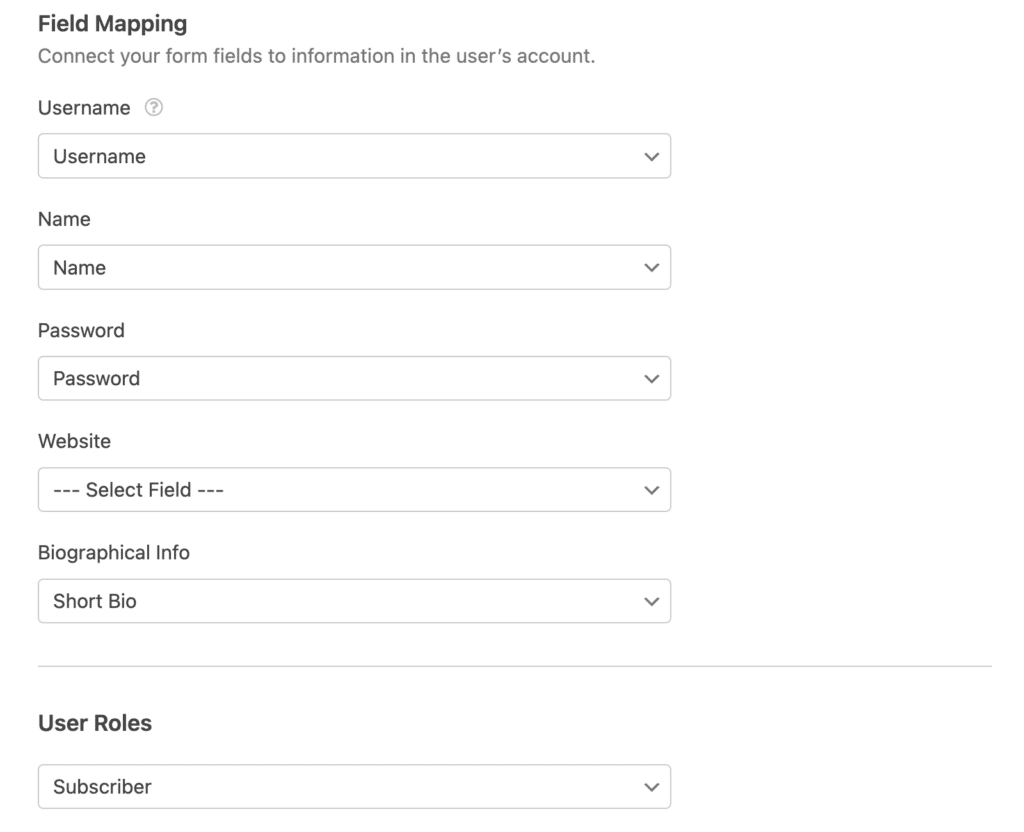This is especially useful for coaches, freelancers, and membership sites that want to provide a seamless “next step” after a form is submitted.
### 3. Collect Client Files and Keep Them Organized
NDAs, brand assets, signed contracts, screenshots… there’s always something clients need to send your way.
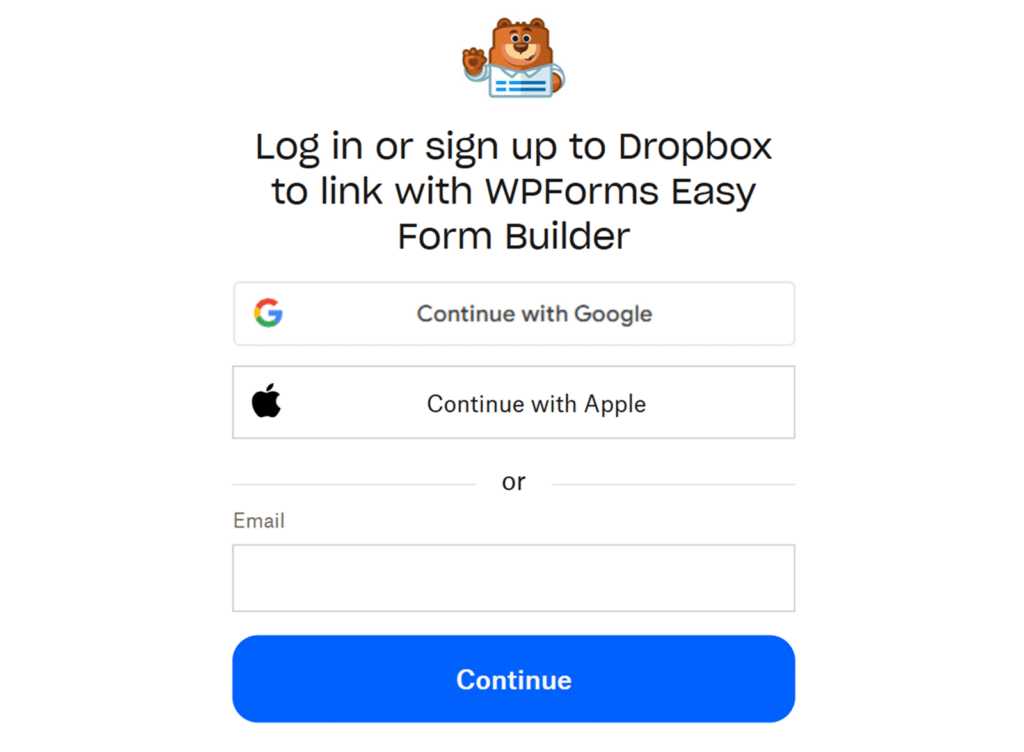
Use WPForms to make it easy for both of you with the built-in File Upload field, and even better with the [Dropbox Addon](https://wpforms.com/docs/dropbox-addon/), which sends uploaded files directly to a folder in your Dropbox account.
No more:
- Digging through emails for attachments
- Re-uploading files manually
- Forgetting which doc goes with which client
These WPForms tools allow you to be automatic, organized, and scalable.
**Also Read: [A Complete Guide to the File Upload Field](https://wpforms.com/docs/a-complete-guide-to-the-file-upload-field/)**
### 4. Add Flexibility With Repeater Fields
Sometimes you don’t know how many entries a client will need to add. Maybe they have multiple projects, team members, or service needs. Instead of cluttering your form with 10 optional fields, use [the Repeater Field](https://wpforms.com/docs/using-the-repeater-field/).
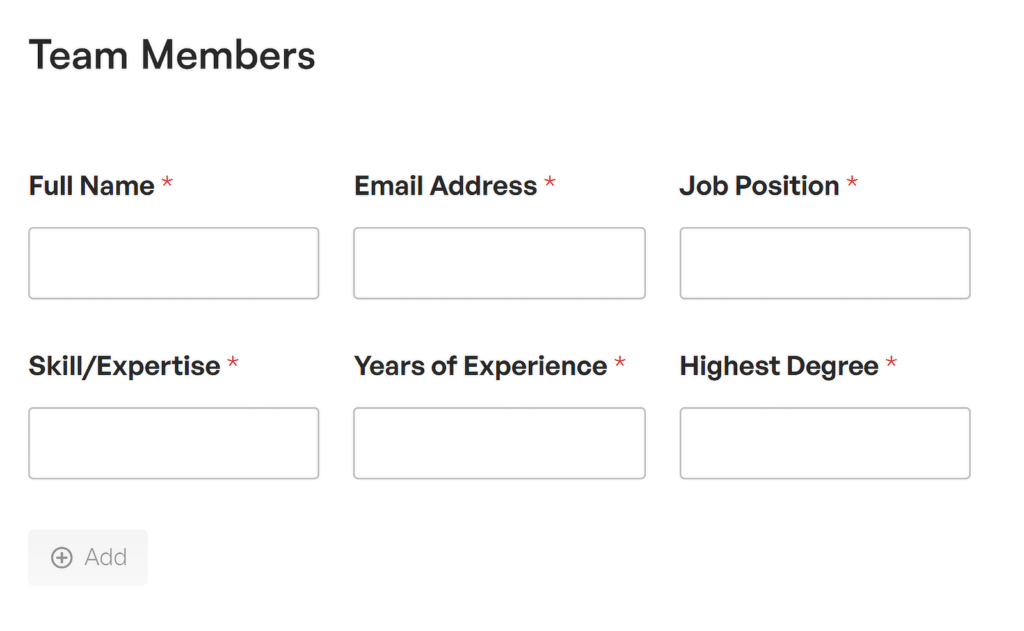This lets clients add extra field groups dynamically, so they only see what they need.
Example use cases include:
- Marketing agency intake forms for multiple campaigns
- Legal onboarding with multiple contacts or parties
- Website projects that require several page breakdowns
It’s a cleaner experience for them, and a better dataset for you.
### 5. Build Smart Quote Tools Into Your Form
Transparent pricing builds trust — but quoting manually for every lead can eat up your time. But now, with the ability to include [built-in calculations,](https://wpforms.com/docs/calculations-addon/) you can create forms that show totals in real time based on what the client selects.
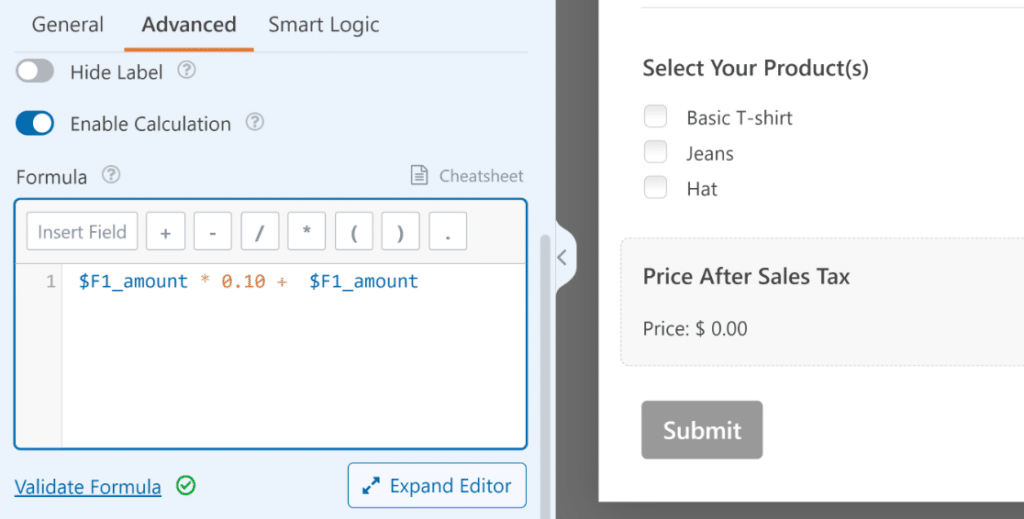Combine this with conditional logic and payment fields, and you’ve got yourself a self-service quote builder or deposit form that works 24/7.
## Calculations make your brain go brrr?
Just have WPForms AI [generate the calculation](https://wpforms.com/docs/generating-calculation-formulas-with-wpforms-ai/) formulas for you!
### 6. Get Agreements Signed Instantly
If your onboarding process includes contracts, waivers, or service agreements, you don’t need to send separate PDFs. Adding a [signature field](https://wpforms.com/how-to-add-electronic-signature-to-form/) lets clients sign directly in the form — using their mouse, trackpad, or finger on touchscreens.
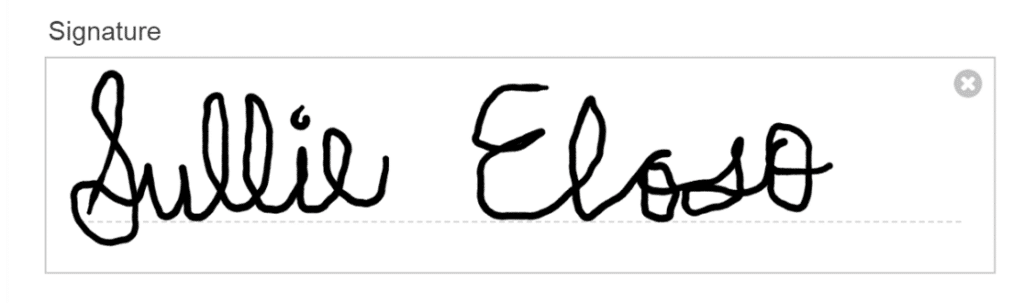Signatures are stored with the entry and downloadable if needed. It’s a small touch that saves a surprising amount of back-and-forth!
### 7. Save Incomplete Entries and Reduce Drop-Off
Even with the best design, life happens. A client might start filling out your form, then get interrupted by a phone call, school pickup, or another tab. In my case, it’s the cat jumping onto my computer keyboard… *sigh.*
WPForms offers several tools to help:
- The [Save and Resume](https://wpforms.com/docs/how-to-install-and-use-the-save-and-resume-addon-with-wpforms/) option lets clients pick up where they left off
- The [Form Abandonment addon](https://wpforms.com/docs/how-to-install-and-use-form-abandonment-with-wpforms/) captures partial entries so you can follow up
- [Multi-Page Forms](https://wpforms.com/how-to-create-a-multi-part-form-in-wordpress/) reduce overwhelm by breaking long forms into smaller steps
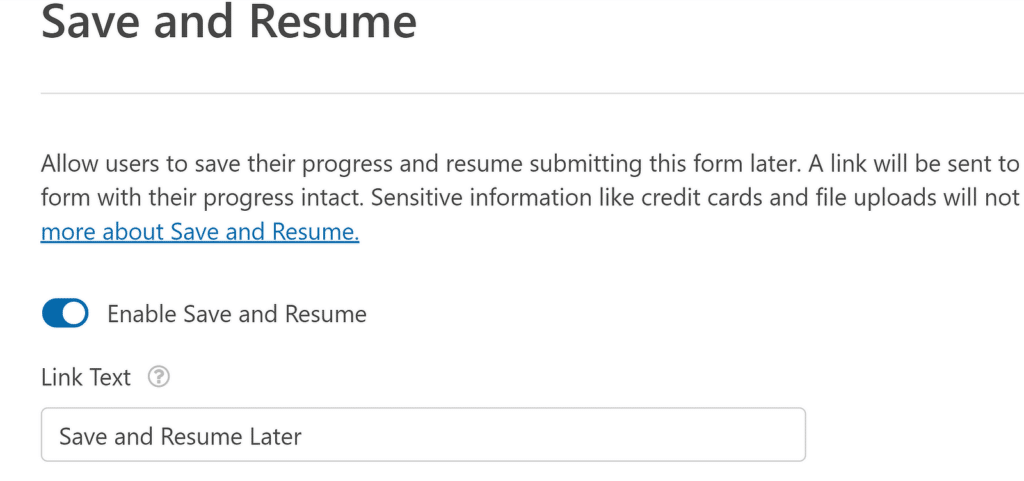These features are especially helpful for industries with more detailed onboarding like law, finance, or medical services.
### 8. Automate Your Emails and Notifications
After a form is submitted, you can trigger:
- Custom email confirmations to the client (with links, checklists, or login info)
- Internal notifications to your team
- Conditional messages depending on form choices
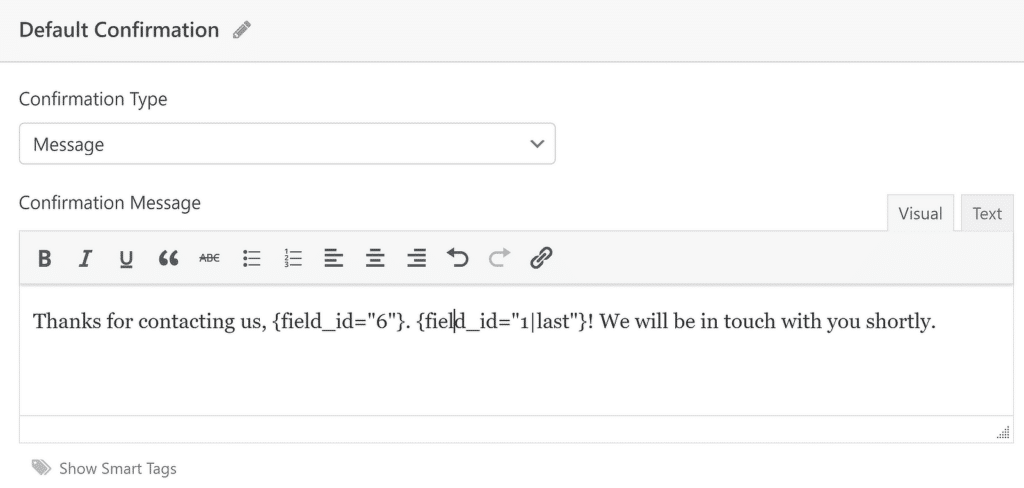This makes your process feel polished and proactive, without you lifting a finger.
## Elite Tip
Pair it with the [Entry Automation Addon](https://wpforms.com/docs/entry-automation-addon/) to schedule exports or cleanups if you work with sensitive or short-term data.
When clients see that your onboarding is smooth, secure, and professional, they’re more likely to trust your process and feel confident moving forward.
And that’s the kind of experience people remember and refer!
### FAQ on Client Onboarding Forms
As the #1 form building plugin on WordPress, we get a lot of questions about client onboarding forms. These are some of our most popular:
#### Can I create different onboarding forms for different services?
Yes! WPForms lets you create unlimited forms. You can tailor each one to a specific audience, package, or client type.
#### Is WPForms secure enough to collect sensitive client data?
WPForms supports file encryption, spam protection, and GDPR/CCPA compliance. You can also control who has access to form entries.
#### Can I trigger a sequence of onboarding emails after submission?
You can send a confirmation email instantly with WPForms, and then connect your form to tools like Mailchimp or ActiveCampaign for automated sequences.
### Next, Handle Your Customer Inquiries
Whew! We just covered lots of ways to improve and simplify your client onboarding forms. Now, let’s think about customer requests! Take a look at our helpful suggestions for [managing customer inquries like a pro](https://wpforms.com/managing-customer-inquiries-like-a-pro-with-wpforms/).
[Build Your WordPress Form Now](https://wpforms.com/pricing/)
Ready to build your form? Get started today with the easiest WordPress form builder plugin. [WPForms Pro](https://wpforms.com/pricing) includes lots of free templates and offers a 14-day money-back guarantee.
If this article helped you out, please follow us on [Facebook](https://facebook.com/wpforms) and [Twitter](https://twitter.com/easywpforms) for more free WordPress tutorials and guides.
**Categories:** WordPress Tutorials
**Tags:** conditional logic, digital signatures, file uploads, form notification, user registration
---