### [Adding WPForms to a Divi Page](https://wpforms.com/docs/how-to-add-wpforms-to-a-divi-page/)
**Published:** November 26, 2023
**Author:** David Ozokoye
**Excerpt:** Learn how to add WPForms to a page with the Divi page builder.
**Content:**
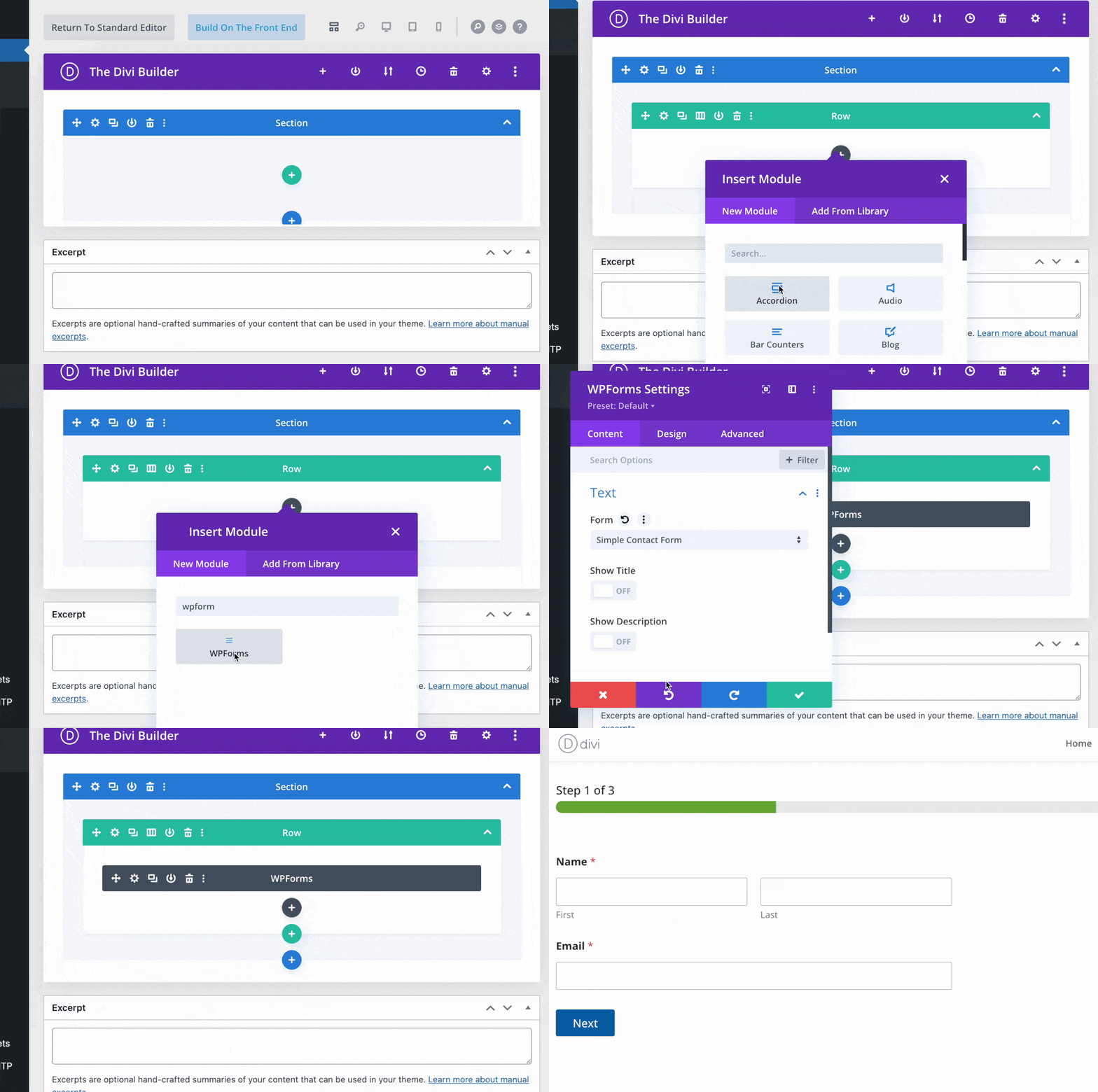
Would you like to add a WordPress form to your website using Divi? You can easily use the WPForms module in Divi to add forms to a page and get them looking the way you want.
This tutorial will show you how to add WPForms to a page with the Divi page builder.
---
Before getting started, you’ll first need to make sure WPForms is [installed and activated](https://wpforms.com/docs/install-wpforms-plugin/) on your WordPress site and that you’ve [verified your license](https://wpforms.com/docs/verify-wpforms-license/). Then you can [create a new form](https://wpforms.com/docs/creating-first-form/) or edit an existing one to access the form builder.
### Opening the Divi Builder
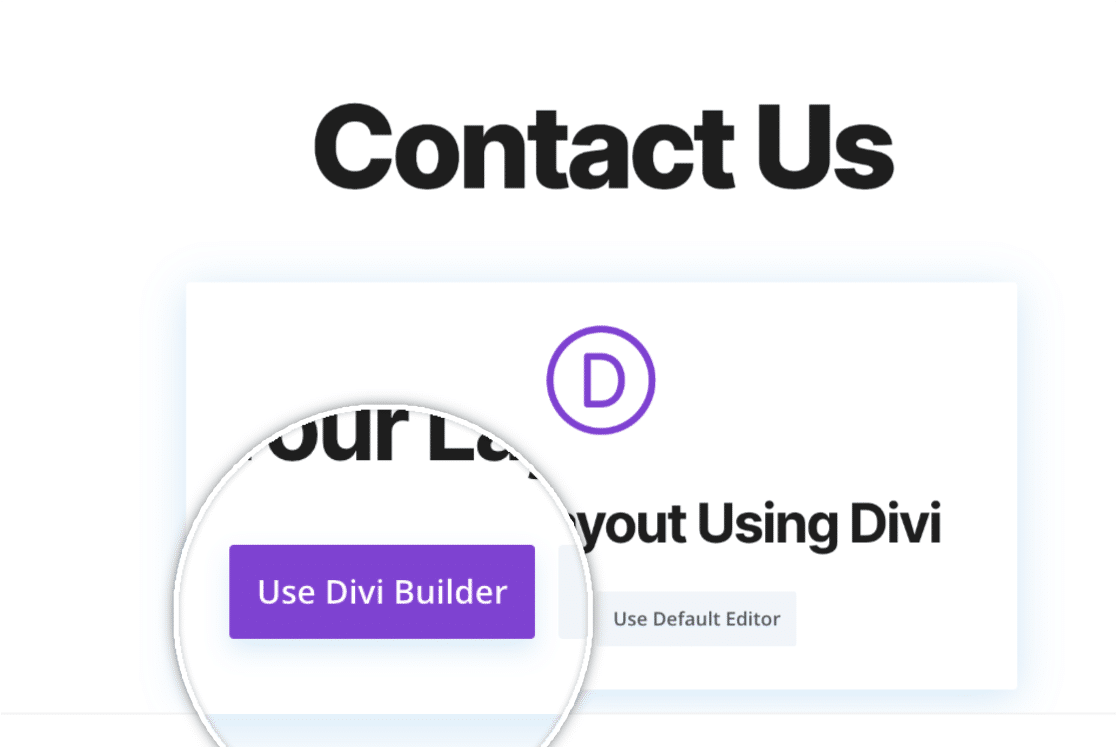
Once you’ve created your form, open up the page you’d like to embed your form on. If this is a new page, you’ll see a **Use Divi Builder** option. Go ahead and click that option to be redirected to Divi’s builder.
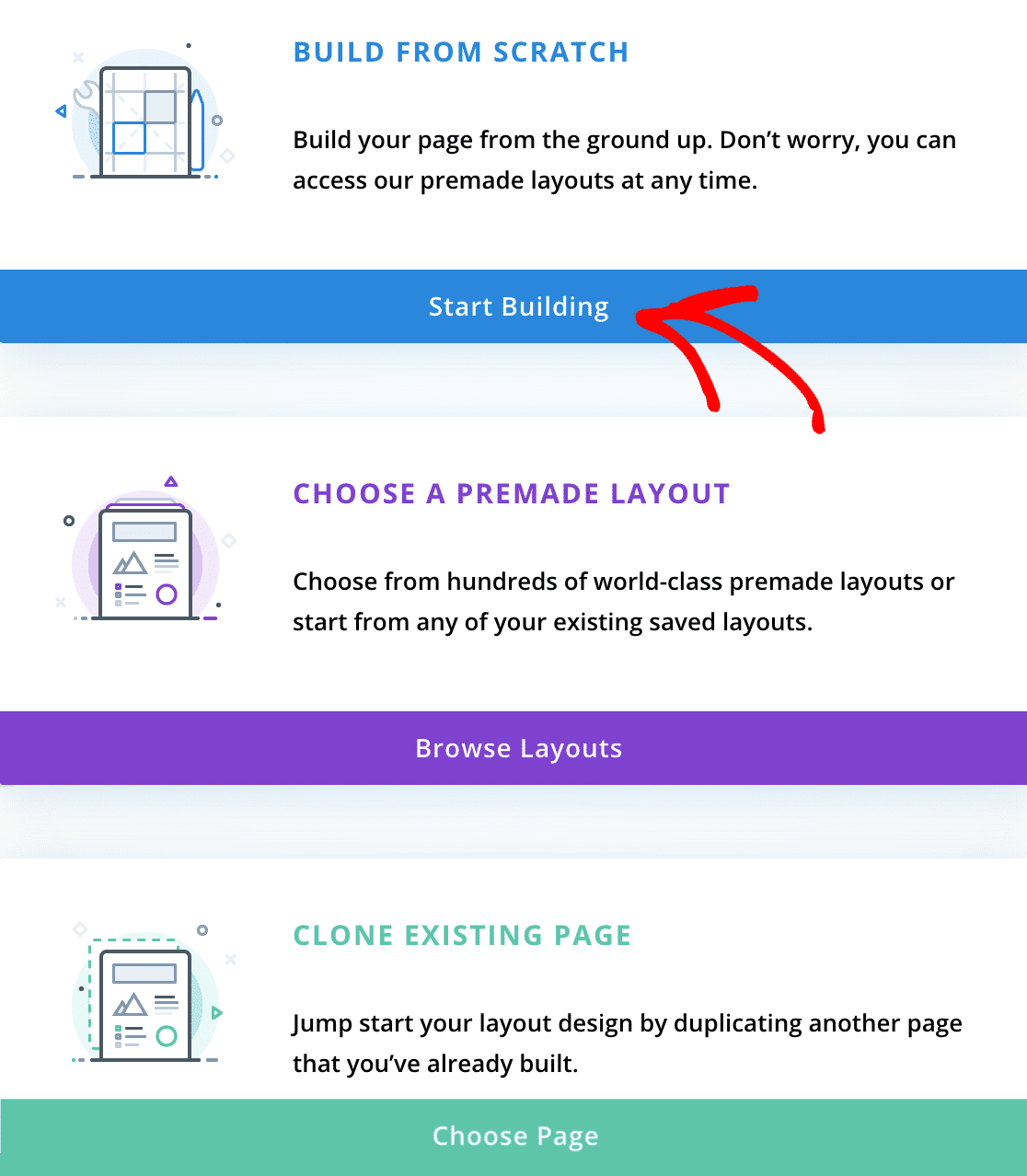
Once you open the builder, you’ll be prompted to choose to either build a page from scratch, choose from a pre-made layout, or clone an existing page. For our example, we’ll build our page from scratch by clicking the **Start Building** button.
This will open up a blank page for you to begin building on.
### Adding the WPForms Module
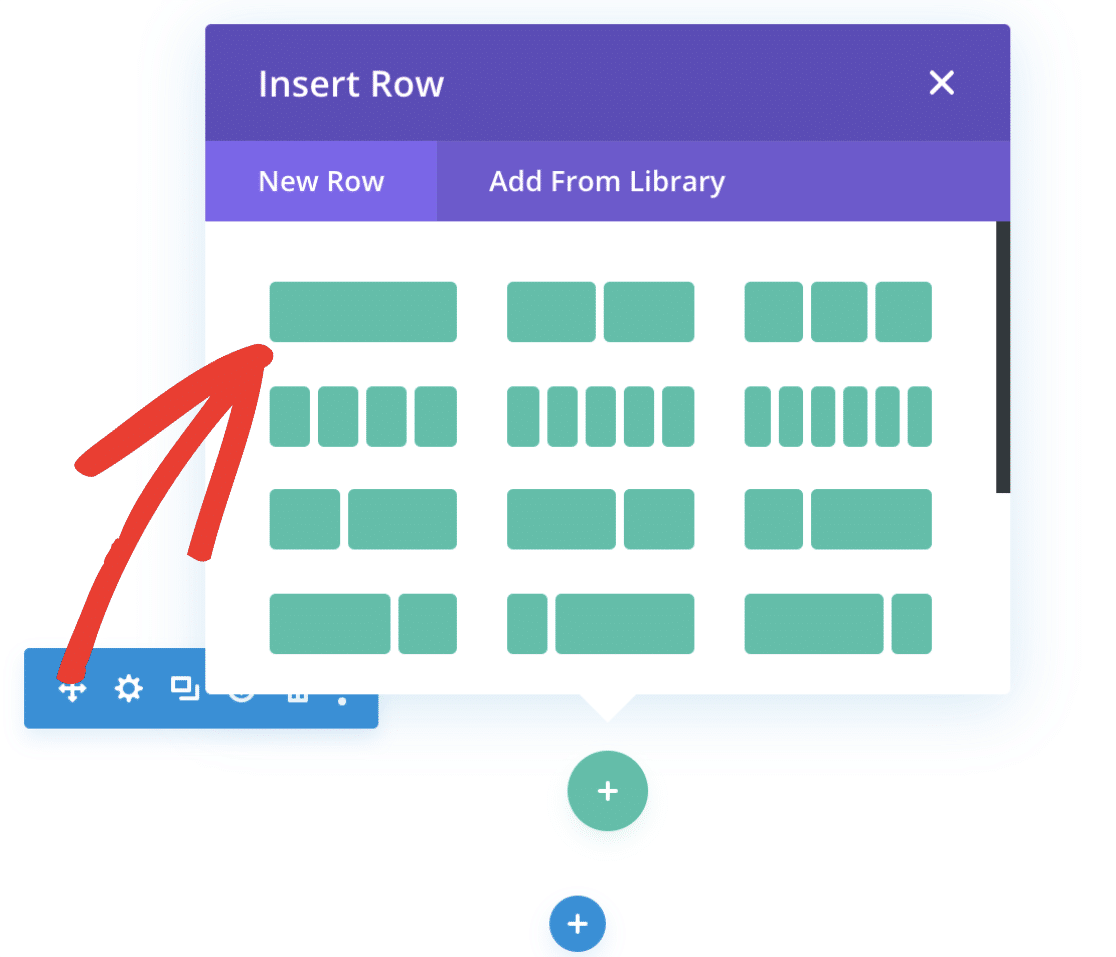
By default, a popup should appear asking you which type of row layout you’d like to add to the page. For our example, we’ll choose the first option, which will allow our module to be the only object in the row.
Once the row has been created, you’ll be prompted to insert a module. Search for **WPForms** in the search box and select the module that appears.
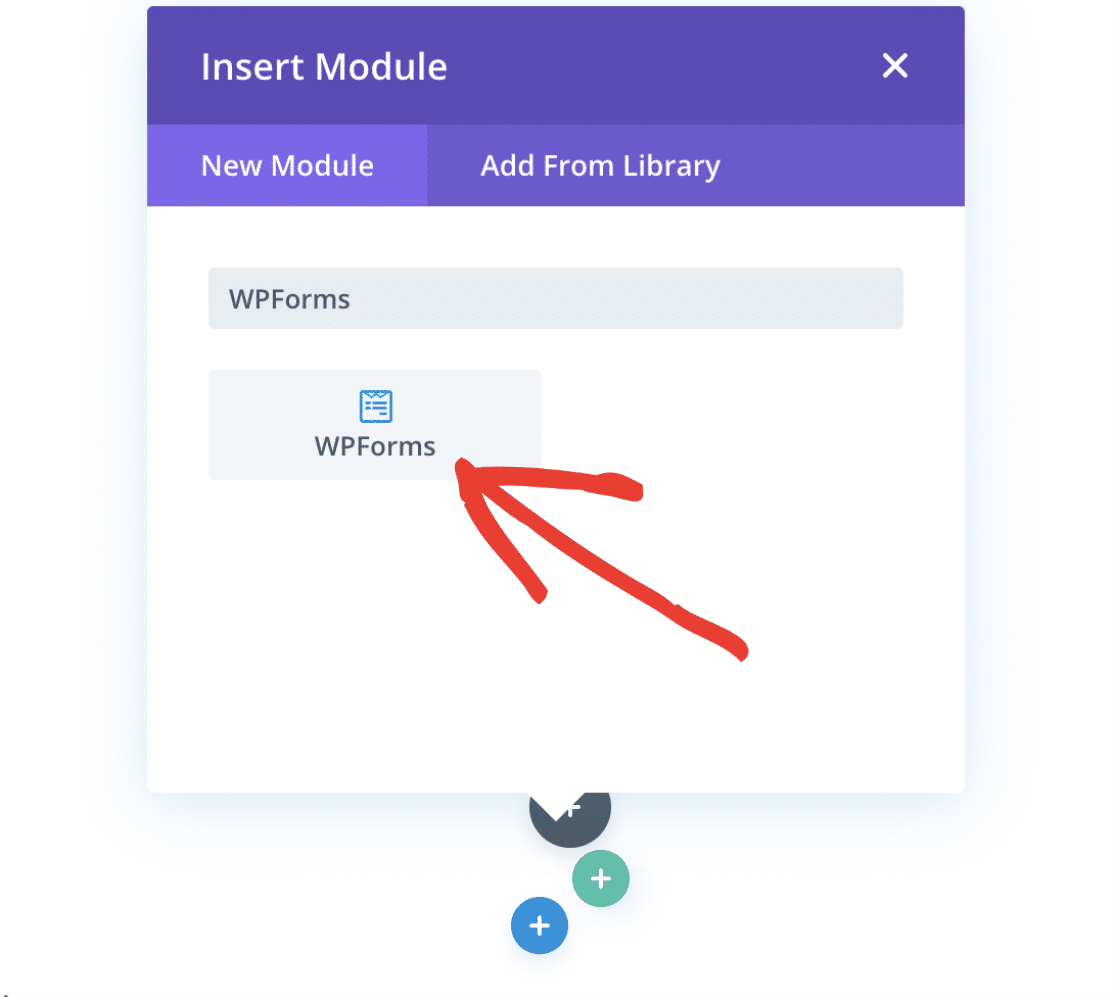
Once the module has been added, this will open up the module settings. Here you can add a form to the page with the **Select Form** dropdown. Additionally, you can also show the form’s title and description by toggling those options within the module settings.
When you’re ready, go ahead and select your form from the dropdown.
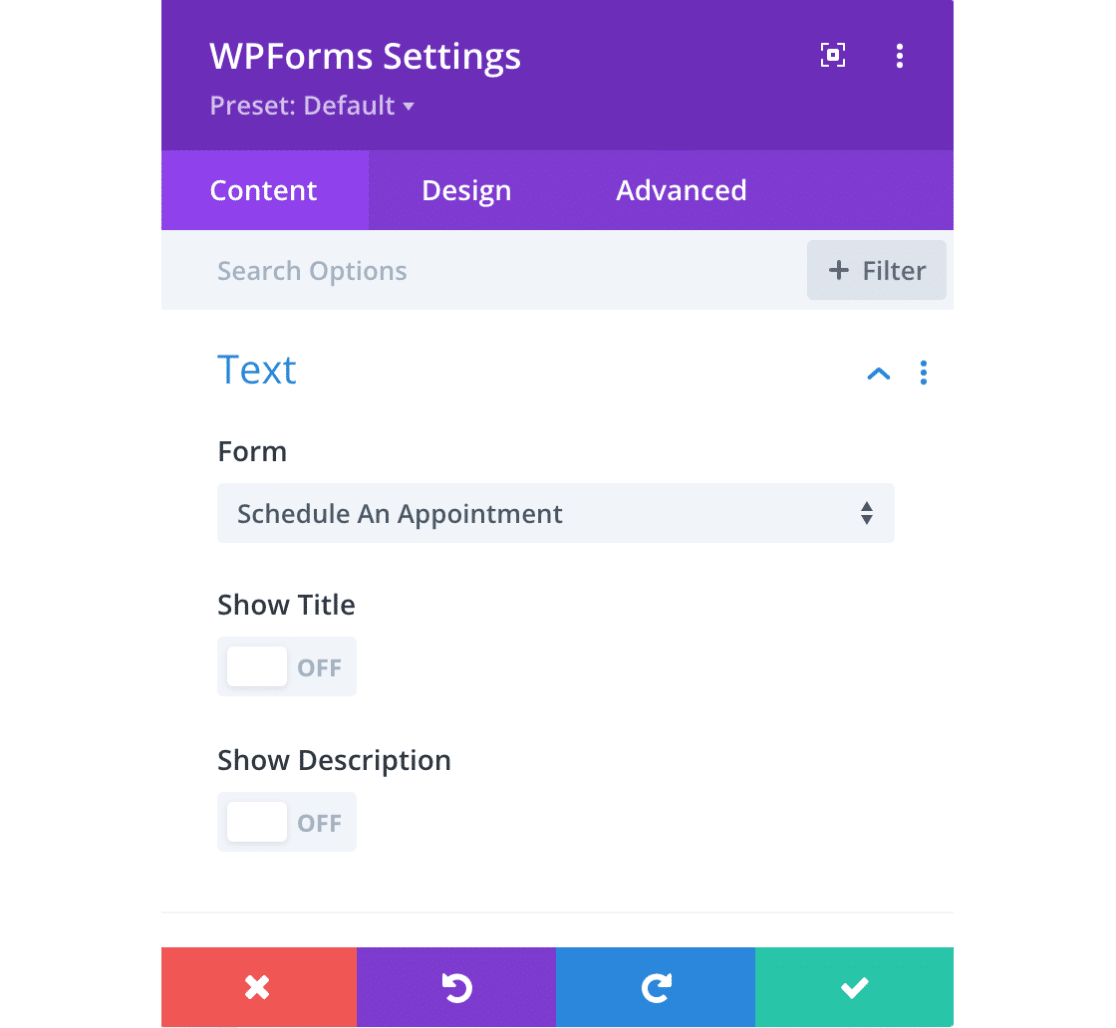
This will automatically embed your form into the page, and you can save your progress by clicking the green checkmark button.
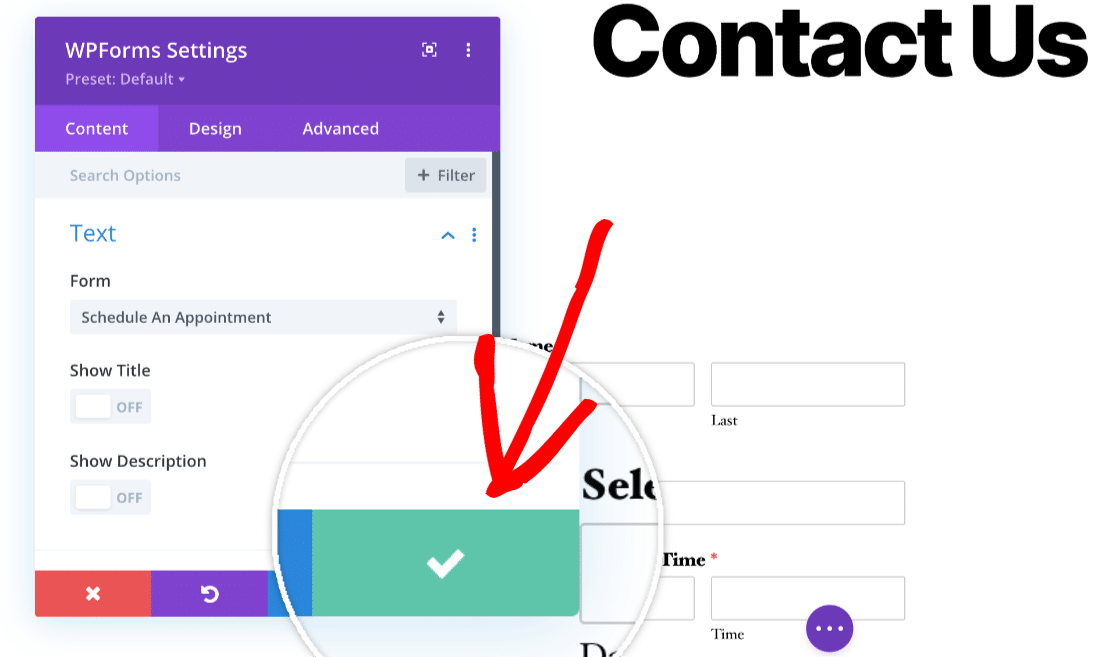
If you’d like, you can also edit the form’s appearance using the module’s **Design** or **Advanced** tabs.
**Note:** If you’d like more details on how to style your form using Divi, be sure to check out their guide on [design and advanced module settings](https://www.elegantthemes.com/documentation/divi/advanced-design-settings/) for more information.
### Publishing Your Form
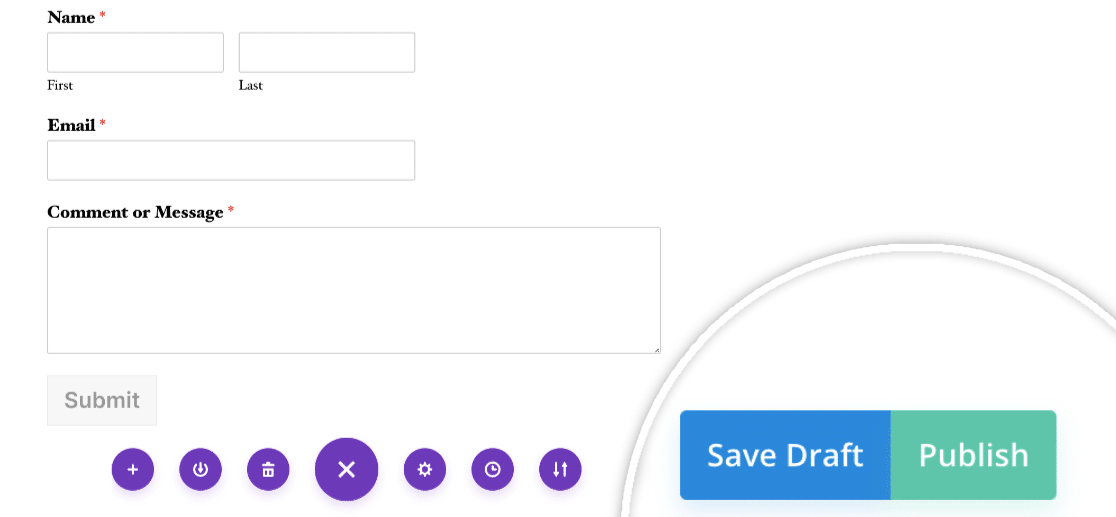
Once you’ve got your form embedded and ready to go, you’ll need to make sure to either save or publish your page. To do this, click on the three dots at the bottom of the page builder to open up additional settings.
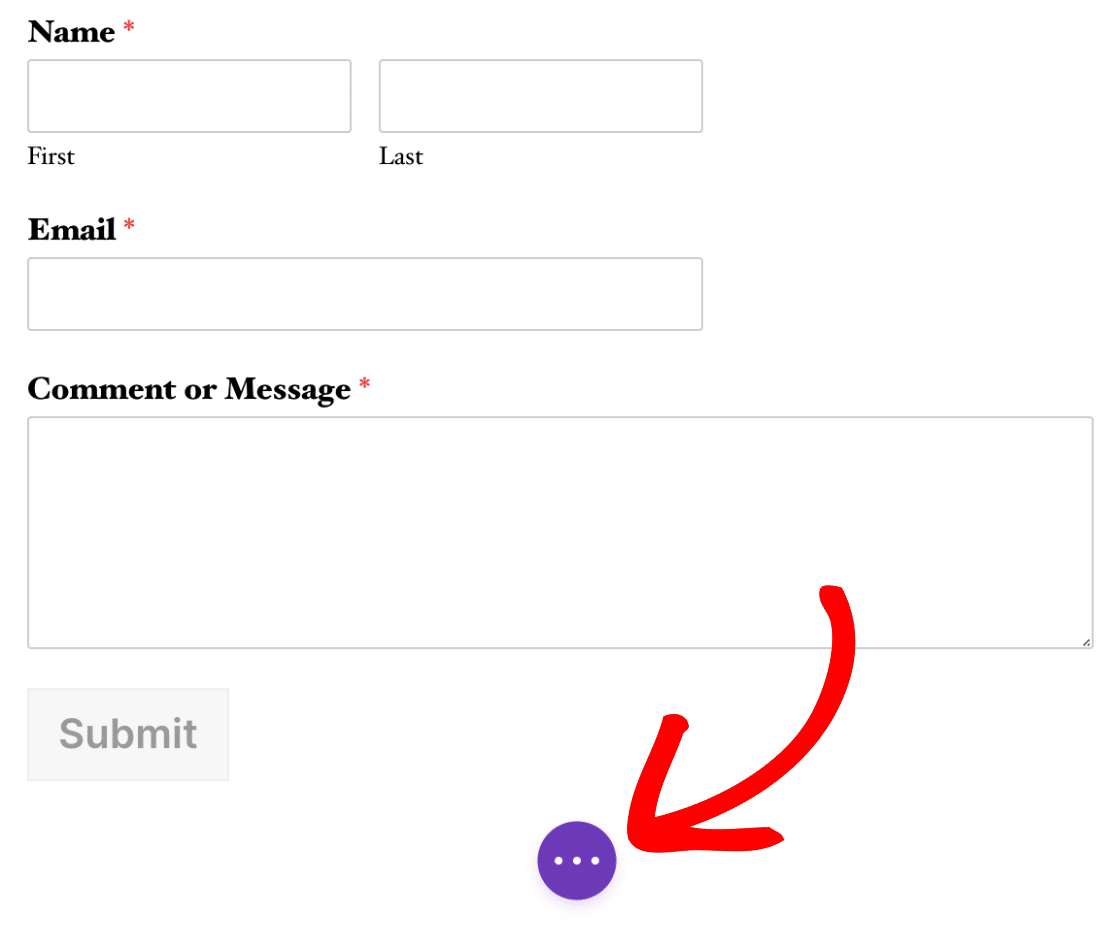
Then, you can choose to either save a draft of your work or publish it to the front end of your site. Go ahead and choose the option that makes the most sense for you.
That’s it! Now you know how to embed WPForms with the Divi Builder.
Next, we recommend testing out your form to make sure it looks and works exactly how you’d like. To help guide you through this process, please be sure to check out our [form testing checklist](https://wpforms.com/docs/how-to-properly-test-your-wordpress-forms-before-launching-checklist/).
**Categories:** Extending, Extending Functionality
---