### [wpforms_admin_dashboardwidget](https://wpforms.com/developers/wpforms_admin_dashboardwidget/)
**Published:** February 12, 2020
**Author:** Editorial Team
**Excerpt:** The wpforms_admin_dashboardwidget filter is used to hide the WPForms dashboard widget on the WordPress dashboard page.
**Content:**
## Description
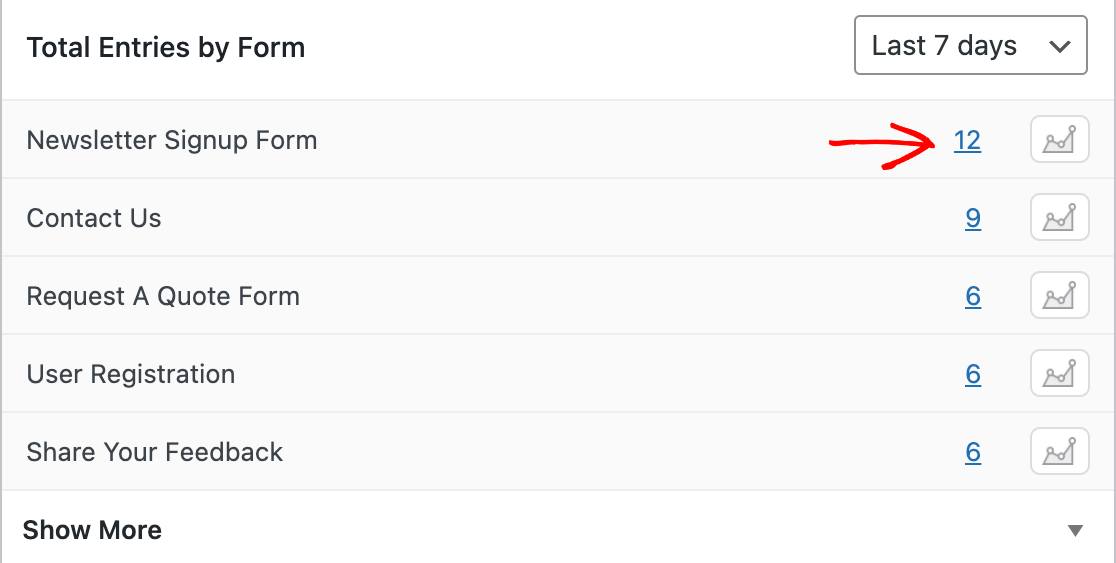
The `wpforms_admin_dashboardwidget` filter is used to hide the WPForms dashboard widget on the WordPress dashboard page.
## Parameters
$show*(bool) (Required)* Determines whether the dashboard widget will display, default is `true` (to show)## Source
`wpforms/src/Pro/Admin/DashboardWidget.php`
## More Information
The `wpforms_admin_dashboardwidget` filter can be used to hide the WPForms Dashboard Widget that appears on the WordPress main dashboard page.
## Example
```
/*
* Hide the dashboard widget
*
* @link https://wpforms.com/developers/wpforms_admin_dashboardwidget/
*
* @param bool $show Default is true.
* @return bool
*/
add_filter( 'wpforms_admin_dashboardwidget', '__return_false' );
```
## Related
Article Reference: [How to Disable WPForms Dashboard Widget](https://wpforms.com/developers/how-to-disable-wpforms-dashboard-widget/ "How to Disable WPForms Dashboard Widget")
**Categories:** Filters Hooks
**Tags:** PHP
---