### [Setting the Default Address Scheme to International](https://wpforms.com/developers/how-to-set-the-address-default-scheme-to-international/)
**Published:** May 6, 2021
**Author:** David Ozokoye
**Excerpt:** This article will walk you through how to set adefault address scheme setting each time you add the Address field to any of your forms.
**Content:**
## Overview
Would you like to set the default **Address Scheme** to **International** for all of your WPForms? Currently, the default scheme when you add the field is set to **US**. However, you can change it to use the International scheme using a custom PHP snippet.
In this tutorial, we’ll walk you through how to change the Address field default scheme in WPForms.
---
## Setup
To begin, you’ll need to copy a snippet to your site. If you need assistance in adding a code snippet, [please review this tutorial](https://wpforms.com/developers/how-to-add-custom-php-or-javascript-for-wpforms/ "How to Add Custom PHP or JavaScript for WPForms").
Once the snippet is added, each time you add the **Address** field to your form, the **Scheme** will have **International** selected for you by default.
**Note:** This snippet will take effect on new forms created after you add it to your site. Existing forms will still retain the default scheme that was added when the form was created.
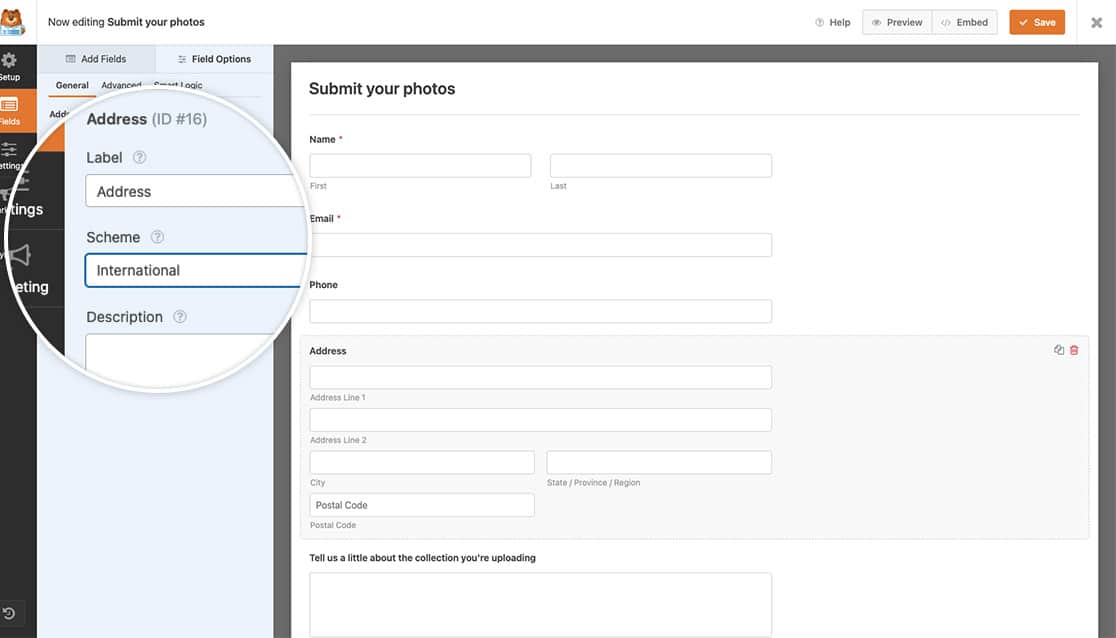That’s it! You now know how to set the default scheme for the Address field in WPForms.
Next, would you like to create your own Schemes for the Address form field? Take a look at our guide on [creating additional Schemes for the Address field](https://wpforms.com/developers/create-additional-schemes-for-the-address-field/ "How to Create Additional Schemes for the Address Field").
**Categories:** Snippets
**Tags:** Address Field, PHP
---