### [How to Disable the Email Address Suggestion](https://wpforms.com/developers/how-to-disable-the-email-suggestion-on-the-email-form-field/)
**Published:** December 11, 2020
**Author:** Umair Majeed
**Excerpt:** This snippet will show you how to disable the email address suggestion for all WPForms.
**Content:**
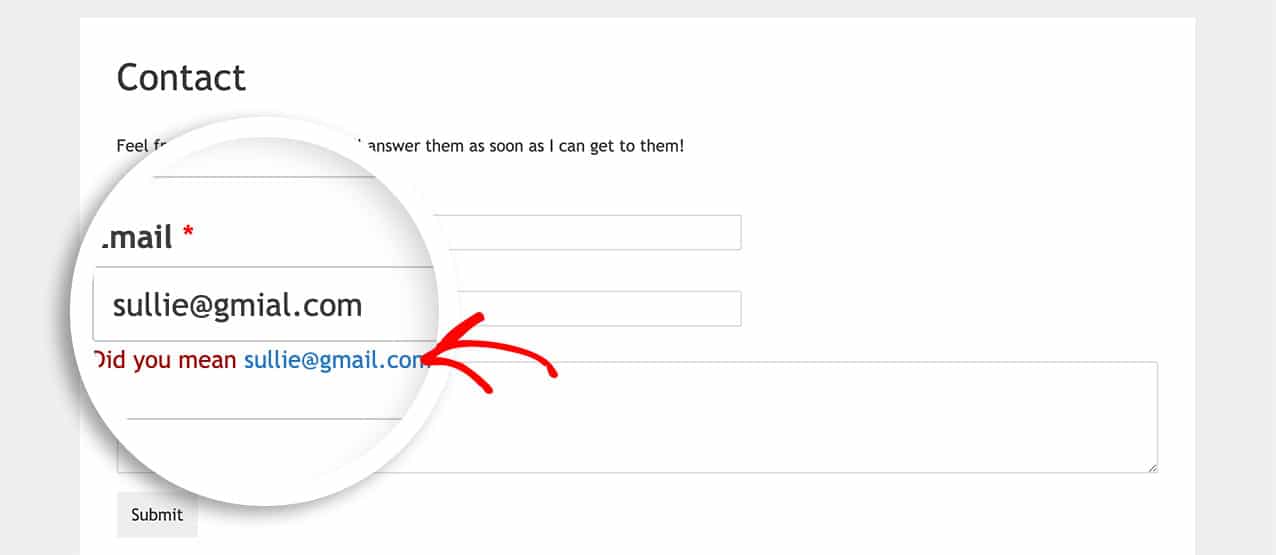
Are you interested in turning off the email address suggestion feature on your WPForms? By default, all email form fields automatically attempt to suggest email addresses.
While this feature can be beneficial for catching typos in email addresses as visitors fill out the form, it’s worth noting that some suggested extensions may be valid based on the visitor’s country or service provider.
This guide will tell you about the different ways you can disable the email suggestion.
## Disabling Email Suggestions for a Form
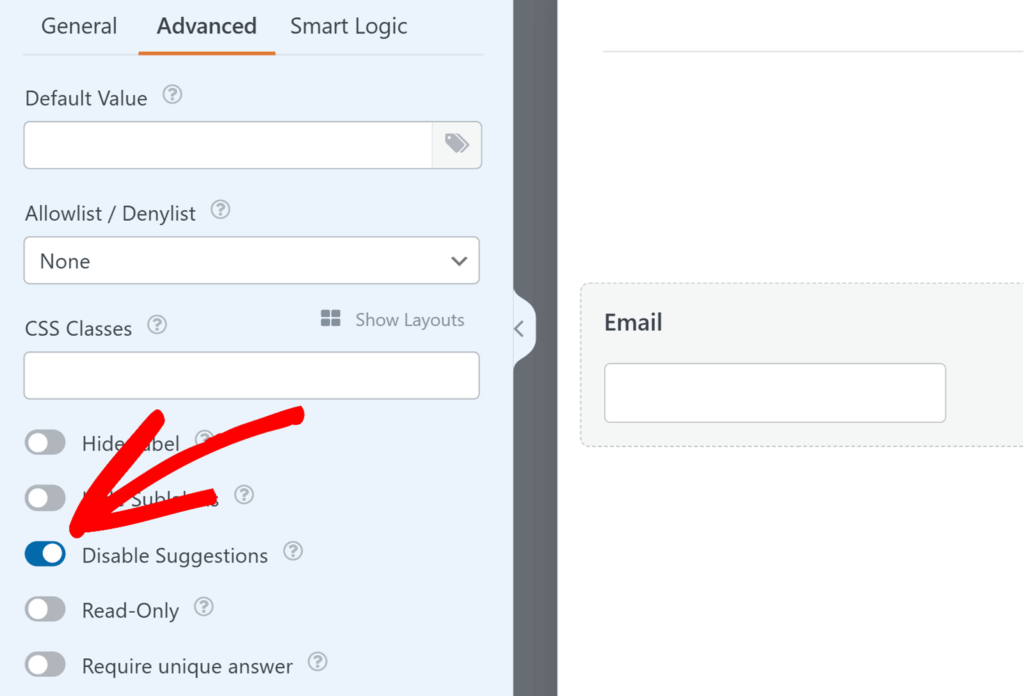
You can turn off the email suggestion feature for individual forms directly in the builder. To do this, click on the **Email** field in your form, then open the **Advanced** tab in the Field Options panel and toggle on the **Disable Suggestions** option.
## Disabling for All Forms
If you’d like to remove email suggestions across all forms on your site, you can use a simple PHP snippet:
```
/**
* Disable the email address suggestion.
*
* @link https://wpforms.com/developers/how-to-disable-the-email-suggestion-on-the-email-form-field/
*/
add_filter( 'wpforms_mailcheck_enabled', '__return_false' );
```
If you need any help adding snippets to your site, please [take a look at this tutorial](https://wpforms.com/developers/how-to-add-custom-php-or-javascript-for-wpforms/ "How to Add Custom PHP or JavaScript for WPForms").
And that’s it, you’ve successfully turned off the automatic email suggestion feature on all of your WPForms.
Would you like to remove the footer text that appears at the bottom of the email notifications? Take a look at our article on [How to Remove or Change Email Notification Footer Text](https://wpforms.com/developers/how-to-remove-or-change-email-notification-footer-text/ "How to Remove or Change Email Notification Footer Text").
## Reference Articles
[wpforms\_mailcheck\_enabled](https://wpforms.com/developers/wpforms_mailcheck_enabled/ "Using the wpforms_mailcheck_enabled filter from WPForms")
**Categories:** Fields
**Tags:** PHP
---