### [How to Block Domains From Your Text Fields](https://wpforms.com/developers/how-to-block-domains-from-your-text-fields/)
**Published:** February 21, 2023
**Author:** Umair Majeed
**Excerpt:** In this tutorial, we'll walk you through how to block domains from completing your Paragraph and Single Line Text form fields.
**Content:**
Interested in enhancing the security of your web forms? With a simple PHP snippet, you can effectively block submissions from specific domains directly within your form’s text field. In this tutorial, we’ll guide you through the step-by-step process of implementing this feature, ensuring that your forms remain protected from spam and malicious submissions.
## Creating the form
We’ll begin by creating a new form. Our form is just a simple contact form where we’ll ask them to leave their name, email, and any additional comments they may wish to add.
For our example form, we’ll add the **Name**, **Email**, **Paragraph Text**, and the **Custom Captcha** (for additional security) form fields.
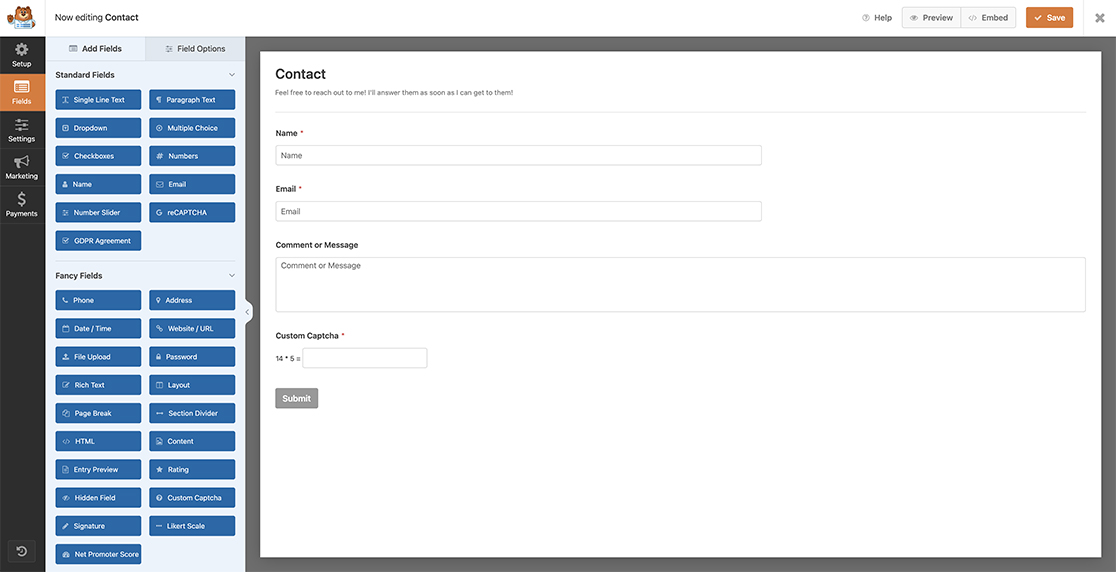If you need any assistance, please [check out our helpful guide on how to create a new form](https://wpforms.com/docs/creating-first-form/ "Creating Your First Form").
## Blocking the domains
Now it’s time to add our snippet(s). For any assistance with how and where to add snippets, [please review this tutorial](https://wpforms.com/developers/how-to-add-custom-php-or-javascript-for-wpforms/ "How to Add Custom PHP or JavaScript for WPForms").
### Paragraph Text Field
```
/**
* Block domains inside the Paragraph Text
*
* @link https://wpforms.com/developers/how-to-block-domains-from-your-text-fields/
*/
function wpf_dev_prevent_domains_textarea( $field_id, $field_submit, $form_data ) {
if ( preg_match( '/www.|.com|.net|.org|.co.uk/', $field_submit ) ) {
wpforms()->get( 'process' )->errors[ $form_data[ 'id' ] ][ $field_id ] = esc_html__( 'This is not allowed.', 'plugin-domain' );
}
}
add_action( 'wpforms_process_validate_textarea' , 'wpf_dev_prevent_domains_textarea', 10, 3 );
```
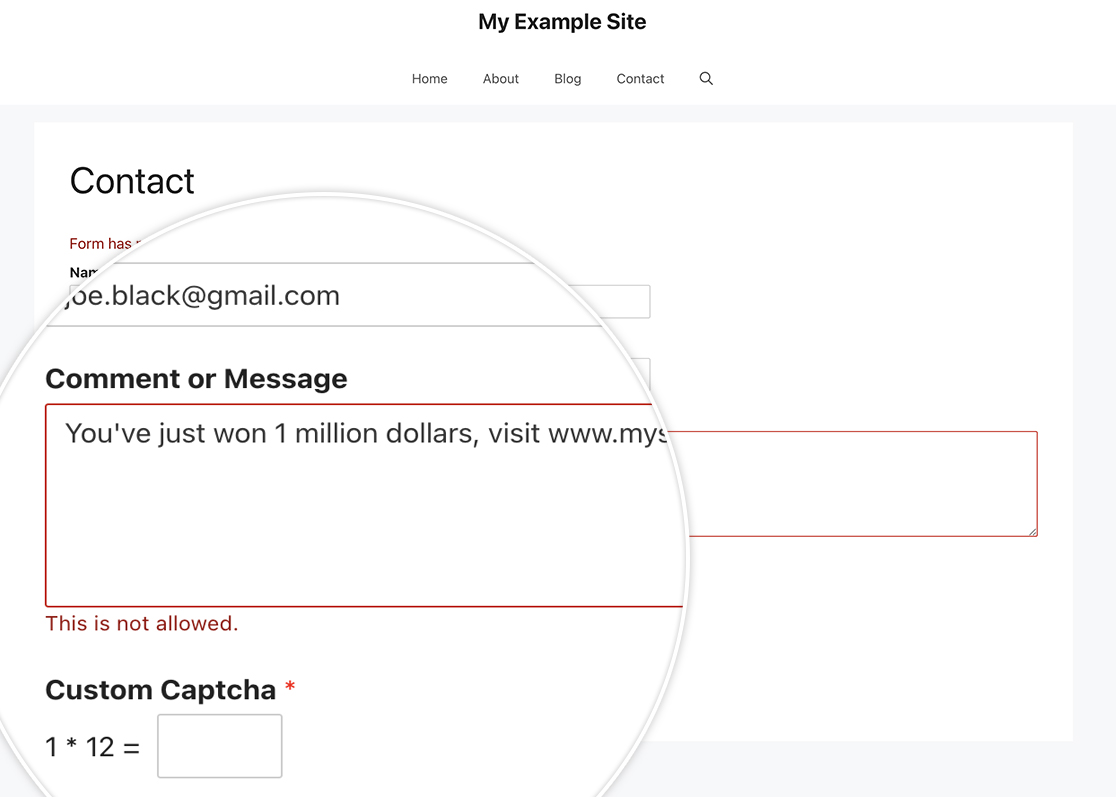
This snippet will look inside the **Paragraph Text** form field for any combination of the words shown inside the `preg_match` and block the form submission if true.
### Single Line Text Field
You can just as easily use the same functionality for the **Single Line Text** for field as well. The snippet will be almost identical with the exception of the filter name.
```
/**
* Block domains inside the Single Line Text
*
* @link https://wpforms.com/developers/how-to-block-domains-from-your-text-fields/
*/
function wpf_dev_prevent_domains_text( $field_id, $field_submit, $form_data ) {
if ( preg_match( '/www.|.com|.net|.org|.co.uk/', $field_submit ) ) {
wpforms()->get( 'process' )->errors[ $form_data[ 'id' ] ][ $field_id ] = esc_html__( 'This is not allowed.', 'plugin-domain' );
}
}
add_action( 'wpforms_process_validate_text' , 'wpf_dev_prevent_domains_text', 10, 3 );
```
And that’s all you need! Would you also like to block any profanity in these fields? Check out our tutorial on [How to Block Form Submissions Containing Profanity](https://wpforms.com/developers/how-to-block-form-submissions-containing-profanity/ "How to Block Form Submissions Containing Profanity").
## Reference Actions
- [wpforms\_process\_validate\_textarea](https://wpforms.com/developers/wpforms_process_validate_textarea/ "Using the wpforms_process_validate_textarea action")
- [wpforms\_process\_validate\_text](https://wpforms.com/developers/wpforms_process_validate_text/ "Using the wpforms_process_validate_text action")
## FAQ
#### Q: Can I use this on the Rich Text form field?
**A:** Absolutely! Here is the snippet for the **Rich Text** form field.
```
/**
* Block domains inside the Rich Text
*
* @link https://wpforms.com/developers/how-to-block-domains-from-your-text-fields/
*/
function wpf_dev_prevent_domains_richtext( $field_id, $field_submit, $form_data ) {
if ( preg_match( '/www.|.com|.net|.org|.co.uk/', $field_submit ) ) {
wpforms()->get( 'process' )->errors[ $form_data[ 'id' ] ][ $field_id ] = esc_html__( 'This is not allowed.', 'plugin-domain' );
}
}
add_action( 'wpforms_process_validate_richtext' , 'wpf_dev_prevent_domains_richtext', 10, 3 );
```
#### Q: How can I apply this to other fields?
**A:** Almost every field has some type of validation. Most fields will use `do_action( wpforms_process_validate_{$field_type}, $field_id, $field_submit, $form_data )`. You would just replace `_{$field_type}` with the field type.
**Categories:** Fields
**Tags:** PHP
---