### [How to Add WPForms Shortcodes to PHP Templates](https://wpforms.com/developers/how-to-add-wpforms-shortcodes-to-php-templates/)
**Published:** March 5, 2020
**Author:** Editorial Team
**Excerpt:** Adding WPForms shortcodes directly into your PHP template will allow you to display the form on every page the template is used without having to manually add it to every page created.
**Content:**
Would you like to add your WPForms shortcodes directly to your PHP template? There are many different ways to include your WPForms inside your pages an editor from WordPress. You can embed the form inside a post, page, or widget area on your site. However, did you know you can also add a small PHP snippet to have the shortcode run inside any of the PHP templates in your them? In this tutorial, we’ll show you the steps to use to include the shortcode inside a PHP template.
Did you know if you use the pro version of WPCode you can choose which page templates to insert the shortcode. This ensures there are no PHP editing skills required. If you’d like more information on using this solution instead of editing PHP template files, [please check out their site for further details](https://wpcode.com/ "WPCode").
## Creating the form
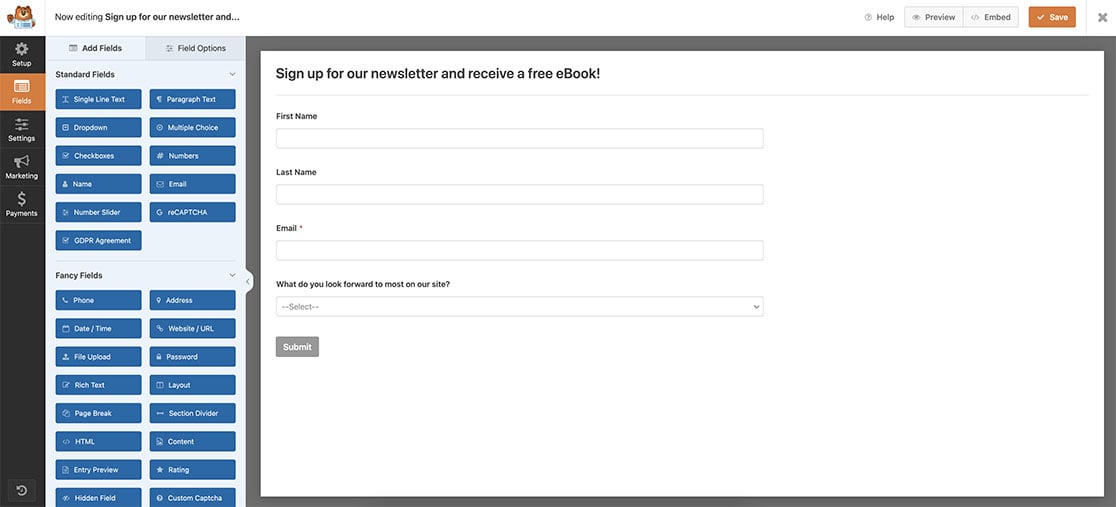
First, you’ll need to create your form and add the fields you wish to have. Our form will have some basic fields to collect our initial contact information for our newsletter.
If you need help in creating your form, [please see this documentation](https://wpforms.com/docs/creating-first-form/ "Creating Your First Form").
## Adding WPForms shortcode to PHP templates
It’s very important to note that we **never** recommend making any changes to any of your theme files without the use of a child theme. If you’d like to learn more about creating a child theme, [please see this article from our friends at WPBeginner](https://www.wpbeginner.com/wp-themes/how-to-create-a-wordpress-child-theme-video/ "How to Create a WordPress Child Theme (Video)").
For more information on how to add code to any template file in your theme, [please review this documentation](https://wpforms.com/developers/how-to-add-custom-php-or-javascript-for-wpforms/ "How to Add Custom PHP or JavaScript for WPForms").
Since we want our newsletter to appear at the bottom of every page on our site automatically, we’re going to use a child theme and edit the **footer.php** inside our child theme.
Just before the closing content div of the footer, we’re going to add this code.
`
**Categories:** Tutorials
**Tags:** PHP
---