### [How to Add JavaScript to a Page When Using the Form Pages Addon](https://wpforms.com/developers/how-to-add-javascript-to-a-page-when-using-the-form-pages-addon/)
**Published:** May 21, 2021
**Author:** Editorial Team
**Excerpt:** This tutorial will show you how to add custom scripts to forms created using the Form Pages addon.
**Content:**
Looking to streamline your JavaScript integration for forms created with the **Form Pages** addon? We’ve got just the solution! Discover how to leverage a dedicated hook tailored specifically for pages featuring **Form Pages** forms. This separate hook ensures that your scripts are loaded only on pages containing these forms, preventing unnecessary script loading across your entire site and optimizing performance.
For more information regarding this type of form, please check out documentation on the [Form Pages](https://wpforms.com/docs/how-to-install-and-use-the-form-pages-addon/ "Form Pages Addon") addon.
## Setting Up Your form
For our tutorial, we want our **Form Pages** to display a little animation when the form submits. For detailed information, check out our guide on [adding animation to confirmation messages](https://wpforms.com/developers/how-to-add-confetti-animation-to-confirmation-message/).
So we’ll begin by creating our form and adding our canvas element to **Confirmation** message on the **Text** tab.
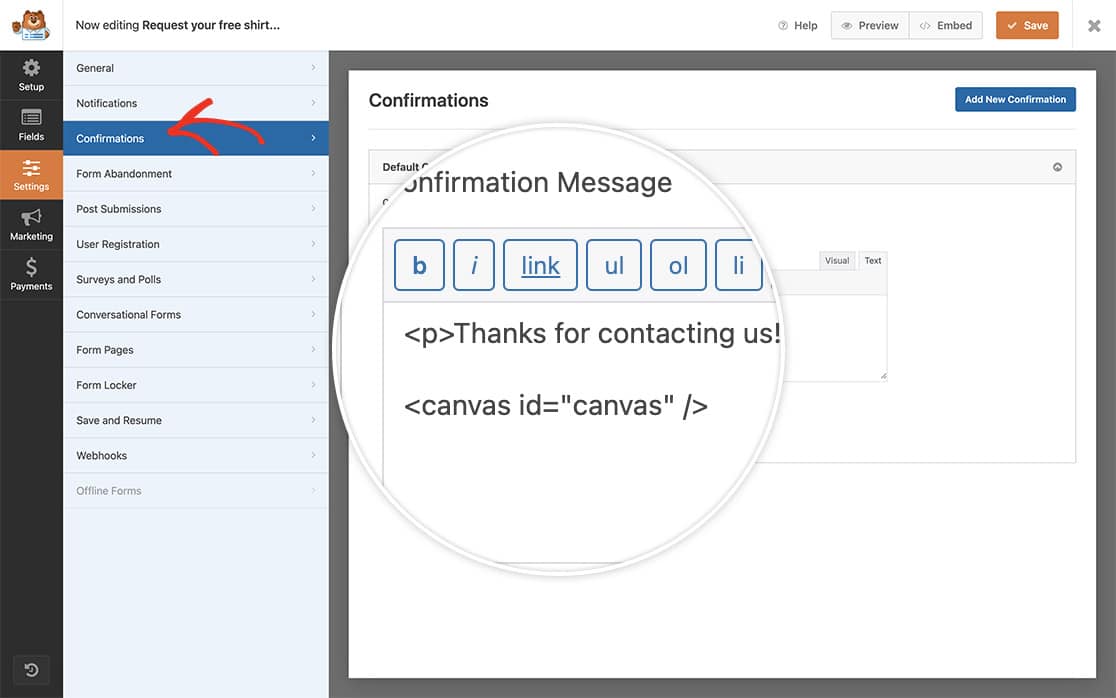For more information on what canvas is, [please check out this article from W3Schools](https://www.w3schools.com/html/html5_canvas.asp).
If you need any help in creatng your form, please check out our guide on [creating your first form](https://wpforms.com/docs/creating-first-form/ "How to Create Your First Form").
## Adding the JavaScript to Form Pages
Now it’s time to add the snippet that contains the script we want to log on our **Form Pages** form.
If you need help in adding snippets to your site, [please see this tutorial](https://wpforms.com/developers/how-to-add-custom-php-or-javascript-for-wpforms/ "How to Add Custom PHP or JavaScript for WPForms").
You can use the **wpforms\_form\_pages\_footer** action to call in any JavaScript from a scroll to top button, live chat service, or even just your Google analytics.
And that’s all you need! Next, would you like to count the entries for your form as they come in? Take a look at our article [How to Increment a Count on Each Form Submission](https://wpforms.com/developers/how-to-increment-a-count-on-each-form-submission/ "How to Increment a Count on Each Form Submission").
## Reference Action
[wpforms\_form\_pages\_footer](https://wpforms.com/developers/wpforms_form_pages_footer/ "Using the wpforms_form_pages_footer action")
**Categories:** Addons
**Tags:** Form Pages Addon, Javascript, JS
---