### [The 8 Best WhatsApp Plugins I've Found for WordPress](https://wpforms.com/best-whatsapp-plugins-for-wordpress/)
**Published:** October 2, 2023
**Author:** Molly Tyler
**Excerpt:** Looking for plugins to help you connect WhatsApp to WordPress? Fortunately, there are plenty of options that can help you stay in touch with users via the popular messaging platform. In this post, we share the top WhatsApp plugins for WordPress and show you how they can add messaging or chat functionality to your site.
**Content:**
I don’t know about you, but it’s hard to imagine life without WhatsApp. That’s how deeply integrated this app has become into our daily lives.
And WhatsApp is not just limited to personal use. More and more businesses are using WhatsApp as a customer support channel or for communication related to eCommerce orders and more.
But I understand that many businesses aren’t familiar with adding WhatsApp as a part of their WordPress automation.
The good news is that with the right plugin, you can easily [integrate WhatsApp with WordPress](https://wpforms.com/integrations/whatsapp-notifications/) and take full advantage of its features, such as sending personalized messages, answering questions, providing support, and more.
In this post, I’ll discuss the best WordPress WhatsApp plugins that I’ve found after reviewing several of them.
[Get WhatsApp Notifications for WPForms Now 🔔](https://wpforms.com/pricing/)
- [Best WordPress WhatsApp Plugins](#aioseo-best-wordpress-whatsapp-plugins-19)
- [1. WPForms (Best for WhatsApp Notifications From Forms)](#1-wpforms)
- [2. Uncanny Automator (Best for WhatsApp Automation Workflows)](#2-uncanny-automator)
- [3. Chaty (Best Multi-Channel WhatsApp Widget)](#3-chaty)
- [4. Joinchat (Best for WhatsApp-Focused Floating Button)](#4-joinchat)
- [5. Click to Chat (Best Free Lightweight WhatsApp Button)](#5-click-to-chat)
- [6. Tidio (Best Live Chat and WhatsApp Hybrid)](#6-tidio)
- [7. WhatsApp Chat by QuadLayers (Best for Chatbox-Style Interactions)](#7-whatsapp-chat-by-quadlayers)
- [8. Buttonizer (Best Smart Multi-Button System)](#8-buttonizer)
- [How I Chose These WhatsApp Plugins](#how-i-chose-these-whatsapp-plugins)
- [What Is the Best WhatsApp WordPress Plugin?](#what-is-the-best-whatsapp-wordpress-plugin)
### How Do I Add WhatsApp to My WordPress Site?
The easiest way to add WhatsApp to WordPress is to use a plugin. This will minimize the amount of work you need to do to connect the two platforms.
WhatsApp plugins also come with different customization features that allow you to personalize your interactions with visitors.
This can help boost your conversions and encourage website visitors to take action on your site. The more they feel like your brand understands them, the likelier they are to convert.
**Important**
WhatsApp plugins fall into two distinct categories, and you need to pick the right category before you pick the plugin.
- **Category 1, sending FROM your site:** You want WhatsApp notifications sent to your phone (or your customers’ phones) when something happens, like a new form submission, a purchase, or an event registration. WPForms with the Twilio addon and Uncanny Automator both handle this.
- **Category 2, receiving TO your WhatsApp:** You want a floating button or widget so visitors can message you on WhatsApp from your website. Chaty, Joinchat, Click to Chat, and most of the rest of this list cover this.
Some plugins do both, while others only do one. I’ll be clear on which is which in each review.
## Best WordPress WhatsApp Plugins
Let’s take a look at what I believe are the best WhatsApp plugins for WordPress currently on the market. Here’s a quick comparison of every plugin in this guide.
PluginBest ForStarting Price[WPForms](#1-wpforms)WhatsApp notifications from form entries$99.50/year (Plus)[Uncanny Automator](#2-uncanny-automator)WhatsApp automation triggers across pluginsFree + $149/year[Chaty](#3-chaty)Multi-channel chat widget with WhatsAppFree + $59/year[Joinchat](#4-joinchat)WhatsApp-focused floating button with CTAsFree + €96/year[Click to Chat](#5-click-to-chat)Free, lightweight WhatsApp buttonFree[Tidio](#6-tidio)Live chat + WhatsApp in one inboxFree + $29/month[WhatsApp Chat by QuadLayers](#7-whatsapp-chat-by-quadlayers)Chatbox-style WhatsApp interactionsFree + $49[Buttonizer](#8-buttonizer)Smart multi-button system with WhatsAppFree + $100/yearNow let’s get into each one. I’ll cover what the plugin actually does, my real experience using it, what stood out, the pricing, and my verdict.
### 1. [WPForms](https://wpforms.com/) (Best for WhatsApp Notifications From Forms)
**Quick Stats:**
- Trusted by: 6,000,000+ websites
- Rating: 4.8/5 from 13,000+ reviews
- Best for: Sending WhatsApp notifications when forms are submitted
[](https://wpforms.com/pricing/)WPForms tops this list with one important caveat. It’s not a chat widget plugin, but a form builder that connects to WhatsApp through the [Twilio addon](https://wpforms.com/features/twilio-addon/), which means every time someone submits a form on your site, you (or your team) get a WhatsApp notification with the form data.
That sounds niche, but in practice it’s the most useful WhatsApp integration most businesses can set up. Instead of only relying on email notifications, your sales team gets a WhatsApp ping the second a lead form fills out, which they can respond to from their phone in under a minute.
#### My Experience
The Twilio addon is the bridge that makes this work. The way that it works is you connect a Twilio account in the addon settings, then map your WhatsApp message template to whatever form fields you want, including name, email, message, custom fields, anything.
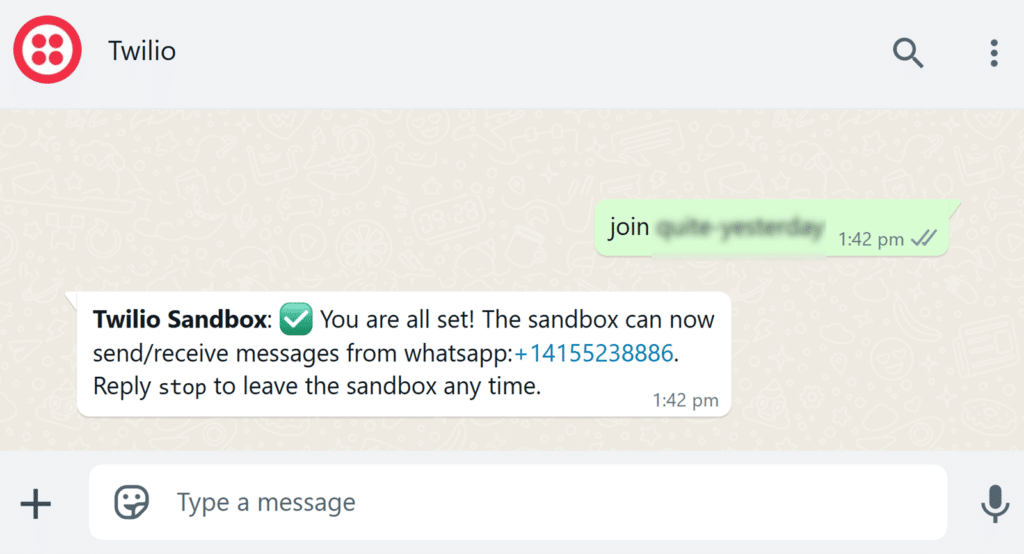
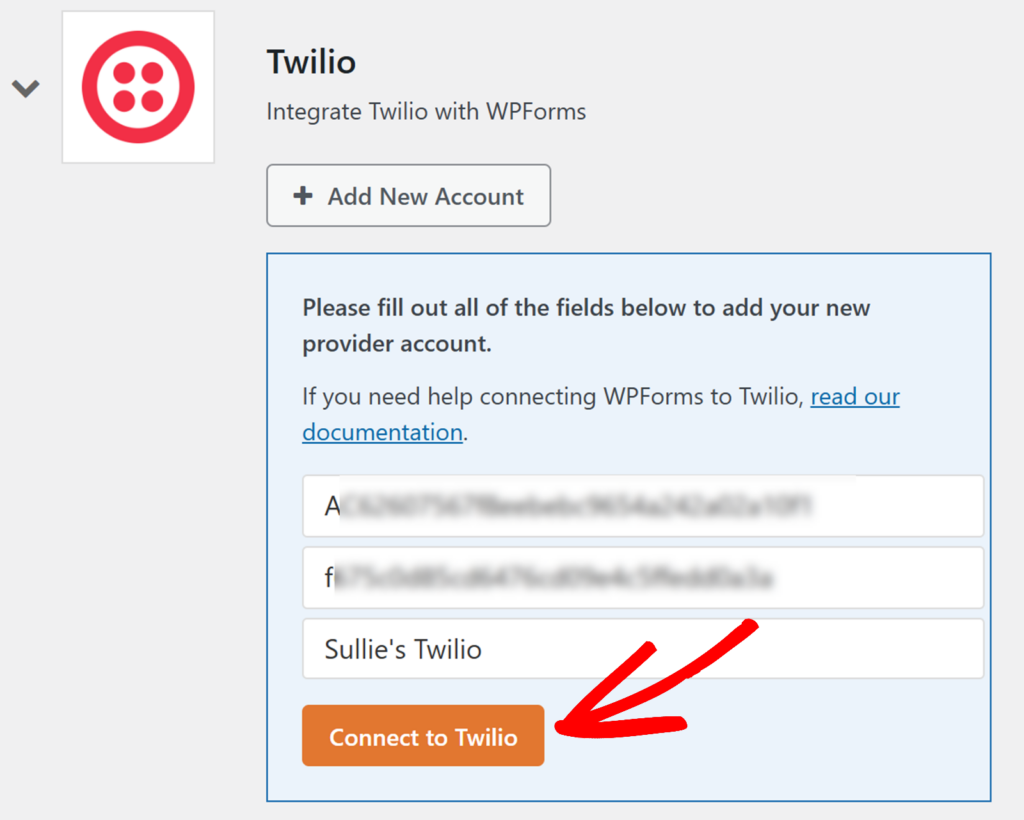When a form is submitted, Twilio fires the WhatsApp notification to whichever number or numbers you’ve configured. The friction point worth flagging upfront is the Meta Business approval. Twilio requires an approved WhatsApp Business account before your number can send template messages programmatically.
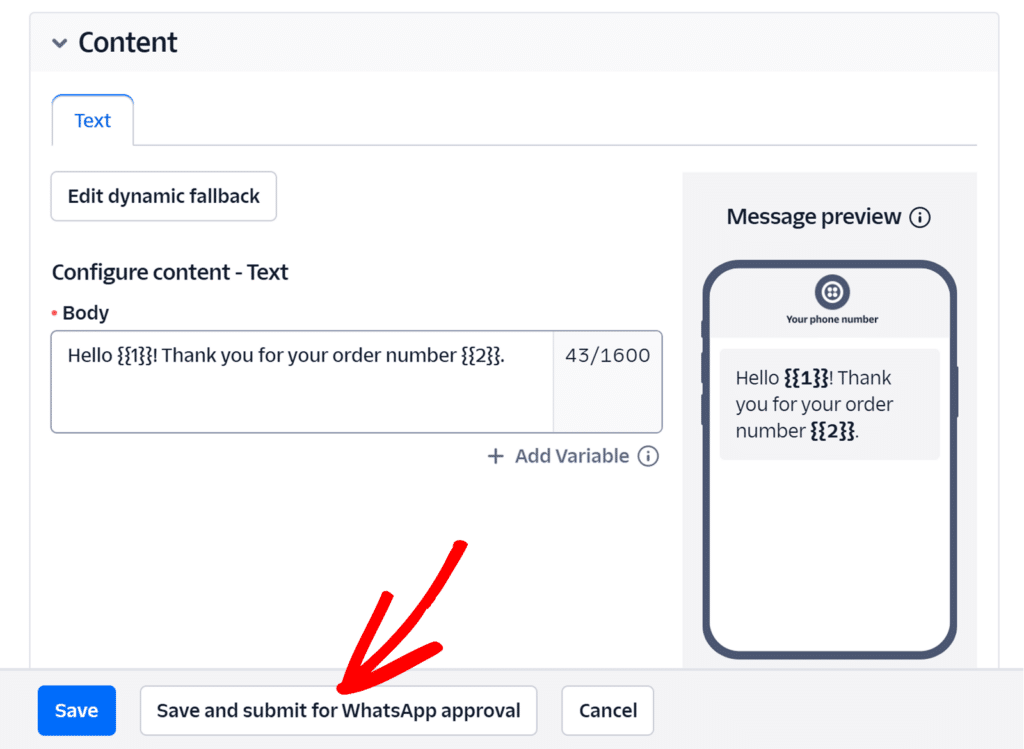And that approval typically takes 2 to 3 days even when the rest of the setup takes 20 minutes. Once approved, message template variables are straightforward, anything you put in form-field-token syntax gets replaced when the message fires.
#### What I Liked
- **Twilio addon integration:** Native WhatsApp notification support without coding
- **Custom message templates:** Map any form field to your WhatsApp message
- **2,100+ form templates:** Pre-built lead forms, contact forms, registration forms ready to use
- **Conditional logic:** Send different WhatsApp messages based on form responses
- **Multi-recipient support:** Route different submissions to different team WhatsApp numbers
- **Form abandonment recovery:** Capture partial entries and follow up via WhatsApp
#### How Much Does WPForms Cost?
The Twilio addon requires a Plus plan or higher. WPForms Plus starts at $99.50 per year for 3 sites. The Pro plan at $199.50 per year adds payments, surveys, and conversion optimization features. Elite at $299.50 unlocks unlimited sites and premium integrations.
You can read more about the full process in our guide on [how to send WordPress form entries to WhatsApp](https://wpforms.com/how-to-send-wordpress-form-entries-to-whatsapp/).
**My Verdict**
WPForms is the best choice if your WhatsApp goal is form notifications, lead capture, or any workflow that starts with a visitor submitting information. For a chat widget where visitors initiate the conversation, scroll down to Chaty or Joinchat.
### 2. [Uncanny Automator](https://wpforms.com/refer/uncanny-automator/) (Best for WhatsApp Automation Workflows)
**Quick Stats:**
- Active users: 50,000+ websites
- Rating: 4.8/5 on WordPress.org
- Best for: WhatsApp automation triggered by any WordPress event
Uncanny Automator is the automation layer that connects WhatsApp to virtually anything on your WordPress site. If WPForms is the “form to WhatsApp” solution, Uncanny Automator is the “everything to WhatsApp” solution.
It plugs into WooCommerce orders, LearnDash course completions, MemberPress signups, BuddyBoss group joins, and dozens more triggers.
The real power is the “recipe” system, where you pick a trigger (like a new WooCommerce order), pick an action (send a WhatsApp message), and define the message template with the form or order data.
A common use case is an abandoned-cart WhatsApp nudge sent two hours after a customer leaves the site, which is the kind of workflow recipes are designed to handle.
#### My Experience
The recipe builder is the most visual part of Automator, as you can create a trigger from any supported plugin (WooCommerce, LearnDash, MemberPress, WPForms, BuddyBoss, and 145 more), then add the WhatsApp action with a custom message template.
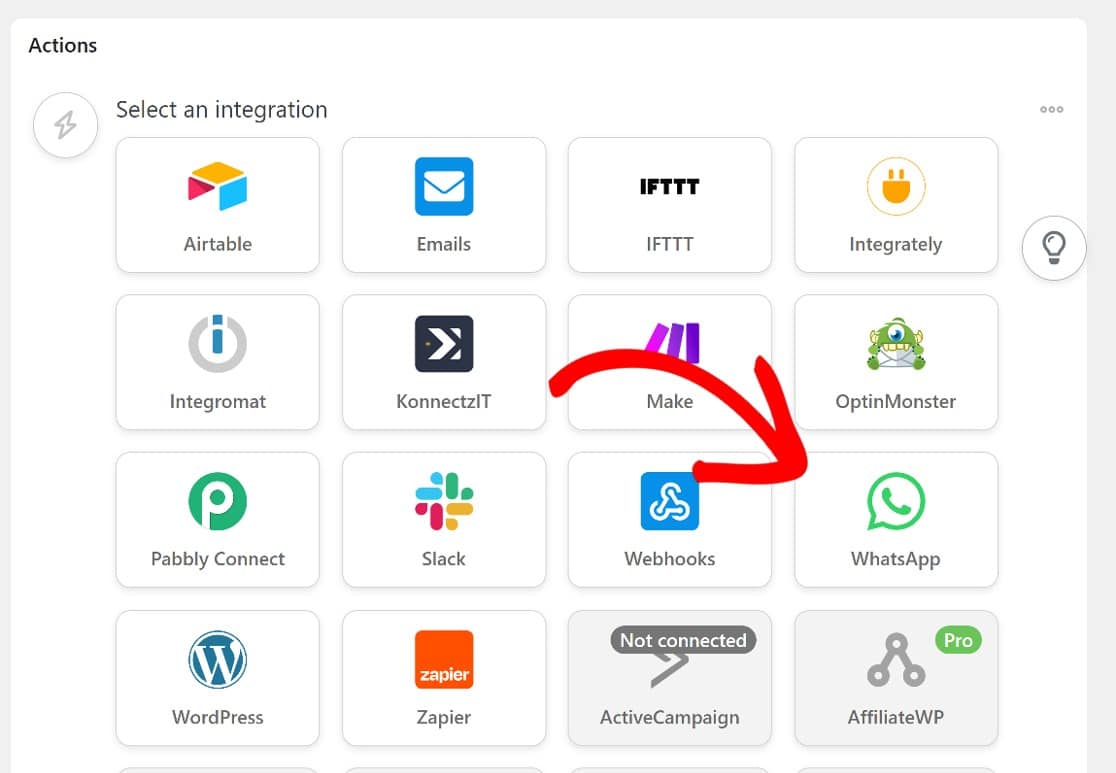Tokens like customer name or order total get replaced with real data when the recipe fires, so the WhatsApp message reaches the user with full context. The same Meta Business app setup applies here as it does for WPForms.
Once configured, the Automator side is straightforward. The free tier includes the WhatsApp action up to 250 credits per month, which is enough for small operations to test the workflow before committing to a paid plan.
#### What I Liked
- **150+ trigger integrations:** Works with WooCommerce, LearnDash, MemberPress, BuddyBoss, WPForms, and more
- **Recipe builder:** Visual workflow tool that anyone can use
- **Dynamic tokens:** Personalize WhatsApp messages with form data, user info, order details
- **Conditional logic:** Send different messages based on order value, user role, course completed
- **WhatsApp Cloud API access:** Direct integration without third-party SaaS middleware
- **Free tier for basic recipes:** Try the WhatsApp action before paying
#### How Much Does Uncanny Automator Cost?
You can connect Uncanny Automator and WhatsApp for free, but you’re limited to 250 credits per month. The Pro plan starts at $149 per year for unlimited credits and access to all 150+ app integrations. The Elite plan at $399 per year adds advanced features like loops and bulk actions.
For most small businesses sending under 250 WhatsApp messages per month through automation, the free tier is genuinely usable.
**My Verdict**
Uncanny Automator is the best choice if you need WhatsApp tied to events across multiple WordPress plugins. The recipe builder makes complex workflows accessible to non-developers.
### 3. [Chaty](https://wordpress.org/plugins/chaty/) (Best Multi-Channel WhatsApp Widget)
**Quick Stats:**
- WordPress.org Rating: 5.0/5 (1,232 ratings)
- Active Installs: 400,000+
- Best for: Multi-channel chat widgets with WhatsApp as the primary channel
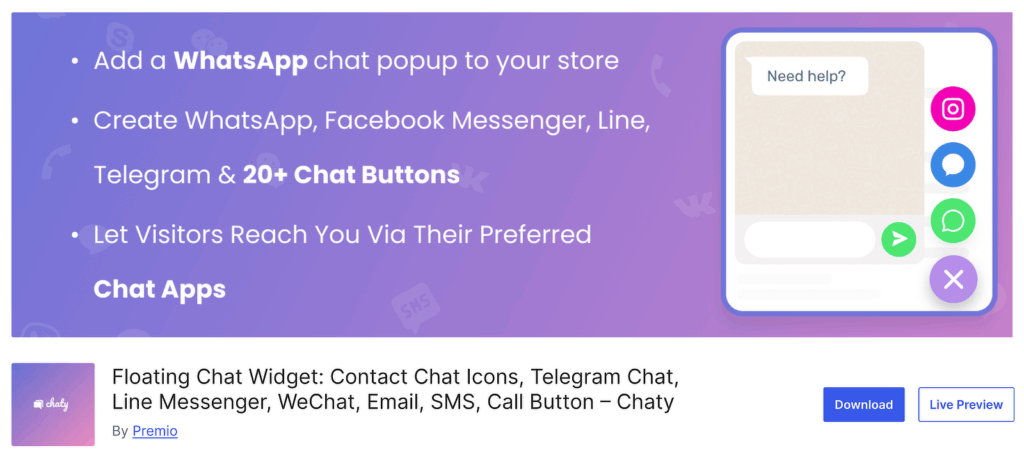Chaty is the highest-rated WhatsApp plugin in this guide, and it’s not close. With 1,232 reviews and a near-perfect 5-star average, it’s the plugin I recommend to most businesses that want a chat widget on their WordPress site. It also has 400,000+ active installs, which puts it firmly in the top tier of the category.
What makes Chaty different from a pure WhatsApp plugin is the multi-channel approach. You add WhatsApp as your primary channel, but the same floating widget can also surface Facebook Messenger, Telegram, SMS, email, phone calls, and 20+ other contact methods. Visitors pick the channel they prefer.
#### My Experience
The setup wizard is genuinely the cleanest in this category. You enter your WhatsApp number (the country code validates as you type), pick which channels you want surfaced, customize the button colors, and you’re done. The whole flow takes under five minutes to a working installation.
What stands out beyond the speed is the free tier’s coverage. You get unlimited chat channels, the floating button widget, position controls, custom call-to-action messages, basic page targeting, and even mobile vs desktop channel differentiation, none of that is paywalled.
#### What I Liked
- **25+ chat channels:** WhatsApp, Messenger, Telegram, Instagram, TikTok, SMS, phone, email, and more
- **WhatsApp chat pop-up:** Visitors start the conversation in a pop-up before being redirected to WhatsApp
- **Chat agents (Pro):** Add multiple WhatsApp numbers for different team members or departments
- **Targeting rules (Pro):** Show different chat options based on page, traffic source, country, or device
- **Mobile-specific channels:** Different chat buttons for mobile vs. desktop visitors
- **GDPR compliant:** All data stays on your website, no third-party data collection
#### How Much Does Chaty Cost?
Chaty has a generous free version on WordPress.org that includes unlimited chat channels, position controls, custom call-to-action messages, and basic page targeting.
Chaty Pro starts at $59 per year for one site, which unlocks chat agents, advanced targeting, analytics, custom CSS, and WooCommerce integration.
The free version covers most small business needs. Pro is worth it if you have multiple team members handling WhatsApp inquiries or need advanced targeting.
**My Verdict**
Chaty is the strongest pick if you want a multi-channel chat widget and WhatsApp is one of several channels you need to surface. The 5-star rating and 400K install base back that up. If you only need WhatsApp, the next two picks below are more focused on that single channel.
### 4. [Joinchat](https://wordpress.org/plugins/creame-whatsapp-me/) (Best for WhatsApp-Focused Floating Button)
**Quick Stats:**
- WordPress.org Rating: 4.7/5 (189 ratings)
- Active Installs: 700,000+
- Best for: WhatsApp-focused floating button with conversion-optimized CTAs
Joinchat (made by Creame) is the most-installed WhatsApp plugin in the world. With 700,000+ active installs across 176 countries, it’s the #1 chat solution in nine countries including Spain, Brazil, Mexico, and the Netherlands. Where Chaty spreads across many channels, Joinchat goes deep on WhatsApp specifically.
The plugin’s edge is conversion optimization. Joinchat doesn’t just drop a WhatsApp button on your site, it lets you build call-to-action messages with rich chat bubbles, dynamic variables (like product name and price for WooCommerce), opt-in consent flows, and analytics events for Google Analytics, Tag Manager, and Facebook Pixel.
#### My Experience
Joinchat’s edge is how deep it goes on WhatsApp specifically. Where Chaty spreads across many channels, Joinchat builds WhatsApp-first features. The WooCommerce product page integration is the standout.
On any single product page, the WhatsApp message can pre-populate with the product name, current price, SKU, and applied discount via dynamic variables, so the sales conversation starts with context already in place.
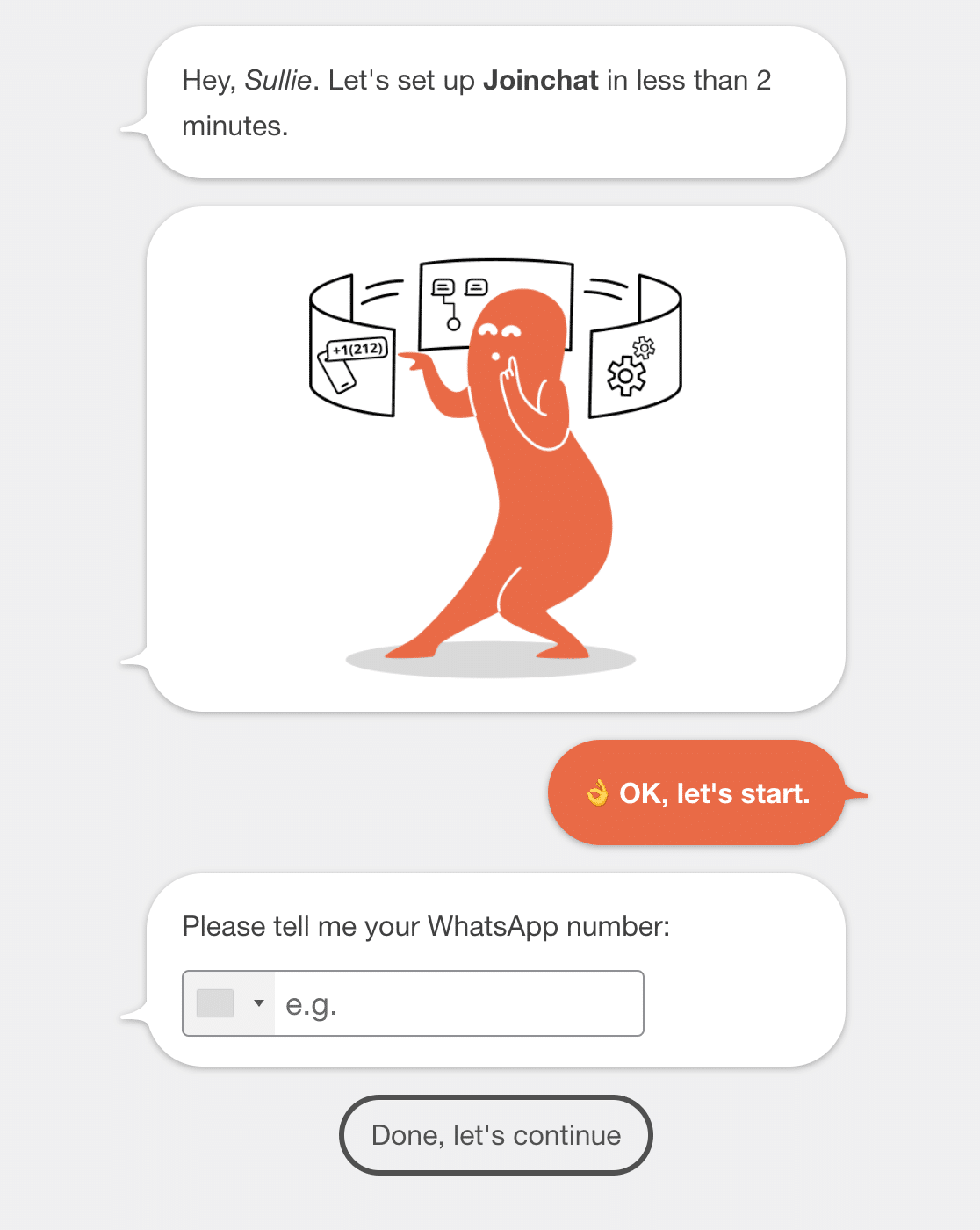The free version is unusually capable for a plugin with 700K+ active installs. You get the floating button, page-level CTAs, the WooCommerce integration, GA4 events, and the visual setup wizard, all without paying.
Premium adds multi-channel support (Telegram, Messenger, phone), agent schedules, a chat funnel system, and an AI agent add-on. Useful upgrades, but not blocking the free version’s core flow.
#### What I Liked
- **WhatsApp-first design:** Every feature is built around the WhatsApp use case, no generic chat clutter
- **Dynamic message variables:** Pre-fill messages with page title, product name, price, SKU
- **WooCommerce product integration:** Contact button next to Add to Cart with shop-specific CTAs
- **QR code on desktop:** Visitors scan to continue the chat on their phone
- **Analytics integration:** Native support for GA4, Tag Manager, Facebook Pixel, Google Ads
- **Lightweight performance:** Vanilla JavaScript with no jQuery dependency
#### How Much Does Joinchat Cost?
Joinchat has a strong free tier on WordPress.org. Joinchat Premium starts at €96 per year, which unlocks multi-channel support (Telegram, Messenger, phone), multi-agent with custom schedules, chat funnels, and the AI agent add-on.
For pure WhatsApp use cases, the free version handles most business needs. Premium makes sense when you need multiple support agents or want to add other chat channels alongside WhatsApp.
**My Verdict**
Joinchat is the right pick for WhatsApp-only sites that want polished CTAs and a tight WooCommerce integration. If you don’t need the multi-channel breadth Chaty offers, this is the more focused option for the WhatsApp use case specifically.
### 5. [Click to Chat](https://wordpress.org/plugins/click-to-chat-for-whatsapp/) (Best Free Lightweight WhatsApp Button)
**Quick Stats:**
- WordPress.org Rating: 4.8/5 (131 ratings)
- Active Installs: 700,000+
- Best for: Free, lightweight WhatsApp button without subscription costs
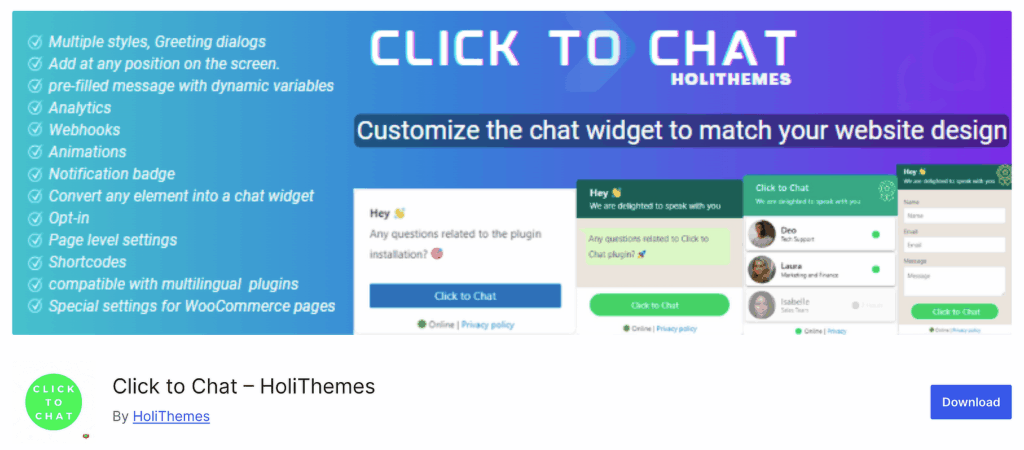Click to Chat by HoliThemes shares the 700,000+ install crown with Joinchat. It takes a different approach though, focusing on doing the basics very well and keeping the plugin lightweight, fast, and free. There’s a Pro version for advanced features, but most of the core functionality is in the free tier.
The plugin offers eight pre-designed button styles, custom positioning anywhere on the screen, WhatsApp Business support, and shortcode integration so you can drop a WhatsApp button inside any post, page, or widget. It’s not flashy, but it works reliably and doesn’t slow your site down.
#### My Experience
Click to Chat takes a simpler approach than Chaty or Joinchat. The free version covers 8 pre-designed button styles, custom positioning anywhere on the screen, WhatsApp Business support, shortcode integration for inline placement, and pre-filled message variables for site name, page title, URL, and product data.
The WooCommerce integration is the unexpected piece. On single product pages, the WhatsApp message can pull in product name, price, SKU, and other product data via dynamic variables, all in the free version.
That’s normally a paid feature elsewhere, but the catch is the Pro pricing isn’t openly published. You contact HoliThemes for a quote, which adds friction if you decide you do need premium features later.
#### What I Liked
- **8 pre-designed button styles:** Pick one that matches your site design without custom CSS
- **WooCommerce product page integration:** Add WhatsApp button on single product pages with live product info pulled from the database
- **Group chat support:** Direct visitors to a WhatsApp group instead of a single number
- **Pre-filled message variables:** Use {site}, {title}, {url}, {product} tokens in messages
- **Analytics events:** Native Google Analytics and Meta Pixel event tracking
- **Multilingual support:** Compatible with WPML and Polylang for translated sites
#### How Much Does Click to Chat Cost?
Click to Chat is genuinely free on WordPress.org. The Pro version unlocks multi-agent display, business hours scheduling, country-based targeting, contact forms before chat, and webhook integrations. Pricing isn’t published openly on their site, you contact HoliThemes for a quote.
For most small businesses, the free version covers every common need.
**My Verdict**
Click to Chat is worth considering if your goal is a working WhatsApp button without paying for a premium plugin and you’re OK with the simpler feature set.
The free version covers the basics cleanly. If you want the conversion-optimized CTAs or multi-channel breadth of the picks above, those are stronger choices when the budget allows.
### 6. [Tidio](https://www.tidio.com/) (Best Live Chat and WhatsApp Hybrid)
**Quick Stats:**
- Type: SaaS platform with WordPress plugin
- Used by: 300,000+ businesses globally
- Best for: Combining live chat, AI chatbots, and WhatsApp in one inbox
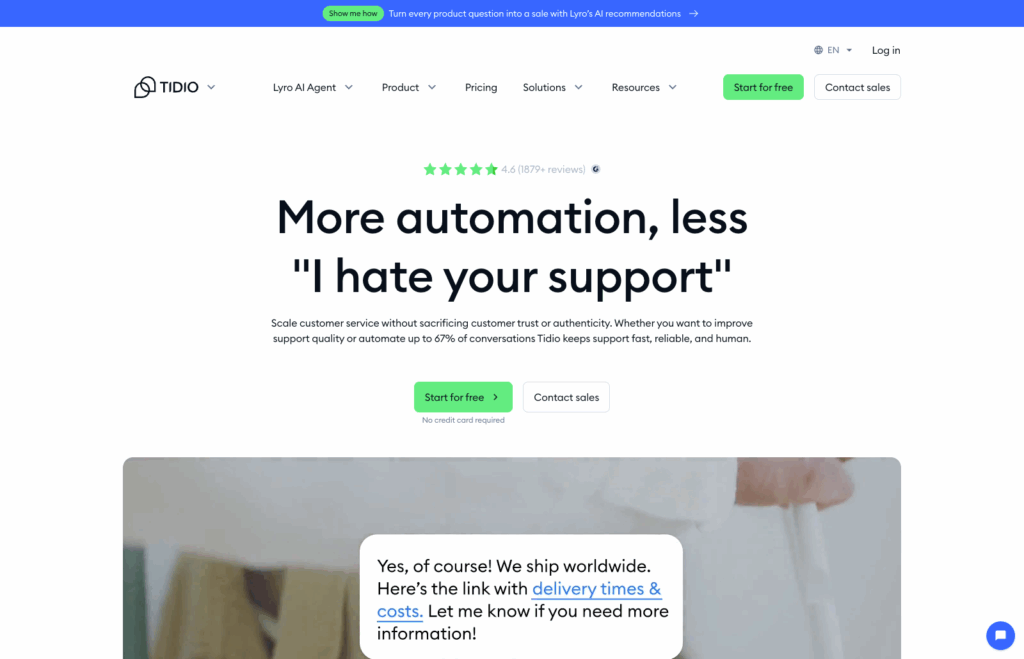Tidio is a full live chat platform that happens to integrate with WhatsApp, meaning your team handles WhatsApp conversations from the same dashboard as your live chat, email, and Messenger conversations.
The advantage is unified communications. Instead of switching between WhatsApp on your phone, live chat in a browser tab, and email in a separate inbox, your team sees every customer conversation in one place.
#### My Experience
Tidio sits in a different category from every other plugin in this guide. It’s a SaaS platform first, with a WordPress plugin that connects your site to Tidio’s hosted infrastructure.
The advantage shows up if your team is already running live chat. WhatsApp conversations route into the same inbox as live chat sessions, emails, and Messenger threads, all handled from a single dashboard or the mobile apps.
The AI chatbot piece (Lyro) is what differentiates it most from the floating-button plugins. Lyro can answer FAQ-level questions automatically (pricing, hours, basic feature inquiries) and escalates anything complex to a human agent.
#### What I Liked
- **Unified inbox:** WhatsApp, live chat, email, and Messenger in one dashboard
- **AI chatbot (Lyro):** Handles common questions automatically without human intervention
- **WhatsApp Business API integration:** Official Meta-approved WhatsApp connection
- **Mobile apps:** Respond to WhatsApp from iOS or Android apps when away from the desk
- **WooCommerce integration:** See order history and customer details while chatting
- **Pre-chat surveys:** Capture lead information before the conversation starts
#### How Much Does Tidio Cost?
Tidio has a free plan that covers basic live chat for up to 50 conversations per month. The Starter plan starts at $29 per month for 100 conversations.
The Growth plan at $59 per month adds the WhatsApp integration, AI chatbot, and team analytics. The Tidio+ plan starts at $749 per month for high-volume businesses.
For WhatsApp specifically, you’ll need at least the Growth plan. If your team only handles WhatsApp and basic chat, Joinchat or Chaty are more affordable. Tidio makes financial sense once you’re combining live chat with WhatsApp at scale.
For a broader look at live chat alternatives, see our guide to the [best live chat software](https://wpforms.com/best-live-chat-software/).
**My Verdict**
Tidio is the best WhatsApp option for teams that already need live chat and want everything in one inbox. The AI chatbot and unified dashboard are worth the higher price for businesses with real support volume.
### 7. [WhatsApp Chat by QuadLayers](https://quadlayers.com/products/whatsapp-chat/) (Best for Chatbox-Style Interactions)
**Quick Stats:**
- Type: Free + Premium plugin
- WordPress.org plugin: Click To Chat (free version)
- Best for: Embedded WhatsApp chatbox with pre-set messages
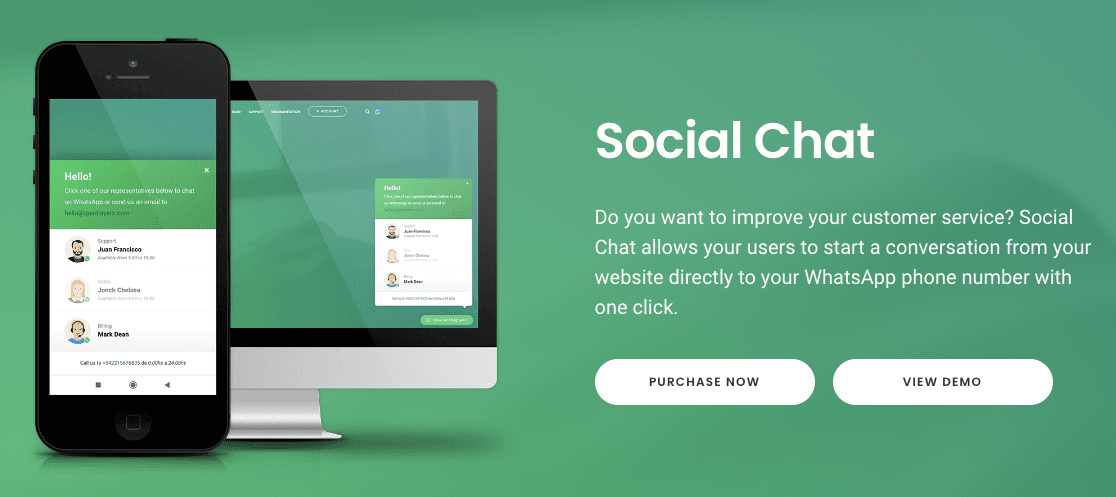WhatsApp Chat by QuadLayers (also called Social Chat) takes a different visual approach. Instead of a floating button that redirects to WhatsApp, it displays an embedded chatbox right on your site that looks like a WhatsApp conversation, with a pre-set message and the option for visitors to type a reply.
#### My Experience
The chatbox style is more engaging than a static button, especially for first-time visitors who haven’t decided whether to message you yet. Seeing a friendly pre-written message (“Hi, how can we help today?”) often nudges them to start a conversation.
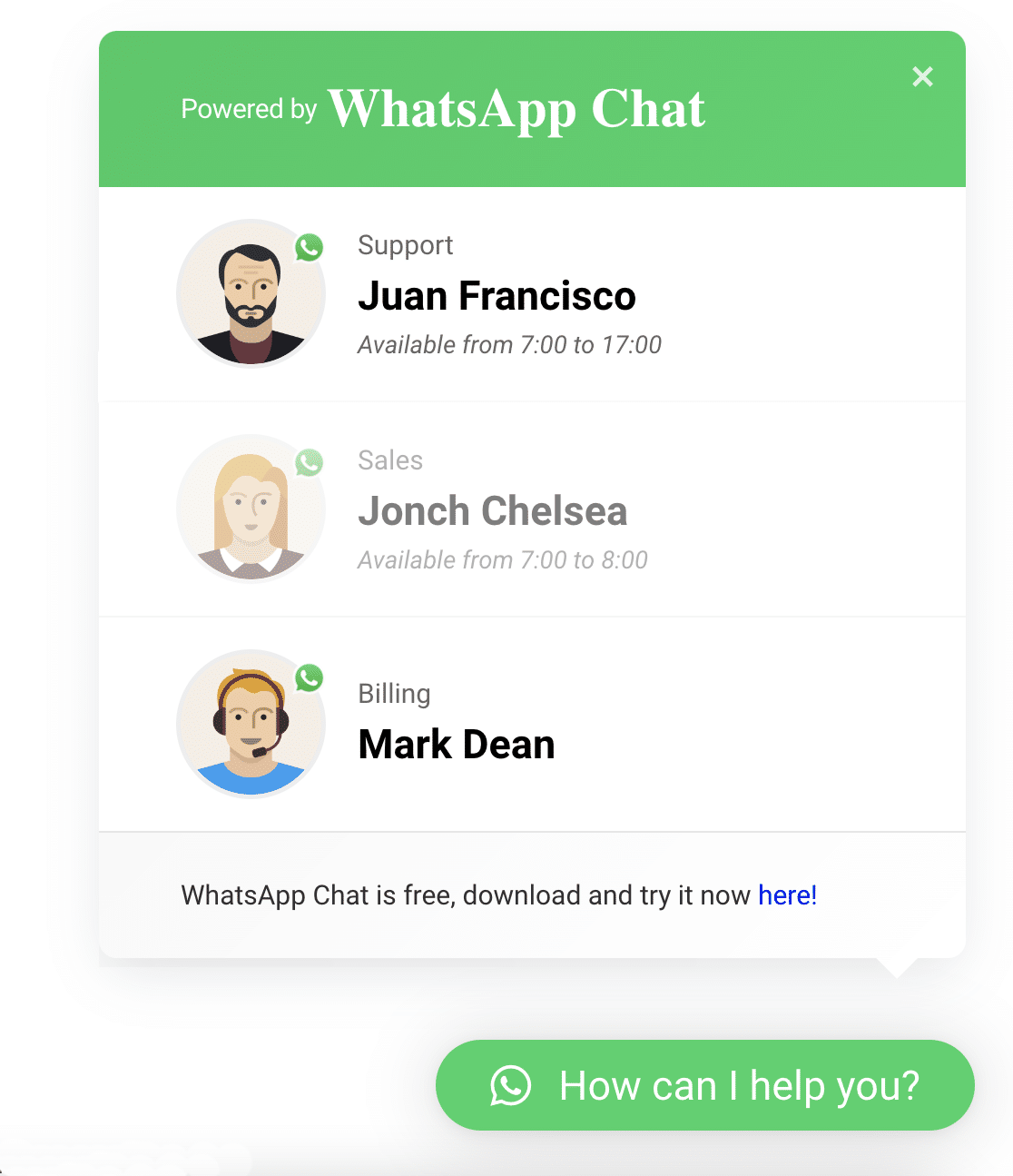The trade-off is visual flexibility, and the free version gives you 2 layout options and 4 button positions, and that’s the ceiling unless you upgrade. If your site design needs more layout control, you’ll hit walls quickly.
#### What I Liked
- **Chatbox-style interface:** Looks like an actual WhatsApp conversation, not just a button
- **Pre-set welcome messages:** Customize what the chatbox says before visitors click
- **Header and footer customization:** Add your business name, avatar, and tagline
- **Shortcode support:** Drop the chatbox into any post, page, or widget area
- **Contact information collection:** Optional form to capture visitor details before the chat
- **Multi-agent support (Pro):** Multiple WhatsApp numbers for different team members
#### How Much Does WhatsApp Chat Cost?
The free version (called Click To Chat on WordPress.org) covers basic chatbox functionality with limited layouts. The premium version starts at $49 (one-time payment) for advanced layouts, multiple agent support, and chatbox customization options.
For most use cases, the free version handles the basics. Premium makes sense if you specifically need the chatbox style and want more visual control.
**My Verdict**
WhatsApp Chat by QuadLayers is the best plugin if you specifically want a chatbox-style interface rather than a floating button. For most other use cases, Chaty or Joinchat are stronger overall picks.
### 8. [Buttonizer](https://wordpress.org/plugins/buttonizer-multifunctional-button/) (Best Smart Multi-Button System)
**Quick Stats:**
- WordPress.org plugin available
- Free tier: Up to 5,000 page views per month
- Best for: Smart multi-button systems with WhatsApp + actions
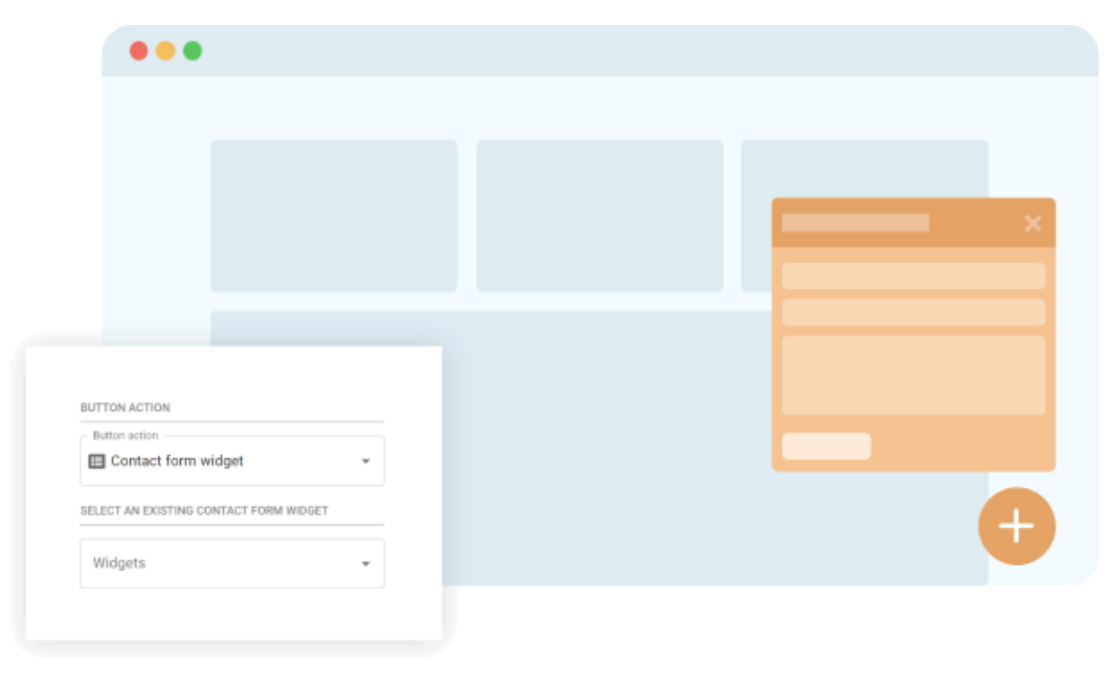Buttonizer takes a smart-button approach to WhatsApp. Instead of just a chat widget, it’s a multi-action floating button system where WhatsApp is one of many actions visitors can trigger. The same button can also let visitors call you, open a contact form, navigate to a page, or scroll back to the top.
The plugin offers 40+ button styles, page-specific configurations (different buttons on different pages), and click-to-call functionality alongside the WhatsApp option. It’s more flexible than a pure WhatsApp plugin but less focused than something like Joinchat.
#### My Experience
Buttonizer’s framing isn’t quite “WhatsApp plugin”, but rather a smart multi-button widget where WhatsApp happens to be one of the supported actions.
The same floating button cluster can show a WhatsApp option alongside a click-to-call action, a contact form trigger, a scroll-to-top button, or links to other pages. 40+ chat button styles, page-specific configurations, mobile vs desktop targeting all included.
The catch is the free tier’s traffic cap. 5,000 page views per month before the WhatsApp button stops appearing. That works for very small sites or proof-of-concept testing, but any site with real traffic will hit the limit fast.
#### What I Liked
- **40+ chat button styles:** More design variety than most WhatsApp-specific plugins
- **Page-specific buttons:** Different floating buttons on different pages or post types
- **Mobile vs. desktop targeting:** Show different buttons based on device
- **Click-to-call integration:** Pair WhatsApp with phone call buttons in the same widget
- **Custom welcome messages:** Personalize the visitor experience per button
- **Agent name and avatar:** Make the chat feel more personal with team member photos
#### How Much Does Buttonizer Cost?
The free version shows your WhatsApp button to up to 5,000 page views per month. Buttonizer Pro starts at $100 per year, which removes the page view limit and unlocks advanced features like A/B testing, exit-intent triggers, and detailed analytics. The page view limit is the catch. If your site gets serious traffic, you’ll hit it fast and need to upgrade.
**My Verdict**
Buttonizer is the best WhatsApp option if you want a multi-action button system, not just a chat widget. The page-specific button configuration is genuinely useful for businesses with multiple services or contact methods.
### How I Chose These WhatsApp Plugins
The WhatsApp plugin space has gotten crowded fast, with new plugins launching every quarter. The 8 picks in this guide were selected against the following criteria:
- **Functionality and features:** Real WhatsApp integration, not just a button that links to wa.me URLs. Features like multi-agent support, automated workflows, and analytics tracking moved plugins up the list.
- **Ease of use:** Setup wizard quality, configuration complexity, and how much of a working installation lives in the free tier vs paywalled.
- **Compatibility:** WordPress version compatibility (tested-up-to versions), WooCommerce integration where relevant, and reported conflict-free behavior with popular themes and page builders.
- **Support and updates:** WordPress.org update frequency, last-updated dates, support forum activity, and customer reviews on the WP.org listing itself.
- **Pricing and value:** Free tiers that are genuinely usable, plus reasonable paid tier pricing relative to the features unlocked. Plugins with paywalls behind every basic feature got demoted.
### What Is the Best WhatsApp WordPress Plugin?
The honest answer depends on what you’re trying to do with WhatsApp on your site. Here’s how I’d pick.
- **For sending WhatsApp notifications from forms or workflows**, WPForms (paired with the Twilio addon) is the easiest path. If your goal is letting customers reach you on WhatsApp through a contact form, lead capture form, or any other form, this is the plugin to install.
- **For automation across multiple WordPress plugins**, Uncanny Automator wins. The recipe builder lets you trigger WhatsApp messages from WooCommerce orders, course completions, membership signups, or any other event on your site.
- **For a multi-channel chat widget where WhatsApp is one of several channels**, Chaty is the strongest pick. The 5-star rating and 400K install base back that up.
- **For a WhatsApp-only chat button** with deeper WooCommerce integration, Joinchat is the more focused choice.
- **For a free, no-cost setup**, Click to Chat is the cleanest option. It’s been reliable for years and the free version covers everything most small businesses need.
- **For teams already running live chat**, Tidio combines WhatsApp with the rest of your support inbox in a way that no other plugin does.
### FAQs About WhatsApp Plugins for WordPress
WhatsApp plugins for WordPress are a popular topic among site owners. Here are answers to the most common questions I see in support forums and reader emails.
#### What is the best WhatsApp plugin for WordPress?
The best WhatsApp plugin depends on what you’re trying to do. For sending WhatsApp notifications from form submissions, WPForms with the Twilio addon is the cleanest setup.
For a multi-channel chat widget where WhatsApp is one of several channels, Chaty leads the category (5 stars, 400,000+ active installs).
For WhatsApp-only chat buttons with deep WooCommerce integration, Joinchat (700,000+ installs) is the more focused choice.
#### Is there a free WhatsApp plugin for WordPress?
Yes. Click to Chat by HoliThemes, Chaty (free tier), Joinchat (free tier), and the QuadLayers WhatsApp Chat free version all let you add a working WhatsApp button to your WordPress site without paying anything. For automation, Uncanny Automator’s free tier includes the WhatsApp action up to 250 credits per month.
#### How do I send form data to WhatsApp in WordPress?
The easiest way to send form data to WhatsApp in WordPress is using WPForms with the [Twilio addon](https://wpforms.com/announcing-wpforms-twilio-addon/). After connecting your Twilio account and configuring a WhatsApp-approved message template, you map any form field to the WhatsApp message variables. Every form submission then triggers a WhatsApp notification with the form data.
#### How do I add a floating WhatsApp icon to my WordPress site?
Install a plugin like Chaty, Joinchat, or Click to Chat. Each one offers a floating WhatsApp button that you can position anywhere on your screen. The setup is the same in all three: install the plugin, enter your WhatsApp number, customize the button design and pre-filled message, then activate.
#### Can I use WhatsApp Business with these plugins?
Yes. Every plugin in this guide supports WhatsApp Business numbers in addition to personal WhatsApp accounts. For higher-volume use cases (like sending bulk notifications or running an automated workflow), you’ll need WhatsApp Business API access through Meta, which Uncanny Automator, Tidio, and WPForms (via Twilio) all support.
#### How do I add a WhatsApp button to WordPress without a plugin?
If you prefer not to use a plugin, you can add a basic WhatsApp button using the WordPress Social Icons block.
Add a new block, select Social Icons, click the plus button, choose WhatsApp, and add this URL: `https://api.whatsapp.com/send?phone=12123456789` (replace with your actual number including country code).
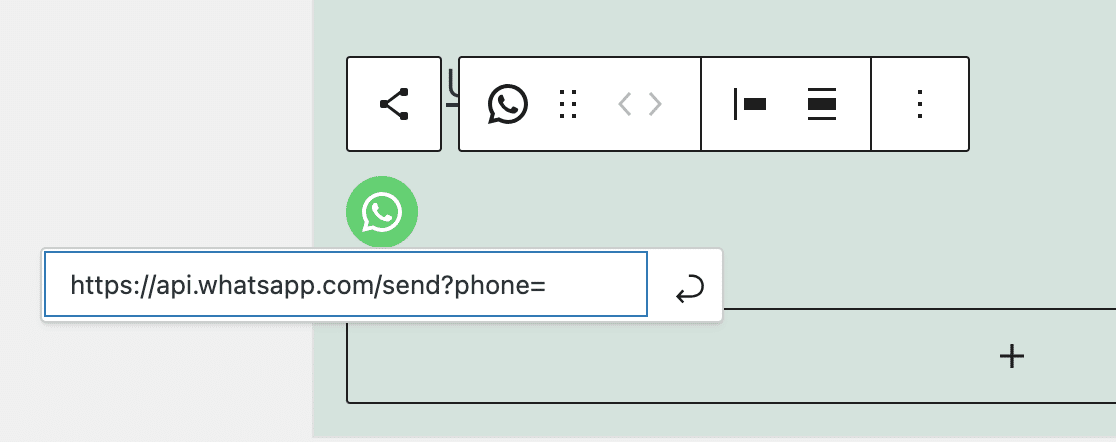
Save your changes and the WhatsApp icon appears on your site. The downside is your WhatsApp number becomes visible to anyone who visits the page, which can attract spam. Using a plugin keeps the number hidden behind a click action.
#### Do WhatsApp plugins work on mobile?
Yes. Every plugin in this guide works on mobile, and most let you configure different button styles or chat channels for mobile versus desktop visitors. When a mobile visitor taps a WhatsApp button, the WhatsApp mobile app opens directly. On desktop, they’re redirected to WhatsApp Web or the WhatsApp Desktop app.
### Next, Build Lead Forms That Feed Your WhatsApp Workflow
Now that you’ve picked your WhatsApp plugin, the next move is building the lead forms and contact forms that feed conversations into it.
WPForms makes that part easy with 2,100+ form templates and native integrations for WhatsApp notifications via Twilio. If you’re researching related topics, check out these other guides:
- [Best WordPress SMS Plugins](https://wpforms.com/best-wordpress-sms-plugins/) for text message workflows that pair with WhatsApp
- [Best Live Chat Software](https://wpforms.com/best-live-chat-software/) for broader chat tooling beyond WhatsApp
- [Chatbots vs Forms](https://wpforms.com/chatbots-vs-forms-which-is-better/) to decide which approach fits your use case
- [ChatGPT Plugins for WordPress](https://wpforms.com/chatgpt-plugins-for-wordpress/) for AI-powered conversation automation
[Build Your WhatsApp Lead Forms Now](https://wpforms.com/pricing/)
Ready to build your form? Get started today with the easiest WordPress form builder plugin. [WPForms Pro](https://wpforms.com/pricing) includes lots of free templates and offers a 14-day money-back guarantee.
If this article helped you out, please follow us on [Facebook](https://facebook.com/wpforms) and [Twitter](https://twitter.com/easywpforms) for more free WordPress tutorials and guides.
**Categories:** Showcases
**Tags:** uncanny automator, whatsapp, WordPress plugins, WPForms
---