### [9 Best SMTP Servers for Reliable Email Delivery in 2026](https://wpforms.com/best-smtp-servers/)
**Published:** June 7, 2024
**Author:** Hamza Shahid
**Excerpt:** If your contact form emails are landing in spam (or not arriving at all), the problem is almost never your form plugin. It's how WordPress sends mail.
By default, WordPress uses PHP's mail() function, and most hosts don't authenticate it properly, so Gmail and Outlook quietly route those messages to junk or block them entirely.
An SMTP server fixes that, as it relays your WordPress emails through an authenticated provider with proper SPF, DKIM, and DMARC records, which means your emails actually reach the inbox.
To save you the trial and error of picking through dozens of providers, here are the 9 SMTP servers I trust on WordPress sites in 2026, with current pricing and an honest read on where each one fits.
**Content:**
If your contact form emails are landing in spam (or not arriving at all), the problem is almost never your form plugin. It’s how WordPress sends mail.
By default, WordPress uses PHP’s `mail()` function, and most hosts don’t authenticate it properly, so Gmail and Outlook quietly route those messages to junk or block them entirely.
An SMTP server fixes that, as it relays your WordPress emails through an authenticated provider with proper SPF, DKIM, and DMARC records, which means your emails actually reach the inbox.
To save you the trial and error of picking through dozens of providers, here are the 9 SMTP servers I trust on WordPress sites in 2026, with current pricing and an honest read on where each one fits.
- [The Best SMTP Servers for Reliable Email Delivery](#aioseo-best-smtp-servers-for-2025-compared-5)
- [1. SendLayer](#aioseo-1-sendlayer-11)
- [2. SMTP.com](#2-smtp-com)
- [3. Brevo (formerly Sendinblue)](#3-brevo-formerly-sendinblue)
- [4. Postmark](#4-postmark)
- [5. Mailgun](#5-mailgun)
- [6. SMTP2GO](#6-smtp2go)
- [7. SendGrid](#7-sendgrid)
- [8. Amazon SES](#8-amazon-ses)
- [9. Google Workspace](#9-google-workspace)
## The Best SMTP Servers for Reliable Email Delivery
This list ranks 9 SMTP providers across price, deliverability, and how well they play with WordPress. I evaluated each one through [WP Mail SMTP](https://wpmailsmtp.com/) (the most-used SMTP plugin for WordPress) on real installs.
I also payed attention to setup speed, deliverability behavior, dashboard quality, and the free-tier headroom each provider gives you before asking for a credit card.
ServiceBest ForPricing**[SendLayer](#1-sendlayer)**Reliable transactional email for WordPress sitesFree trial (200 emails). Paid plans start at $5/month for 1,000 emails.**[SMTP.com](#2-smtp-com)**High-volume scaling and managed deliverabilityEssential plan starts at $25/month for 50,000 emails. 30-day free trial.**[Brevo](#3-brevo-formerly-sendinblue)**All-in-one transactional plus email marketingFree plan with 300 emails per day. Paid plans start at $9/month.**[Postmark](#4-postmark)**Highest inbox placement for transactional mailFree 100 emails/month. Paid plans start at $15/month for 10,000 emails.**[Mailgun](#5-mailgun)**Developer-built APIs and webhooksFree 100 emails/day. Paid plans start at $15/month for 10,000 emails.**[SMTP2GO](#6-smtp2go)**Generous free tier for small sendersFree 1,000 emails/month. Paid plans start at $10/month for 10,000 emails.**[SendGrid](#7-sendgrid)**Enterprise scale and proven infrastructure60-day free trial. Essentials starts at $19.95/month.**[Amazon SES](#8-amazon-ses)**Pay-as-you-go pricing for AWS users$0.10 per 1,000 emails. AWS-hosted apps get 3,000 free emails per month.**[Google Workspace](#9-google-workspace)**Small business email plus light SMTP usageBusiness Starter at $7/user/month (annual).### 1. [SendLayer](https://sendlayer.com/)
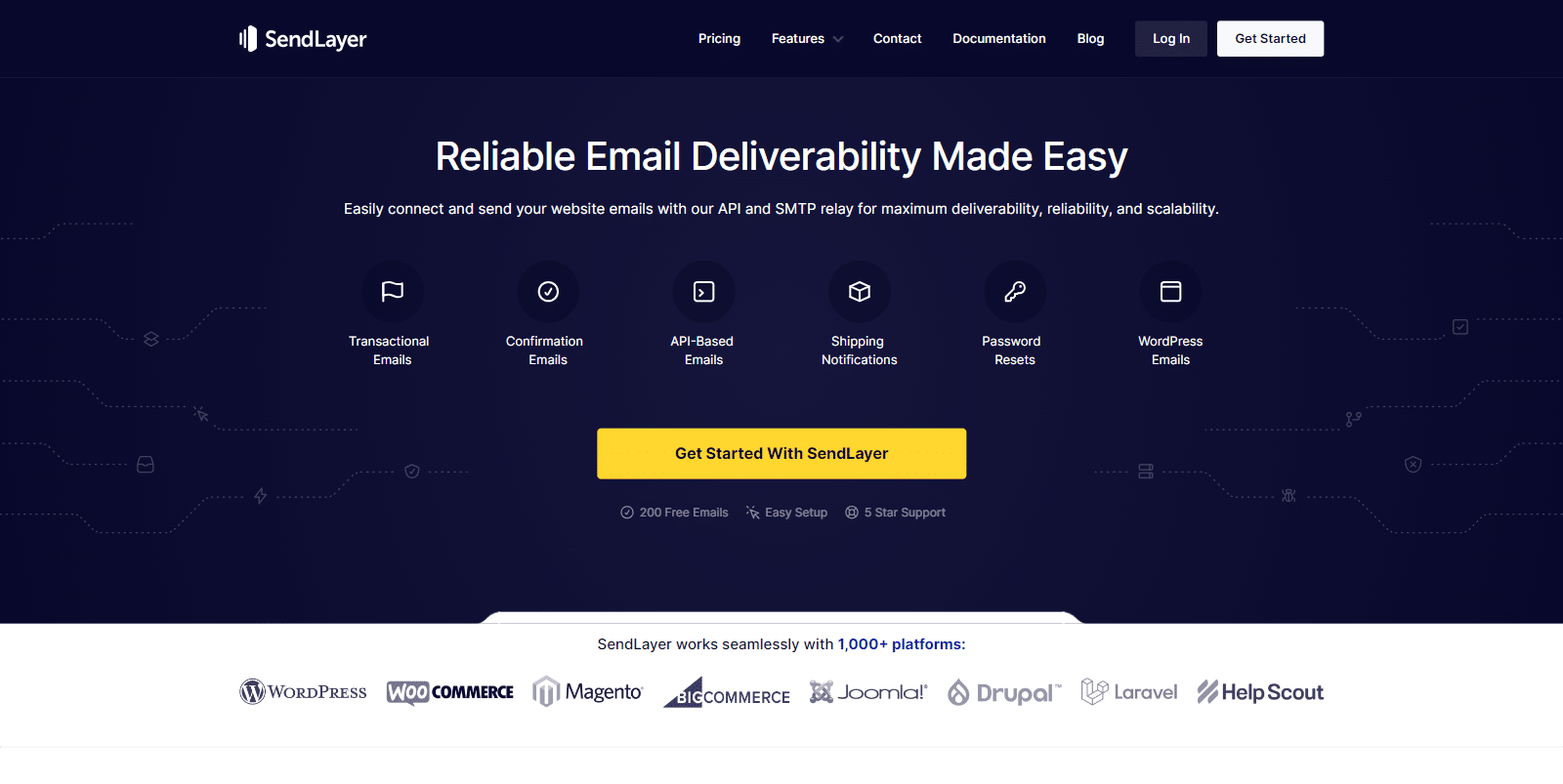SendLayer is a transactional email service built specifically for the kind of mail WordPress sites send. Password resets, form notifications, eCommerce receipts, and account verification messages.
The whole product is shaped around reliable delivery, with authentication handled for you and a dashboard that’s pleasant to actually use.
What makes SendLayer my default recommendation is that it’s purpose-built for the use case most WPForms readers have, and the setup wizard inside WP Mail SMTP gets you connected in about five minutes.
#### My Experience
The setup flow is the cleanest of any provider on this list. You sign up, drop in the API key, verify your domain by adding four DNS records that SendLayer generates for you, and you’re done.
From a fresh signup to the first test email landing in Gmail takes about five minutes if you have access to your DNS panel (which is an important part for setting up any SMTP service).
What I’ve come to appreciate is the email log inside the dashboard. Every message is searchable by recipient, subject, and status, and you can see the open and click events for each one without leaving the page.
For a contact form on a small business site, that built-in visibility is usually all you need to debug a missing notification, no separate logging plugin required. You can also dig deeper with the [SendLayer review](https://wpforms.com/sendlayer-review/) for a closer look at the product.
#### What I Liked
- **Built for WordPress flows:** The setup walkthrough assumes you’re connecting it to a WordPress site, so the docs match the path most readers are taking.
- **Solid free trial:** 200 emails is enough to actually evaluate the service on a real site before paying.
- **Clean email log:** Every message is searchable by recipient, subject, and status without setting up a separate logging plugin.
- **Authentication is automated:** Domain verification walks you through SPF, DKIM, and DMARC with copy-paste DNS records.
- **Native WP Mail SMTP integration:** Available in the free version of WP Mail SMTP with a guided setup wizard.
- **Bounce and blocklist handling:** Hard bounces get suppressed automatically, so your sender reputation stays clean.
- **Webhooks for events:** Open, click, bounce, and complaint events fire as webhooks if you want to wire them into your own systems.
#### How Much Does SendLayer Cost?
SendLayer offers a free trial that lets you send up to 200 emails to validate the setup. Paid plans start at **$5 per month for the Starter plan** with 1,000 monthly emails, 1 sender domain, and 3-day log retention.
The **Business plan is $15/month** for 5,000 emails and 5 sender domains. The **Growth plan is $25/month** for 10,000 emails with 30-day log retention. There’s also a custom Scale plan for senders above 20,000 emails per month.
**My Verdict**
If your goal is reliable transactional email for a WordPress site without configuring a marketing tool you don’t need, SendLayer is the answer. The free trial, native WP Mail SMTP integration, and clean log make it the lowest-friction option on this list.
### 2. [SMTP.com](https://wpforms.com/refer/smtp-com/)
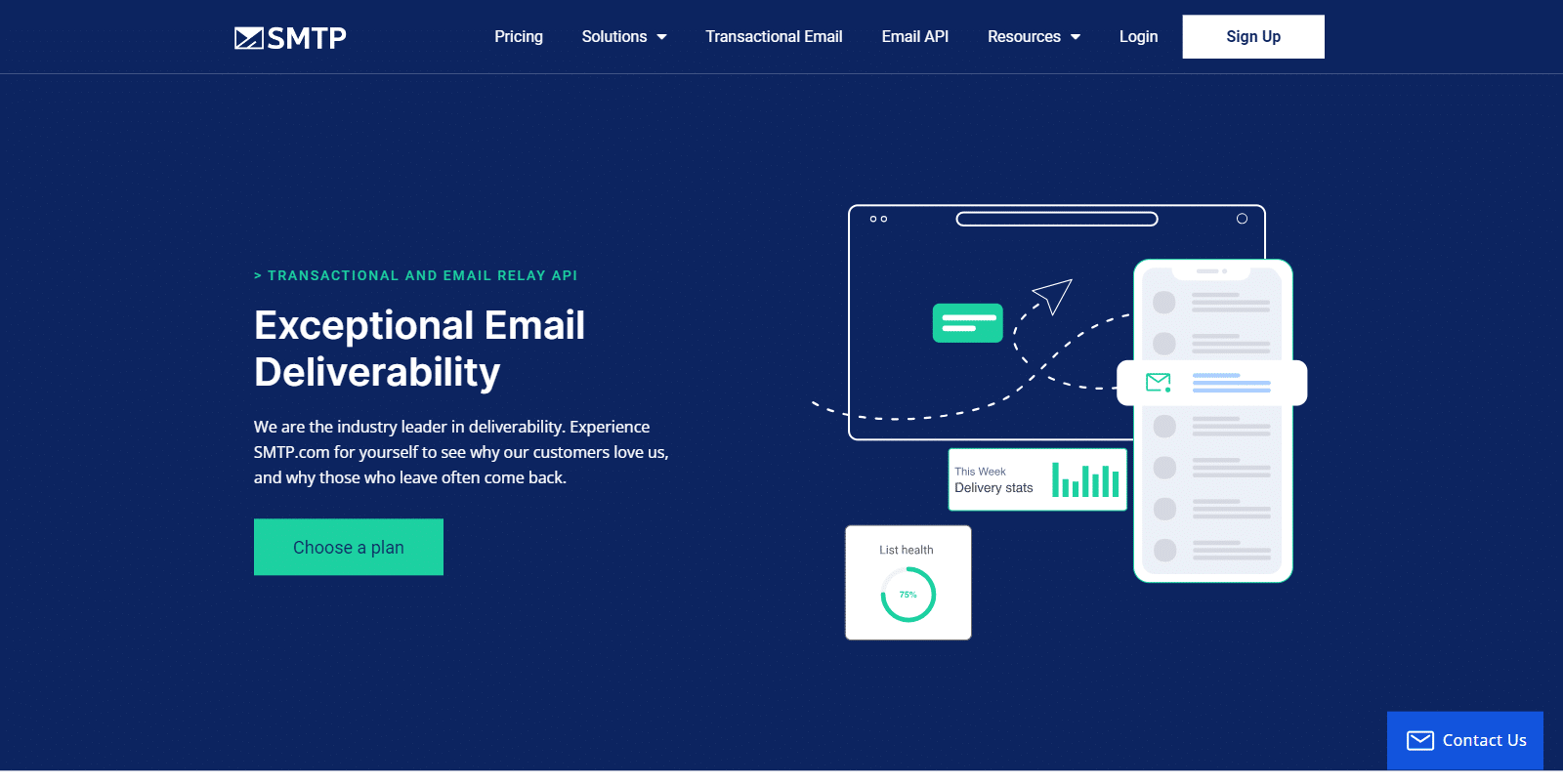SMTP.com has been in the email delivery business since 1998, which is unusual in a market full of two-year-old startups. The platform is built around managed deliverability, dedicated IP options, and the kind of volume tiers that scale from 50,000 emails up to 1 million per month without changing providers.
That long history shows up in the product. Reputation defender, dedicated IP warmup, and 24/7 support are all available, and the dashboard surfaces the deliverability metrics that actually matter when you’re sending at scale (bounces, complaints, blocklist hits) instead of vanity metrics.
#### My Experience
Setup through WP Mail SMTP is a straight API-key configuration, and the SMTP.com dashboard surfaces deliverability metrics that matter at scale, things like bounce categories, complaint rates, and any sender reputation flags, on the main page instead of buried three menus deep.
What stands out compared to the budget options is the Reputation Defender add-on. It’s a managed service where the SMTP.com team actively monitors your sender reputation and reaches out if a list cleanup or warmup adjustment is needed.
That kind of hands-on guidance is hard to find at the entry-level prices, and it’s the reason SMTP.com tends to come up for senders who’ve already been burned by deliverability issues on a cheaper provider.
#### What I Liked
- **Scales cleanly to high volume:** The same account that runs 50,000 emails a month works at 1 million without re-architecting anything.
- **Dedicated IP options:** Available as an add-on, with managed warmup if you don’t want to handle reputation yourself.
- **All features on every plan:** Plans differ only by volume, so you don’t lose deliverability tools by picking a smaller tier.
- **24/7 support that actually responds:** Real humans answer support tickets, not a chatbot loop.
- **Real-time analytics:** Open, click, bounce, and complaint data updates in near real time inside the dashboard.
- **Long deliverability track record:** A 25+ year history with email providers translates to inbox placement that’s hard for newer services to match.
#### How Much Does SMTP.com Cost?
SMTP.com runs a 30-day free trial that includes 50,000 emails, which is genuinely enough to evaluate it at scale. Paid plans are tiered by volume.
The Essential plan is $25/month for 50,000 emails, the Starter plan is $80/month for 100,000 emails, the Growth plan is $300/month for 500,000 emails, and the Business plan is $500/month for 1 million emails.
Custom enterprise plans cover 250 million emails and above. Dedicated IPs and the Reputation Defender add-on are extra, and worth it once you cross 100,000 monthly emails.
**My Verdict**
Best if your priority is high-volume scaling with managed deliverability help. SMTP.com is the safer pick for membership sites, large WooCommerce stores, and anyone who’s already been burned by deliverability issues on a cheaper provider.
### 3. [Brevo (formerly Sendinblue)](https://wpforms.com/refer/brevo/)
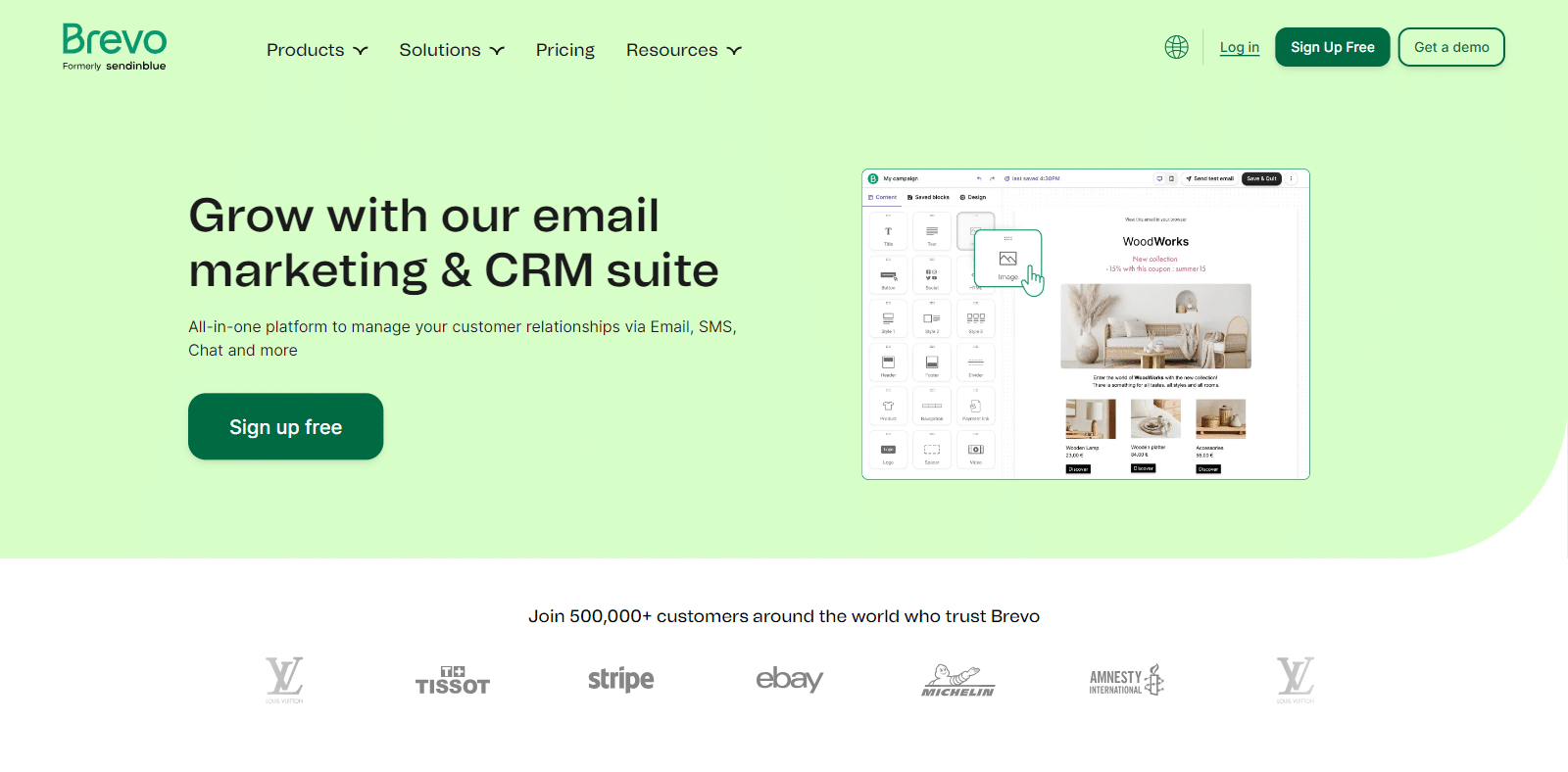Brevo (rebranded from Sendinblue in 2023) is the option to pick when transactional email is only half of what you need. The platform combines SMTP relay, transactional API, email marketing, SMS, and a light CRM into one product, so your form notifications and your newsletter live in the same dashboard.
The free plan is what makes Brevo unusually approachable. You get 300 emails per day forever, with no time limit, and that quota covers both transactional and marketing sends. For a small business that needs reliable form notifications and an occasional newsletter, Brevo can run the whole operation without an upgrade.
#### My Experience
The transactional API integrates cleanly through WP Mail SMTP, and the marketing side of Brevo lives in its own section of the dashboard so the two don’t interfere with each other.
The interface separation matters because it means a marketing send misconfiguration can’t accidentally affect how your transactional email is routed.
Form submissions can sync directly into a Brevo contact list with tags applied at the form level, which means a “request a quote” submitter ends up segmented automatically without standing up a separate Zapier integration.
#### What I Liked
- **300 emails/day on the free plan:** No time limit, no card required, and it covers both transactional and marketing sends.
- **Unlimited contacts on every plan:** Most competitors charge by contact count. Brevo charges by send volume instead.
- **Marketing plus transactional in one tool:** Newsletter, automation, and SMTP relay share the same contact database.
- **EU-based and GDPR-friendly:** Hosting is in the EU by default, which matters for some EU-based businesses.
- **Drag-and-drop email designer:** For marketing sends, the editor is genuinely good without paying for a separate ESP.
- **SMS and WhatsApp add-ons:** If you want to send transactional SMS alongside email, it’s the same platform.
#### How Much Does Brevo Cost?
The **free plan covers 300 emails per day** with unlimited contacts.
Paid plans start at $9/month for the Starter plan, $18/month for Standard, and $499/month for Professional with advanced automation and a dedicated success manager.
There’s also a pay-as-you-go option for transactional senders who don’t want a monthly commitment, with pricing that scales by volume.
The big gotcha is that the cheapest paid tier removes the Brevo logo and unlocks higher daily limits, but advanced features like landing pages or A/B testing only show up on Standard.
**My Verdict**
Best if your priority is combining transactional email with marketing in one tool. The free plan alone covers a lot of small WordPress sites without ever paying, and the unlimited-contacts model is rare at this price.
### 4. [Postmark](https://postmarkapp.com/)
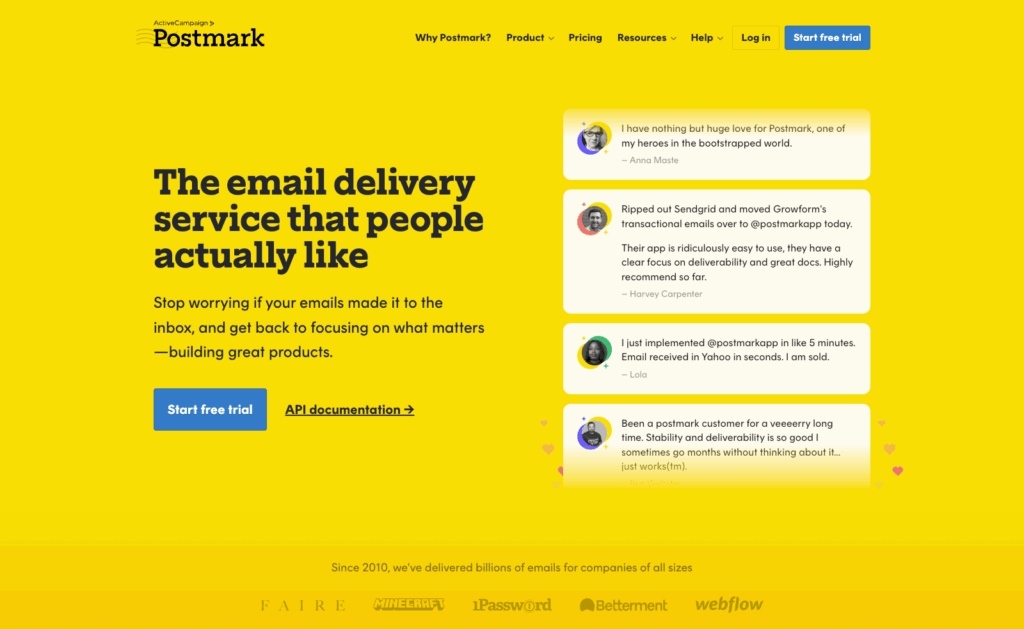Postmark is the most deliverability-focused service on this list, and it’s the one developers reach for when transactional email absolutely cannot end up in spam.
The product is laser-focused on one thing, getting a single transactional message to a single recipient quickly and reliably, and it shows in every part of the experience.
The platform separates transactional and broadcast streams at the IP level, so a marketing send can never poison the reputation of your password reset emails.
#### My Experience
Setup through WP Mail SMTP is straightforward, with a single API token handling all the configuration. The Postmark dashboard is also very neat, with the message log showing the exact rendered HTML and headers for every message sent in the last 45 days, which is genuinely useful when a customer reports that a password reset never arrived.
What stands out compared to the broader-purpose providers is the speed of transactional delivery. Postmark’s whole infrastructure is tuned for low-latency one-to-one sends, and the company publishes its delivery time SLAs publicly.
That’s not a number that matters for a marketing newsletter, but for a password reset email where a user is waiting on screen, the difference between 4 seconds and 30 seconds is the difference between a smooth experience and a support ticket.
#### What I Liked
- **Stream separation enforced:** Transactional and broadcast traffic live on different IPs, so reputation issues don’t bleed across.
- **Inbox-first deliverability:** Independent tests consistently put Postmark at the top for transactional inbox placement.
- **Free 100 emails/month forever:** Genuinely free, useful for testing and very small sites.
- **Fast support response:** Under 3 hours for all paid tiers, including the cheapest one.
- **Detailed message log:** See the rendered HTML, headers, and delivery events for any message you’ve sent recently.
- **Easy WordPress setup:** Available in the free version of WP Mail SMTP with a guided wizard.
#### How Much Does Postmark Cost?
Postmark offers a free developer plan with 100 emails per month, which doesn’t expire. Paid plans start at $15/month for 10,000 emails on the Basic tier, with overages at $1.80 per 1,000 additional emails.
The Pro tier is $16.50/month for the same 10,000 emails but cuts overages to $1.30 per 1,000. The Platform tier is $18/month, also for 10,000 emails, with overages at $1.20 per 1,000.
Dedicated IPs are available from $50/month, though Postmark actively discourages them for senders under 300,000 emails per month because their shared IPs already perform that well.
**My Verdict**
Best if your priority is the highest possible inbox placement for transactional mail. Postmark costs a little more per email than the budget options, and you pay for the deliverability and the design polish, which is the right call when the email is part of the user experience.
### 5. [Mailgun](https://www.mailgun.com/)
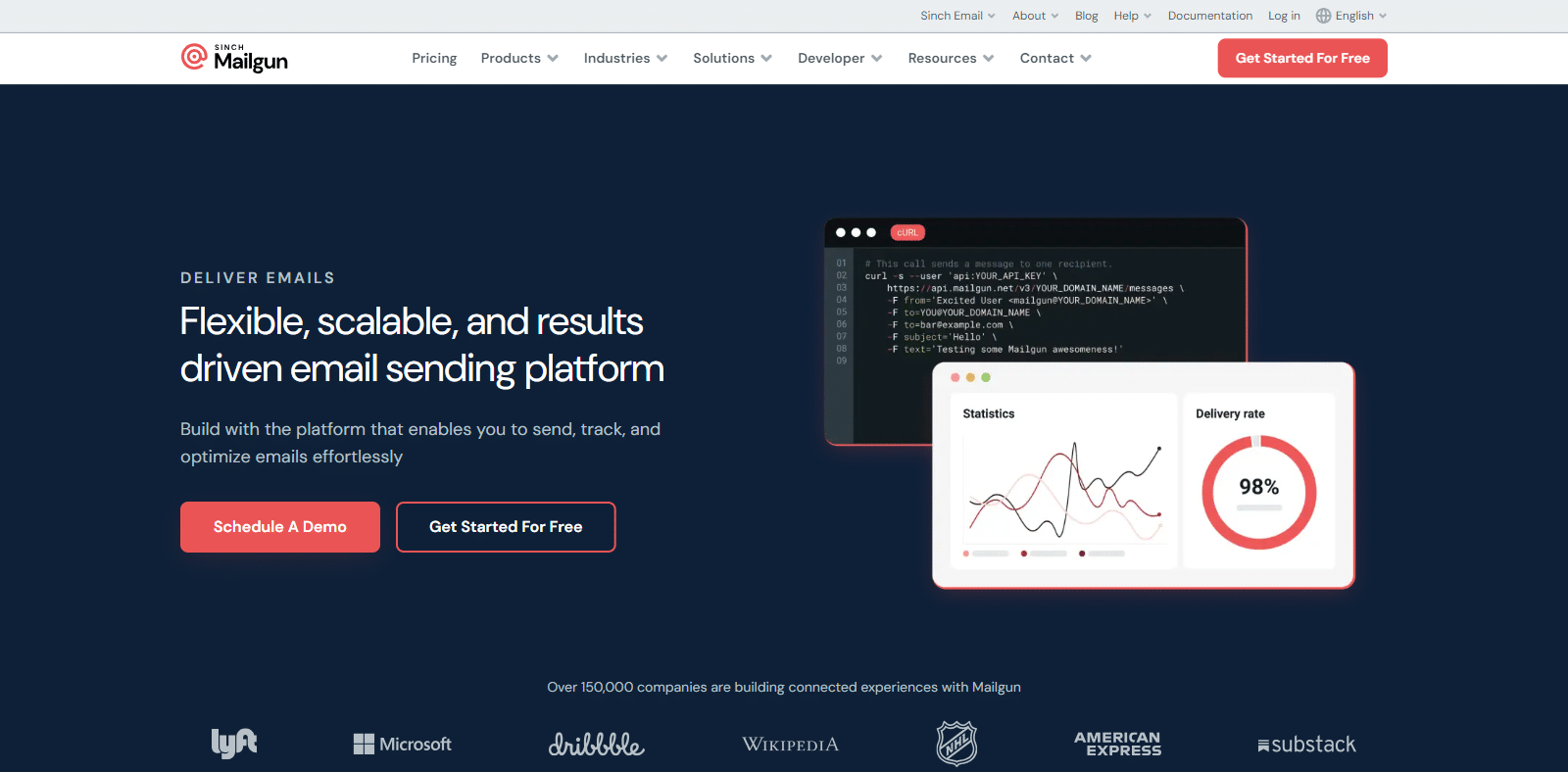Mailgun is the SMTP option built first for developers and infrastructure teams. The product is API-first, with detailed event logs, webhook support for every send event, and an email validation service that catches typos and disposable addresses before they hurt your bounce rate.
For WordPress, that developer focus translates to flexibility. You can connect via SMTP relay or via API, and the per-message routing rules let you handle complex setups like sending receipts from one domain and marketing from another inside the same account.
#### My Experience
Mailgun reads like a product built for the team that wants programmatic control over every part of the email lifecycle. The API documentation is the most thorough on this list, with SDK coverage in Python, Node, Ruby, PHP, Go, Java, and C#.
The event log shows queue, accept, reject, deliver, open, click, complaint, and unsubscribe events for every message, all queryable through the API.
The piece worth flagging is that the free tier has gotten tighter. It used to be 5,000 emails for the first three months. Now it’s 100 emails per day, capped, which makes it harder to evaluate the platform on a real site without paying.
Once you cross into the Basic plan, the platform is solid, but the entry friction is real for small WordPress sites that just want to verify the integration works.
#### What I Liked
- **API-first with strong docs:** The HTTP API and SDK coverage make it easy to wire Mailgun into custom flows.
- **Email validation built in:** Plan-included validations catch typos and disposable addresses before sending.
- **Detailed event log:** Every message event is queryable, useful for debugging delivery issues at depth.
- **Multiple sending domains:** Even the entry tier supports custom sending domains, useful for separating brands or app environments.
- **Inbound routing:** Built-in inbound email parsing if you need to receive emails into a webhook.
- **Native WordPress integration:** Available in the free version of WP Mail SMTP.
#### How Much Does Mailgun Cost?
The free plan covers 100 emails per day with a single custom sending domain and one-day log retention. Paid plans start at $15/month for the Basic plan with 10,000 emails, webhooks, and one custom domain.
The Foundation plan is $35/month for 50,000 emails with email templates and 5-day log retention. The Scale plan is $90/month for 100,000 emails with dedicated IPs, send time optimization, and 30-day log retention. Enterprise pricing is custom.
Dedicated IPs are an additional $59 to $89/month per IP, and overage fees run $0.60 to $0.80 per 1,000 emails above your base allotment.
**My Verdict**
Worth picking if you’re a developer building on top of a transactional API, or if you need email validation and inbound parsing in the same product. For a plain WordPress contact form, the entry tier is a little more than you need, but the platform pays off as the integration depth grows.
### 6. [SMTP2GO](https://www.smtp2go.com/)
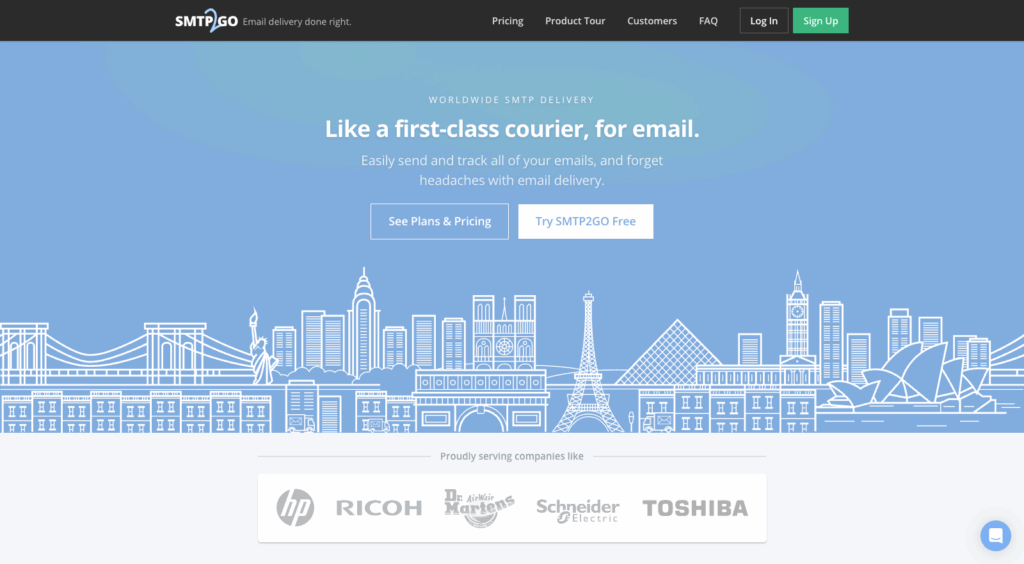SMTP2GO is the option I recommend most often when budget is the leading constraint. The free plan gives you 1,000 emails per month with no time limit, which is meaningfully more headroom than Postmark’s 100 or Mailgun’s 100/day cap, and the paid plans start at a price most small sites can absorb without thinking about it.
The platform is reliable in a quiet way, and it’s been around since 2007, supports SMTP relay and an API, and includes deliverability features like SPF/DKIM authentication and an analytics dashboard at every tier. WP Mail SMTP addes a native SMTP2GO integration, which makes setup fast.
#### My Experience
The setup through WP Mail SMTP takes about three minutes once you have an API key, thanks to the native integration added in WP Mail SMTP.
For a small WordPress site sending 50 to 200 emails a month through a contact form, the free tier handles that comfortably with headroom to spare, which is unusual at this price point.
The piece worth flagging is the daily 200-email cap on the free plan. If your form gets a sudden traffic spike from a viral post, a sale, or a press mention, you can hit that cap and start dropping messages until midnight UTC.
For a stable small site it’s a non-issue, but for anything with potential spikes, the Starter plan at $10/month is the move, and you get 10× the monthly volume.
#### What I Liked
- **Free 1,000 emails/month:** No time limit, no card required, and 200 emails per day is workable for most small sites.
- **Setup is fast:** Native integration in WP Mail SMTP 4.1+, three minutes from API key to first send.
- **Solid analytics:** Open, click, bounce, and spam complaint tracking included on the free plan.
- **Long track record:** Around since 2007, with stable pricing and no surprise free-tier removals.
- **Add-on dedicated IPs available:** Optional for higher-volume senders who want full reputation control.
- **Works with any email address:** You can authenticate with a custom domain or use a personal email if you don’t have a domain.
#### How Much Does SMTP2GO Cost?
The free plan includes 1,000 emails per month with a 200-emails-per-day cap. The Starter plan is $10/month for 10,000 emails, with overages at $1 per 1,000.
The Professional plan is $75/month for 100,000 emails with overages at $0.85 per 1,000, plus a dedicated IP and email testing tools. Premier pricing is custom for higher volumes.
**My Verdict**
Worth picking if a generous free tier matters more than premium deliverability features. SMTP2GO is the practical pick for side projects, freelancer client sites, and small businesses where the email volume is real but the budget is tight.
### 7. [SendGrid](https://sendgrid.com/)
SendGrid (now Twilio SendGrid) is the enterprise heavyweight on this list. The platform powers email for some of the largest senders on the internet, and the feature set reflects that scale.
Marketing campaigns, transactional email, dynamic templates, A/B testing, and an Email API that handles millions of messages a day without breaking a sweat.
The catch is that SendGrid’s positioning has shifted. The perpetual free plan that made it the default starter pick for years was replaced in 2025 with a 60-day free trial.
#### My Experience
For accounts that have been on SendGrid since the free-tier days, the platform is stable, the infrastructure is genuinely enterprise-grade, and the documentation is the most exhaustive of any provider on this list.
The Email API integrates cleanly through WP Mail SMTP, and the SendGrid dashboard surfaces engagement scoring data that’s hard to match.
What’s harder to recommend now is starting fresh on SendGrid. If you sign up today, you’re on a 60-day clock. After that, you’re paying $19.95/month minimum on Essentials, which is more than SMTP2GO, SendLayer, or Brevo’s entry tiers.
The infrastructure is great, but for a small WordPress site without enterprise scale, you’d be paying enterprise prices for hobby-scale needs.
#### What I Liked
- **Enterprise-grade infrastructure:** Genuinely built for millions of emails per day, with the SLA to match.
- **Mature Email API:** SDK coverage in every major language, with detailed documentation.
- **Marketing campaigns included:** The Marketing Campaigns product is a real ESP, not a bolt-on.
- **Dynamic transactional templates:** Reusable templates with variable substitution and conditionals.
- **Strong analytics:** Real-time event data, geographic breakdowns, and engagement scoring out of the box.
- **Available in the free version of WP Mail SMTP:** Setup is the same as the other free-tier mailers.
#### How Much Does SendGrid Cost?
The free option is a 60-day free trial with 100 emails per day, after which you upgrade. The Essentials plan starts at $19.95/month for 50,000 emails.
The Pro plan starts at $89.95/month for 100,000 emails and includes one dedicated IP. The Premier plan is custom-quoted for high-volume senders. Switching to annual billing saves 25%.
**My Verdict**
Has a place at enterprise scale or for teams already invested in the Twilio platform. For a new WordPress site without massive volume, the loss of the perpetual free tier makes other providers a better starting point, and you can always migrate to SendGrid later if you outgrow them.
### 8. [Amazon SES](https://aws.amazon.com/ses/)
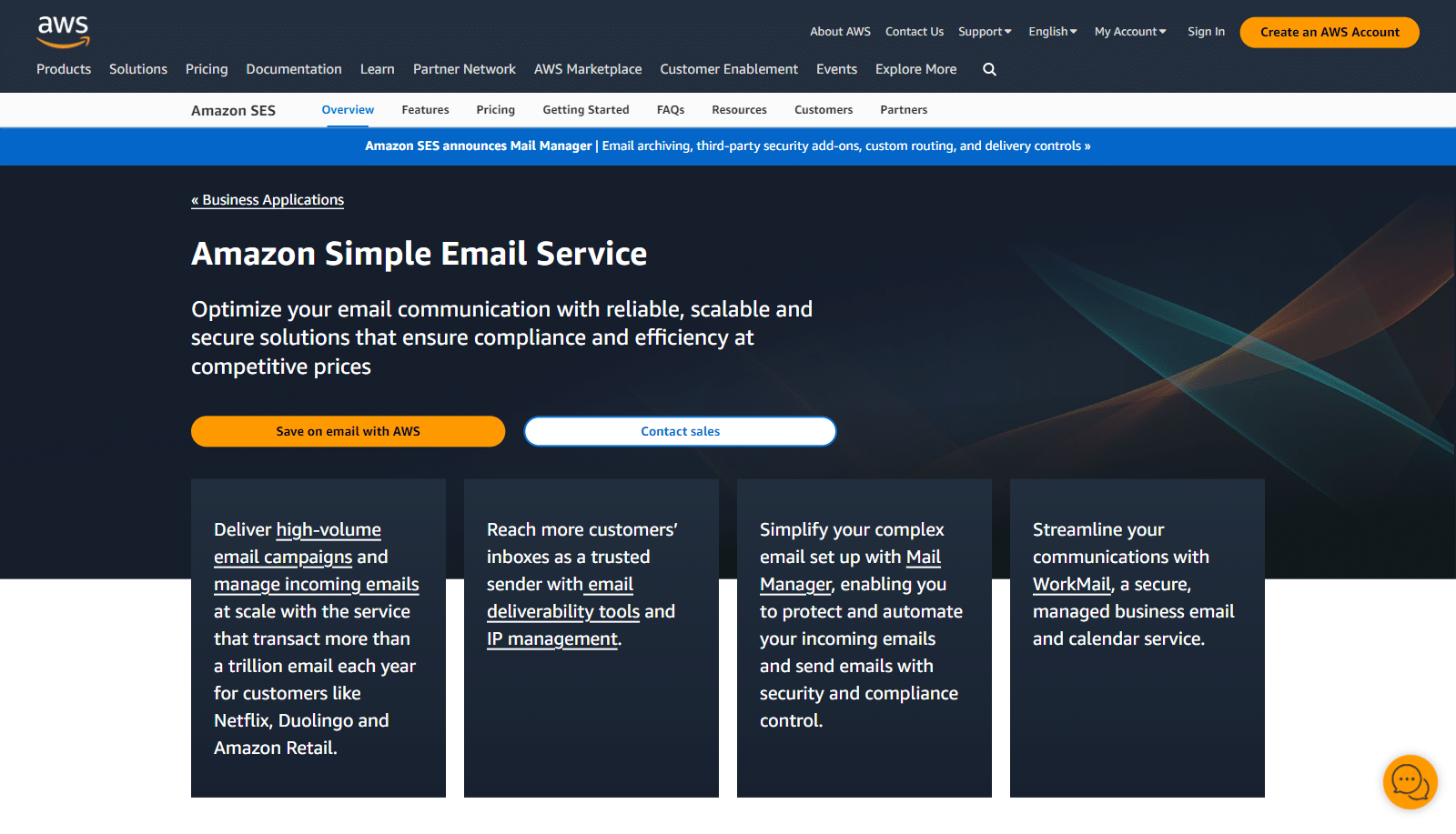Amazon Simple Email Service (SES) is the cheapest legitimate SMTP option on the internet at scale. The headline pricing is $0.10 per 1,000 emails, which works out to one-tenth of a cent per message. For high-volume senders with engineering resources, no other provider comes close on raw cost.
You get an API and a stable sending pipe, but no built-in marketing tools, basic templates only, and a dashboard that assumes you know what an IAM policy is. For a WordPress site, the right path is to connect SES through WP Mail SMTP Pro, which abstracts most of the AWS complexity away.
#### My Experience
The math on SES is the obvious draw. A site sending 50,000 emails a month pays $5 on SES, versus $35 on Mailgun’s Foundation plan or $25 on SMTP.com’s Essential plan.
For high-volume sites where the engineering team is comfortable inside the AWS console, the savings stack up quickly. What’s worth knowing on day one is that new SES accounts start in sandbox mode, which caps you to verified recipients only and 200 emails per day.
To send to arbitrary recipients at production volume, you submit a “production access” request through the AWS console and wait up to 24 hours for approval.
The AWS team approves most legitimate requests, but the wait can surprise you if you didn’t expect a gate between signup and real sending.
#### What I Liked
- **Cheapest per-email pricing:** $0.10 per 1,000 emails is unbeatable for high-volume transactional traffic.
- **AWS-native integrations:** Wires directly into Lambda, SNS, and EventBridge for custom event handling.
- **No monthly minimum:** You only pay for what you send, useful for sites with variable traffic.
- **62,000 free emails/month if you’re on EC2:** AWS-hosted apps get a generous free tier baked in.
- **Strong domain authentication:** SPF, DKIM, and DMARC setup is built into the dashboard.
- **Configuration sets:** Powerful way to split traffic by stream and apply different reputation policies to each.
#### How Much Does Amazon SES Cost?
The base pricing is $0.10 per 1,000 emails sent, with no monthly minimum. AWS-hosted apps (EC2, Elastic Beanstalk, Lightsail) get 3,000 free emails per month in the first year.
Attachments are billed at $0.12 per GB. Dedicated IPs run $24.95/month per standard IP, or $15/month plus $0.08 per 1,000 emails for managed dedicated IPs. The Virtual Deliverability Manager add-on is $0.07 per 1,000 emails.
**My Verdict**
Has a place if you’re already in AWS and have engineering depth to handle the sandbox approval and IAM policies. For a typical WordPress site without an AWS background, the cheaper price isn’t worth the operational overhead, and SES requires WP Mail SMTP Pro to set up cleanly.
### 9. [Google Workspace](https://workspace.google.com/)
Google Workspace is the option that makes sense when “I need professional email for my domain” is the main job, and SMTP relay is a bonus.
You get a yourname@yourdomain.com email, Gmail’s spam filtering, and all the productivity apps (Calendar, Drive, Docs, Meet) bundled in. The SMTP side rides Gmail’s infrastructure with its excellent deliverability reputation.
#### My Experience
For sites where the owner already pays for Google Workspace, this is the path of least resistance. WP Mail SMTP Pro includes a Gmail/Workspace mailer that authenticates via OAuth, and once it’s connected, contact form emails route through the owner’s actual inbox at their custom domain.
The user experience is the part that’s hard to replicate with a transactional service. Replies to form submissions land back in the same Workspace inbox, threaded with the original message, so a small business owner can carry on the conversation from where they already manage email.
The catch is the sending limits, as the standard Gmail SMTP relay caps at 2,000 emails per day, which is fine for transactional notifications from a small WordPress site but will choke any meaningful marketing send. Treat Google Workspace as your “small business that needs working email” pick rather than a bulk SMTP solution.
#### What I Liked
- **Professional email plus SMTP in one product:** Custom domain email and form notifications use the same account.
- **Top-tier spam filtering on the receiving side:** Gmail’s filters keep your inbox clean.
- **Familiar Gmail interface:** No learning curve for anyone who has used Gmail.
- **Productivity apps bundled:** Calendar, Drive, Meet, and Docs are part of the same subscription.
- **OAuth authentication:** Setup through WP Mail SMTP Pro is more secure than password-based SMTP.
- **Excellent uptime:** Google’s infrastructure SLA is harder to beat for a small business.
#### How Much Does Google Workspace Cost?
The Business Starter plan is $7/user/month on annual billing, Business Standard is $14/user/month, Business Plus is $22/user/month, and Enterprise is custom-quoted.
The Starter plan covers 30 GB pooled storage per user, professional email, and 100-participant video meetings. Standard bumps storage to 2 TB per user, and Plus to 5 TB plus advanced security.
**My Verdict**
Has a place if you’re a small business that needs working email more than bulk SMTP infrastructure. For a WordPress contact form on a personal site, this is overkill compared to SendLayer or SMTP2GO. For a business that wants real email plus form notifications in one bill, it makes sense.
## How to Easily Connect Your SMTP Service to WordPress
Picking an SMTP server is half the work, you still need to wire it into your WordPress site so all the outgoing email actually routes through the new provider instead of PHP’s default `mail()` function.
[WP Mail SMTP](https://wpmailsmtp.com/) is the plugin that handles this, and it comes in a [free version](https://wordpress.org/plugins/wp-mail-smtp) and a [premium version](https://wpmailsmtp.com/pricing/) with extras like email logs, click tracking, failure alerts, and email rate limiting. WP Mail SMTP is built by the WPForms team, so the integration with form notifications is especially clean.
[](https://wpmailsmtp.com/)To get started, install and activate the WP Mail SMTP plugin. If you’re new to plugin installation, follow this step-by-step guide on [installing a WordPress plugin](https://www.wpbeginner.com/beginners-guide/step-by-step-guide-to-install-a-wordpress-plugin-for-beginners/).
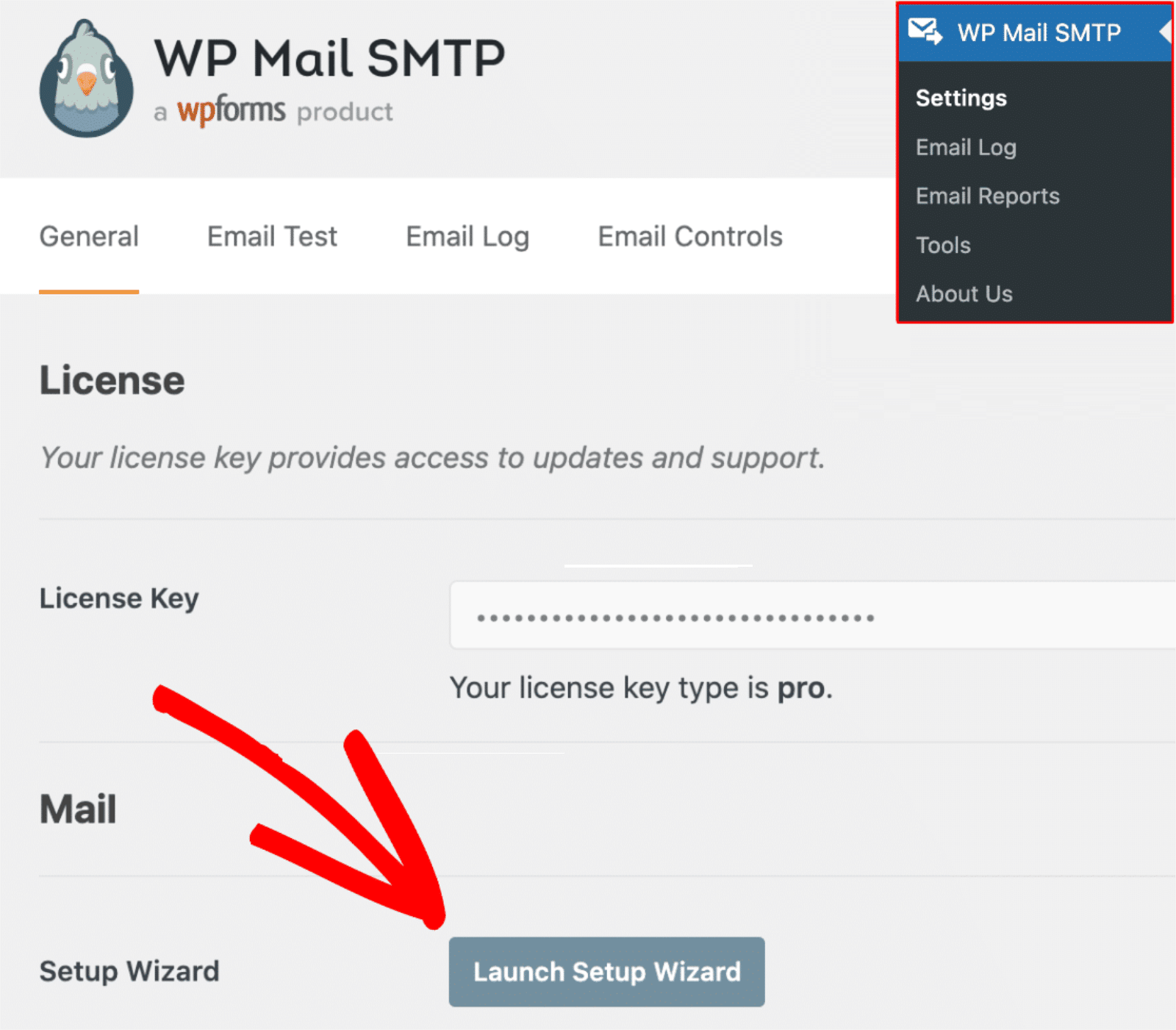
Once activated, the Setup Wizard launches automatically. If it doesn’t, go to **WP Mail SMTP » Settings** and click the **Launch Setup Wizard** button.
Click **Let’s Get Started** and pick your SMTP provider from the mailer list. You’ll see options for every service in this guide plus a few more.
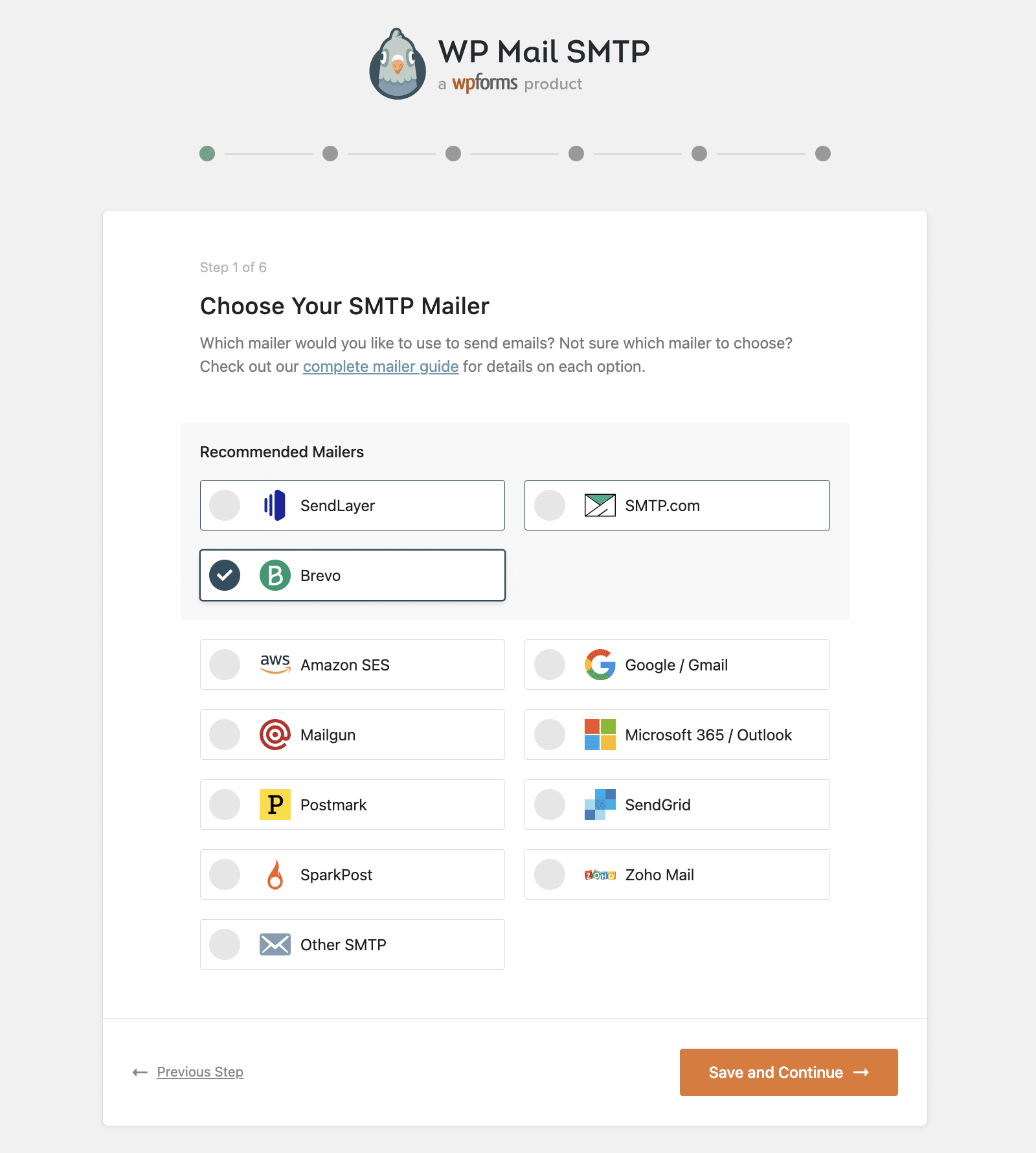For provider-specific setup instructions, pick the relevant guide from the table below. WP Mail SMTP supports 14 mailers in the free plugin and 3 more in WP Mail SMTP Pro.
Mailers in free WP Mail SMTPMailers in [WP Mail SMTP Pro](https://wpmailsmtp.com/pricing/)[SendLayer](https://wpmailsmtp.com/docs/how-to-set-up-the-sendlayer-mailer-in-wp-mail-smtp/)[Amazon SES](https://wpmailsmtp.com/docs/how-to-set-up-the-amazon-ses-mailer-in-wp-mail-smtp/)[SMTP.com](https://wpmailsmtp.com/docs/how-to-set-up-the-smtp-com-mailer-in-wp-mail-smtp/)[Microsoft 365 / Outlook.com](https://wpmailsmtp.com/docs/how-to-set-up-the-outlook-mailer-in-wp-mail-smtp/)[Brevo](https://wpmailsmtp.com/docs/how-to-set-up-the-sendinblue-mailer-in-wp-mail-smtp/)[Zoho Mail](https://wpmailsmtp.com/docs/how-to-set-up-the-zoho-mailer-in-wp-mail-smtp/)[Google Workspace / Gmail](https://wpmailsmtp.com/docs/how-to-set-up-the-gmail-mailer-in-wp-mail-smtp/)[Mailgun](https://wpmailsmtp.com/docs/how-to-set-up-the-mailgun-mailer-in-wp-mail-smtp/)[Postmark](https://wpmailsmtp.com/docs/how-to-set-up-the-postmark-mailer-in-wp-mail-smtp/)[SendGrid](https://wpmailsmtp.com/docs/how-to-set-up-the-sendgrid-mailer-in-wp-mail-smtp/)[SMTP2GO](https://wpmailsmtp.com/docs/how-to-set-up-the-smtp2go-mailer-in-wp-mail-smtp/)[SparkPost](https://wpmailsmtp.com/docs/how-to-set-up-the-sparkpost-mailer-in-wp-mail-smtp/)[Other SMTP](https://wpmailsmtp.com/docs/how-to-set-up-the-other-smtp-mailer-in-wp-mail-smtp/)Once your mailer is configured, head to **WP Mail SMTP » Tools » Email Test** to send a test message.
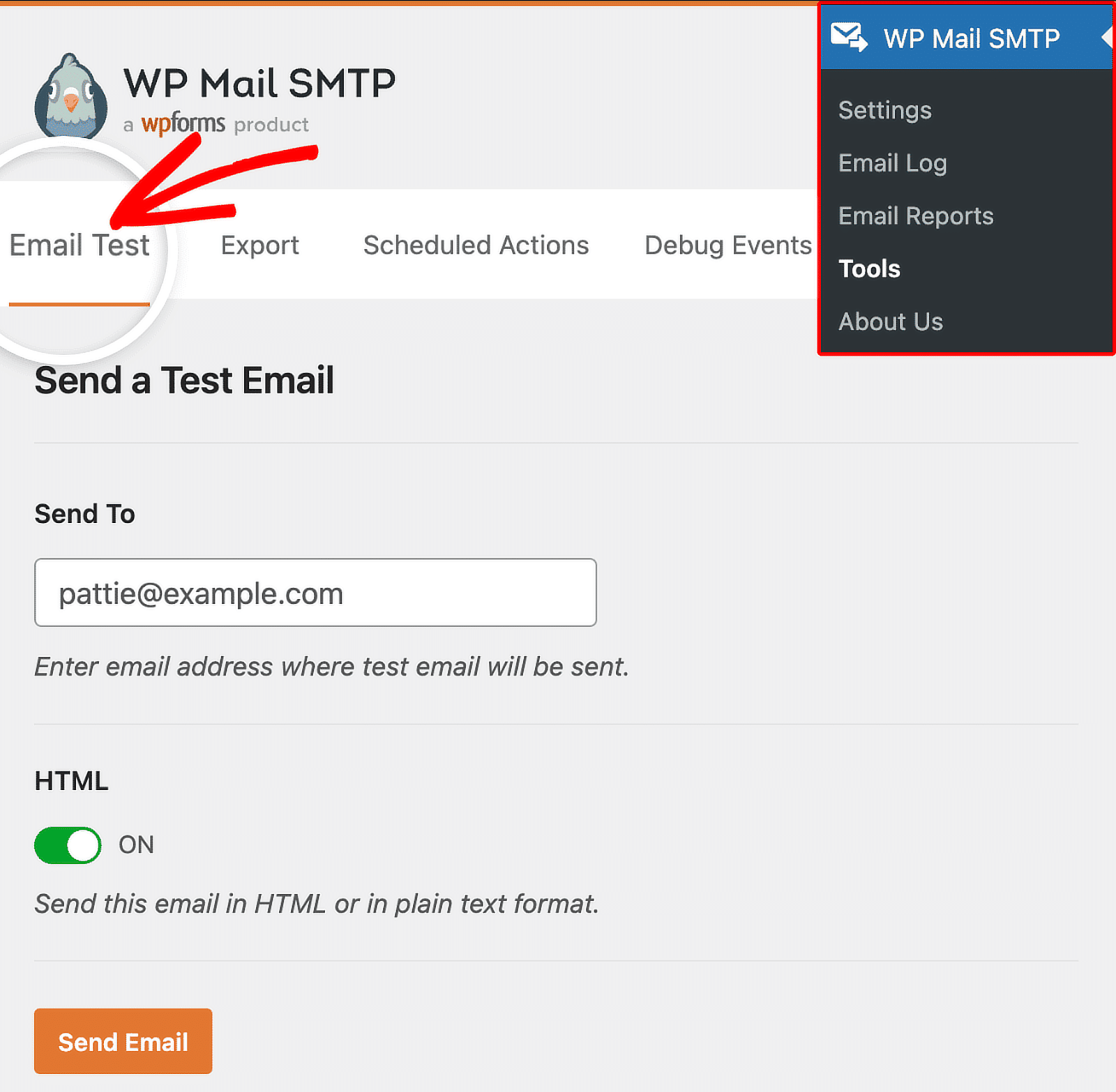The test sends an email to the address you specify, so check the inbox to confirm delivery. If anything goes wrong at this step, the [could not connect to SMTP host error guide](https://wpforms.com/how-to-fix-could-not-connect-to-smtp-host-in-wordpress/) covers the most common causes.
### FAQs About the Best SMTP Servers
SMTP services come up a lot in WordPress conversations, so here are answers to the questions we get asked most often.
#### Which is the best SMTP provider in 2026?
The best SMTP server depends on what you’re sending and how much. For most WordPress sites, SendLayer is the easiest starting point because it’s built specifically for transactional email and integrates natively with WP Mail SMTP.
Postmark is the strongest choice for sites where inbox placement is critical, and Brevo is the best fit for businesses that want transactional and email marketing in one tool.
#### What is the best SMTP server port?
Port 587 is the standard for secure email submission and supports STARTTLS encryption. Port 465 is the older SMTPS option (SSL from connect), and most modern providers support both.
Avoid port 25, which is for server-to-server relay and is blocked by most ISPs on residential and shared hosting connections.
#### Is there a truly free SMTP server in 2026?
Yes, several SMTP services offer free tiers that don’t expire. SMTP2GO gives you 1,000 emails per month, Brevo gives you 300 emails per day, and Postmark gives you 100 emails per month on the developer plan.
Mailgun caps the free plan at 100 emails per day. SendGrid switched from a perpetual free plan to a 60-day trial in 2025, so it’s no longer a long-term free option.
#### Is Google Cloud SMTP free?
Google offers free SMTP through a personal Gmail account, but it’s capped at 500 messages per day and Google can suspend the account for what looks like bulk sending.
For business use, you’ll want Google Workspace at $7/user/month, which raises the limit to 2,000 messages per day and stays compliant with Google’s terms.
#### What’s the difference between SMTP, transactional email, and email marketing tools?
SMTP is the protocol that routes email from a sender to a recipient. Transactional email tools (SendLayer, Postmark, Amazon SES) are SMTP providers optimized for one-to-one messages like password resets and receipts.
Email marketing tools (Mailchimp, Constant Contact, the marketing side of Brevo) layer campaign management, automation, and subscriber lists on top of SMTP. All three sit on the same underlying protocol, but they’re tuned for different use cases.
#### How do I improve SMTP deliverability?
Three configuration steps matter most. Set up SPF, DKIM, and DMARC DNS records for your sending domain so providers can verify the email is authentic.
Use a dedicated sending domain or subdomain (like mail.yourdomain.com) so a marketing campaign mishap doesn’t poison your transactional reputation.
And keep your sending list clean by suppressing hard bounces automatically, which every provider on this list handles by default.
If your form notifications are already going to spam, the [why your contact form emails go to spam guide](https://wpforms.com/why-your-contact-form-emails-are-going-to-spam-how-to-fix-it/) walks through fixes step by step.
### Next, Check Out These Related Email Guides
Picking an SMTP server is one piece of WordPress email reliability. Once that’s working, the next steps are usually about the messages themselves, what they say, who they go to, and how to track them.
Here are a few guides worth bookmarking, including a deeper look at [best transactional email services](https://wpforms.com/best-transactional-email-services/) if you want to compare just the transactional-focused providers.
- [Leverage AI in Your Email Marketing](https://wpforms.com/how-to-leverage-ai-in-your-email-marketing-campaigns/)
- [Make a Custom Email Template](https://wpforms.com/how-to-make-a-custom-email-template-in-wordpress/)
- [Customize Form Email Notifications](https://wpforms.com/how-to-customize-form-email-notifications-in-wpforms/)
- [Fix Email Delivery Failures in WordPress](https://wpforms.com/how-to-fix-email-delivery-failures-in-wordpress/)
[Get WP Mail SMTP Today](https://wpmailsmtp.com/pricing/)
Ready to build your form? Get started today with the easiest WordPress form builder plugin. [WPForms Pro](https://wpforms.com/pricing) includes lots of free templates and offers a 14-day money-back guarantee.
If this article helped you out, please follow us on [Facebook](https://facebook.com/wpforms) and [Twitter](https://twitter.com/easywpforms) for more free WordPress tutorials and guides.
**Categories:** Showcases
**Tags:** free smtp, paid smtp, smtp port, smtp servers, smtp services, WP Mail SMTP
---