### [8 Best Buy Me a Coffee Alternatives in 2026](https://wpforms.com/best-buy-me-a-coffee-alternatives/)
**Published:** August 1, 2023
**Author:** Rachel Adnyana
**Excerpt:** Are you looking for Buy Me a Coffee alternatives?
Buy Me a Coffee is a payment platform designed for content creators such as artists, YouTubers, podcasters, writers, and anyone with a following.
It provides a simple way of taking donations and regular subscription payments. But Buy Me a Coffee isn't the best option for everyone.
If you want to put a donation button on your website, it's worth considering some alternatives before getting tied into one platform.
**Content:**
Are you looking for Buy Me a Coffee alternatives?
Buy Me a Coffee is a payment platform designed for content creators such as artists, YouTubers, podcasters, writers, and anyone with a following.
It provides a simple way of taking donations and regular subscription payments. But Buy Me a Coffee isn’t the best option for everyone.
If you want to put a donation button on your website, it’s worth considering some alternatives before getting tied into one platform.
- [1. WPForms](#1-wpforms)
- [2. Ko-fi](#2-ko-fi)
- [3. Patreon](#3-patreon)
- [4. Fourthwall](#4-fourthwall)
- [5. Gumroad](#5-gumroad)
- [6. Ghost](#6-ghost)
- [7. Liberapay](#7-liberapay)
- [8. Memberful](#8-memberful)
- [Which Is the Best Alternative to Buy Me a Coffee?](#which-is-the-best-alternative-to-buy-me-a-coffee)
- [How to Set Up WPForms as Your Buy Me a Coffee Alternative](#how-to-set-up-wpforms-as-your-buy-me-a-coffee-alternative)
### How Does Buy Me a Coffee Make Money?
Creators can offer exclusive content to their supporters on Buy Me a Coffee. This content is hosted on the platform and unlocked when a user makes a small payment (the price of a coffee!).
It’s a popular way for users to support their favorite creators and makes content monetization easy, but Buy Me a Coffee charges creators a 5% fee for each transaction.
This may not sound like a lot, but it can add up to quite a lot of money over time, particularly if you have a large audience.
You also pay Stripe processing on top of that, like in the US, Stripe charges 2.9% plus $0.30 per successful charge, and there’s a 0.5% payout fee on instant payouts.
But if you’d rather keep more of your money, there are alternatives to Buy Me a Coffee.
If you take micropayments directly on your WordPress site, you’ll have more control over your payments and won’t have to pay extra fees to a third-party service.
### What Are the Disadvantages of Buy Me a Coffee?
Buy Me a Coffee’s ease-of-use makes it popular, but as well as the fact it takes 5% of every payment you get, there are some other disadvantages you should be aware of.
- **Account dependency:** Buy Me a Coffee has been known to suspend accounts without much warning, and your supporter list lives on their servers, not yours.
- **No PayPal option:** Buy Me a Coffee runs everything through Stripe, so if your audience prefers [PayPal Commerce](https://wpforms.com/features/paypal-commerce/), you’re cutting them off.
- **Limited customization:** You get a profile page and some branding controls, but the look and feel is mostly fixed.
- **No data ownership:** You don’t get raw subscriber data the way you would on your own site. The platform sits between you and your fans.
That second point is the one that nudged me toward exploring alternatives. Putting an audience on a platform you don’t control is a risk that compounds the longer you stay.
### Best Buy Me a Coffee Alternatives
Here’s a quick comparison of the eight platforms I’m covering, along with a summary of the main features of each platform to make it easier for you to make your selection.
PlatformBest ForOne-Off TipsSubscriptionsSell ProductsPlatform Fee[WPForms](#1-wpforms)DIY donation forms on your own siteYesYesYes0% to 3% (Stripe fee on Lite, 0% on Pro)[Ko-fi](#2-ko-fi)The closest one-to-one Buy Me a Coffee swapYesYesYes0% on tips, 5% on sales[Patreon](#3-patreon)Recurring memberships with tiered perksNoYesYes10% standard (new accounts)[Fourthwall](#4-fourthwall)Creators who also want merch and digital storefrontsYesYesYes0% on donations, 5% on memberships[Gumroad](#5-gumroad)Selling digital products as the main businessNoYesYes10% plus $0.50 per sale[Ghost](#6-ghost)Newsletter publishing with paid subscriptionsNoYesNo0% on payments, $15 plus per month[Liberapay](#7-liberapay)Open-source projects and recurring donationsNoYesNo0% (processor fees only)[Memberful](#8-memberful)Membership sites you run on WordPressNoYesYesFree plan 10%, $49 per month plan 4.9%I tested every platform on this list with a real test page or test form, so the takes below are based on what actually using them feels like in 2026, not on what’s written on their marketing pages.
### 1. [WPForms](https://wpforms.com/ "WPForms")
[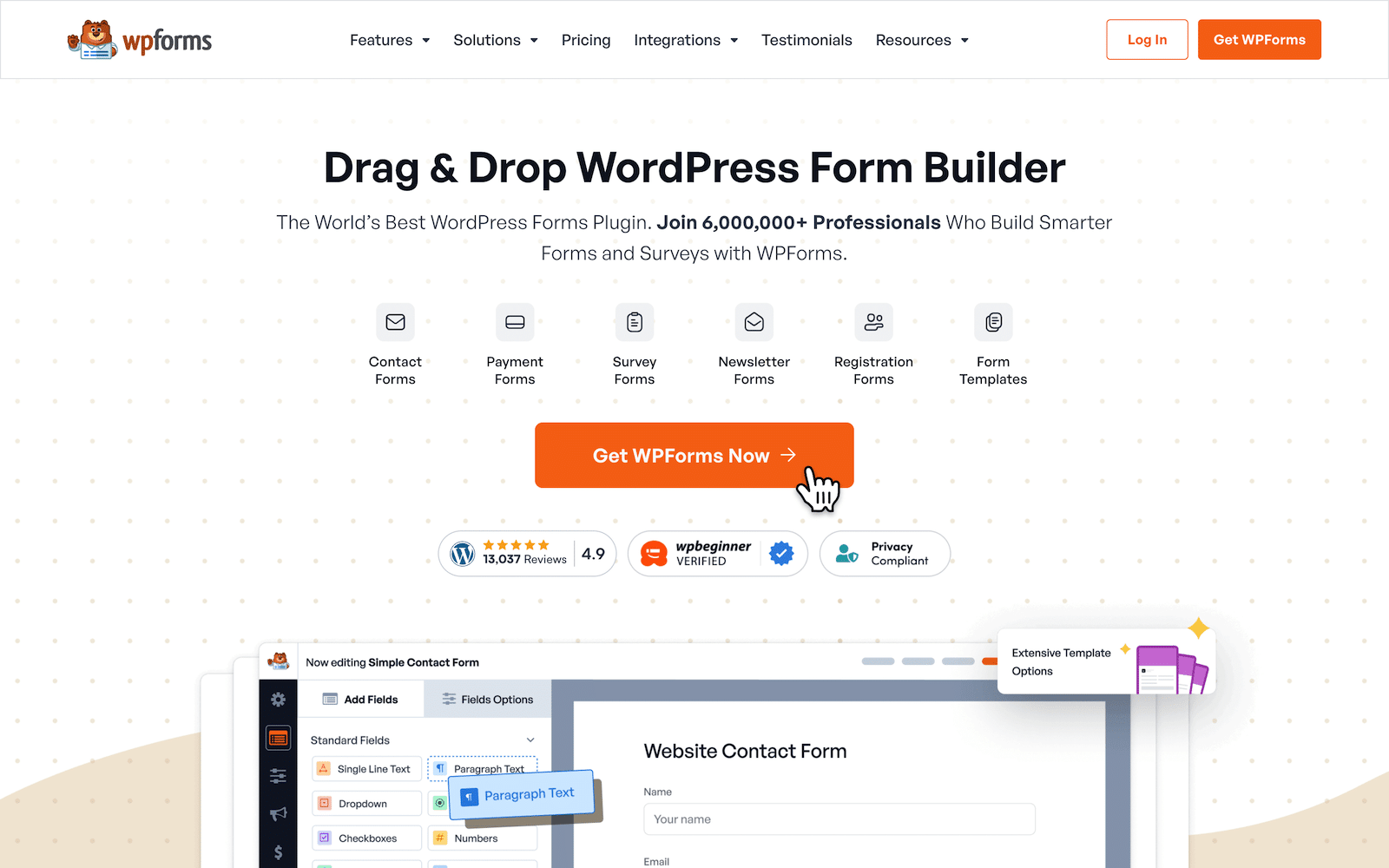](https://wpforms.com/pricing/)The best way to make sure you’re in control of all your data and keep the fees of accepting payments and donations to a minimum is to set up a payment form on your website instead of using a third-party platform.
[WPForms](https://wpforms.com/) is the best payment form plugin for WordPress. The drag-and-drop form builder makes creating a custom form for crowdfunding, collecting donations, or taking regular subscription payments easy.
The Lite version of the plugin is free to use and even includes integration with Stripe for taking payments by credit card or debit card. There’s no additional charge for taking payments with Stripe; you’ll only pay a 3% fee for each transaction plus Stripe fees.
The plugin also comes with 2,100+ WordPress form templates. There’s even a [Buy Me a Coffee form template](https://wpforms.com/templates/buy-me-a-coffee-form-template/) you can use out of the box or customize.
### My Experience
I built the Buy Me a Coffee form from the template in about three minutes. The builder loads the suggested $4 amount into a Single Item field, and the form lets supporters type any amount they want if they’d rather give more or less.
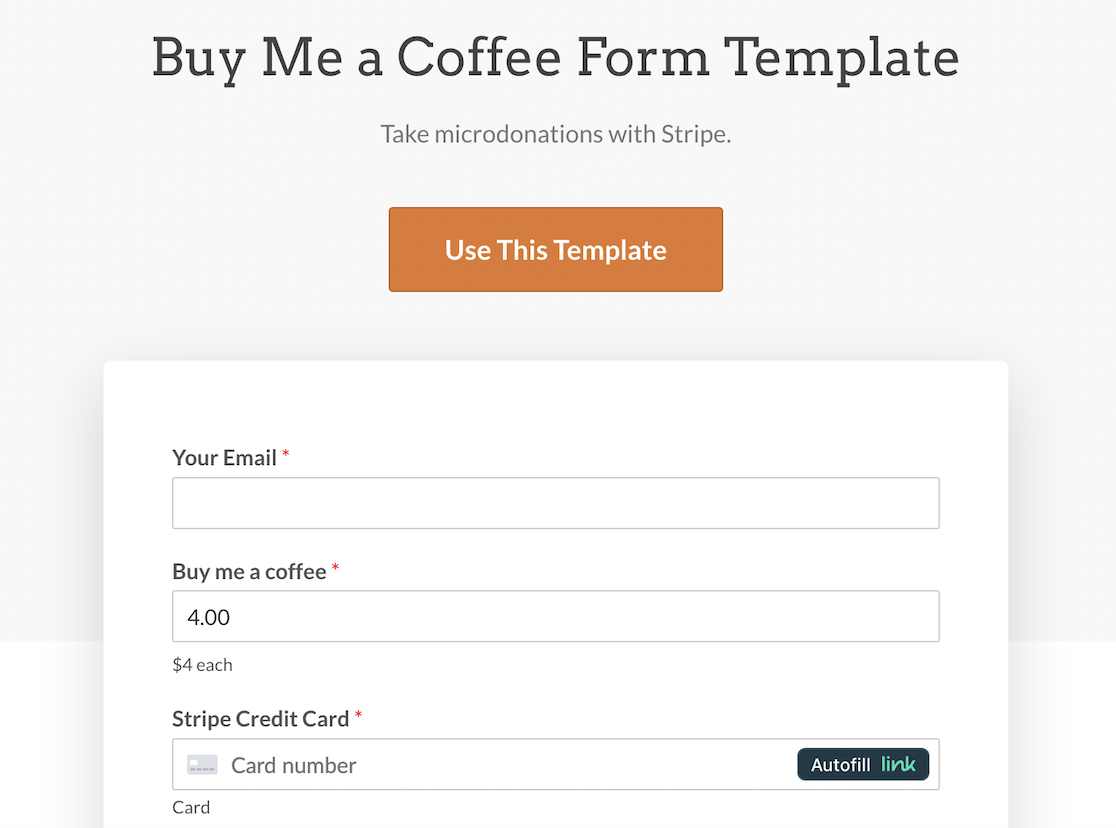Connecting to Stripe took one click and a redirect to my Stripe dashboard. From there, I tested a $1 charge in Stripe’s test mode and the entry showed up in my WordPress dashboard with the supporter’s name, email, and amount logged.
What I keep coming back to is how much the form belongs to me after setup. The submissions live in my WordPress database, and the styling matches my site.
If I want to add a multi-line message field for supporters to send a note, I drag it in and save. None of that is possible on Buy Me a Coffee without their say-so.
#### What I Liked
- **Free tier accepts payments:** The Lite version of WPForms ships with the Stripe credit card field, so you can start collecting tips without paying for the plugin at all.
- **No transaction fees on Pro:** Upgrade to WPForms Pro and you only pay Stripe’s processing fees, with no WPForms platform cut.
- **Buy Me a Coffee template ready out of the box:** You don’t have to design the form from scratch.
- **You own the supporter list:** Every entry sits in your WordPress database where you can export it, segment it, or pipe it into your email tool.
- **Recurring payments support:** Set up monthly or yearly subscriptions on the same form alongside one-off tips.
#### How Much Does WPForms Cost?
WPForms Lite is free forever and includes the Stripe credit card field, but Lite charges an extra 3% WPForms processing fee on top of Stripe’s standard fee. To remove that 3% and unlock the full Stripe Pro addon, you’ll need WPForms Pro at $199.50 for the first year.
**My Verdict**
If your goal is to own the entire donation flow and stop renting your tip jar from a platform that takes 5%, WPForms is the answer. The Buy Me a Coffee template gets you live in minutes, and once you’re on Pro the only cut is Stripe’s.
### 2. [Ko-fi](https://ko-fi.com/)
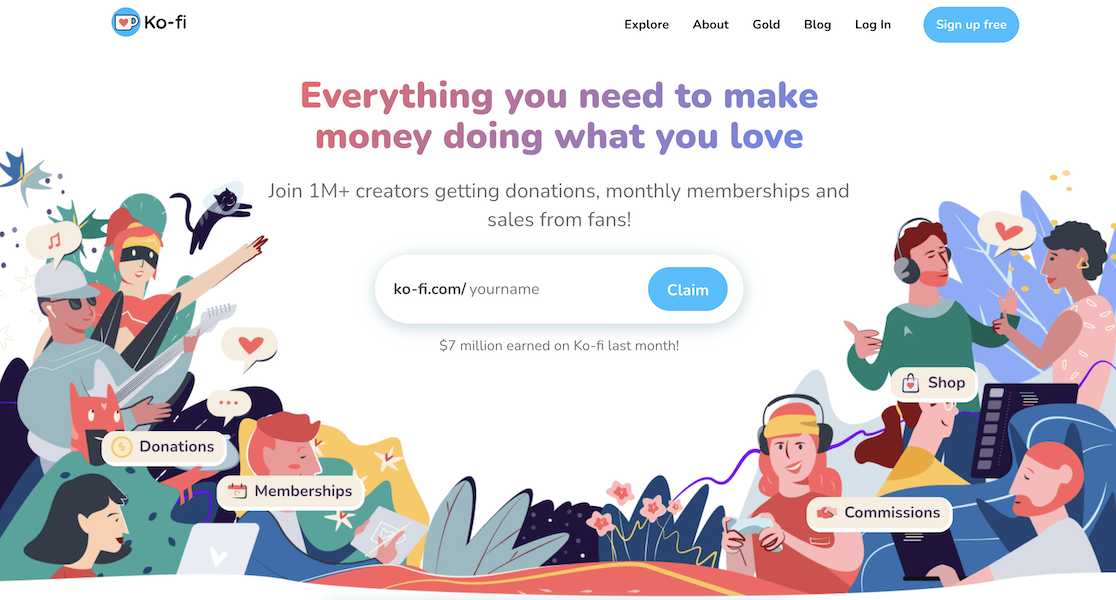Ko-fi started as a tip jar and has grown into a full creator platform. Visitors land on your Ko-fi page, click a coffee-cup button, and send you a one-time tip with no account required. The interface is so close to Buy Me a Coffee that supporters won’t notice the swap.
What sets Ko-fi apart is the fee structure. One-off tips on the free Ko-fi plan are 0%, which is the headline feature for most creators making the move from Buy Me a Coffee. Memberships, commissions, and shop sales carry a 5% Ko-fi cut, or you can pay for Ko-fi Gold to drop everything to 0%.
#### My Experience
I set up a Ko-fi account in about four minutes. The onboarding asks you to pick a username, write a bio, and connect Stripe or PayPal. Once that’s done you can immediately accept tips. I sent a test $3 tip to myself and the funds were available in my Stripe balance within a day.
The shop and membership features feel bolted onto the tip-jar core, but they work. I created a $5 monthly membership tier with one exclusive post in about ten minutes. The exclusive content is gated by the supporter’s email login, which is fine but not as polished as Patreon’s app.
#### What I Liked
- **0% on one-off tips:** This is the most cost-effective way to accept casual support without losing 5% to a platform.
- **No account needed to tip:** Supporters can send a tip with just an email and card. Lower friction means more conversions.
- **Built-in shop:** Sell digital downloads, physical products, or commissions from the same Ko-fi page where you take tips.
- **PayPal works alongside Stripe:** Ko-fi is one of the few alternatives that lets supporters pay with either, so you don’t lose the PayPal-only crowd.
- **Memberships and goals built in:** You can run a subscription tier and a fundraising goal on the same profile.
#### How Much Does Ko-fi Cost?
Ko-fi’s free plan is genuinely free. Tips are 0%, and shop sales, memberships, and commissions are 5%. Ko-fi Gold removes all platform fees and adds extra branding controls.
Pricing on Gold has shifted around (current listings show either $6 or $12 a month, so check the [Ko-fi pricing page](https://ko-fi.com/pricing) before you commit). Stripe and PayPal processing fees apply on top at all tiers.
**My Verdict**
If your priority is the closest one-to-one Buy Me a Coffee swap with way lower fees on tips, this is the pick. The tradeoff is that everything else on Ko-fi feels like a side feature, not a polished standalone tool.
### 3. [Patreon](https://www.patreon.com/)
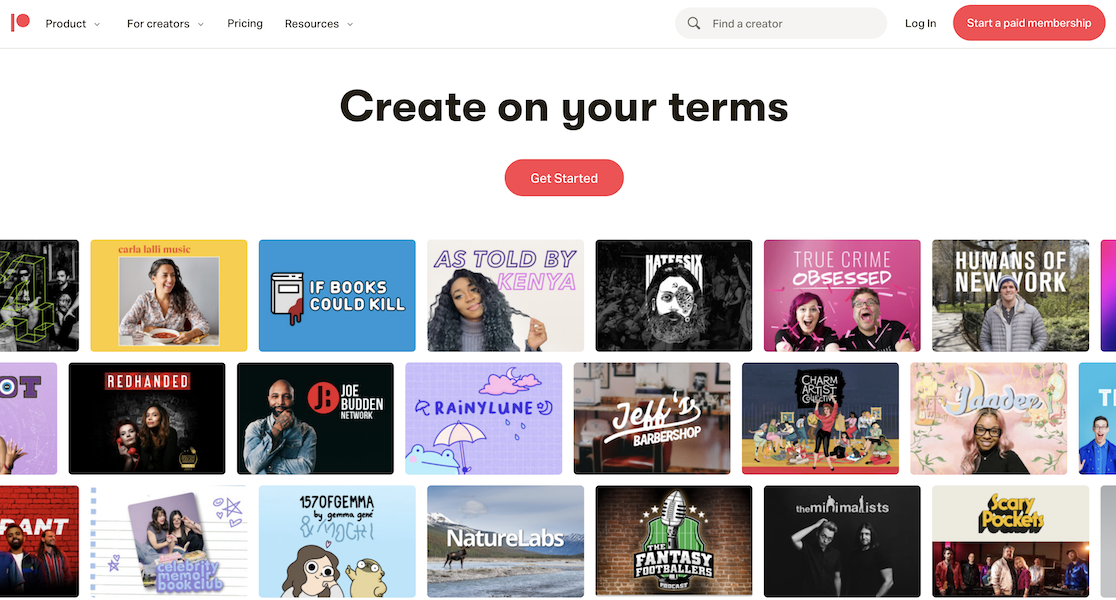Patreon plays a different game. Where Buy Me a Coffee leans casual and one-off, Patreon is built for recurring memberships with tiered perks.
Creators set up two or three monthly subscription tiers (say, $3 for early posts, $10 for behind-the-scenes, $25 for a monthly call), and supporters become “patrons” who pay every month.
The trade-off is that Patreon is heavier than Buy Me a Coffee. You’re not collecting casual tips. You’re building a community of paying subscribers who expect regular delivery. That’s a different commitment, and the fees match it.
#### My Experience
Spinning up a Patreon page took longer than Ko-fi, maybe twenty minutes. The setup walks you through choosing what kind of creator you are, designing membership tiers, and writing welcome benefits for each tier.
The interface is more opinionated than Ko-fi’s, which I think is the right call for memberships. Once a tier is live, the Patreon mobile app does a lot of heavy lifting.
Patrons can browse exclusive posts, comment, and even join a connected Discord. None of the platforms below come close to that polish on the membership side.
#### What I Liked
- **Polished membership infrastructure:** Tiered benefits, scheduled posts, and a real mobile app for patrons.
- **Discord integration:** Auto-assign Discord roles based on tier, which is a big deal for community-focused creators.
- **8 million plus active patrons:** Patreon has the largest patronage user base, so supporters are already familiar with how the platform works.
- **Annual billing option:** Patrons can pay yearly at a discount, which lifts retention.
#### How Much Does Patreon Cost?
Patreon overhauled pricing in August 2025. Any creator who signs up now pays a 10% standard platform fee. Creators who launched their page before August 4, 2025 stay on the legacy Pro plan at 8% (with extra features) or Premium at around 11% (with reduced merch tooling) or 8% (giving up merch tools).
On top of the platform fee you pay payment processing of roughly 2.9% plus $0.30 per transaction, plus currency conversion fees of about 2.5% for international payments.
**My Verdict**
Best for creators where recurring memberships and tiered perks are central to how you earn. If you just want a casual tip jar, the 10% standard fee plus payment processing makes Patreon expensive overhead.
### 4. [Fourthwall](https://fourthwall.com/)
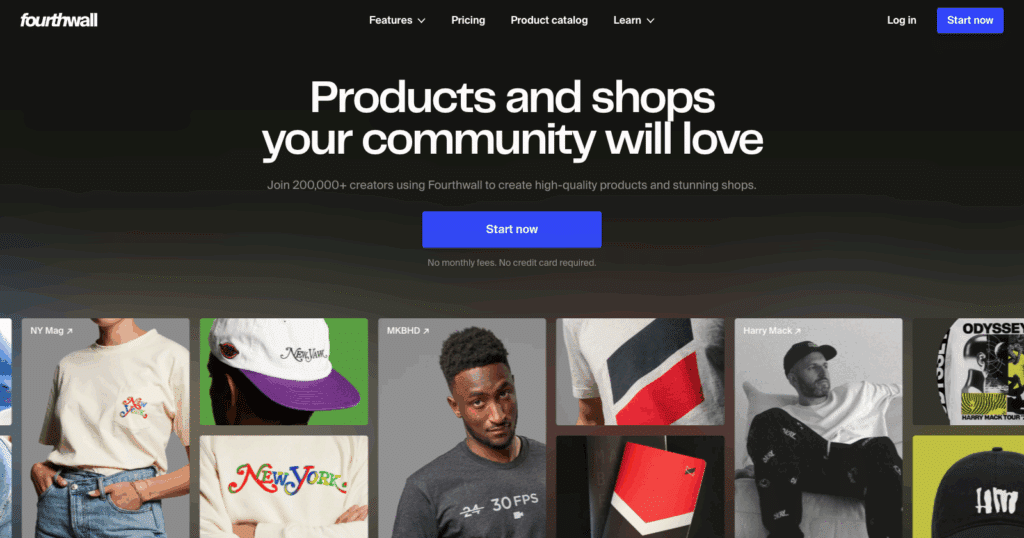Fourthwall is the newcomer that keeps showing up in 2026 creator-platform conversations. It’s an all-in-one storefront that lets you accept tips, sell memberships, sell merch (with print-on-demand handled by Fourthwall), and run a digital download shop, all from one branded site.
The angle is breadth. Where Ko-fi and Patreon pick a lane, Fourthwall tries to be the only platform a creator needs. For someone who already sells T-shirts and wants tipping bolted onto the same checkout, that pitch lands.
#### My Experience
Fourthwall’s setup took about fifteen minutes, mostly because there’s more to configure (storefront branding, donation widget, merch shipping zones).
The tipping widget is genuinely good. You can drop a customized donation box onto your homepage with a custom thank-you message, and supporters can attach a message to their tip.
The merch side is where Fourthwall earns its keep, and the print-on-demand integration is built in, so you don’t pipe to Printful or another service separately.
I set up a test mug and a test sticker in the same flow as the donation widget, which is something none of the other platforms on this list can do.
#### What I Liked
- **0% on donations:** Tips go through with only the standard 2.9% plus $0.30 payment processing fee, no platform cut.
- **Print-on-demand built in:** Merch, digital downloads, and memberships all live on the same site as your tip jar.
- **Custom branded site:** You get a fully branded creator site, not a profile on someone else’s platform.
- **No monthly fee on the free plan:** You can start without paying anything upfront.
- **Pro adds storage and a custom domain:** The $19 a month Pro plan adds 100 GB of digital product storage and a free .store domain if you outgrow the free tier.
#### How Much Does Fourthwall Cost?
The free plan has no monthly fee. Donations are 0%, self-sourced products are 0%, digital products on the free plan are 5%, and subscription memberships are 5%.
Standard 2.9% plus $0.30 payment processing applies on every transaction. Pro is $19 a month (or $15 a month billed yearly) and removes the 5% on digital products plus the $10 sample credit, custom domain, and 100 GB storage allowance.
**My Verdict**
Worth picking if you want one platform to handle tips, merch, memberships, and digital products at once. The 0% on donations is the right answer for creators who plan to sell across multiple product types.
### 5. [Gumroad](https://gumroad.com/)
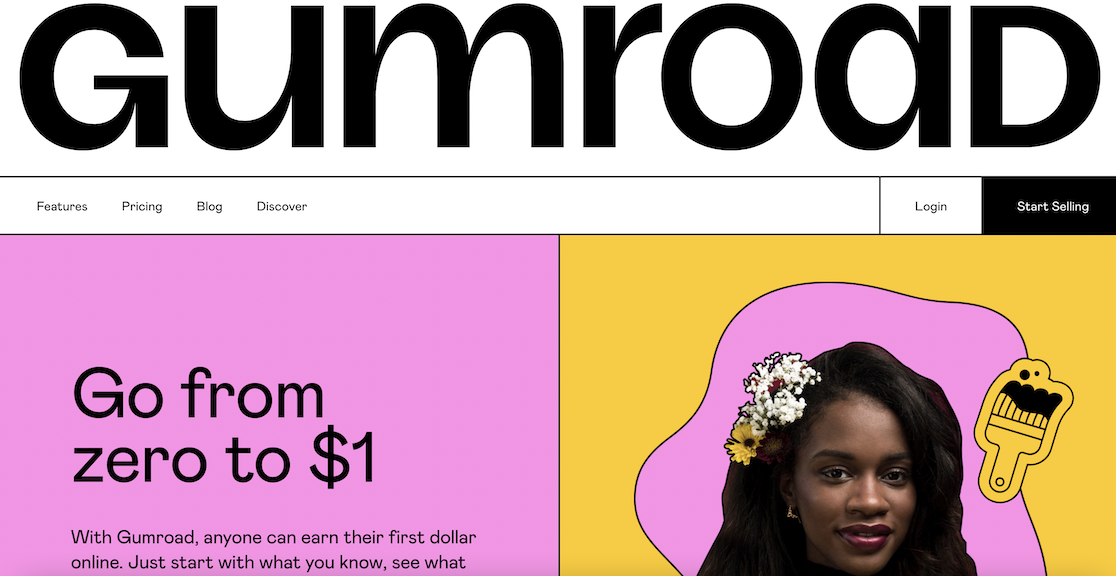Gumroad is the digital-storefront option and it’s built around selling digital products (ebooks, courses, presets, templates, software), not casual tipping.
You can still set up a “pay what you want” product for donation-style purchases, but Gumroad is at its best when there’s something tangible on the other side of the checkout.
#### My Experience
I sold a test PDF on Gumroad in under ten minutes. You upload a file, set a price (or “pay what you want”), and Gumroad gives you a checkout URL and embed code.
A real benefit since January 2025 is that Gumroad acts as the Merchant of Record on every transaction. That means Gumroad handles sales tax, VAT, and GST collection worldwide on your behalf. If you sell internationally, that’s a serious chunk of bookkeeping off your plate.
The downside is that Gumroad isn’t really set up for tips. There’s no profile page, membership feed, or community features. It’s a checkout for digital products with a creator dashboard.
If you’re a writer who occasionally sells a $9 ebook and wants tips on the side, the experience feels mismatched. If your main business is selling digital downloads, it fits better than anything else on this list.
#### What I Liked
- **Merchant of Record handles taxes globally:** Gumroad calculates and remits sales tax, VAT, and GST so you don’t have to.
- **Simple checkout flow:** Buyers don’t need an account. They enter email and card details and get an instant download.
- **No monthly fee:** You only pay the 10% plus $0.50 per transaction.
- **Subscription products:** You can set up memberships with multiple tiers and use the dashboard to email subscribers and upload exclusive content.
#### How Much Does Gumroad Cost?
Gumroad charges a flat 10% on every direct sale plus $0.50 per transaction. If a buyer finds you through the Gumroad Discover marketplace instead of your own link, the fee jumps to 30%.
There are no monthly subscription fees and no annual contracts. Payment processing on top is roughly 2.9% plus $0.30, so a $10 sale nets you around $8.20 after the platform fee, the $0.50 transaction fee, and processing.
**My Verdict**
Worth picking if your main business is selling digital downloads and you want a platform that handles global tax collection. For pure tipping, look at the picks above. If you outgrow the 10% cut, our [Gumroad alternatives](https://wpforms.com/best-gumroad-alternatives/) list has cheaper options.
### 6. [Ghost](https://ghost.org/)
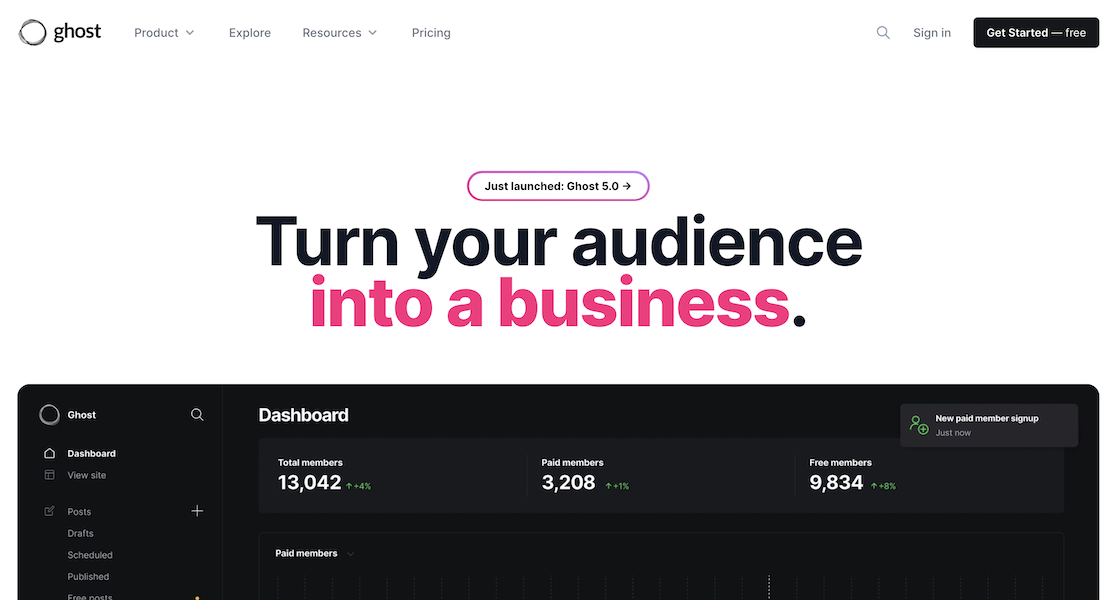Ghost isn’t really a Buy Me a Coffee alternative in the strict sense. It’s a publishing platform (closer to Substack than Buy Me a Coffee), and the monetization angle is paid subscriptions to your newsletter. If you write regularly and want subscribers to pay for premium posts, Ghost is one of the cleanest tools to do it on.
The differentiator versus the others on this list is that Ghost charges a flat monthly fee instead of a percentage. Once you’re on the right plan, the platform takes 0% of your subscription revenue. That math gets attractive fast if you have a large subscriber base.
#### My Experience
Spinning up a Ghost(Pro) site took about thirty minutes, partly because I had to pick a theme and customize it. The publishing editor is the cleanest writing experience I’ve used in any creator tool. It’s distraction-free, supports native embeds, and the membership setup is in the same admin panel as the editor.
The Starter plan is a trap if you want monetization, as It doesn’t enable paid subscriptions or custom themes. You need at least the Publisher plan ($29 a month annual) to unlock the 0% transaction fee model and the membership features. For someone with fewer than a thousand subscribers, that’s a steep monthly bill.
#### What I Liked
- **0% transaction fee at Publisher tier:** Once you’re paying the monthly subscription, every dollar of subscriber revenue goes to you (minus Stripe processing).
- **Clean publishing editor:** Easily the best writing UI of any platform on this list.
- **Native membership support:** Tiered subscriptions, members-only content gating, and email newsletters are built in.
- **Custom themes and integrations:** Publisher and Business plans unlock more than 8,000 integrations and full theme customization.
#### How Much Does Ghost Cost?
Ghost(Pro) has three plans. Starter is $15 a month (annual billing) but doesn’t enable paid subs or custom themes.
Publisher is $29 a month annual and includes paid memberships, custom themes, integrations, and 0% on transactions. Business is $199 a month annual for bigger teams and higher subscriber counts.
All plans include a 1,000 member baseline, and you upgrade when you outgrow it. Stripe processing fees still apply on every membership charge.
**My Verdict**
Best if you want a publishing platform that doubles as a tip jar through paid subscriptions. The monthly subscription model gets cost-competitive once your subscriber revenue clears about $1,000 a month.
### 7. [Liberapay](https://liberapay.com/)
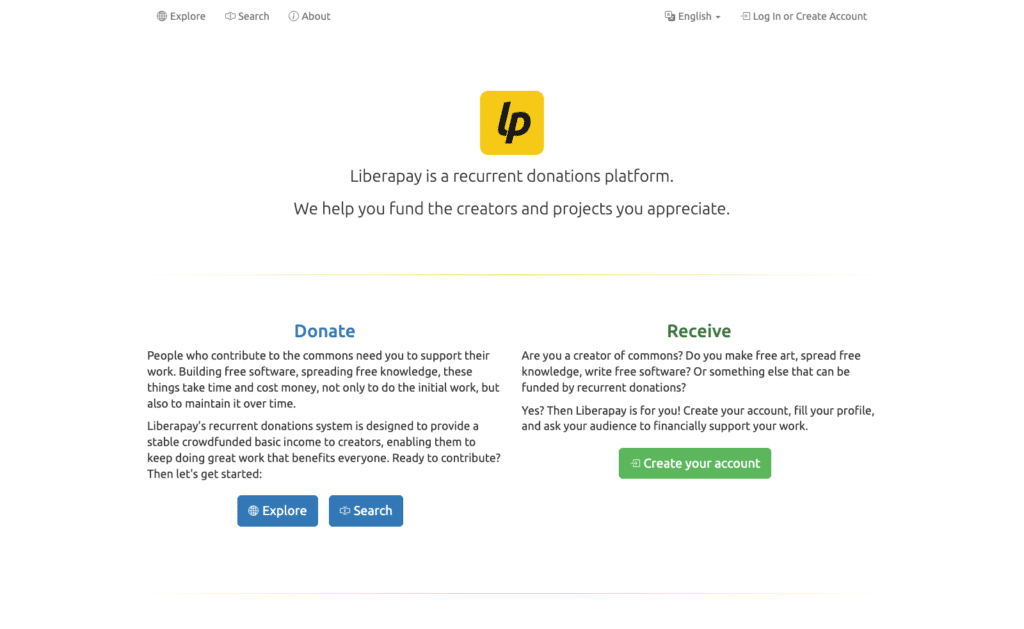Liberapay is a non-profit, open-source recurring donations platform. It was set up in 2015 by a French non-profit and is funded by donations on its own service. The platform takes 0% on every payment. The only fees are what Stripe or PayPal charge to process the card.
It’s the donation platform with the lowest possible fees on this list, but the trade-off is that Liberapay is recurring-only and minimal. There’s no shop, no membership perks, no merch. Just a profile page where supporters can pledge a weekly, monthly, or yearly donation.
#### My Experience
Setup took less than five minutes, as you sign up, write a short description, set a weekly funding goal, and connect Stripe or PayPal.
The profile page is plain and functional, with no design controls beyond what you can fit in a description. The audience that fits Liberapay best is open-source maintainers and writers who want recurring support without overhead.
I tested a $2 weekly donation to myself and the experience was friction-free. The platform charges nothing and the funds appeared in my Stripe balance on the normal payout schedule.
#### What I Liked
- **0% platform fee:** This is the cheapest recurring donation option on this list. You only pay processor fees (about 2.9% plus $0.30 on Stripe).
- **Non-profit and open-source:** The platform itself is funded the same way creators are funded on it. Transparent and accountable.
- **Multi-currency support:** Liberapay handles EUR, USD, GBP, JPY, and several others natively, which makes it a good fit for international supporters.
- **No vendor lock-in concerns:** It’s open source, so your donation data isn’t held hostage by a for-profit platform.
#### How Much Does Liberapay Cost?
Liberapay charges 0% as the platform. The only deductions are Stripe or PayPal’s payment processing fees, typically 2.9% plus $0.30 per charge on Stripe in the US.
**My Verdict**
Liberapay has a place if you fund an open-source project or want a no-frills recurring donation page without paying a platform cut. The trade-off is a barebones interface and no support for one-off tips or memberships with perks.
### 8. [Memberful](https://memberful.com/)
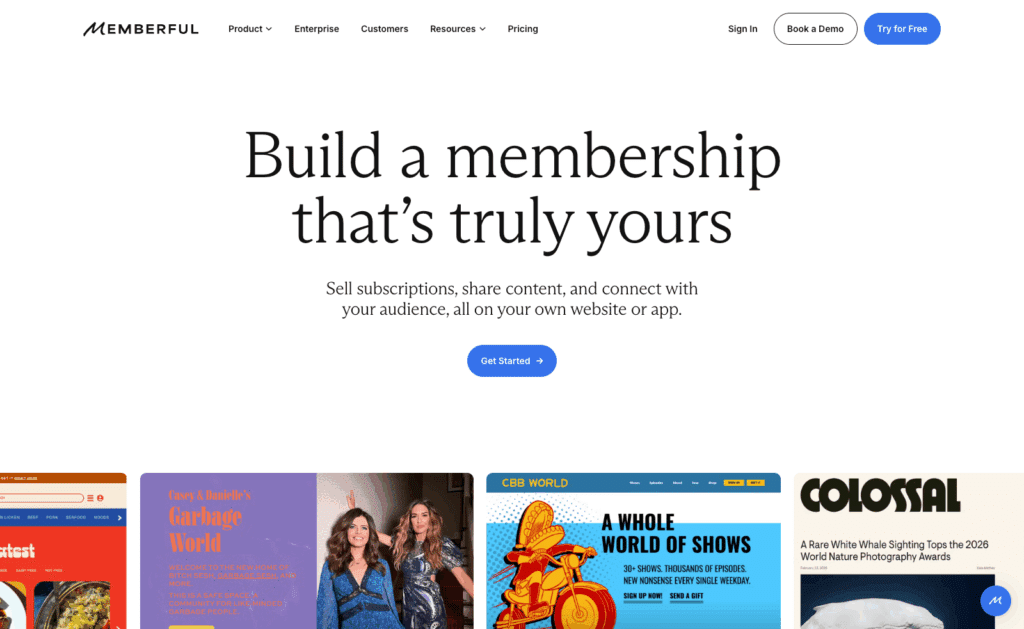Memberful is the one platform on this list specifically built to add a paid membership layer onto an existing site (especially WordPress).
If you already have a blog with an audience, Memberful slots in as the gate that turns casual readers into paying members. The WordPress plugin handles content gating without making you write custom code.
#### My Experience
The pitch is different from everyone else on this list, as you’re not driving traffic to a Memberful profile, but rather you’re keeping your audience on your site and letting Memberful handle the checkout, member portal, and recurring billing in the background.
Connecting Memberful to a test WordPress site took about twenty minutes, including the plugin install and the Stripe connection. The plugin syncs Memberful members with WordPress user roles, so you can gate any post or page by tier. The free plan lets you run the whole thing in test mode for as long as you need, which I appreciated.
#### What I Liked
- **WordPress plugin for content gating:** Members can read paid posts on your own site without leaving for a third-party portal.
- **Member role syncing:** Each membership tier maps to a WordPress user role, so existing role-based logic continues to work.
- **Free plan for testing:** Run the full system at 10% per transaction with no monthly fee until you outgrow it.
- **PayPal and Stripe support:** Members can pay with either, which matches how a portion of audiences prefer to transact.
- **Custom domains and branding:** Member checkout and portal pages can sit under your own domain.
#### How Much Does Memberful Cost?
The Free plan has no monthly cost and a 10% transaction fee. The Standard plan is $49 a month with a 4.9% transaction fee plus payment processing. The crossover where Standard becomes cheaper than Free is around $1,700 to $2,100 a month in revenue, depending on your average transaction size. If you want a deeper look at WordPress membership tools, our roundup of the best [WordPress membership plugins](https://wpforms.com/best-wordpress-membership-plugins-compared/) covers the alternatives.
**My Verdict**
Best for WordPress site owners who already have an audience and want to convert it into paying members without rebuilding on a new platform. If you’re starting from zero, the picks above will get you launched faster.
### Which Is the Best Alternative to Buy Me a Coffee?
The honest answer depends on what you’re optimizing for, but I can narrow it down by use case.
- **For DIY control and the lowest long-term cost:** WPForms. You own the form, the data, and the supporter list, and on Pro you pay zero platform fees.
- **For the closest one-to-one swap with way lower fees:** Ko-fi. 0% on tips, similar UX, and supporters won’t notice the change.
- **For serious membership creators:** Patreon if you’re already established (and on the legacy 8% fee), Memberful if you have a WordPress site.
- **For one platform that does everything:** Fourthwall. Tips, merch, memberships, and digital products on one branded site.
[Set Up Your Own Tip Jar With WPForms](https://wpforms.com/pricing/)
### How to Set Up WPForms as Your Buy Me a Coffee Alternative
If the WPForms approach is what you want to try, here’s the four-step setup. The whole flow takes less than ten minutes once you have a WordPress site running.
#### Step 1: Install WPForms
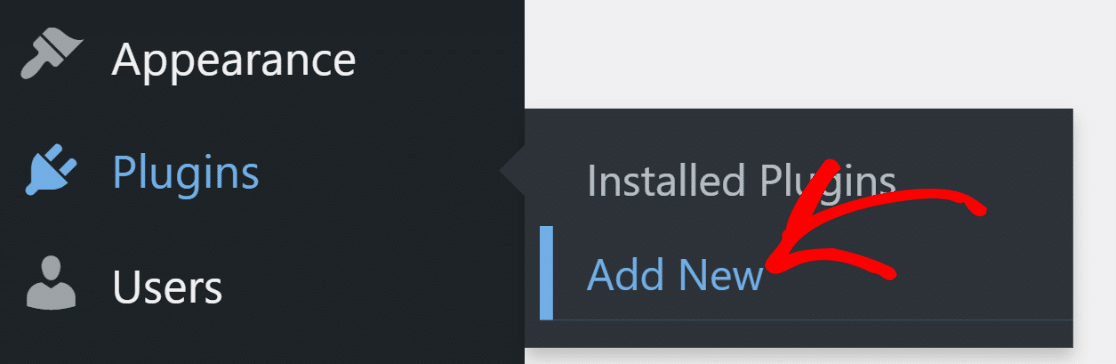
Log in to your WordPress dashboard and go to **Plugins » Add New**.
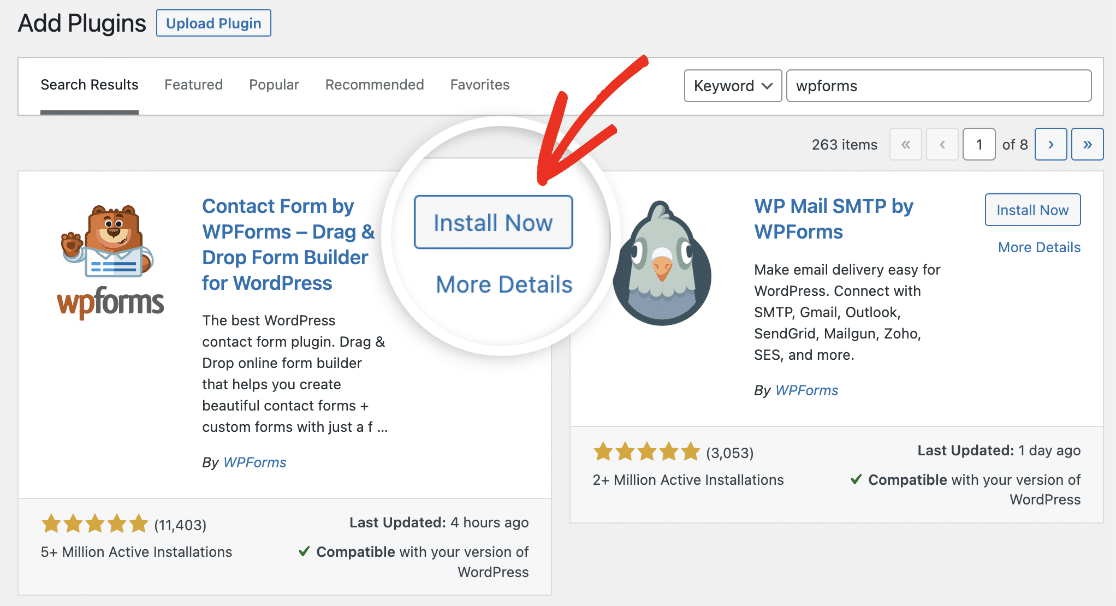
Search for “WPForms” in the search bar and click the **Install Now** button next to the plugin.
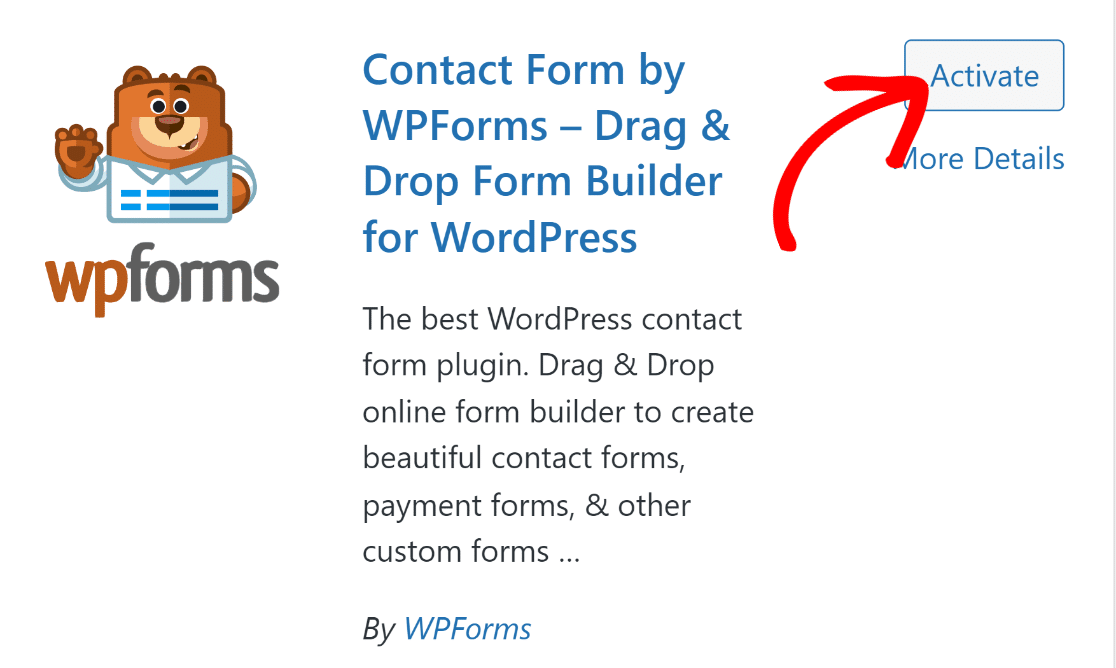
Wait a few seconds for the install to finish, then click the **Activate** button.
That’s WPForms installed. Now you can build your first donation form.
#### Step 2: Import the Buy Me a Coffee Form Template
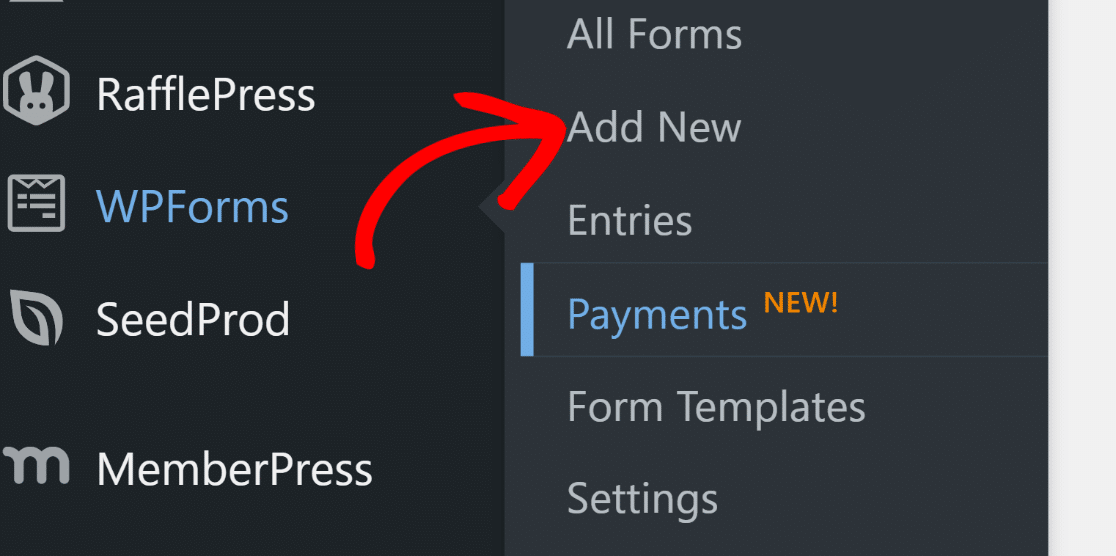
WPForms ships with a ready-made Buy Me a Coffee template you can drop in and use as-is or customize. To import it, go to **WPForms » Add New**.
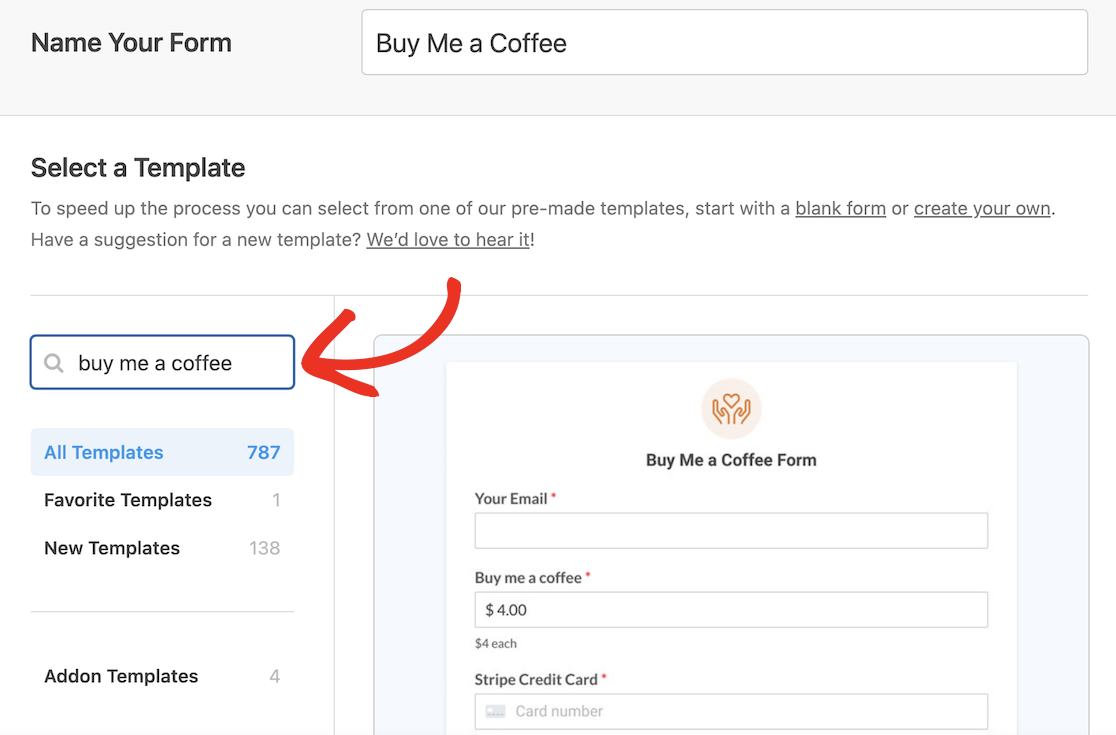
Give your form a name and search for “Buy Me a Coffee” in the search bar.
Click the **Use Template** button to load it into the builder.
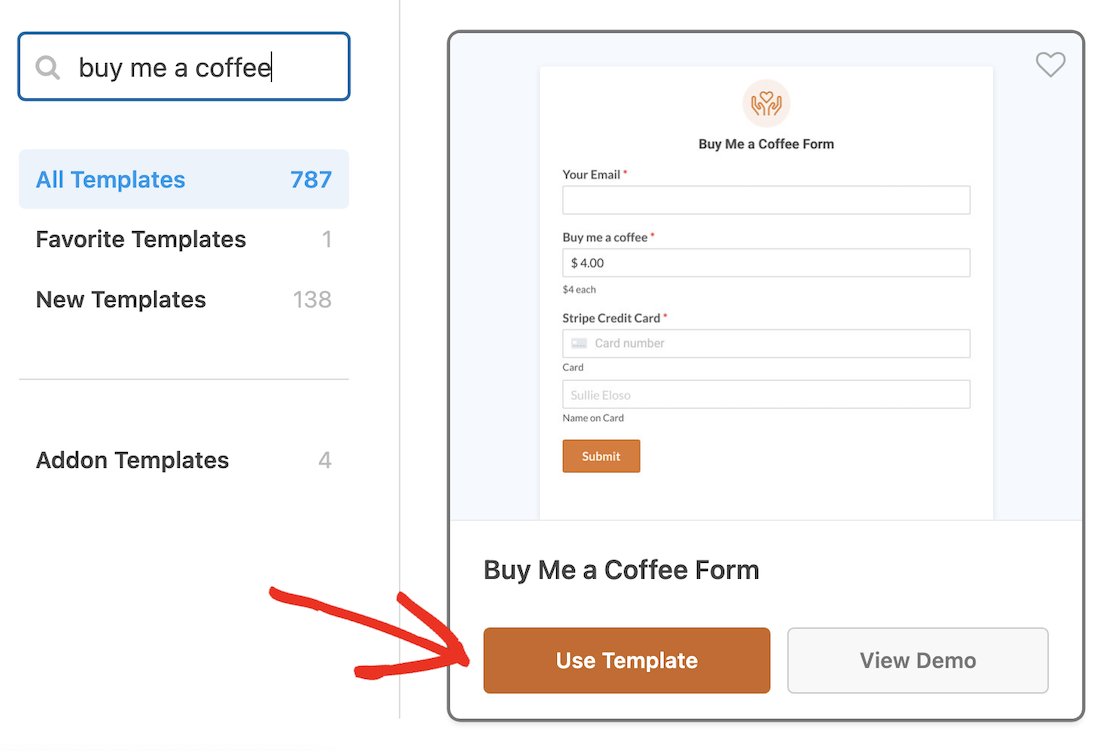The template comes pre-loaded with an email field, a price field (set to $4 by default, but supporters can type any amount), and the Stripe credit card field.
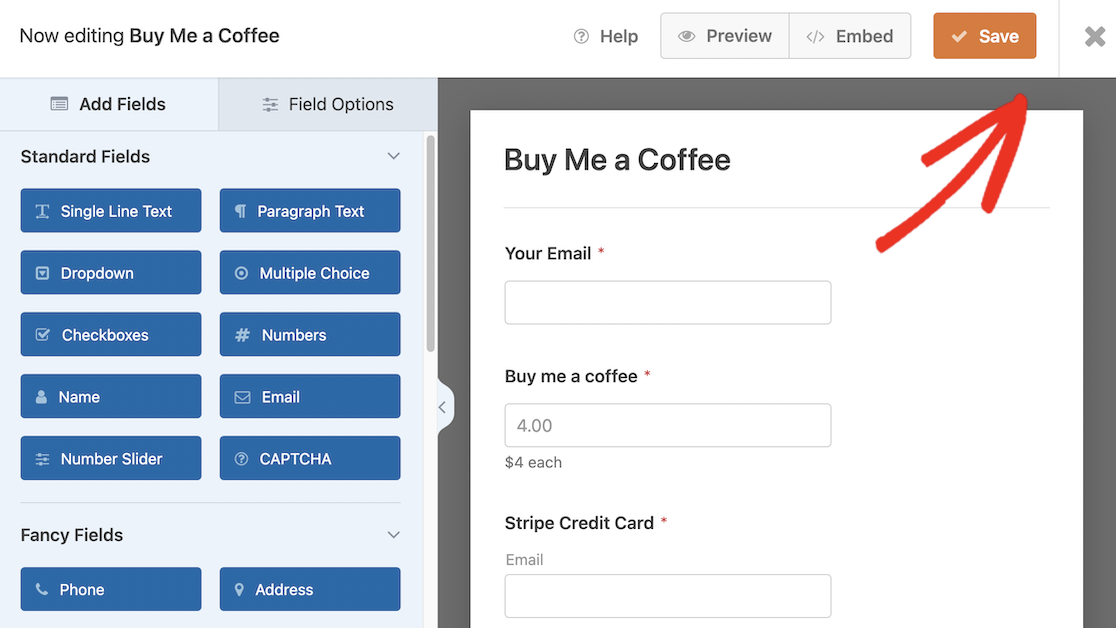
Drag in any extra fields you want (like a message field for supporter notes), then click **Save** and exit the builder.
#### Step 3: Set Up Stripe Payments
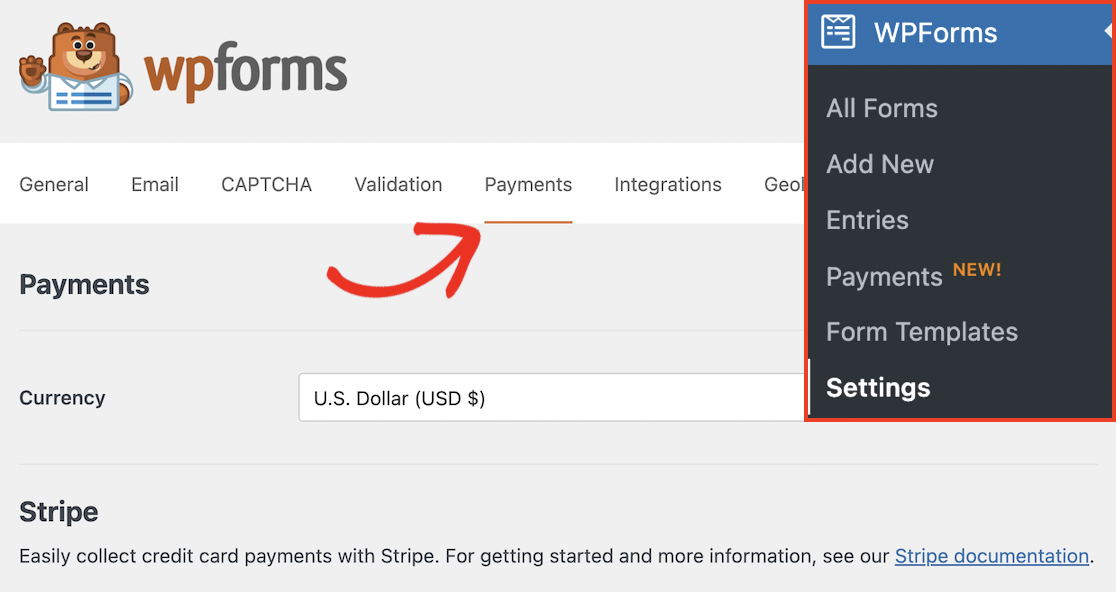
Go to **WPForms » Settings** in your WordPress dashboard, then click the **Payments** tab.
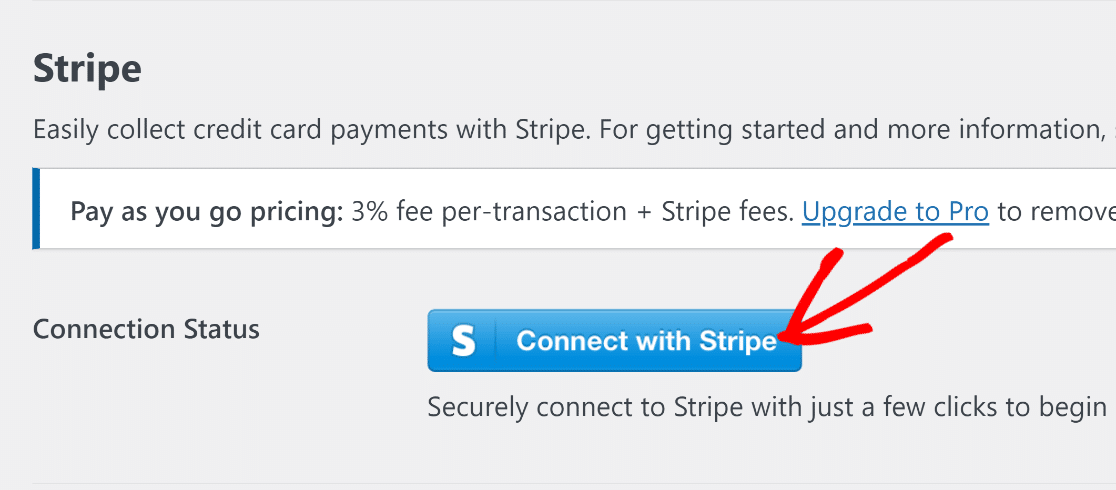
Scroll down and click the **Connect with Stripe** button.
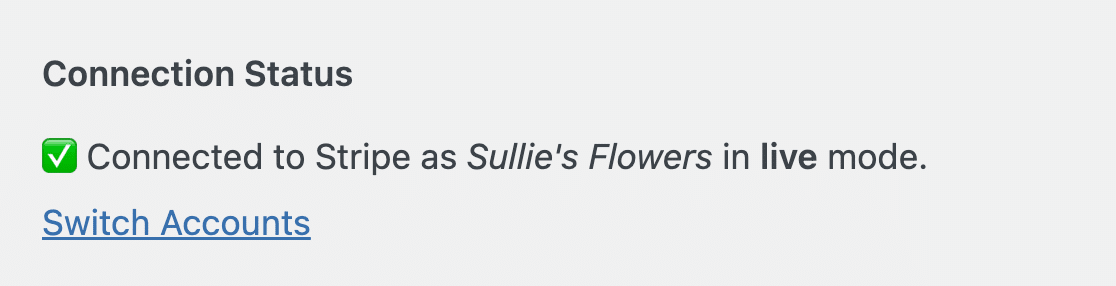
You’ll get redirected to Stripe to sign in or create a new account. Once you’re back in WordPress, the **Connection Status** should confirm WPForms is linked to your Stripe account.
Before you go live, I’d suggest you [test your Stripe payments](https://wpforms.com/docs/how-to-test-stripe-payments-on-your-site/) by running a charge in Stripe’s test mode. It takes thirty seconds and saves you the embarrassment of finding out something’s broken on the first real donation.
The last step is to [embed your form](https://wpforms.com/how-to-embed-a-form-on-your-website/) on a page, post, or sidebar widget. Add a new page (like “Support My Work”), drop in the WPForms block, pick your Buy Me a Coffee form, and publish.
### FAQs About Buy Me a Coffee Alternatives
If you’re still weighing options, here are the questions I get most often from creators thinking about leaving Buy Me a Coffee.
The picks below cover what people search for under “buy me a coffee competitors”, “sites like buy me a coffee”, and “kofi alternatives” too.
#### What is the best alternative to Buy Me a Coffee?
It depends on what you need. For the cleanest direct swap with way lower fees, Ko-fi is the closest match (0% on tips). For full control and zero platform cut once you upgrade, WPForms running on your own WordPress site is the long-term winner. For recurring memberships with tiered perks, Patreon is still the most established option, though new creators now pay a 10% platform fee.
#### Is Ko-fi better than Buy Me a Coffee?
For one-off tips, yes. Ko-fi takes 0% on tips while Buy Me a Coffee takes 5%. The interfaces are similar enough that supporters won’t feel a difference. For paid memberships, the two platforms charge the same 5% on the free plan, so the tipping fee is where Ko-fi wins.
#### Is there a free Buy Me a Coffee alternative?
Yes, multiple. Ko-fi’s free plan has no monthly cost and 0% on tips. Liberapay is genuinely free (the only fees are payment processor fees). WPForms Lite is free and includes Stripe payments out of the box, though there’s a 3% WPForms processing fee on Lite that goes away on Pro. Fourthwall’s free plan has no monthly cost and 0% on donations.
#### How much does Buy Me a Coffee charge per transaction?
Buy Me a Coffee charges a 5% platform fee on every successful transaction (tips, memberships, shop sales). On top of that, Stripe processing is 2.9% plus $0.30 per charge in the US, and there’s a 0.5% payout fee. So a $10 supporter tip leaves you with roughly $8.40 after the platform fee, processing fees, and payout fee.
#### Can I accept Buy Me a Coffee-style tips on my WordPress site?
Yes, with a [Stripe payment plugin for WordPress](https://wpforms.com/stripe-payment-plugin-wordpress/) like WPForms. The Buy Me a Coffee form template ships in WPForms with the donation amount, email, and Stripe card fields pre-configured. Install WPForms, import the template, connect Stripe, and you’re live. The advantage is that no third-party platform sits between you and your supporters.
### Next, Accept Recurring Payments in WordPress
A one-time tip jar is a good starting point, but the next move is to give supporters the option to set up a monthly subscription so the income compounds. WPForms makes this easy.
Follow our guide on [how to accept recurring payments in WordPress](https://wpforms.com/how-to-accept-recurring-payments-on-your-wordpress-forms/) to add a subscription option to your existing donation form.
If you’d rather build a full members-only area on your WordPress site, our walkthrough on [how to create a membership site in WordPress](https://wpforms.com/create-a-membership-site-with-wordpress/) covers the setup end to end.
[Create Your WordPress Donation Form Now](https://wpforms.com/pricing/)
Ready to build your form? Get started today with the easiest WordPress form builder plugin. [WPForms Pro](https://wpforms.com/pricing) includes lots of free templates and offers a 14-day money-back guarantee.
If this article helped you out, please follow us on [Facebook](https://facebook.com/wpforms) and [Twitter](https://twitter.com/easywpforms) for more free WordPress tutorials and guides.
**Categories:** Showcases
**Tags:** form templates, payments, small business forms, stripe
---